Studio Local Simulation Configuration
Open Local Simulation Configuration at the bottom of the Studio menu to maintain local simulation projects. This workflow is optional: you can also run a separate Gateway on this computer and use its Web interface for configuration and debugging. Use Site management for field access and remote maintenance. For complete end-to-end operation, refer to the Studio Web User Manual.
For installation, enrollment, collection, deployment and synchronization, follow Center and edge deployment.
Project preparation and lifecycle
Page Purpose
Local Simulation Configuration maintains local simulation projects and supports local runs, import and export, upload to Watchdog, and download from Watchdog.
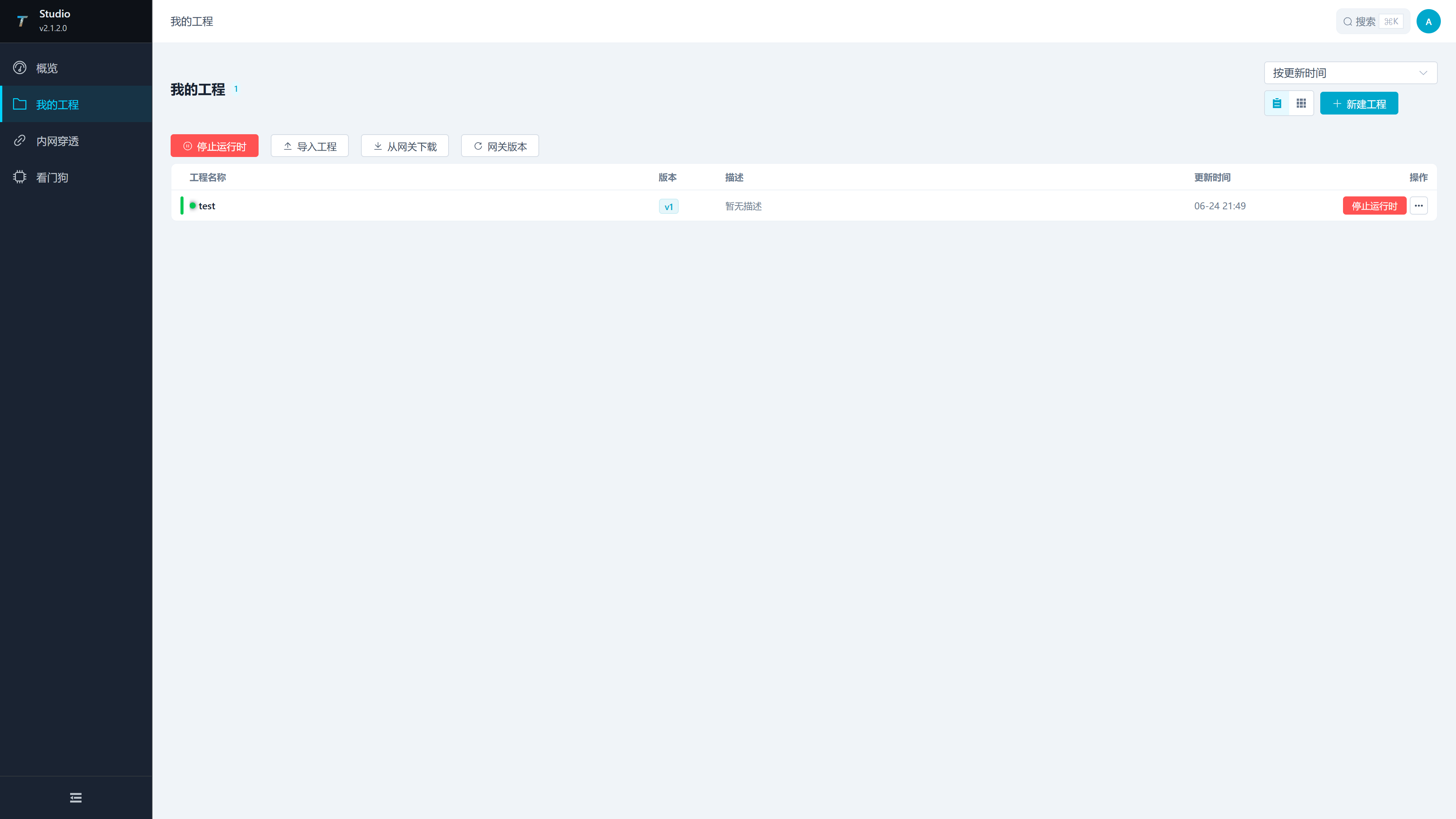
| Area or Operation | Description |
|---|---|
| Sort | supports sorting by update time, creation time, or name. |
| View Switching | The desktop side can switch between list view and card view. |
| Create a New Project | Open the project drawer and create a local project. |
| Stop Runtime | Local Runtime Displays while running and is used to stop the running project. |
| Import the project | Import local projects from the ZIP project package. |
| Download from the gateway | Download the package from the configured Watchdog service. |
| Gateway Version | View the current version, latest version, and update status of TGateway used by Studio. |
| Project Operations | Each project supports start/stop runtime, edit, export, upload, and deletion. |
Project Lifecycle
| Stages | Studio Operations | Explanation |
|---|---|---|
| Create | Create a new project or import a ZIP | It is recommended to clearly state the project name and description to facilitate publishing, backup, and feedback identification. |
| Local Debugging | Launch the runtime and enter TGateway Web | Studio will start the local runtime. After opening the Gateway Web, continue configuring channels, devices, variables, scripts, etc. |
| Publish | Upload to Watchdog | Select the target Watchdog, target environment, and runtime update options. |
| Return | Download from the gateway | Download projects from the on-site Watchdog back to Studio for easy troubleshooting and secondary maintenance. |
| Archiving | Exporting ZIP | used for version retention, migration, or delivery. |
Maintain and verify a local project
Create or Edit a Project
Click "New Project," or click "Edit" in the More Projects menu to open the project drawer.
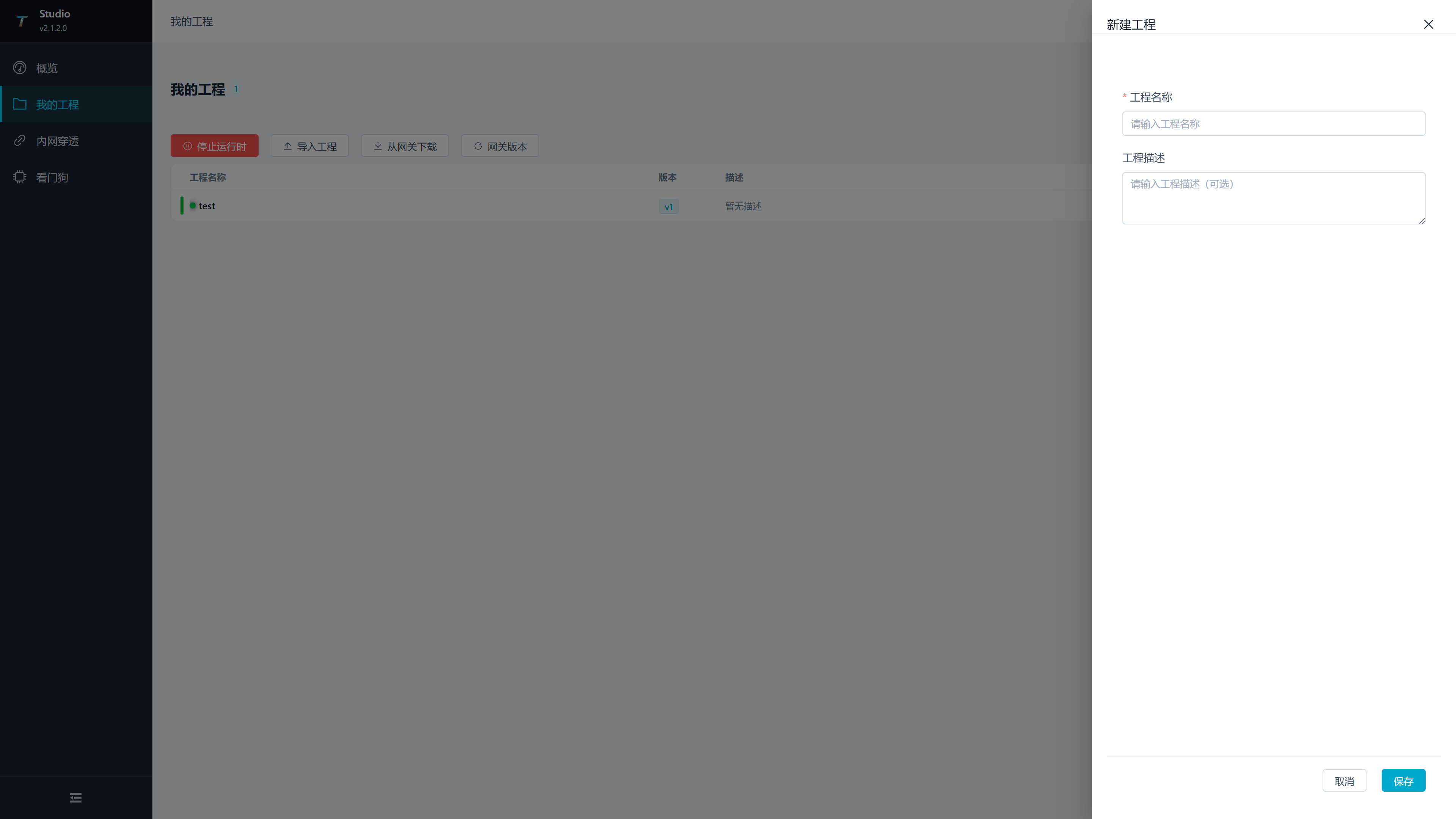
| Configuration Items | Description |
|---|---|
| Project Name | Required, length check is 2-50 characters. It is recommended to include information about the site, production line, or equipment group. |
| Project Description | Optional, used to record usage, version notes, site differences, or maintenance notes. |
| Local Simulation Gateway Port | Set the local simulation runtime Web port when creating a project. Range: 1-65535; default: 5000. Choose a port that is not used by another local Gateway. |
| Save | Create a project when creating it and update the project name and description when editing. |
| Cancel | Close the drawer and do not save this modification. |
Start Local Runtime
Click the project itself in the list or card, or click the main project button "Start Runtime". Studio will start the project's local runtime and open TGateway Web.
| Status | Page Performance | Operation Suggestions |
|---|---|---|
| Not running | The main button displays startup runtime. | After clicking, wait for the startup to start; the card will display a mask during startup. |
| While Running | Display the project status and the main button can stop running. | Clicking the project will directly open TGateway Web. |
| Switching Projects | When starting another project, the ongoing development project switches. | Before switching, confirm that the current configuration in TGateway Web is saved. |
Local Simulation Configuration starts and stops the Studio local simulation runtime. After entering TGateway Web, follow the TGateway operation manual to configure channels, devices, variables, scripts, nodes, and data forwarding.
Import Project
Click the toolbar "Import Project" and select the ZIP project package.
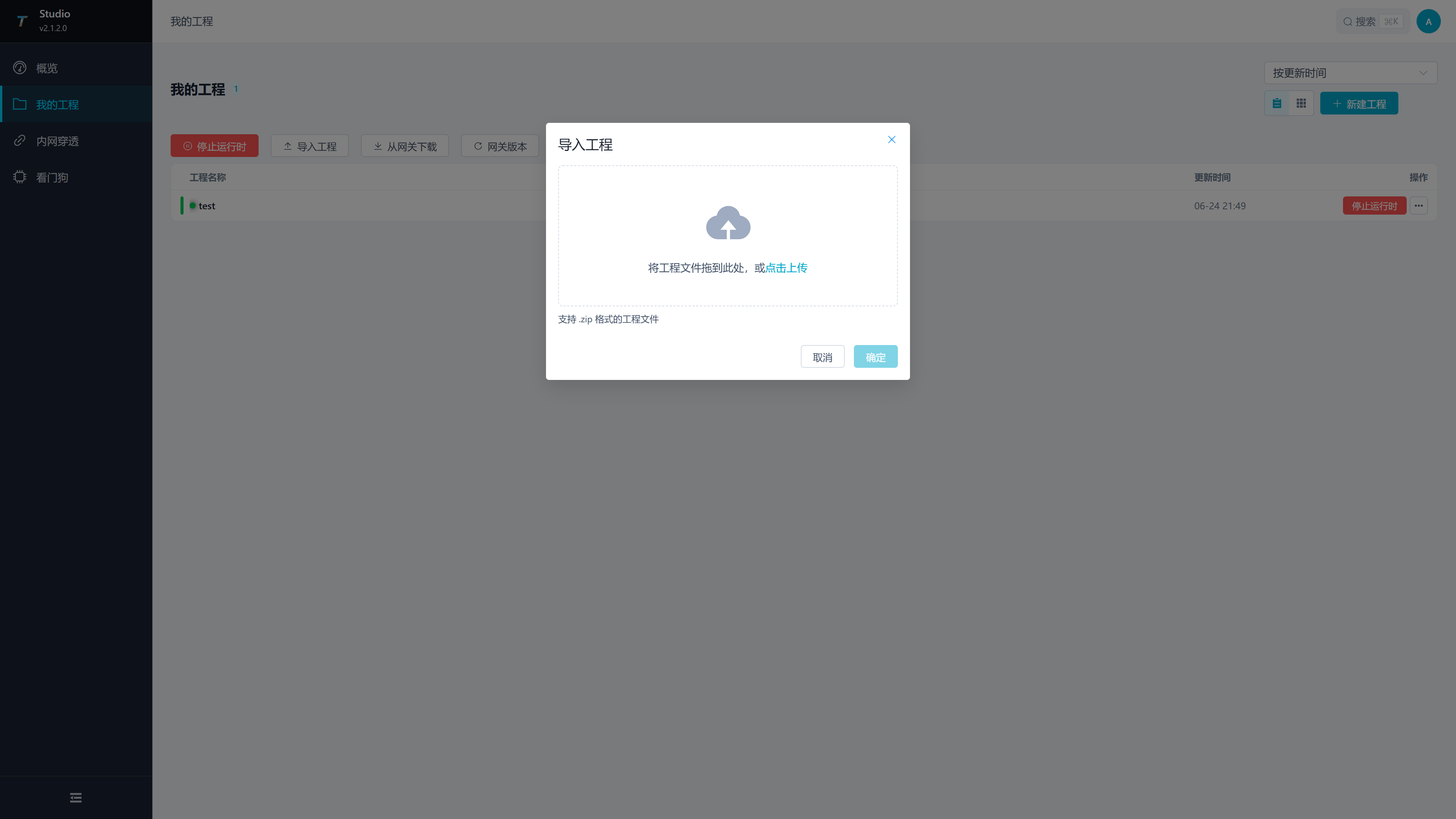
| Configuration Items | Explanation |
|---|---|
| Project Package | only supports ZIP files. You can drag it to the upload area or click to select. |
| Import Project Name | Optional. After filling it out, import using the name; If not filled in, use the original name of the project package. |
| Confirm | After selecting the file, import can be executed. |
After importing, check whether the project name, description, and update time meet expectations, then start the local runtime to verify the project configuration.
Export Project
Click "Export" in the project's More menu. The browser downloads a ${project-name}.zip project package, which can be migrated, archived, or sent to maintenance personnel for troubleshooting.
| Usage Scenarios | Description |
|---|---|
| Version Archive | Export once before and once before release for easier rollback and comparison. |
| Migration Delivery | Move the project to another Studio or hand it over to on-site personnel. |
| Troubleshooting | Exporting on-site works to maintenance personnel for reproduction. |
Publish and retrieve site projects
Upload your project to Watchdog
Click "Upload" in the More Projects menu to open the upload drawer.
| Configuration Items | Description |
|---|---|
| Project Name | Current project to be uploaded, read-only display. |
| Target Gateway | Select a saved site. If none is available, add and test it in Site management first. |
| Target Gateway runtime | Enter the target OS/CPU runtime identifier, such as win-x64, linux-x64 or linux-arm64. An incorrect value can cause publishing or startup failure. |
| Update RUNTIME | Update the target TGateway program file simultaneously when uploading. For production environments, it is recommended to use the maintenance window. |
| Forced restoration of NuGet | dependencies upon release. It can be used after dependency exceptions, cache construction exceptions, or switching target environments; Publishing failures may occur when the network cannot access the NuGet source. |
| Upload | Once the target gateway is selected, upload can be executed. |
Pre-Release Checks
- Test the target Watchdog connection in Site management.
- Create a backup for the target project in Watchdog Web's "Backup Management."
- Confirm that the target environment matches the gateway operating system and CPU architecture.
- Checking "Update RUNTIME" affects the target TGateway program files; arrange a maintenance window in production.
- Checking "Force restore NuGet" restores dependencies; check the NuGet source, network, and target environment identifier if publishing fails.
Download the project from the gateway
Click the toolbar "Download from the gateway" to open the download drawer.
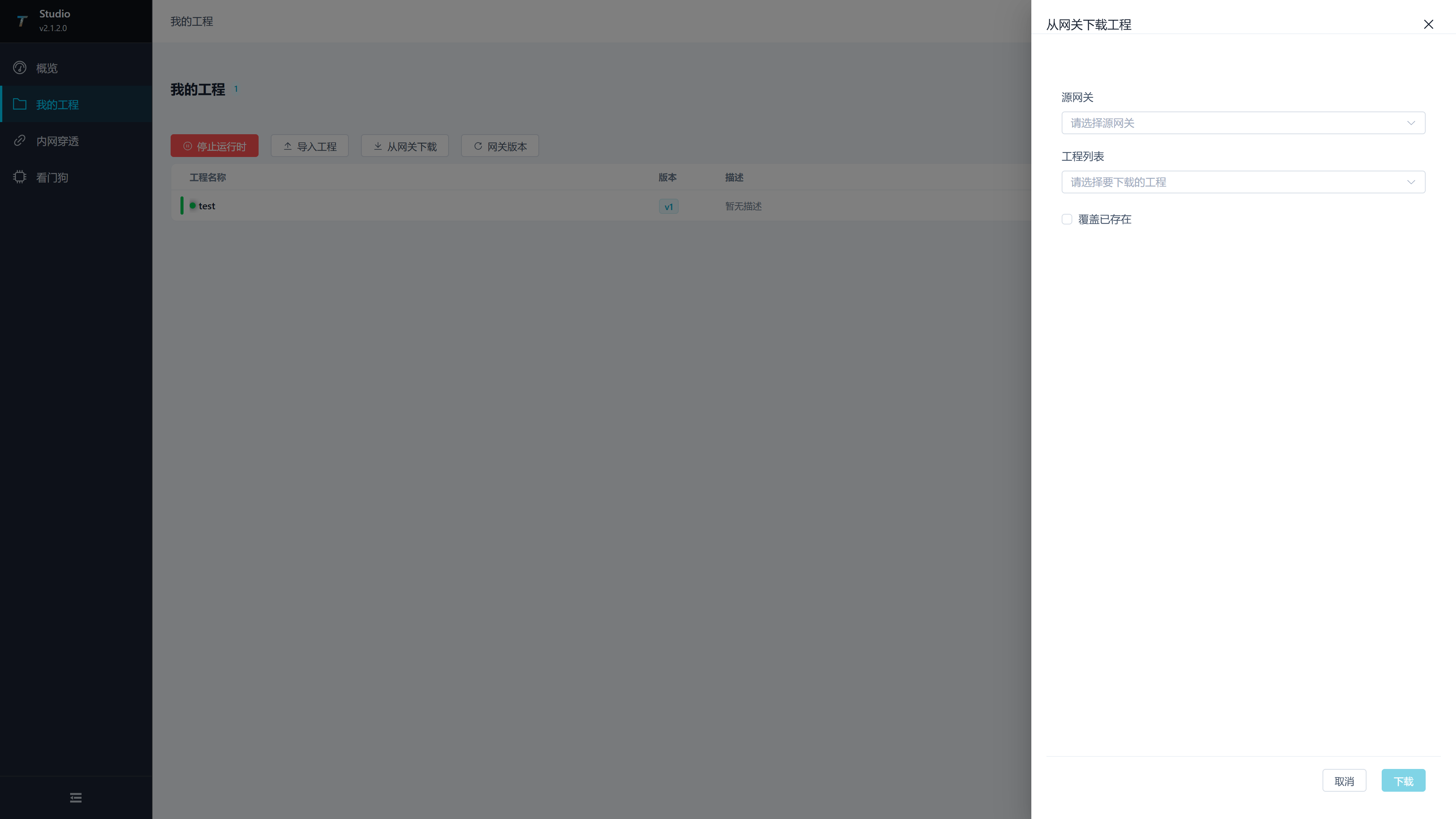
| configuration from the gateway | Description |
|---|---|
| Source gateway | Select the configured Watchdog service. |
| Project List | Select the package on that Watchdog. After switching the source gateway, the project list will be reloaded. |
| Override existing projects | Overwrite if there is a project with the same name locally. If not checked, projects with duplicate names will fail to download or be blocked. |
| Download | Download can be executed after selecting both the source gateway and the project. |
After downloading, open the project and enter TGateway Web to confirm that the channels, devices, and variables match the field configuration.
Gateway Version
Click "Gateway Version" on the toolbar to check the current version, latest version, and whether there are updates for the TGateway used by Studio. When an update is present, you can click the update button; a confirmation prompt will appear before the update.
| Field | Description |
|---|---|
| Current version used | Studio TGateway version. |
| Latest Version | Check the latest version of TGateway. |
| Status | shows whether it is the latest version. |
| Update version | Available when updates are available; Check the current project and runtime status before execution. |
Frequently Asked Questions
| Phenomena | Handling Suggestions |
|---|---|
| New Project Fails to Save | Check if the project name is empty and if the length is between 2 and 50 characters. |
| Cannot open TGateway Web | after clicking the project. Check if the local runtime started successfully; if necessary, stop and restart again. |
| The upload drawer has no target gateway | Add the site in Site management and test the connection. |
| Upload failure | Check whether Watchdog is online, whether the target environment matches, and review the runtime build logs. |
| Empty download project list | Check whether the source Watchdog is online, whether the account and password are correct, and whether there are project packages in Watchdog project management. |
| Gateway cannot start after publishing | Check the target runtime identifier, GatewayApp completeness and Watchdog startup logs. |