Collection Scheduling, Packing, and Concurrency
A device combines its protocol plugin, associated channel, and execution strategy. Establish a known-good point before changing scheduling. After expanding the point list, adjust packing, concurrency, and retries using actual traffic and update times.
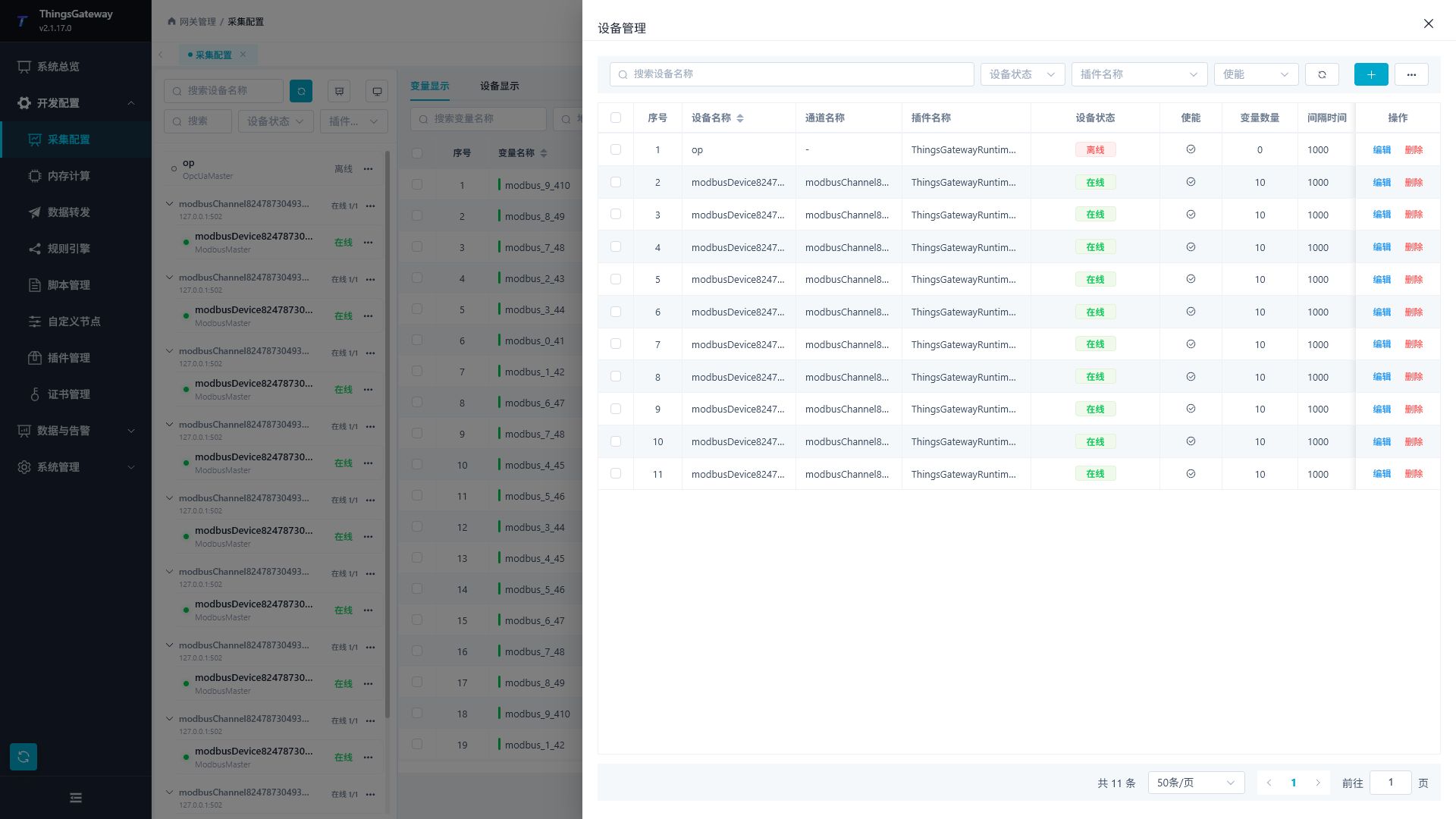
Open a device in Development Configuration → Collection Configuration. Basic Information contains the name, channel, execution interval, enablement, logging, and remarks. Plugin Properties contains protocol-specific options.
Set collection timing
Understand device status
| Field | Meaning |
|---|---|
| Enable | Allows the device task to run. Initialization and connection still have to complete. |
| Running | Task lifecycle state. A running task can still be offline because of protocol errors. |
| Online | Current communication quality. Check variable quality and recent errors. |
| Redundancy role | Which device is working. See Redundancy. |
| Variable count | Configured variables, rather than the online count or updates per second. |
Names are used by searches, logs, templates, and scripts. Renaming preserves the object but requires checks of name-based dependencies and routing. Descriptions, units, and remarks describe the business; they do not perform conversion or access control.
Set the execution interval
- Enter
1000, save, and reopen the device to verify persistence. - Wait for normal operation and observe a continuous window of new samples and requests.
- Change only the interval to
2000and compare an equally long window. - Select the required data freshness and restore the normal log level.
| Input | Meaning |
|---|---|
1000 | Schedule by an interval of 1000 milliseconds. |
2000 | Approximately two-second scheduling; completion also includes communication, packing, waiting, and retries. |
*/2 * * * * * | Six-field Cron: seconds, minutes, hours, day, month, and weekday; triggers every two seconds. |
Interval and calendar scheduling are different. Equal nominal periods do not make them identical under all loads. For a fixed source value, inspect collection times or source requests.
Coordinate timeouts, retries, and packing
| Parameter | Use |
|---|---|
| Read/write timeout | Allow normal source response time. Too short increases transient failures; too long delays failure handling. |
| Failure retries | Additional attempts following the plugin's policy. Include their traffic and waiting time in capacity planning. |
| Protocol packing limit | Maximum data carried by one request. Modbus limits use bits or registers by function code, not variable rows. |
| Read/write duty cycle | Uses write-operation counts to give waiting reads an opportunity under sustained contention. It is not a percentage or a fixed ratio in every frame sequence. Check whether the specific plugin applies it. |
| Pre-frame delay | Waiting before each send, accumulating across requests. Separate it from execution interval, response timeout, and RTU framing. |
| Write priority | Gives supported write operations priority; still verify protocol constraints and field feedback. |
| Channel concurrency | Shared limit on simultaneous communication operations on that channel. |
A Float can occupy two 16-bit registers. A limit of 100 registers does not guarantee 100 variables per request. Address continuity, widths, boundaries, and protocol limits affect packing.
When single reads work but batches fail, reduce the relevant packing limit and check for unreadable address gaps. See the specific Collection Plugin.
Maintain connectivity and availability
Change the associated channel
Changing a channel's remote endpoint affects its referencing devices. Selecting another channel changes the current device's route.
- Record the channel, device, and point addresses.
- Save the new or edited channel first, then save the device reference.
- Wait for communication reconstruction and verify the real source value, new sample time, and logs.
- Check remaining references before removing an unused channel.
An alternate remote endpoint, device redundancy, and a different associated channel operate at different levels. See Channel Transport.
Log levels
The device editor offers Trace, Debug, Info, Warning, and Error. These control new output, not protocol addresses or values. A healthy link can have no new warnings or errors.
Temporarily increase detail when troubleshooting and inspect the new time window. Reducing detail does not delete old records. Restore the normal level after checking; per-request Trace output adds overhead at scale.
Device redundancy
Device redundancy selects another collection device within one gateway. Verify each source independently, preferably with distinct known values.
- Enable redundancy on the primary and select an unassigned standby using the same plugin. Do not enable another redundancy pairing on that standby.
- Keep the standby enabled and able to start. Creating its configuration alone is insufficient.
- For failure switching, start with a
10000ms scan interval or longer. The current editor's minimum is10000; this is separate from collection scheduling. - Test a manual switch, then interrupt the primary source in a maintenance window. Verify the active role and actual source values after takeover and recovery.
- For script switching, compile a Data Conversion script before selecting it. The input is the current device runtime information and the Boolean result requests switching; this is different from converting a variable's raw value and has no separate parameter editor.
Use the configured primary's detail page for manual switching. A standby without its own redundancy pairing does not show this button. Continue using the configured primary's entry after a switch, and verify the active side using its runtime role and actual source value.
Make the script condition stable on the intended working side. For example, return true only when the standby needs to yield back, and false on the healthy primary. A condition that remains true on both sides can request repeated switches on later scans. First verify binding with a script that returns false, then add an explicit role or business condition.
Saving device configuration reconstructs its task and may restore the configured primary. Distinguish reconstruction from a later scan-triggered switch. Disabling redundancy removes the pairing without deleting the standby or its channel. See Runtime Redundancy for whole-gateway takeover.
Verify before scaling
- Verify one point's value, type, and quality.
- Add a few points in the same area and check packing.
- Expand to the planned size and record online devices, connections, and success/failure increments.
- Calculate request rates from actual elapsed seconds; observe CPU, memory, and complete scan time.
- Change one setting at a time and compare business results.
Device successes, protocol requests, online variables, and variable updates per second are distinct measurements. See Capacity Planning.