Channel Transport, Timeouts, and TLS
A channel provides the transport, a device runs the collection protocol, and variables define addresses, types, and value processing. Verify one known point before adjusting failover, concurrency, or security.
Open Development Configuration → Collection Configuration → Channel Configuration. You can also open the channel editor beside a device's associated channel. Check every referencing device before changing a shared channel.
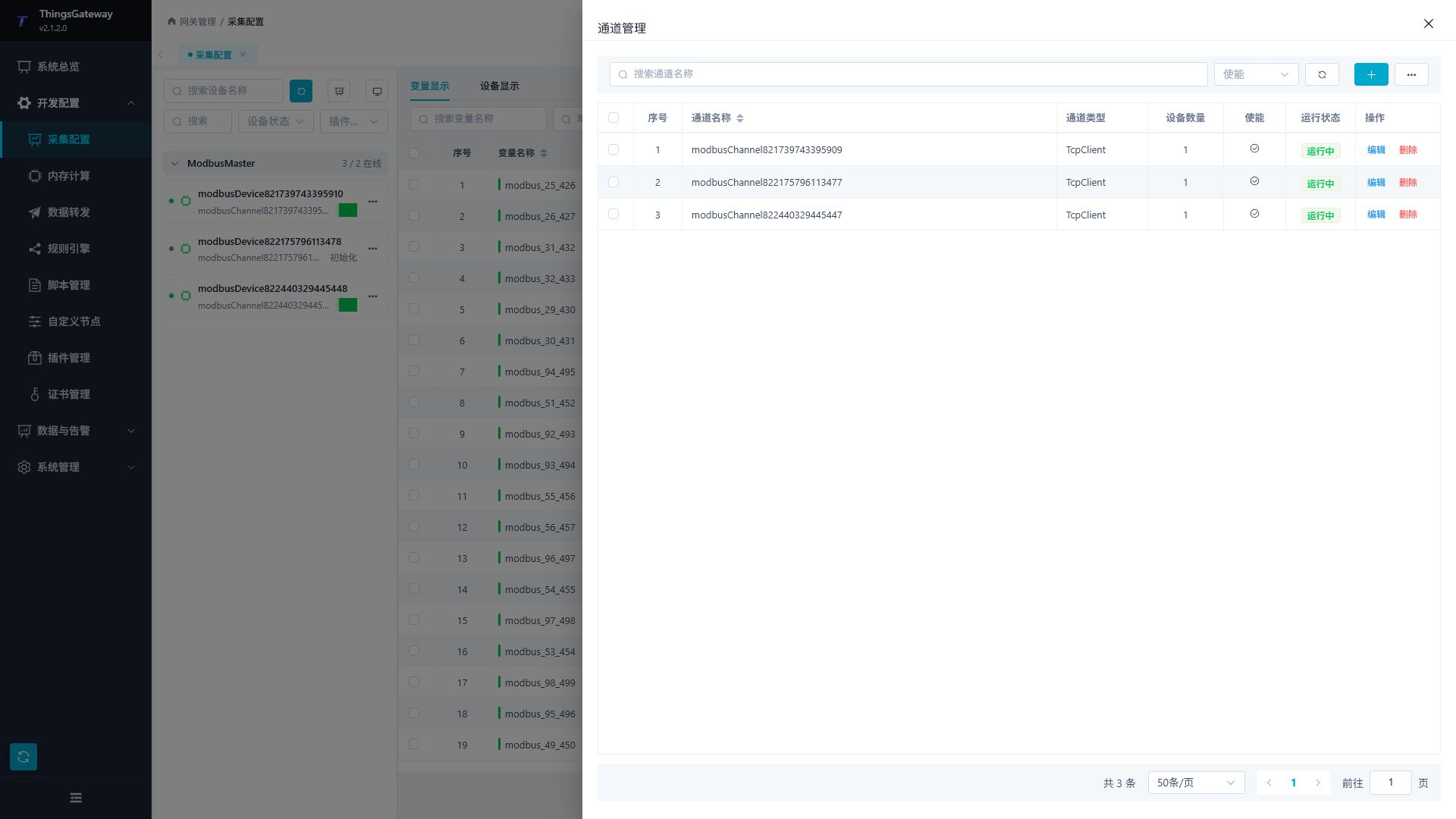
Disabling a channel stops its transport and affects associated devices; the device and variable configuration remains. After enabling it again, wait for a new connection and sample. Log levels are Trace, Debug, Info, Warning, and Error. They control new log output, not business values. A healthy connection may produce no new warnings or errors.
Choose and verify a transport
Choose the transport direction
| Channel type | Configuration |
|---|---|
| TCP client | The gateway connects to the device. Enter the device's IP:port as the remote endpoint. Bind a local endpoint only when a specific interface or source port is required. |
| TCP server | The gateway listens and the terminal connects. Bind an address owned by the gateway host and allow inbound traffic. See DTU Service for registered terminals. |
| UDP | Check the remote endpoint, local binding, and response destination. Receiving a datagram is different from establishing a TCP connection. |
| Serial | Select a port on the gateway host and match baud rate, data bits, parity, stop bits, and wiring. Give each port a clearly defined owner. |
127.0.0.1 always refers to the gateway host, even when the browser runs on another computer. The device plugin must support the selected channel type. Modbus, S7, and OPC UA remain different protocols when they use TCP.
Establish a collection baseline
- Save the channel and create a device with the correct collection plugin.
- Add one variable with a known address, type, and source value.
- Enable the channel, device, and variable. Check quality, current value, raw value, and collection time.
- Record the endpoint, station address, and variable address. After each change, verify a new sample against the real source.
A displayed old value can remain after collection stops. Connection, device execution, variable quality, and value correctness require separate checks.
Configure TCP and TLS
Configure primary and alternate TCP endpoints
Enter different Remote Address and Alternate Remote Address values in a TCP client channel. Leave the alternate empty to use one endpoint.
- Make the primary reachable and verify new samples from it.
- Interrupt the primary in a permitted test environment without changing the plugin, station, or point address.
- Check logs and the source to verify new data through the alternate.
- Restore the primary and observe the active connection. A working alternate remains active; another connection failure triggers an attempt at the other endpoint. Restarting the channel tries the primary first.
This changes the route of one channel. Device redundancy and two-Runtime operation are described in Redundancy.
TCP servers, DTU registration, and heartbeats
TCP servers expose connection limits and client expiry. An expiry of 0 disables this idle cleanup; explicit disconnects and channel reconstruction can still close connections. Test both active and idle terminals when setting a nonzero expiry.
DTU ID, Hex, heartbeat content, and heartbeat interval are shared channel fields. Their use depends on the plugin and direction. Filling them in for an ordinary Modbus TCP master does not establish that registration or heartbeat bytes are sent. See DTU Service and reverse connections in Modbus Server.
Text and Hex select byte encoding on paths that consume these settings. The heartbeat interval does not change ordinary variable polling. Default DTU registration and DDP have different registration, response, and business framing; configure both ends consistently and verify identity plus real data after a change.
Establish TLS
These settings apply to TCP client and TCP service channels. UDP sessions and serial channels do not use this TLS switch.
- Prepare role-specific identities and trust roots in Certificate Management. TCP services need a server certificate with its private key; connecting peers need a client identity for mutual TLS.
- For a TCP client, enable SSL, enter the remote TLS port, and select the CA that trusts the remote server. Select a client certificate when that server requires mutual TLS. Set SSL Target Host Name to the DNS name or IP in the remote certificate's SAN.
- For a TCP service, configure the local listening address and server certificate. Disabling Allow Untrusted Certificates also requires connecting peers to present a valid client certificate. Configure the CA that trusts those clients and provide each terminal with its client identity. Target host name and client-certificate fields belong to TCP client connections.
- Save and verify a new handshake and collection result. Inspect the latest error if validation fails.
| Parameter | Meaning |
|---|---|
| Enable SSL | Enables encrypted transport. A plaintext client cannot use a TLS-only endpoint. |
| Client/server certificate | TCP clients use client identities for mutual authentication; TCP servers need a server certificate with a private key. The roles are distinct. |
SSL protocol None | Lets the operating system negotiate a supported TLS version. SSL remains encrypted when enabled. |
| Allow untrusted certificates | Enabling relaxes peer validation and lets a TCP service accept peers without client certificates. Disabling validates the peer strictly and makes a TCP service require a client identity. Configure trust and identities for the selected direction. |
| Check certificate revocation | Match the certificate policy and available revocation services. Include service reachability when troubleshooting. |
Serial settings
| Parameter | Configuration |
|---|---|
| Port name | Use a port visible to the gateway host. Windows and Linux names differ. |
| Baud rate, data bits, parity, stop bits | Match the device and wiring. Confirm ASCII and binary RTU framing separately. |
| DTR and RTS | Set control signals only as required by the device or converter. Their effect depends on wiring and driver support. |
| Handshake | Select the required software or hardware flow control. Hardware flow control requires its signal wires. |
| StreamAsync | Select a receive mode supported by the driver and verify complete frames and sustained collection afterward. |
| Input and output buffers | Serial byte buffers, not variable counts. More capacity cannot repair a wrong address or frame format. |
Distinguish timeouts and scheduling
| Parameter | Meaning |
|---|---|
| Connection timeout | Milliseconds allowed to establish a connection. Include TLS handshake time where applicable. It does not set collection frequency. |
| Cache timeout | Receive buffering and frame assembly budget in milliseconds. Segmented TCP or serial responses must arrive within the framing budget. This is not a lifetime for old variable values. |
| Device read/write timeout | Protocol response budget in the device's plugin properties. Requests can time out after a connection has succeeded. |
| Device execution interval | Task scheduling in milliseconds or a supported Cron expression. See Collection Strategy. |
| Maximum concurrency | Simultaneous communication operations on one channel. Check protocol and source support before increasing it. A successful single-point read does not establish a throughput benefit. |
For a response split into two segments arriving 400 ms apart, a 100 ms framing budget may be too short. After changing it to 1000 ms, check the complete frame, new collection time, and quality. Choose production values from actual frame lengths and latency.
Troubleshooting
| Symptom | Check |
|---|---|
| Correct port but no connection | Direction, remote host, firewall, and actual listener. A server binding must belong to the gateway host. |
| Channel online, variables invalid | Device protocol, station, addresses, types, and request timeouts. |
| Partial response cannot be parsed | Segmentation, expected length, framing rules, and cache timeout. |
| No return to a restored primary | Whether the current alternate remains usable and the switching behavior above. |
| Value remains after disabling | New requests and collection time; the displayed value alone is insufficient. |
Continue with Collection Configuration, Collection Strategy, and Collection Debugging.