HTTP API Master
HTTP API Master maps resources on one HTTP/HTTPS origin to gateway variables. It supports JSON Pointer extraction, paged arrays, and writes with explicit business acknowledgement. See Collection Configuration for shared operations.
Create a device and variables
Open Development Configuration → Collection Configuration and add an HTTP API Master device under No Channel. Configure the origin and authentication, save it, and enable it. The device manages its own HTTP connections.
| Parameter | Description |
|---|---|
| Origin | Absolute HTTP/HTTPS address without credentials or fragments. Variable paths start at the origin root. |
| Authentication | None, Basic, Bearer, or ApiKey. Store credentials in device settings. |
| API key header | Header name for ApiKey; default X-API-Key. |
| Default headers JSON | String-valued object such as {"Accept":"application/json"}. Point headers override ordinary headers with the same name. |
| Client certificate / CA name | Managed HTTPS client certificate and private trust CA. Client certificates need a private key. An empty CA uses system trust; hostname validation always applies. |
| Use system proxy | Uses the runtime environment's system proxy when enabled. |
| Request timeout | 100–120000 ms; default 5000. All pages share one deadline. |
| Maximum response bytes | 1–16777216; default 1048576. Also limits the cumulative raw body bytes of all pages. |
| Maximum parallel connections | 1–32; default 4. Queue time counts toward the deadline. |
| Default methods | GET/POST for reading; PUT/POST/PATCH/DELETE for writing. A variable can override them. |
Addresses and values
{"path":"/api/rooms/1?unit=celsius","pointer":"/data/temperature","readMethod":"GET","writeMethod":"PATCH","writePath":"/api/rooms/1","writeSuccessPointer":"/result/ok"}
| Address field | Description |
|---|---|
| path / writePath | Same-origin path and query starting with /; writePath is optional. Cross-origin links, credentials, and fragments are rejected. |
| pointer | Empty string selects the root. /data/value selects a member; /items/0 selects an array element. Escape / as ~1 and ~ as ~0. |
| readMethod / readBody | Optional method override and JSON body. |
| writeMethod / contentType | Optional write method and media type; default application/json. |
| headers | String-valued point headers. Cannot override Authorization, API key, Cookie, Host, or transport-control fields. |
| writeSuccessPointer | When configured, must resolve to Boolean true. Without it, root success:false still fails the write. |
| pagination | nextPointer and maxPages (1–64; default 16). The value pointer must select an array. The next link must be same-origin; null or an empty string ends pagination. |
For a paged array:
{"path":"/api/items?page=1","pointer":"/items","headers":{"Accept":"application/json"},"pagination":{"nextPointer":"/next","maxPages":8}}
Each page returns {"items":[...],"next":"/api/items?page=2"}, ending with null. Loops, excessive pages, or cumulative body limits fail the read without publishing a partial array. Pagination follows the configured body link rather than inferring tokens or Link headers.
Use numeric, Boolean, or String types for scalars and Object for arrays/objects. A String variable with an empty pointer can receive plain text. A write succeeds only after the required response acknowledgement.
- Add or edit a variable in Real-time Variables and open its address Field editor.
- Enter the path and value pointer. Enable overrides when needed; POST reads can include a JSON body.
- Enable array pagination and configure its pointer and page limit if needed. Configure optional write fields and ordinary headers.
- Confirm and fill back, review the JSON, save the variable, and reopen it to verify.
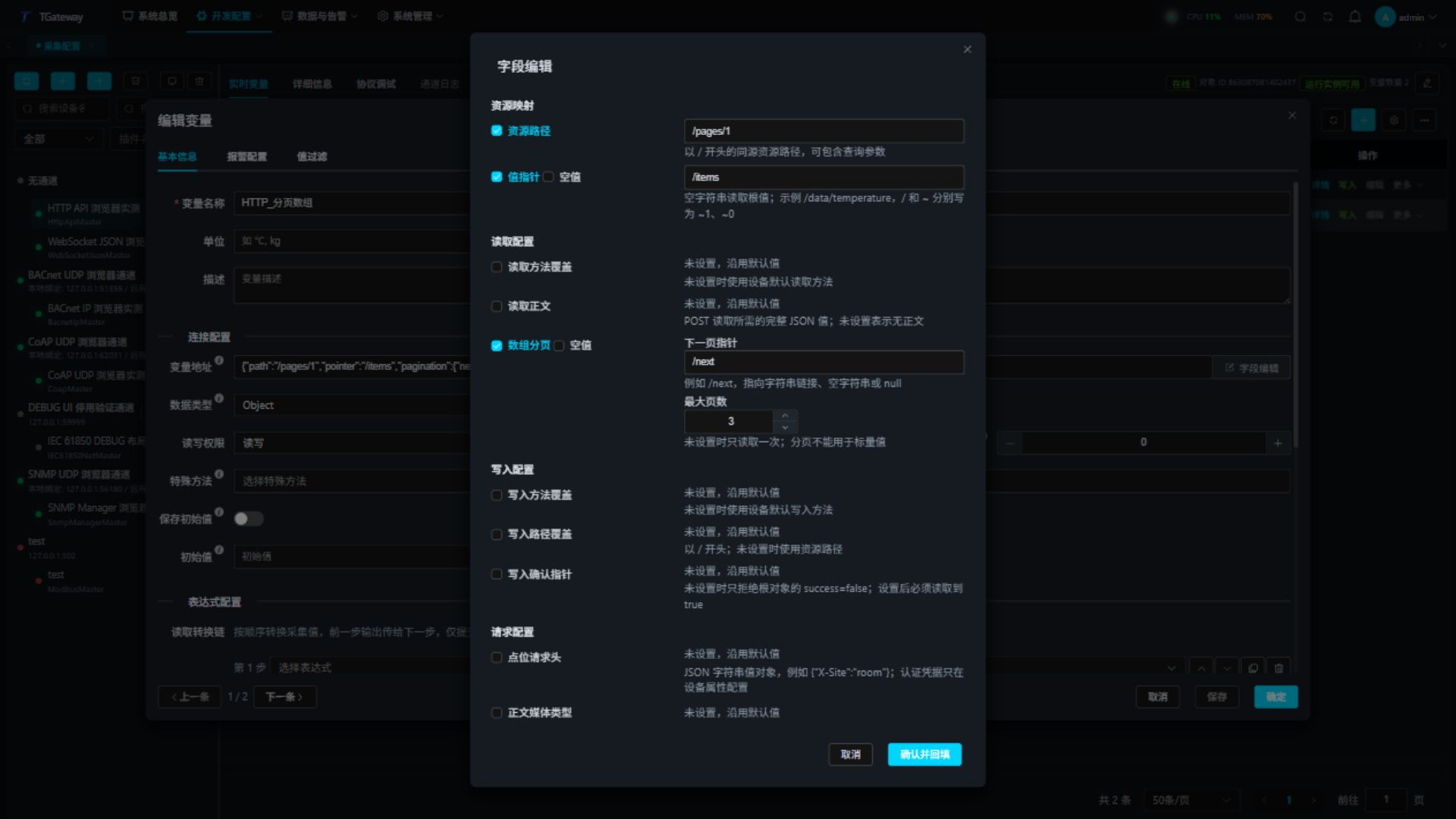
An unchecked field is absent and uses its default behavior. Explicit JSON null is a separate choice. Cancel discards field-editor changes. Authentication belongs in device settings.
Check real-time values
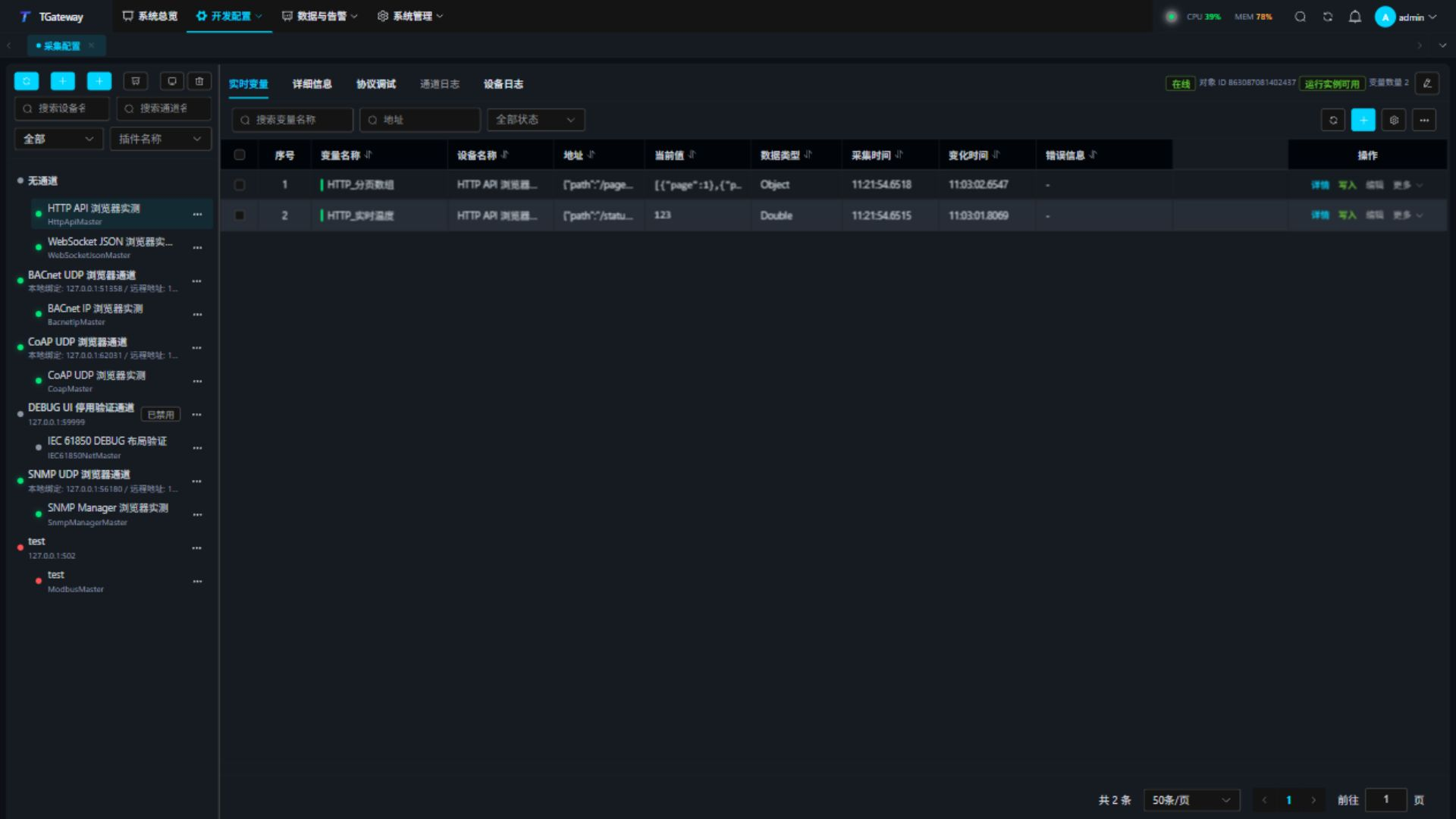
Inspect address, value, online state, collection time, change time, and error in Real-time Variables. Successful reads advance collection time. Arrays and objects show bounded summaries; use the debug read result for the complete paged value. After an authorized write, verify business acknowledgement, read back, and check the variable.
Protocol debugging and special methods
Select the device and open Protocol Debug. Core Status shows connection and request state, followed by Special Methods, read, batch read, and write tabs. Workspace Refresh updates status while retaining input and results. Resource pagination controls network requests separately from list pagination.
- Enter a complete variable address JSON and read once. Inspect the value and response time.
- For batch reads, enter up to 32 addresses, one per line, and inspect each result.
- Confirm an authorized write target and body, execute, then read back. DELETE applies the remote deletion semantics.
- Cancel a pending operation if needed. A write already sent may still take effect remotely.
Status shows the most recent HTTP code and Retry-After when present; for example, 7 suggests waiting seven seconds. A later response without that header clears the hint. Check the operation result after 429 or business failure. Writes are not automatically replayed.
Paged reads show a merged array only after every page passes validation:
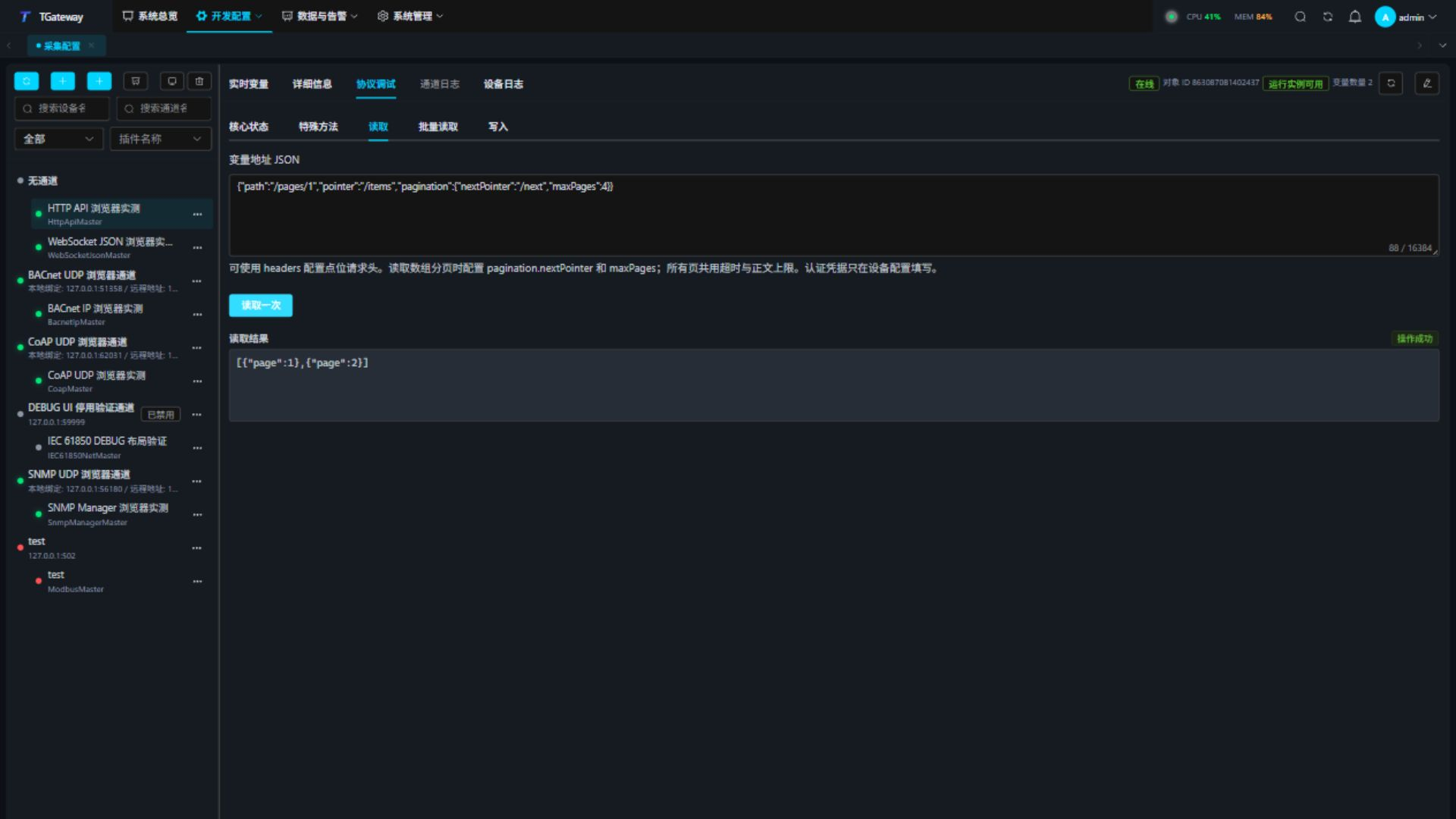
ReadAddressAsync, ReadAddressesAsync, and WriteAddressAsync share the same contract, authentication, certificates, and limits. Batch addressesJson is an array of address JSON strings. Enter parameters as a JSON array in method order, or use the field editor. For ReadAddressAsync:
["{\"path\":\"/status\",\"pointer\":\"/value\"}"]
Troubleshooting
| Symptom | Check and action |
|---|---|
| 401 / 403 | Check authentication, credentials, and origin permissions. |
| Connection or TLS failure | Check DNS, port, proxy, certificate validity, SAN hostname, and CA. |
| HTTP 200 but write failed | Check the Boolean business acknowledgement and root success field. |
| Missing pointer | Check JSON structure, case, array index, and escaping. |
| Pagination failure | Check terminal next value, same-origin links, loops, page count, and cumulative body budget. |
| Timeout / 429 / 5xx | Check server load and polling frequency. Read back before deciding whether to retry a write. |
Use gateway write APIs for inbound variable writes and forwarding plugins such as Webhook for outbound publishing. HTTP API Master actively collects remote APIs.