WebSocket JSON Master
WebSocket JSON Master connects to a ws/wss device and reads, writes, and subscribes using an explicit JSON text contract. See Collection Configuration for shared operations. Configure the device's actual schema; binary messages and private schemas require their own interpretation.
Create a device
Open Development Configuration → Collection Configuration and add a WebSocket JSON Master device under No Channel. Enter the endpoint and message contract, save it, and enable it. The device manages its own connection.
Every 15 seconds, the connection sends a Ping with a random body and waits up to 5 seconds for an identical Pong. A missing matching Pong closes the session and triggers reconnect. Server Pings receive identical Pongs. Control frames may appear between text fragments. Reconnect restores acknowledged subscriptions; each write still needs its matching business response.
| Parameter | Description |
|---|---|
| Device endpoint | Absolute ws:// or wss:// address. Wss uses system trust and hostname validation. |
| Access token | Optional Bearer handshake credential. Store it in device configuration. |
| Subprotocol | One optional HTTP token, for example gateway-json. No whitespace, commas, newlines, or non-ASCII characters. The server must explicitly accept that token. |
| Request timeout | 100–120000 ms; default 5000. Connection, send, and business acknowledgement share a deadline. |
| Maximum message bytes | 128–16777216; default 1048576. Limits the complete reassembled message. |
| Read / write templates | Complete JSON matching the device schema, including a correlation identifier. |
| Subscription template | Optional. Replaces the full subscribed address set; an empty array cancels it. |
| Response pointers | Type, RequestId, Address, Value, and Success locate the corresponding fields. |
| Response / event types | Defaults response and event. Only matching types are processed. |
Example message contract
Default read and write templates:
{"type":"read","requestId":"$requestId","address":"$address"}
{"type":"write","requestId":"$requestId","address":"$address","value":"$value"}
Optional subscription template:
{"type":"subscribe","requestId":"$requestId","addresses":"$addresses"}
A placeholder occupies an entire JSON value; "room-$address" is invalid. $value preserves the input JSON type and $addresses becomes an address array.
A response can be {"type":"response","requestId":"original-id","success":true,"value":23.5}; an event can be {"type":"event","address":"temperature","value":24.0}. Default pointers are /type, /requestId, /address, /value, and /success. The response type, correlation ID, and Boolean true success must all match.
Configure variables
Enter the device's raw business address, such as temperature, as the variable address. Choose numeric, Boolean, String, or Object according to its value. When a subscription template is configured, runtime synchronizes valid variable addresses and marks a relationship established only after its acknowledgement.
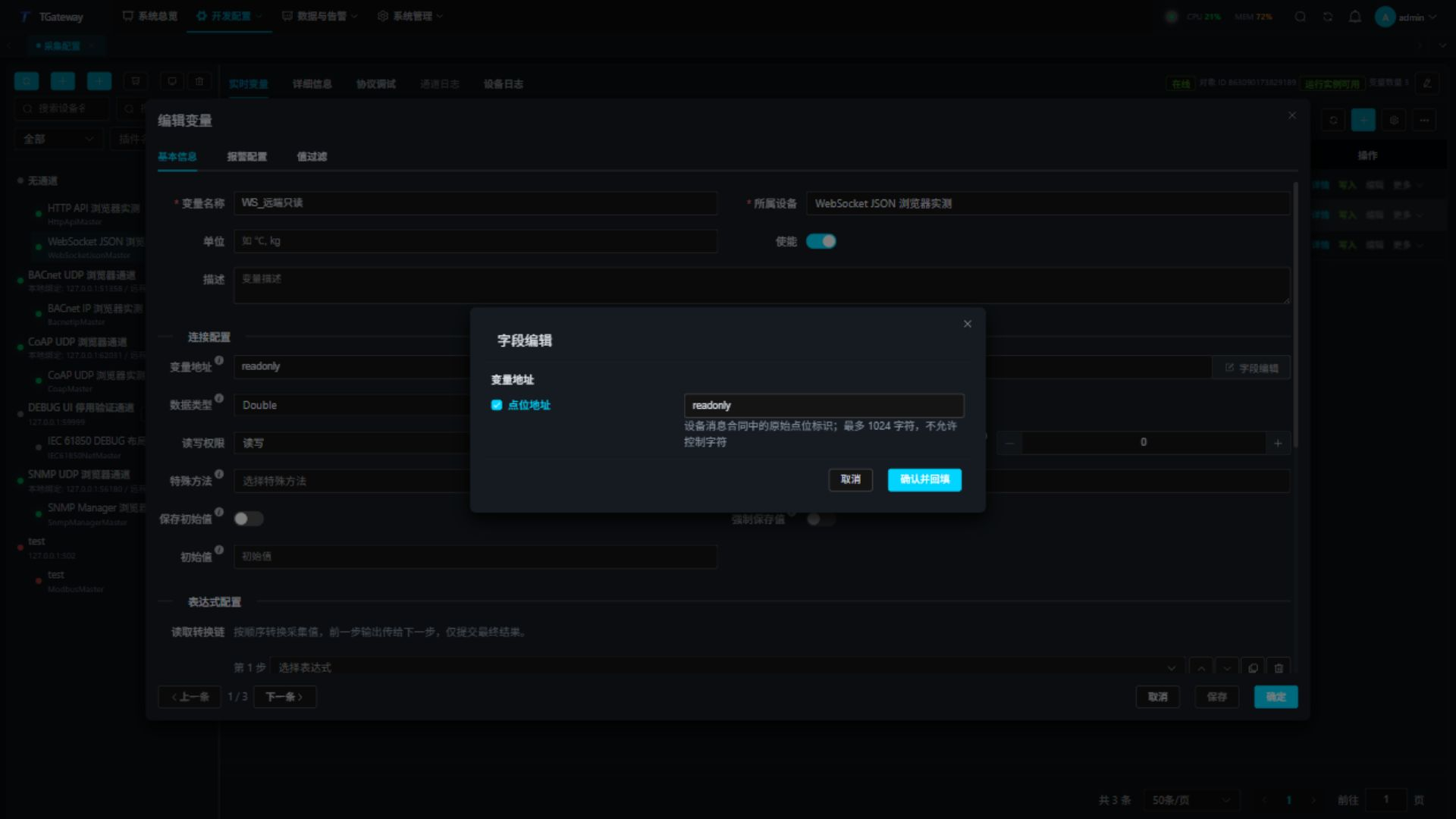
- Add or edit a variable in Real-time Variables and open its address Field editor.
- Enter the original point address, up to 1024 characters without control characters. Preserve required case, spaces, and escaping.
- Confirm and fill back, save the variable, and reopen it to verify. Cancel discards editor changes.
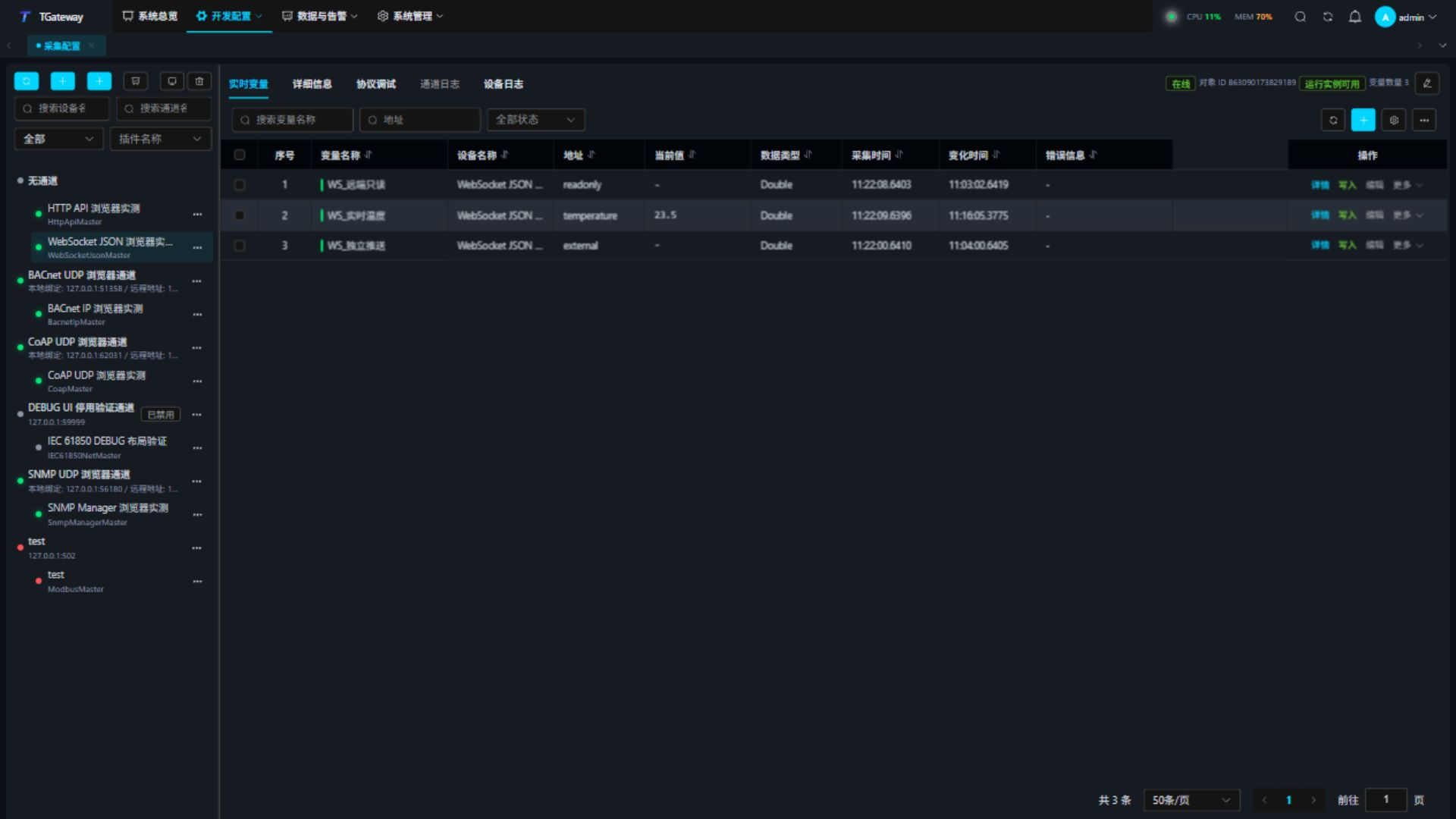
In Real-time Variables, inspect each address, value, online state, timestamps, and error. Polling advances collection time; pushed changes update value and change time. After an authorized write, verify the business acknowledgement and read back. JSON null displays as -; use online state and error to interpret it.
Protocol debugging and special methods
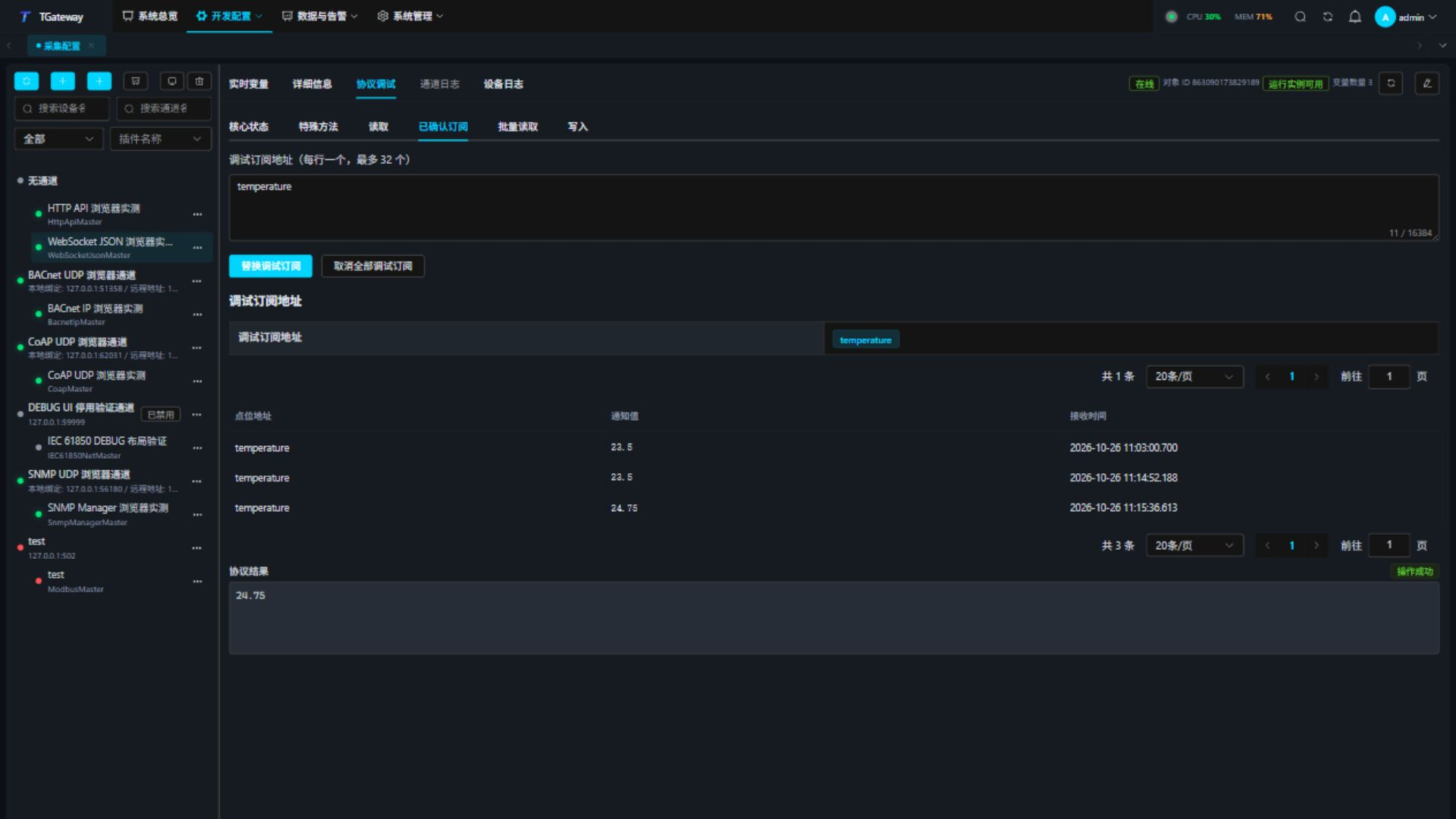
Select the device and open Protocol Debug. Core Status shows connection, subscriptions, and requests, followed by Special Methods. Workspace Refresh updates status. Debug subscriptions and recent events have separate pagination, with 20 rows by default; auto-refresh preserves the page. Pagination does not change subscriptions or message limits.
- Read an address, or enter one address per line for batch reads, and inspect each result.
- Enter an authorized address and typed JSON value, confirm the write, then read back.
- Submit a subscription set and verify both its acknowledgement and new events after changing the source value.
- Submit an empty set to cancel temporary subscriptions. Leaving the page clears its debug subscriptions; runtime still manages normal variable subscriptions.
- After disconnection, check reconnect and subscription restoration. Timed-out writes are not automatically replayed.
The message limit covers declared frame length and the cumulative UTF-8 body across fragments. Frames exceeding the remaining budget are rejected before reading their body. Control frames do not become variable data. Close, oversized messages, server masking, unnegotiated extensions, and invalid fragmentation end the session and trigger reconnect with backoff. Batch reads accept at most 32 addresses; subscription sets accept at most 1024. State changes require business acknowledgement.
ReadAddressAsync, ReadAddressesAsync, WriteAddressAsync, and SetDebugSubscriptionsAsync use the same connection, contract, and acknowledgement rules. Address sets are JSON string arrays; write values are typed JSON text. Enter parameters as a JSON array in method order, or use the field editor. For ReadAddressAsync:
["temperature"]
Troubleshooting
| Symptom | Check and action |
|---|---|
| Handshake failure | Check endpoint, Bearer credential, subprotocol, certificate, and network. The gateway management token is separate from a device token. |
| Connected but requests time out | Check response type, requestId pointer, and identifier type. The server must echo the same string ID. |
| Business rejection | Check Boolean success. A rejected write cannot update local success state. |
| No subscription data | Check acknowledgement, event type, address/value pointers, and exact point-address matching. |
| Oversized or non-text messages | Check the complete message size and JSON text contract. |
| Ping timeout and reconnect | Ensure timely identical Pongs. An open TCP connection or business traffic does not replace Pong acknowledgement. |
| Values do not recover after reconnect | Check runtime addresses, restored subscription acknowledgements, server session state, and recent event time. |