TurckRfidMaster
Turck RFID tag memory read, write and dedicated debug driver
Open the plugin
Enter "Development Configuration → Collection Configuration", create a device and select "TurckRfidMaster" in "Collection Plugin".
Supported channels and data types
| Channel type | Pre-configuration check |
|---|---|
| TCP Client | Confirm network reachability of the device IP, port, and gateway to the device. |
Optional data types: Boolean, Byte, Int16, UInt16, Int32, UInt32, Int64, UInt64, Float, Double, String
Address rules
- Turck RFID Reader addresses use decimal tag byte positions, such as 0, 8, 120.
- Boolean must use BYTE.bit explicitly, the bit number range is 0 to 7, for example 10.3.
- The first read and write will read the tag UID, block number and block size; reinitialize after each TCP reconnect or no tag error.
- A maximum of 64 tag data bytes can be read and written in a single frame, and larger ranges are automatically packetized by the driver.
Special methods
| Method | Purpose | Parameters |
|---|---|---|
| ReadTagInfoAsync | Read tag information | No parameters |
Device debug
Enter "Development Configuration → Collection Configuration", select the current device and click "More Functions", then open "Debug".
Dedicated debugging page
The protocol debug page is used to read, write, and inspect RFID tag memory.
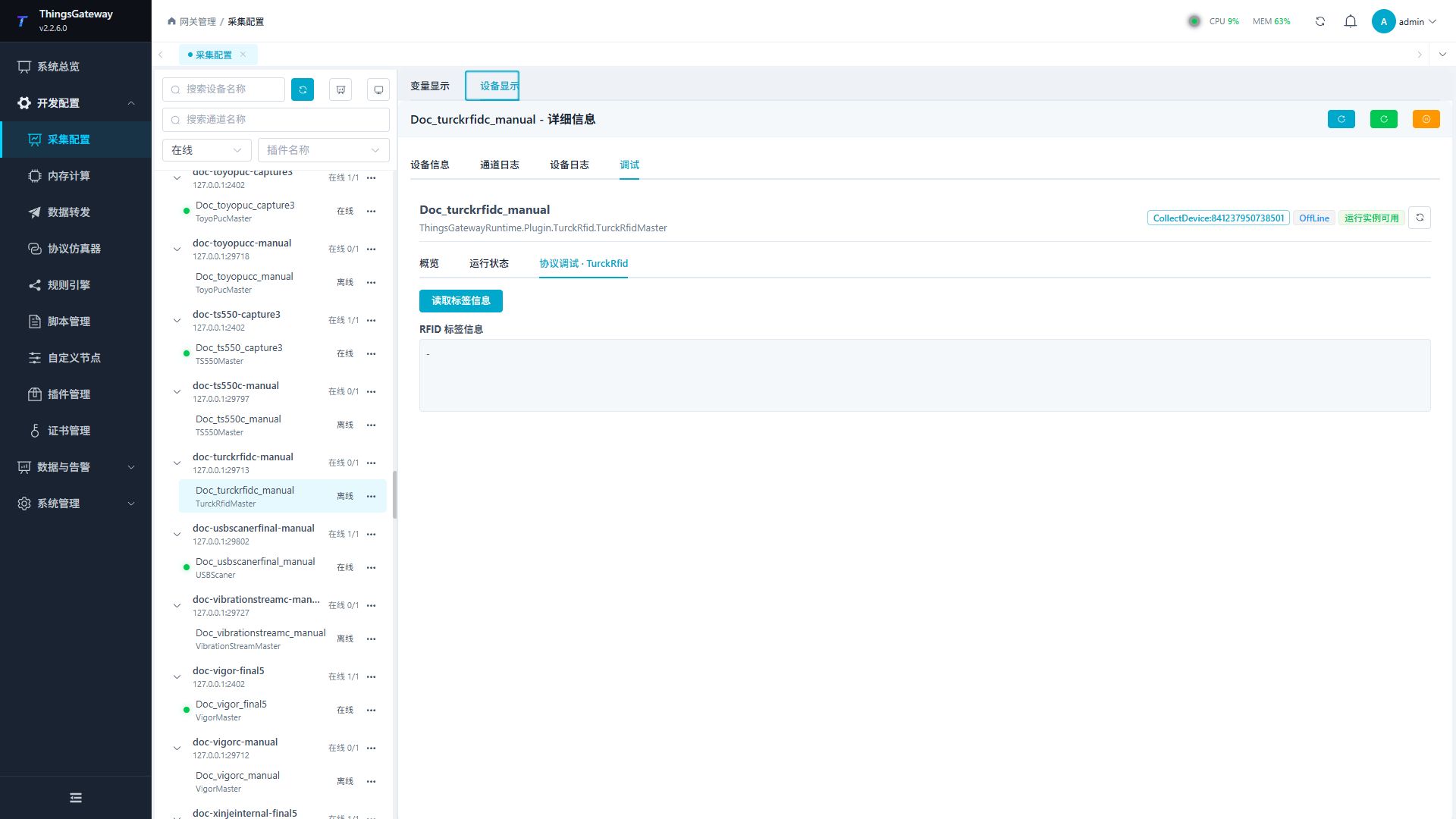
Debugging notes
The dedicated page verification can be completed by reading the tag inventory information. There is no writing operation on the current page.
Functions
| Function | Purpose |
|---|---|
| Read or monitor | Read current values or monitor the latest device update. |
| Common read/write debug | Use Common read/write debug with an approved test point and confirm site safety before execution. |
Verify the configuration
- Use the plugin-specific debug panel with one confirmed test point or test message.
- Confirm that the returned value or received message matches the device point list.
- Perform writes or control operations only with an approved test point and the site safety procedure.
Troubleshooting
- The debug panel shows no result: Check the required inputs and plugin parameters, then inspect the device or target log for a response or error.
- Special method execution fails: Check method parameters and permissions; control, write or reset methods also need to confirm that the device is in a state that allows operation.
Related links
- Collection configuration: View channel, device and common variable configuration.
- Plugin Index: Find other collection or data-forward plugins.