DTSU6606 Energy Meter
This plugin collects DTSU6606 registers using Modbus RTU framing and reads a complete three-phase voltage, current, power, power-factor, and frequency snapshot. It is named Dtsu6606Master in the device selector.
Open the plugin and supported scope
Create a serial, TCP client, or TCP server channel, then create a device using Dtsu6606Master. TCP channels carry RTU frames. UDP is not supported.
Supported types include Boolean, Byte, common integers, Float, Double, and String. See Collection Configuration for common variable settings.
Plugin properties
| Setting | Default | Description |
|---|---|---|
| Modbus framing | ModbusRtu | Fixed to RTU. TCP and ASCII framing cannot be selected. |
| Meter station | 1 | Must match the DTSU6606 address. |
| Data format | CDAB | Default multi-byte value order. |
| FC1 / FC2 limits | 1600 / 1600 | Maximum bits per read. |
| FC3 / FC4 limits | 100 / 100 | Maximum registers per read. |
| FC15 / FC16 limits | 1968 / 123 | Maximum values per batch write. |
| DTU ID | - | Used for a DTU service connection. |
Address and special method
Common Modbus addresses use 00001, 10001, 30001, and 40001. Add ;s=2; for station 2 or ;w=16; for FC16 writes.
| Method | Purpose | Parameters |
|---|---|---|
ReadElectricalParametersAsync | Read the complete electrical snapshot | - |
The snapshot contains A/B/C phase voltage and current, phase and total active/reactive/apparent power, phase and total power factor, and frequency. Units are V, A, kW, kvar, kVA, and Hz.
Device debug
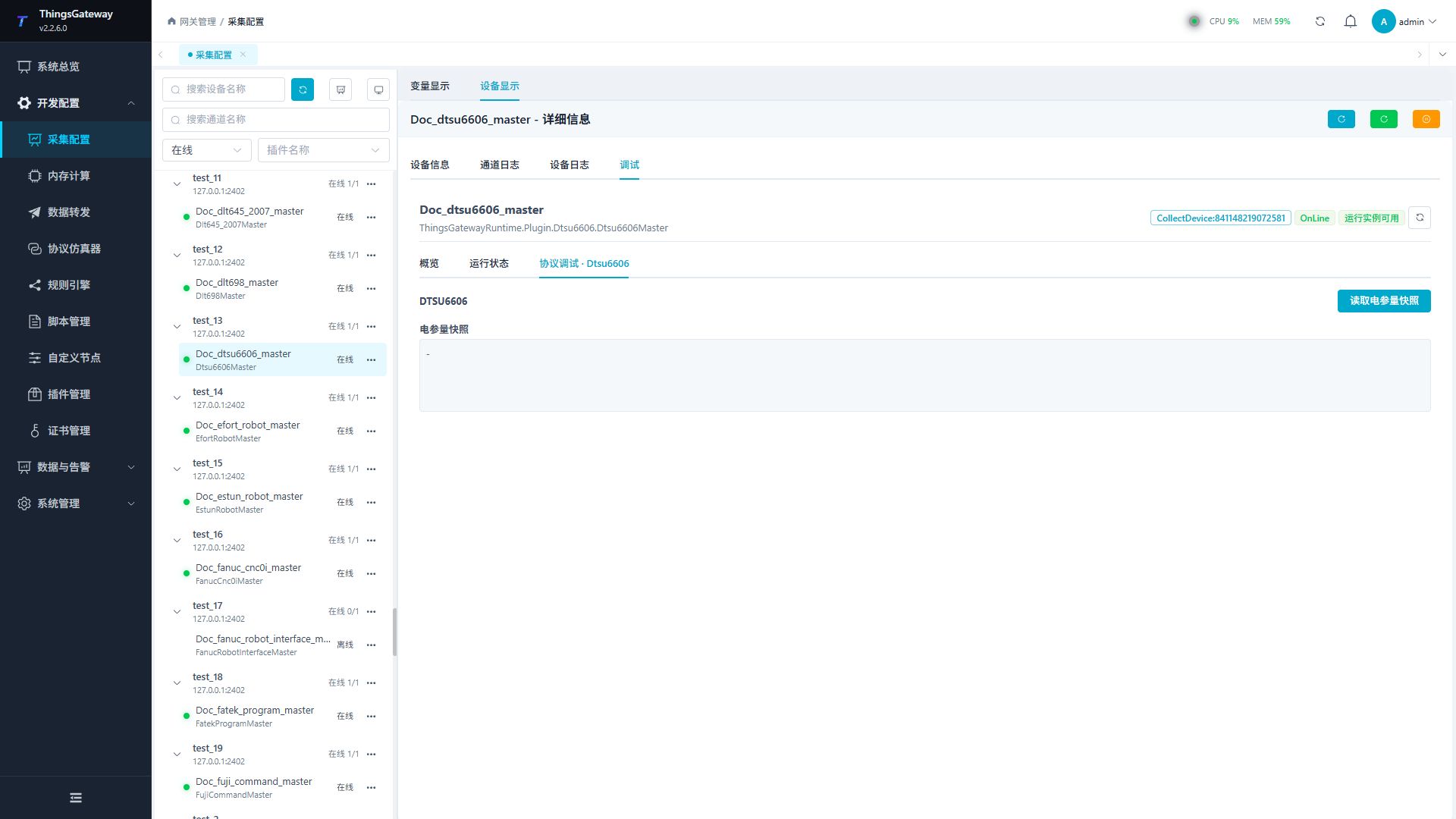
Open Development Configuration → Collection Configuration, select the DTSU6606 device and click More Functions, then open Debug → Protocol Debug · Dtsu6606.
| Feature | Purpose |
|---|---|
| Read electrical snapshot | Reads and displays all three-phase electrical values. This panel has no write operation. |
Functions
| Function | Purpose |
|---|---|
| Read or monitor | Read current values or monitor the latest device update. |
Verify the configuration
- Confirm that the device is online and select Read Electrical Snapshot.
- Compare voltage, current, power, and frequency with the meter display or calibrator.
- Create cyclic register variables only after the snapshot is correct.
Troubleshooting
| Symptom | Check |
|---|---|
| No response | RTU framing, station, serial settings, TCP pass-through, and network. |
| Values are clearly incorrect | Data format, register address, meter model, and scaling. |
| Some fields are abnormal | Meter wiring, phase order, device state, and response length. |
Related links
- Collection Configuration: Common channel, device, and variable operations.
- Plugin Manual Index: Other plugins.