ScaleStreamMaster
ScaleStreamMaster receives continuous output from an electronic scale through a serial port or reverse TCP and maps the fields to variables.
Open the plugin
Enter "Development Configuration → Collection Configuration", create a device and select "ScaleStreamMaster" in "Collection Plugin".
Supported channels and data types
| Channel type | Pre-configuration check |
|---|---|
| Serial Port | Confirm that the serial port is not occupied by other programs and maintains the same baud rate, data bits, stop bits and parity bits as the device. |
| TCP server | Confirm that the local listening address and port are available, and allow on-site devices to actively connect to the gateway. |
Optional data types: Boolean, Int32, Double, String
Plugin properties
Data format
| Setting | Description |
|---|---|
| Enable check byte | Default: No; fill in: switch. Controls whether the "Enable parity byte" function is enabled. |
Connection configuration
| Setting | Description |
|---|---|
| Source IP | Fill in: text input. Set the source IP used when establishing connections. |
Address rules
- weight, tare, unit, net, positive, outofrange, stable, print, tenfold, valid, extended, taretype, source
Device debug
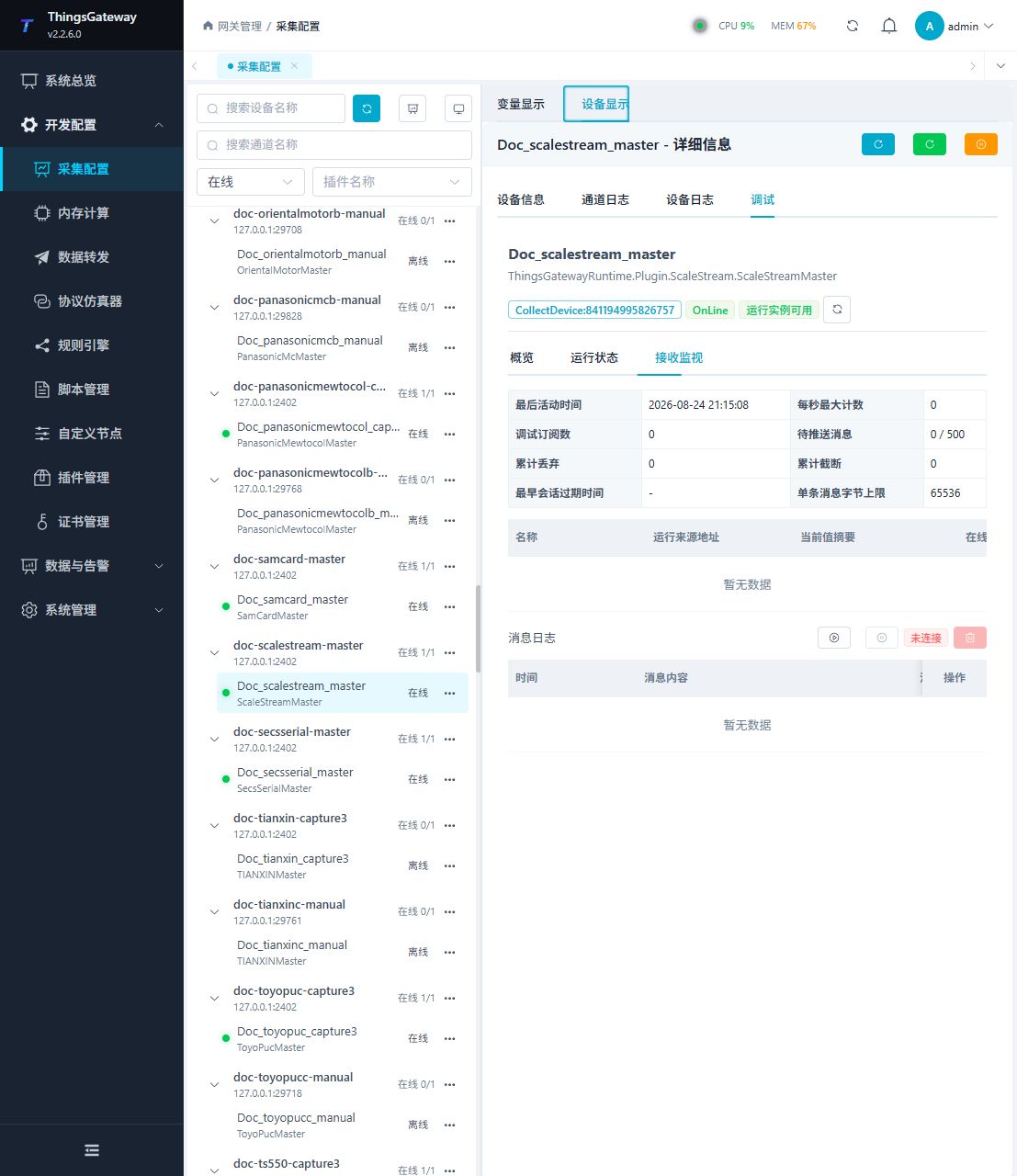
Enter "Development Configuration → Collection Configuration", select the current device and click "More Functions", then open "Debug".
Dedicated debugging page
Use reception monitoring to check the latest scale frame and the mapped variables.
Functions
| Function | Purpose |
|---|---|
| Reception monitoring | Confirm that a complete scale frame is received. |
| Variable table | Check weight, tare, unit, stability, validity, and collection time. |
| Message statistics | Review received, dropped, and malformed frame counts. |
| Message log | Inspect recent scale frames for delimiter or mapping problems. |
Verify the configuration
- Send one stable test weight from the scale.
- Confirm that reception monitoring shows a new frame.
- Check that the weight, unit, stability, validity, and collection time update together.
- Change the test weight and confirm that the new value replaces the old value without frame fragments.
Troubleshooting
- No new frame appears: Confirm that the scale is sending continuously and check the channel, source IP, frame format, and field mapping.
- Values are shifted or empty: Check the scale output format, delimiter, check byte setting, and address field names.
- The serial port scale does not respond: Confirm port ownership and match baud rate, data bits, stop bits, and parity.
Related links
- Collection configuration: View channel, device and common variable configuration.
- Plugin Index: Find other collection or data-forward plugins.