USBScaner
On a Windows gateway host, USBScaner listens for a USB barcode scanner that behaves like a keyboard and updates a device variable with each complete scan. The scanner must be connected to the same Windows host as TGateway.
The plugin listens to keyboard input for the current Windows session and cannot distinguish a scanner from a normal keyboard. Configure the scanner to send Enter at the end of each barcode. Do not type passwords or other sensitive text in that session while the plugin is enabled.
Open the plugin
Open Development Configuration → Collection Configuration, create a device, and select USBScaner under Collection Plugin.
Supported channel and data type
| Channel type | Check before configuration |
|---|---|
| Other (no public channel) | Windows only. Confirm that the scanner uses keyboard input and is connected to the TGateway host. |
Optional data type: Object. The variable value is the scanned barcode text.
Plugin properties
This plugin has no dedicated device properties. It does not require TCP, UDP, serial-port, or USB device-ID settings. Because ordinary keyboard input is in the same listening scope, use a dedicated Windows session when possible.
Address rules
- Leave the variable address empty; the plugin does not read an external register.
- The scanner must send Enter at the end of the barcode. The plugin treats the preceding continuous input as one scan only after Enter is received.
- The plugin is input-only. It does not support active reads, variable writes, or special methods.
- Normally create one scan-result variable per device to avoid ambiguous duplicate values.
Device debug
Open Development Configuration → Collection Configuration, select the USBScaner device, and open More Functions → Debug → Protocol Debugging · ScanMonitor.
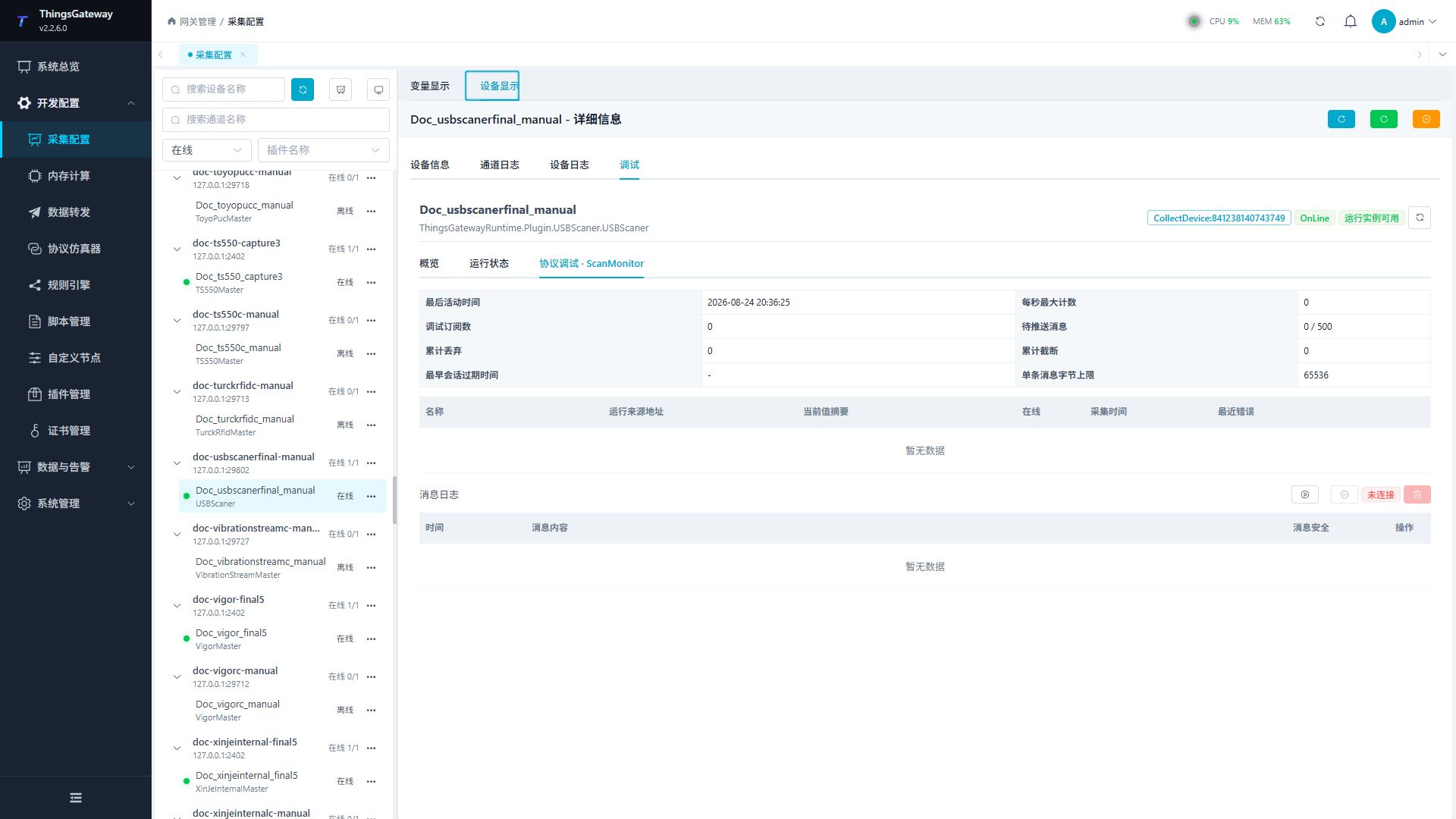
After a test scan, the last activity time, barcode value, or message log should change in the corresponding area.
Functions
| Function | Purpose |
|---|---|
| Reception monitoring | Confirm that a complete barcode is received and update time changes. |
| Variable table | Check the current barcode value, online state, collection time, and last error. |
| Message statistics | Review queued, dropped, truncated, and message-size diagnostics. |
| Message log | Review scanner messages received by the current debug session. |
Verify the configuration
- Create and enable one variable under the USBScaner device, leaving its address empty.
- Open Protocol Debugging · ScanMonitor and note the current activity time and variable value.
- Scan a dedicated test barcode such as
TG-USB-001. - Confirm that the activity time and collection time update, the variable value becomes
TG-USB-001, and the last error is empty. - Scan a different barcode and confirm that the new complete value replaces the previous one instead of being appended.
Troubleshooting
| Symptom | Check |
|---|---|
| Device remains offline | Confirm that TGateway is running on Windows and that the keyboard hook started successfully. Check the device log for hook errors. |
| No new record after scanning | Confirm that the scanner is connected to the TGateway host, uses keyboard mode, and sends Enter. Test it in a text editor. |
| Normal keyboard text is treated as a barcode | Global keyboard input cannot be separated by USB device. Use a dedicated session and avoid ordinary text entry while the plugin is active. |
| Scanner input is missing when TGateway runs as a Windows service | A service and the interactive desktop use different sessions. Run TGateway in the Windows user session that receives scanner events. |
| Barcode is truncated or split | Check the scanner's character interval and terminator settings. Characters must be sent continuously and end with Enter. |
Related links
- Collection Configuration: Configure channels, devices, and common variables.
- Plugin Manual Index: Find other collection and data-forwarding plugins.