FANUC CNC 0i
This plugin connects to a FANUC CNC 0i, polls PMC byte areas, and provides dedicated operations for machine status, macros, tool offsets, alarms, programs, and directories. Authorized users can also write values and execute controls. It is named FanucCnc0iMaster in the device selector.
See Collection Configuration for common channel, device, variable, and import operations. This page covers only CNC 0i settings, PMC addresses, special methods, and dedicated debug functions.
Open the plugin
Open Development Configuration → Collection Configuration, create a TCP client channel and device, and select FanucCnc0iMaster. The common CNC 0i TCP port is 8193.
Supported scope
| Item | Description |
|---|---|
| Channel | TCP client. Confirm that the Gateway can reach the CNC IP and port. |
| Data types | Byte, Int16, UInt16, Int32, UInt32, Int64, UInt64, Float, Double, and String. |
Plugin properties
| Setting | Default | Range | Description |
|---|---|---|---|
| Operation path | 1 | 1 to 32767 | Target path on a multi-path machine, starting at 1. |
| Text encoding | GB2312 | Valid encoding name | Encoding used for programs, alarms, and text. Check the CNC character set when text is corrupted. |
| Maximum PMC batch bytes | 1024 | 1 to 65535 | Maximum consecutive bytes in one cyclic PMC read. |
| Maximum program bytes | 16777216 | 1 to 268435456 | Maximum bytes allowed for a program read or write. |
Address rules
- Cyclic variables support PMC byte areas
G,F,Y,X,A,R,T,K,C,D, andE. - Address numbers are decimal, for example
R0andD100. - Consecutive length is measured in bytes. Adjacent variables must not overlap the bytes occupied by their data types.
- Use the special methods or dedicated debug panel for system status, alarms, macros, offsets, programs, directories, and controls.
Special methods
Status and operating data
| Method | Purpose | Parameters |
|---|---|---|
ReadSystemInfoAsync | Read system information | - |
ReadSpeedAsync | Read feed and spindle speed | - |
ReadFeedOverrideAsync | Read feed override | - |
ReadSpindleOverrideAsync | Read spindle override | - |
ReadCurrentProgramInfoAsync | Read current program information | - |
ReadProgramNumberAsync | Read current program number | - |
ReadLanguageAsync | Read CNC language | - |
ReadAxisLoadsAsync | Read axis loads | - |
ReadSpindleLoadAsync | Read spindle load | - |
ReadCoordinatesAsync | Read coordinates | - |
ReadAlarmsAsync | Read alarm list | - |
ReadTimeSecondsAsync | Read accumulated time | timeType: time type |
ReadAlarmStatusAsync | Read alarm state | - |
ReadStatusAsync | Read operating state | - |
ReadAxisNamesAsync | Read axis names | - |
ReadSpindleNamesAsync | Read spindle names | - |
ReadDiagnosticsAsync | Read diagnostic data | number: start; length: count; axis: axis number |
ReadWorkpieceSizesAsync | Read workpiece sizes | - |
ReadDateTimeAsync | Read CNC date and time | - |
ReadCurrentProductionCountAsync | Read current production count | - |
ReadExpectedProductionCountAsync | Read target production count | - |
ReadOperatorMessagesAsync | Read operator messages | - |
Macros and tool offsets
| Method | Purpose | Parameters |
|---|---|---|
ReadMacroAsync | Read one macro | number: macro number |
ReadMacrosAsync | Read consecutive macros | number: start; length: count |
WriteMacrosAsync | Write consecutive macros | number: start; values: value array |
ReadToolOffsetsAsync | Read tool offsets | toolCount: tool count |
ReadCurrentToolNumberAsync | Read current tool number | - |
WriteToolLengthShapeAsync | Write tool-length geometry offset | tool: tool number; offset: value |
WriteToolLengthWearAsync | Write tool-length wear offset | tool; offset |
WriteToolRadiusShapeAsync | Write tool-radius geometry offset | tool; offset |
WriteToolRadiusWearAsync | Write tool-radius wear offset | tool; offset |
ReadToolGroupAsync | Read a tool group | groupId: group number |
ReadCurrentToolGroupAsync | Read current tool group | - |
ClearToolGroupsAsync | Clear tool groups | start: first group; end: last group |
PMC and raw memory
| Method | Purpose | Parameters |
|---|---|---|
ReadPmcAsync | Read PMC bytes | address: PMC address; length: bytes |
WritePmcAsync | Write PMC bytes | address; data: byte array |
ReadRawDataAsync | Read raw memory | code: function code; start; end |
WriteRawDataAsync | Write raw memory | code; start; data: byte array |
Programs and directories
| Method | Purpose | Parameters |
|---|---|---|
ReadProgramListAsync | Read program list | - |
ReadCurrentProgramFragmentAsync | Read current program fragment | - |
ReadForegroundDirectoryAsync | Read foreground directory | - |
ReadDirectoryCountAsync | Read directory count | path: device directory |
ReadDirectoryAsync | Read a directory | path: device directory |
ReadProgramByNumberAsync | Read program by number | programNumber; devicePath |
ReadProgramByNameAsync | Read program by name | programName; devicePath |
WriteProgramFileAsync | Write a program from a Gateway file | filePath; blockSize; devicePath |
WriteProgramAsync | Write program text | program; blockSize; devicePath |
SetCurrentProgramAsync | Select current program by number | programNumber |
SetCurrentProgramFileAsync | Select current program by file name | programName |
StartProcessingAsync | Start machining | - |
DeleteProgramAsync | Delete a program | programNumber |
DeleteFileAsync | Delete a file | fileName |
Macro, offset, PMC, raw-memory, and program writes, tool-group clearing, program selection/start, and deletion change the CNC. Use an allowed operating mode, back up affected data, and prepare a stop or rollback action first.
Device debug
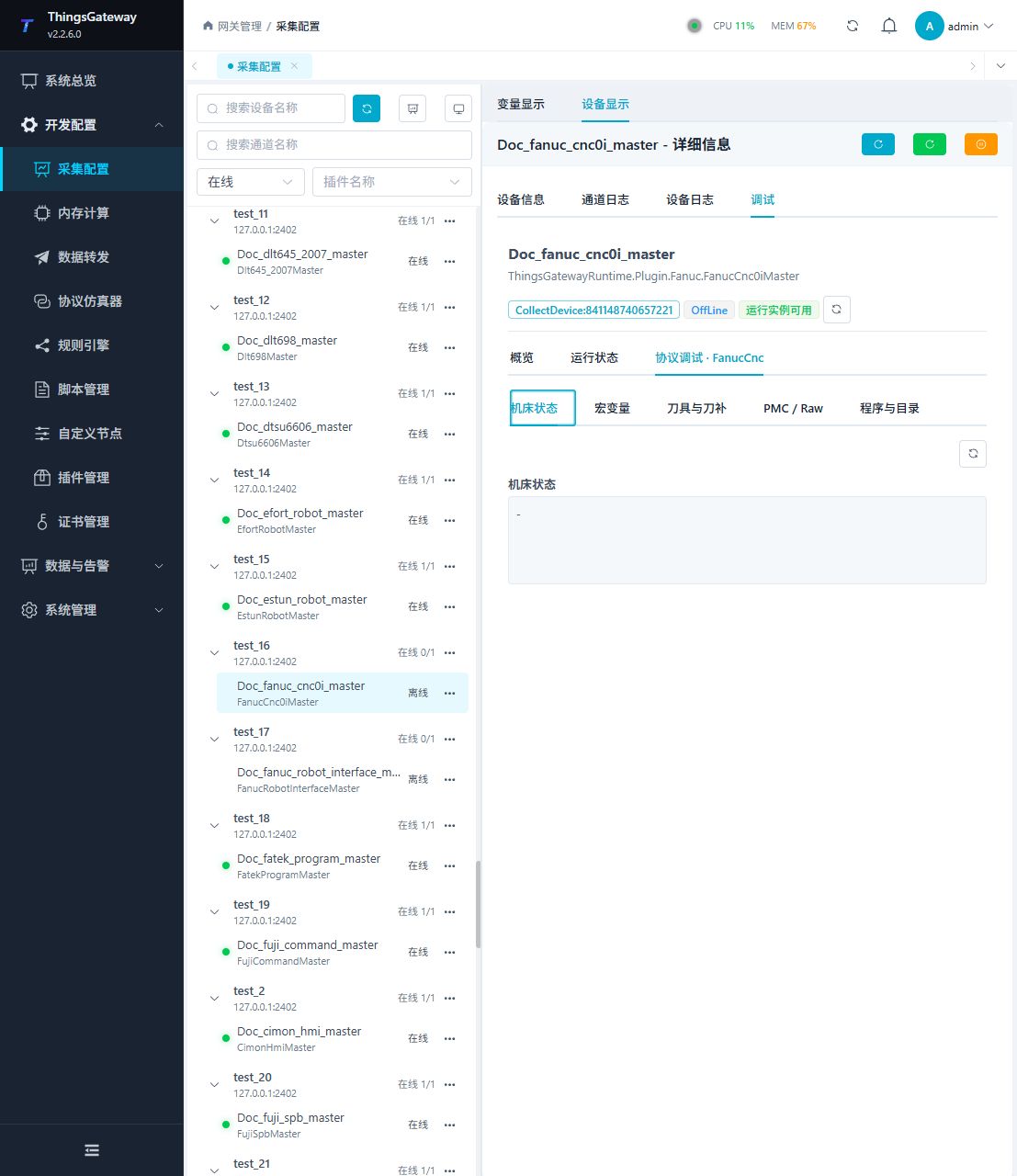
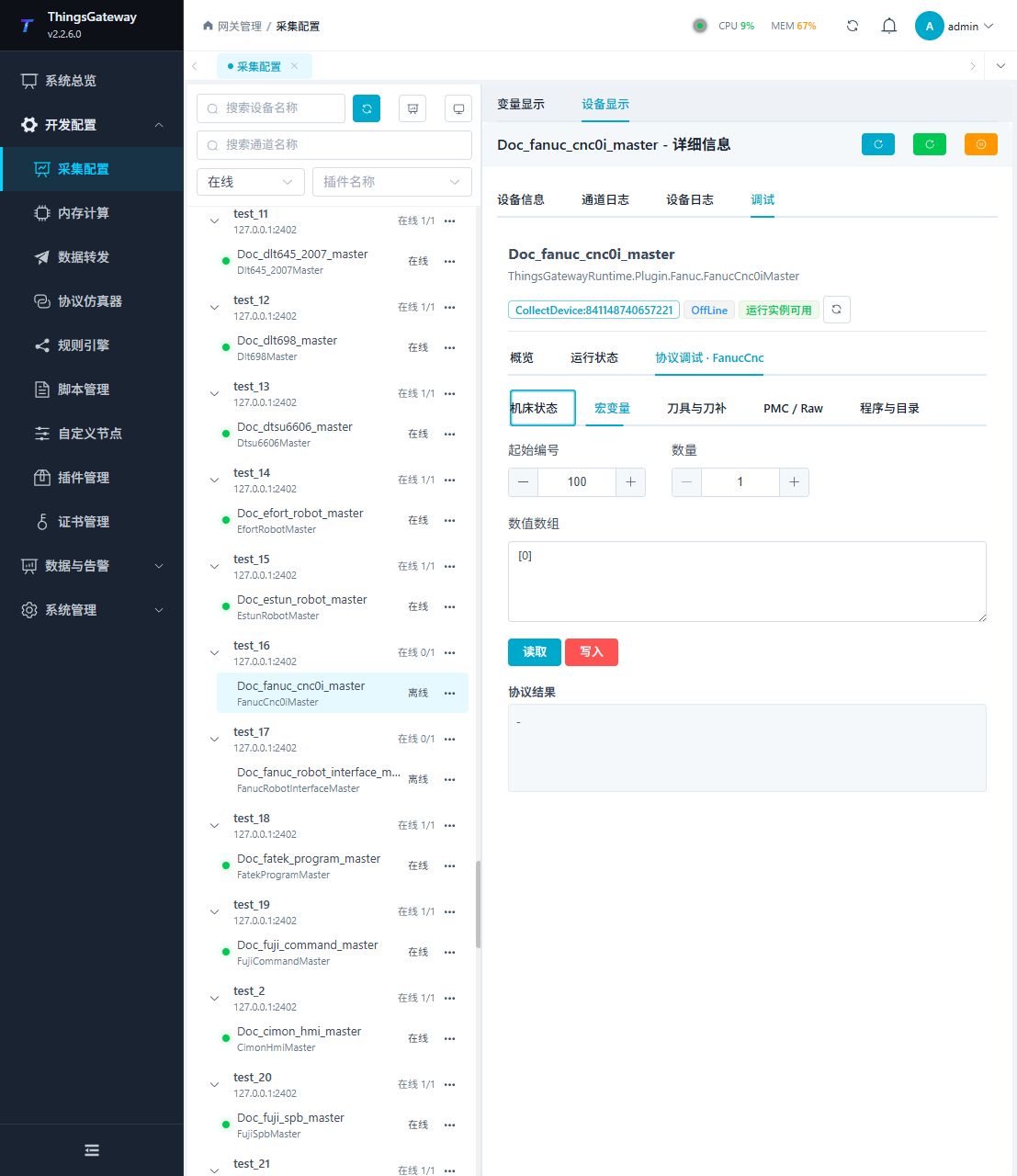
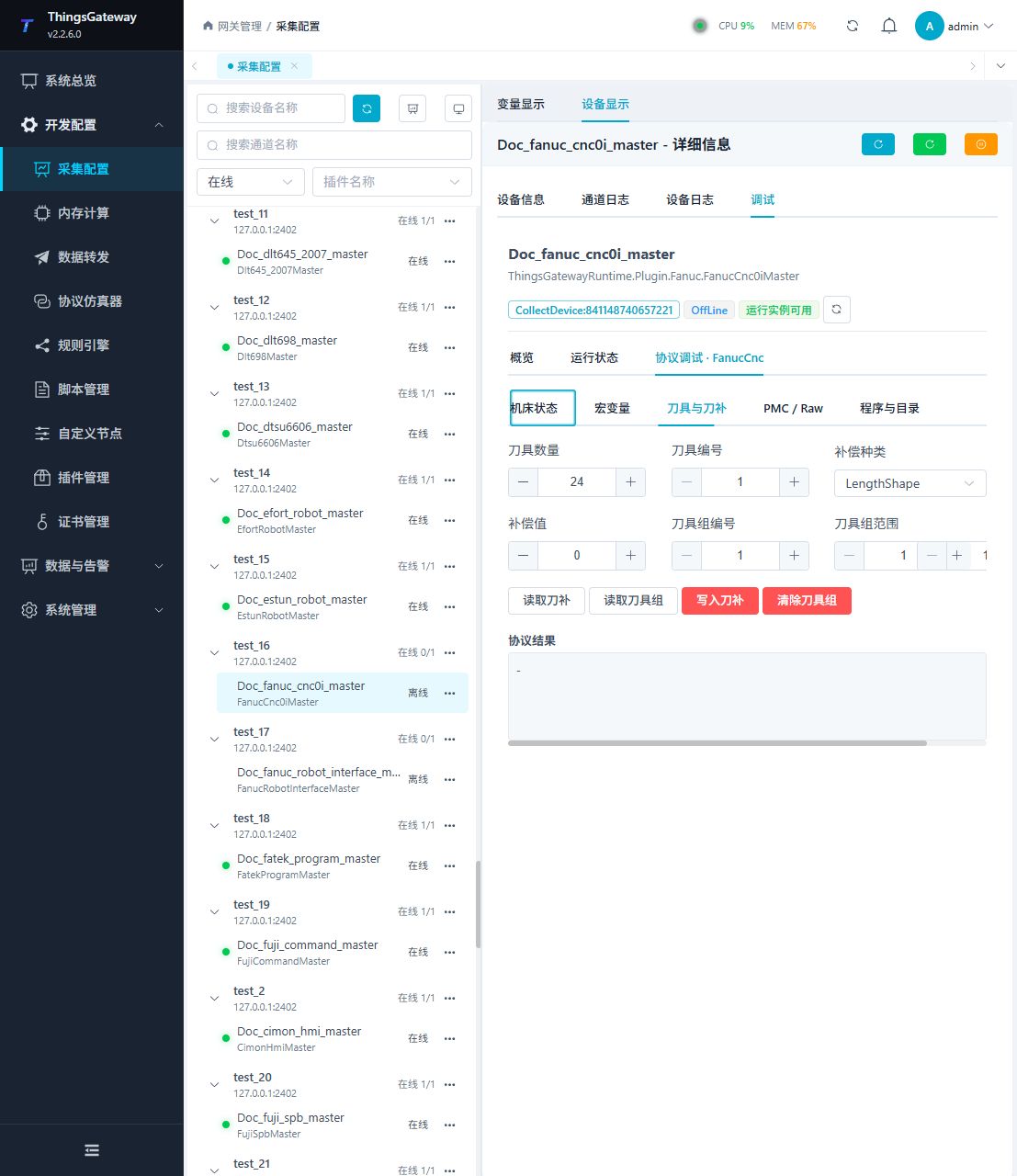
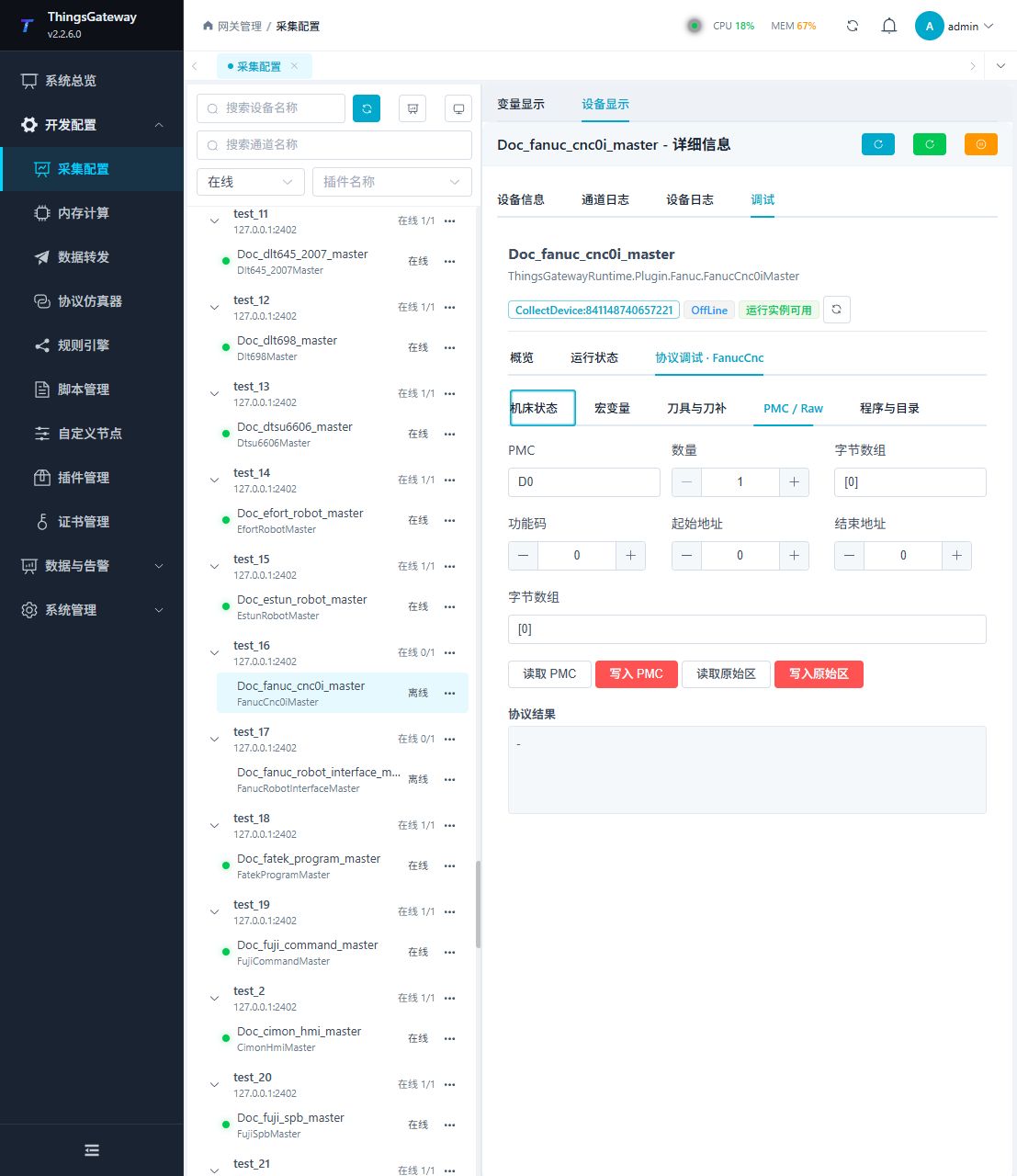
Open Development Configuration → Collection Configuration, select the FANUC CNC 0i device, and click More Functions, then open Debug → Protocol Debug · FanucCnc.
| Feature | Purpose |
|---|---|
| Machine Status | Reads system, operating, speed, coordinate, load, and alarm state. |
| Macros | Reads or writes consecutive macros by start number and count. |
| Tools and Offsets | Reads offsets and tool groups and writes offsets or clears groups. |
| PMC / Raw | Reads or writes PMC and raw memory. |
| Programs and Directories | Lists and reads programs/directories and writes, selects, starts, or deletes programs. |
Machine status
Macros
Tools and offsets
PMC and raw memory
Programs and directories
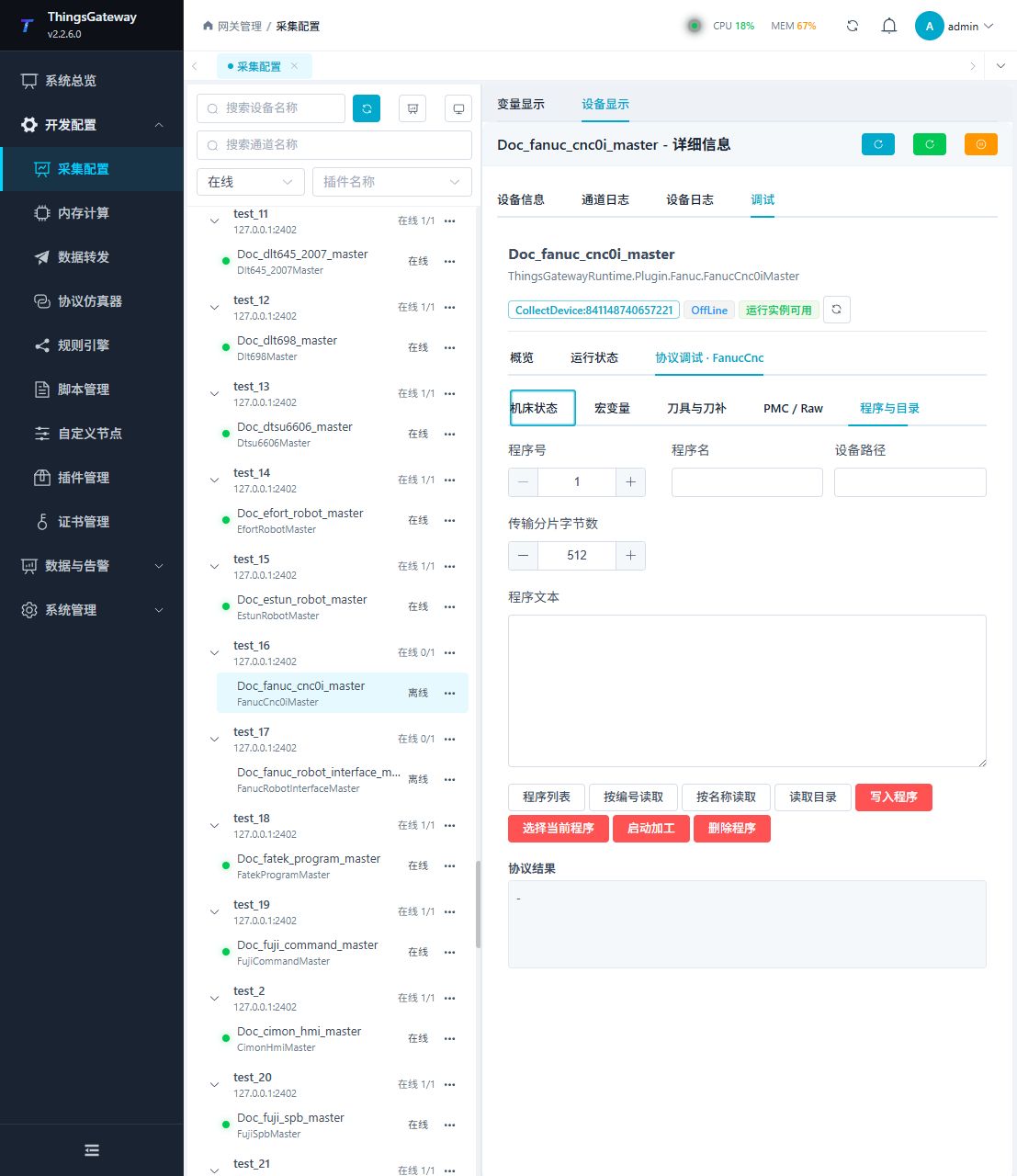
Begin with read-only machine-status, macro, PMC, or directory queries. Every red write, clear, start, or delete command requires site safety confirmation.
Functions
| Function | Purpose |
|---|---|
| Read or monitor | Read current values or monitor the latest device update. |
| Variable mapping | Check how incoming data is mapped to the selected variable. |
| Plugin operation | Use the controls on this plugin page and review the returned result. |
| Plugin operation | Use the controls on this plugin page and review the returned result. |
| Program and directory | Use Program and directory and review the returned result. |
Verify the configuration
- Confirm that the runtime instance is available and can read system and machine status.
- Create one test PMC variable and compare its current value with the CNC screen or maintenance tool.
- Read one macro and the program directory in the dedicated panel.
- Test a write only during an approved maintenance window, using a dedicated test number, then read it back immediately.
Troubleshooting
| Symptom | Check |
|---|---|
| Data session cannot start | CNC IP, port 8193, network, operation path, and CNC Ethernet function. |
| PMC variable has no value | Byte area, decimal address, data type, batch size, and variable interval. |
| Text is corrupted | Text encoding, CNC language, and program-file encoding. |
| Program read is truncated | Maximum program bytes, device directory, program permission, and network stability. |
| Special method fails | Method parameters, current path, CNC mode, and operation permission. |
| Write or control is rejected | CNC operating mode, write protection, site interlocks, user permission, and parameter range. |
Related links
- Collection Configuration: Common channel, device, variable, import, and debug operations.
- Plugin Manual Index: Other collection and data-forwarding plugins.