FANUC Robot Interface
This plugin collects bits, words, and robot status through FANUC Robot Interface. It can also write IO or poses after site safety has been confirmed. It is named FanucRobotInterfaceMaster in the device selector.
See Collection Configuration for common channel, device, and variable operations. This page covers only Robot Interface settings, addresses, methods, and debug tools.
Open the plugin
Open Development Configuration → Collection Configuration, create a TCP client channel, then create a device using FanucRobotInterfaceMaster. Robot Interface uses TCP port 60008 by default.
Supported scope
| Item | Description |
|---|---|
| Channel | TCP client. Enter the robot IP and Robot Interface port. |
| Data types | Boolean, Byte, common signed/unsigned integers, Float, and Double. |
Plugin properties
| Setting | Default | Description |
|---|---|---|
| Client ID | 1024 | Client identifier used when the Robot Interface session is established. |
| Text encoding | GB2312 | Decodes fixed-length text in the status snapshot. |
| Maximum word batch | 6130 | Maximum WORD count combined in one polling request. |
| Maximum bit batch | 8192 | Maximum bit count combined in one polling request. |
Keep the batch limits at their defaults unless the controller requires lower values.
Address rules
| Area | Examples | Description |
|---|---|---|
| WORD | D1, AI1, AQ1, GI1, GO1 | Addresses start at 1. |
| Register groups | R1 to R10, SR1 to SR6 | Use the controller mapping. |
| Bits | I1, Q1, M1, SDO1, SDI1, RDI1, RDO1, UI1, UO1, SI1, SO1 | Addresses start at 1; bits are decoded from low to high. |
A bit write replaces every bit in the padded byte. Bits omitted from that byte can be cleared, so submit the complete bit values that must be retained.
Special methods
Choose the method under the variable's Special Method field and enter the listed arguments in the variable address field.
| Selector value | Purpose | Arguments |
|---|---|---|
ReadWordsAsync | Read a raw word area | selector=8/10/12,address,length |
WriteWordsAsync | Write a raw word area | selector=8/10/12,address,value=even byte array |
ReadBitsAsync | Read a raw bit area | selector=70/72/76,address,length |
WriteBitsAsync | Write a raw bit area | selector=70/72/76,address,value=Boolean array |
ReadSdoAsync / WriteSdoAsync | Read/write SDO | Read: address,length; write: address,value |
ReadSdiAsync / WriteSdiAsync | Read/write SDI | Read: address,length; write: address,value |
ReadRdiAsync / WriteRdiAsync | Read/write RDI | Read: address,length; write: address,value |
ReadRdoAsync / WriteRdoAsync | Read/write RDO | Read: address,length; write: address,value |
ReadUiAsync | Read UI | address,length |
ReadUoAsync / WriteUoAsync | Read/write UO | Read: address,length; write: address,value |
ReadSiAsync | Read SI | address,length |
ReadSoAsync / WriteSoAsync | Read/write SO | Read: address,length; write: address,value |
ReadPmcr2Async / WritePmcr2Async | Read/write PMCR2 | Read: address,length; write: address,value |
ReadGiAsync / WriteGiAsync | Read/write GI | Read: address,length; write: address,value=UInt16 array |
ReadGoAsync / WriteGoAsync | Read/write GO | Read: address,length; write: address,value=UInt16 array |
ReadSnapshotAsync | Read the status snapshot | No arguments |
WriteCartesianPoseAsync | Write a Cartesian pose | address,xyzwpr=9 Floats,configuration=7 Int16s,userFrame,userTool |
WriteJointPoseAsync | Write a joint pose | address,joint=9 Floats,userFrame,userTool |
Device debug
Open Development Configuration → Collection Configuration, select this device, then open Debug → Protocol Debug · FanucRobotInterface.
| Feature | Purpose |
|---|---|
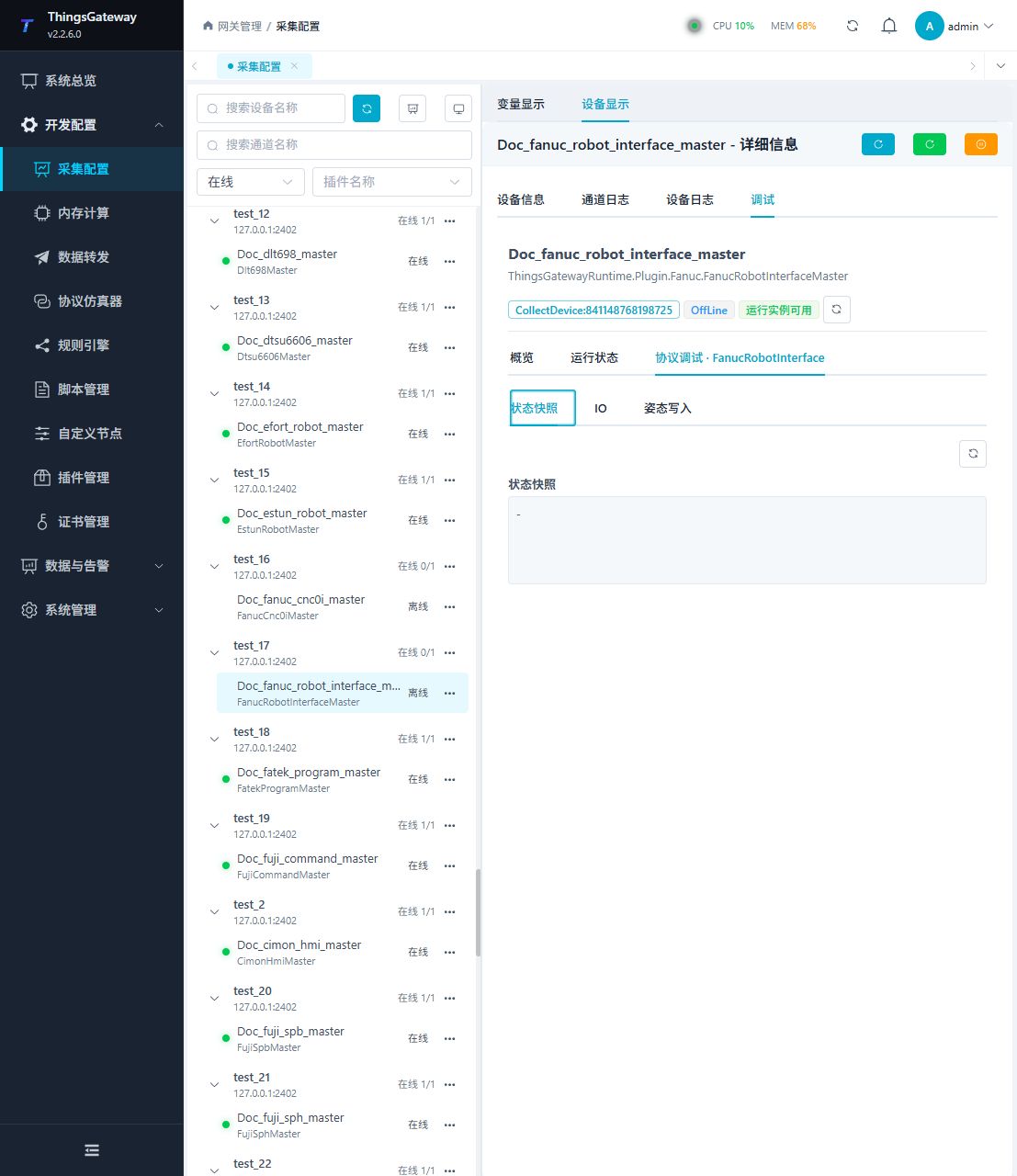
| Status Snapshot | Reads the current robot status. |
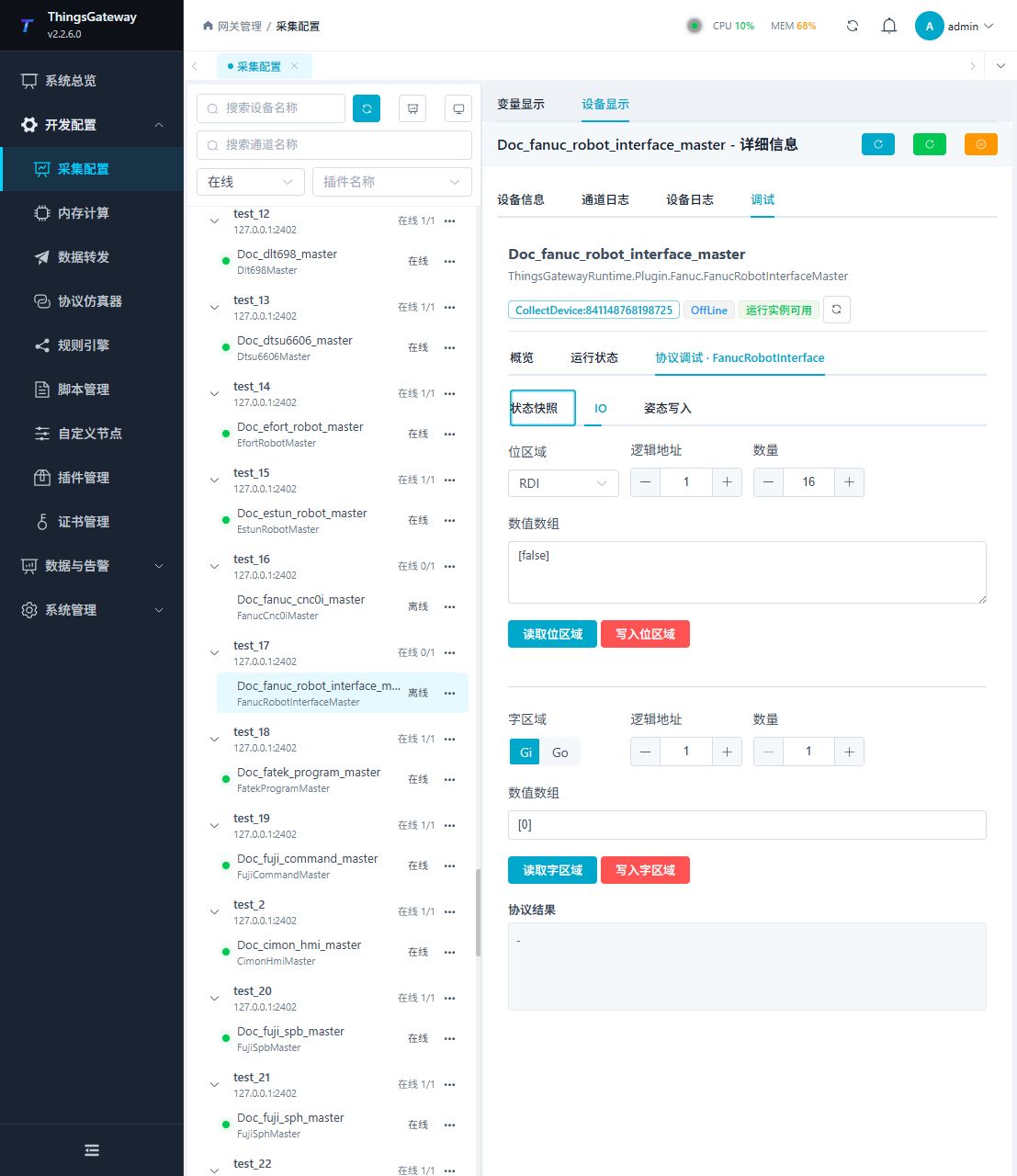
| IO | Reads bit/word areas and performs approved writes. |
| Pose Write | Writes a Cartesian or joint pose. |
Status snapshot
Refresh the robot status snapshot first. This is a read-only connection and status check.
IO
Select a bit or word area, enter the logical address and quantity, then read it. Writes change robot IO; UI and SI remain read-only in this panel.
Pose write
Select Cartesian or Joint, then enter the address, pose array, user frame, and user tool.
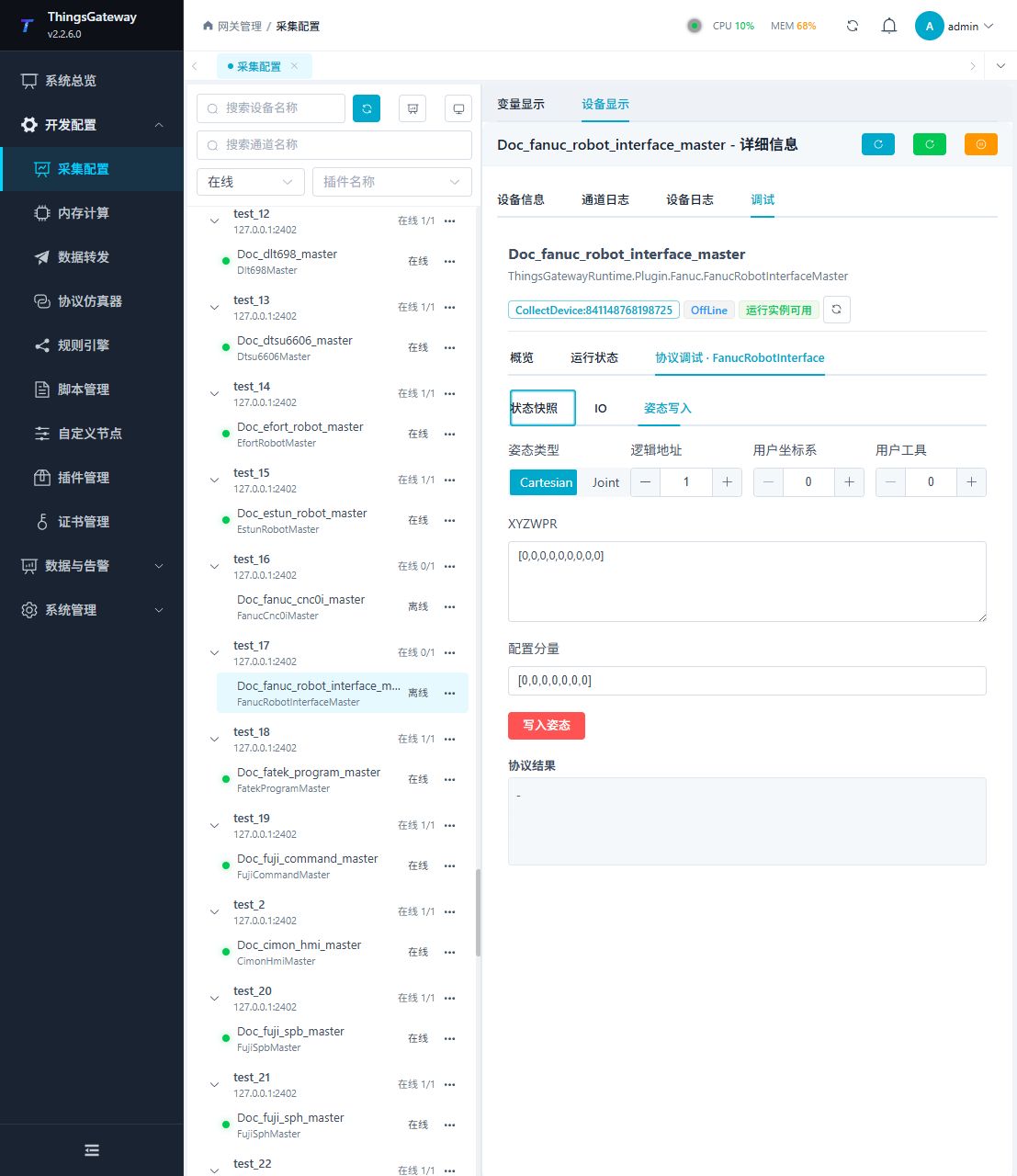
Before writing IO or a pose, verify that the robot permits the operation, personnel are outside the hazardous area, and a stop measure is ready.
Functions
| Function | Purpose |
|---|---|
| Status snapshot | Use Status snapshot to inspect mapped values, status, counters, recent messages, or the latest result. |
| Plugin operation | Use the controls on this plugin page and review the returned result. |
| Control operation | Use Control operation with an approved test point and confirm site safety before execution. |
Verify the configuration
- Refresh Status Snapshot and compare it with the teach pendant.
- Read one known point under IO and verify its area, address, and result.
- Test a write only under approved site safety conditions, then immediately verify the robot state.
Troubleshooting
| Symptom | Check |
|---|---|
| Cannot connect | Robot IP, port 60008, network, firewall, and Robot Interface service. |
| Address read fails | Area name, one-based logical address, quantity, and configured mapping. |
| Text is garbled | Text encoding and robot character set. |
| Adjacent bits change | Submit the complete padded byte values that must be retained. |
Related links
- Collection Configuration: Common channels, devices, and variables.
- Plugin Manual Index: Other collection and data-forwarding plugins.