YaskawaMemobusMaster
YaskawaMemobusMaster reads and writes Memobus TCP or UDP addresses and provides dedicated random-word diagnostics.
Open the plugin
Enter "Development Configuration → Collection Configuration", create a device and select "YaskawaMemobusMaster" in "Collection Plugin".
Supported channels and data types
| Channel type | Pre-configuration check |
|---|---|
| TCP Client | Confirm network reachability of the device IP, port, and gateway to the device. |
| UDP | Confirm the local binding address, port and firewall rules, and check the source of the packet. |
Optional data types: Boolean, Int16, UInt16, Int32, UInt32, Int64, UInt64, Float, Double, String
Plugin properties
Protocol parameters
| Setting | Description |
|---|---|
| Target CPU number | Default: 2; Range: 0~15; Fill in: text input. Sets the target CPU number used for protocol communication. |
| Source CPU number | Default: 1; Range: 0~15; Fill in: text input. Sets the source CPU number used for protocol communication. |
Request packing
| Setting | Description |
|---|---|
| Maximum number of bits to pack | Default: 2000; Range: 1~65535; Fill in: digital input. Set the maximum number of bit packets used for a single read, write or group packet. |
Address rules
- Memobus bit address: C0 is a writable standard coil, X0 is a read-only standard input bit; the M/G/I/O/S sign bit must explicitly use the WORD. bit number, such as M100.3.
- Memobus WORD address: H0 is a writable standard holding register, R0 is a read-only standard input register, EH0 is a writable extended holding register, EI0 is a read-only extended input register; M/G is a writable symbol WORD, and I/O/S is read-only.
- Address values are all decimal; you can use to=0..15;from=0..15; to override the default CPU route.
- Dynamic commands support EH discrete WORD random read and write, and M/G/I/O/S discrete WORD random read; the same requested address must use the same CPU route.
- A maximum of 2044 WORD can be read and 2043 WORD can be written at a time; TCP and UDP use the same protocol core, and the UDP datagram must contain exactly one frame.
Special methods
| Method | Purpose | Parameters |
|---|---|---|
| ReadRandomExtendedWordsAsync | Random read extended WORD | addresses=to=3;from=1;EH0,to=3;from=1;EH10 |
| WriteRandomExtendedWordsAsync | Random write extended WORD | addresses=EH0,EH10; hexWords=1234,ABCD |
| ReadRandomSymbolicWordsAsync | Randomly read symbols WORD | addresses=M0,G10,I20,O30,S40 |
Write, start/stop, reset, load, delete or control methods will change the status of field devices. Before execution, confirm that the equipment is in an operable state and prepare for stop or rollback measures.
Device debug
Enter "Development Configuration → Collection Configuration", select the current device and click "More Functions", then open "Debug".
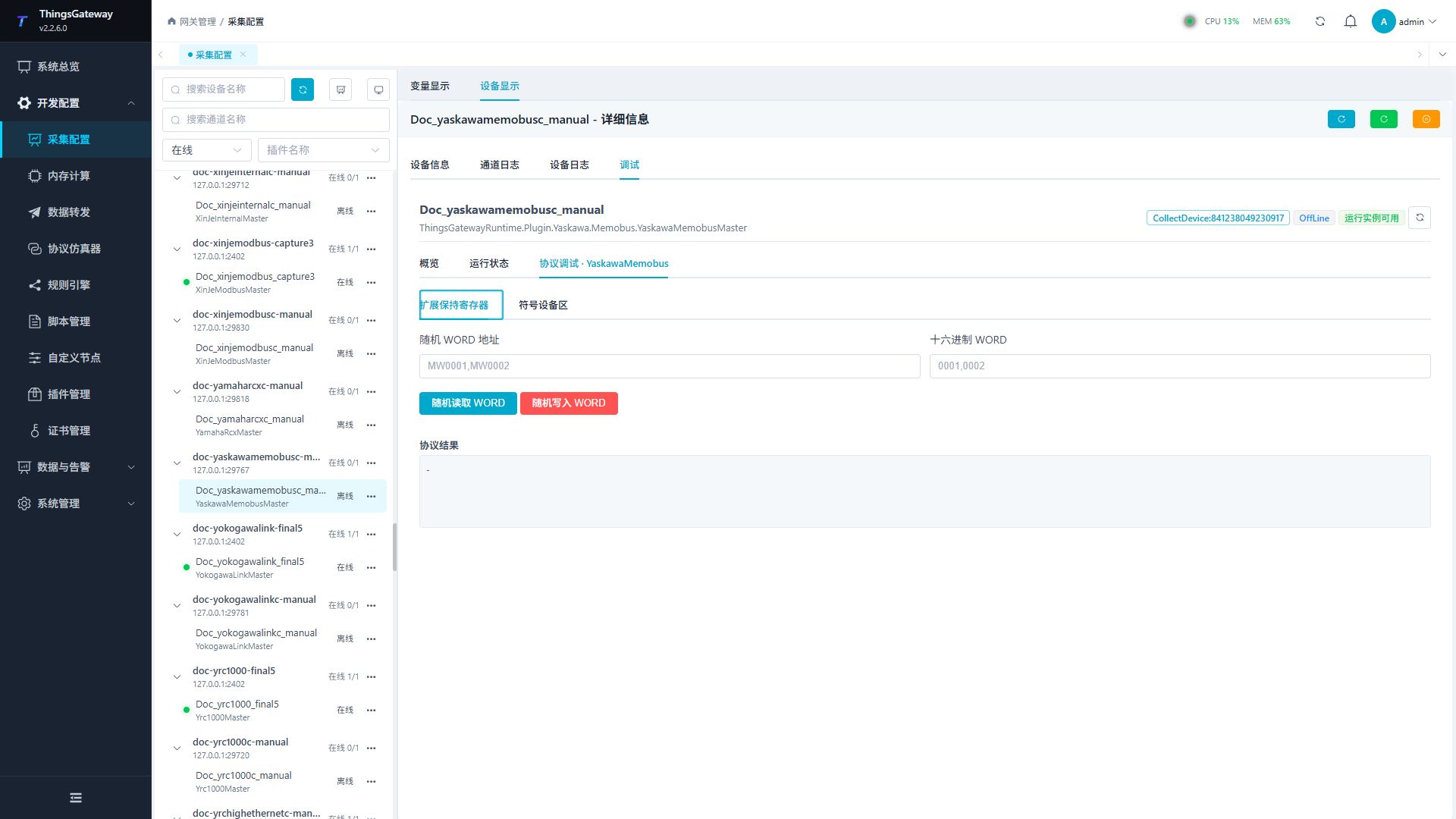
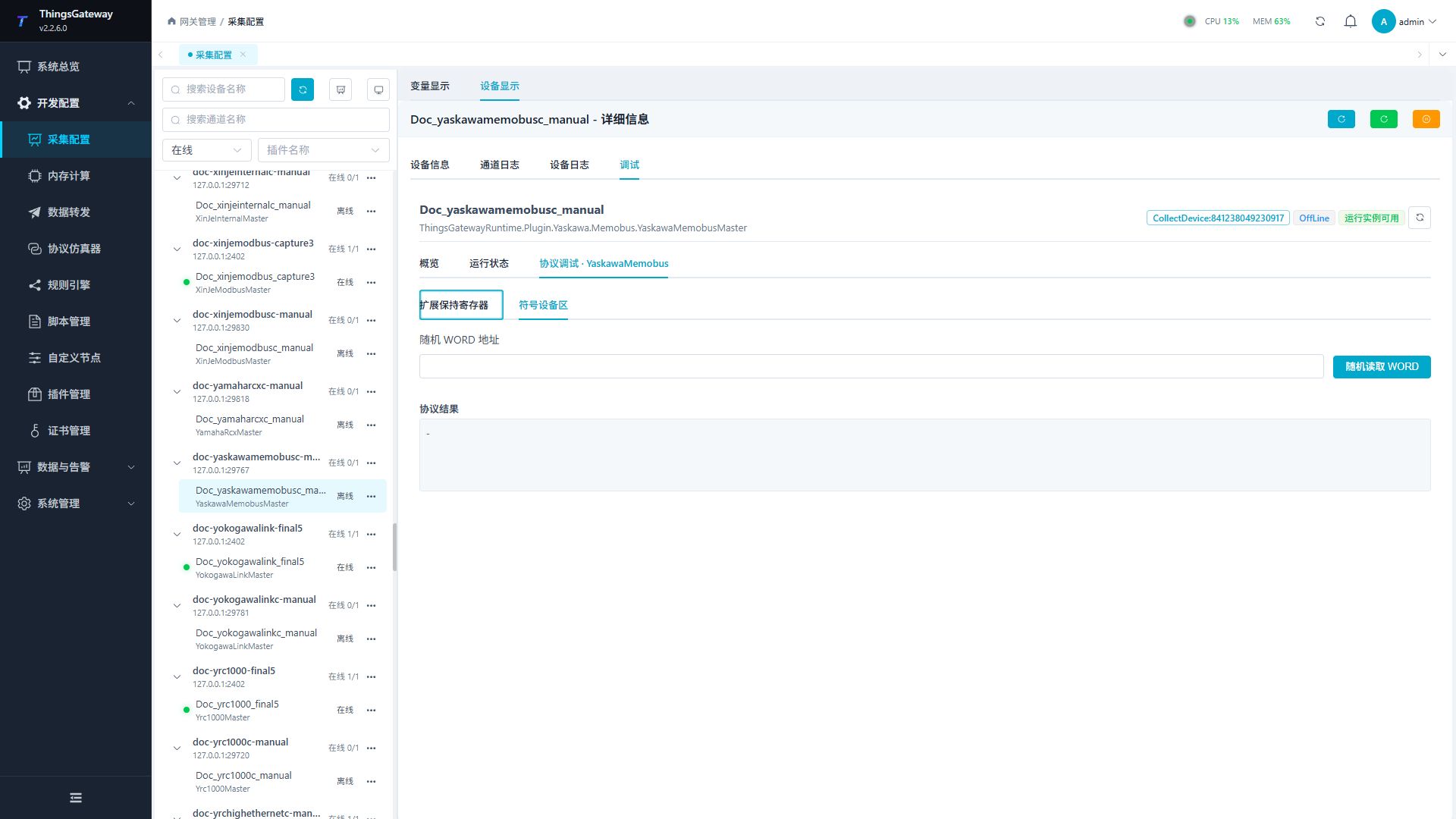
Dedicated debugging page
Use the extended-holding-register panel for EH addresses and the symbolic-device panel for M/G/I/O/S addresses.
Debugging notes
The symbol register remains read-only first; the address and hexadecimal word are checked before writing to the extended register, and a second confirmation is completed.
Functions
| Function | Purpose |
|---|---|
| Read standard WORD or bit | Read a confirmed Memobus area and compare it with the controller value. |
| Read random extended or symbolic WORDs | Read multiple addresses in one request. All addresses in one request must use the same CPU route. |
| Write random extended WORDs | Write hexadecimal WORD values to EH addresses. Use only an approved test area. |
| Messages | Inspect TCP/UDP frames, route errors, and device responses. |
Verify the configuration
- Read a standard WORD such as
H0orR0and compare it with the controller. - Read
EH0,EH10on the extended-register panel and confirm the sametoandfromroute is used. - Read known
M0,G10,I20,O30,S40symbolic WORDs; treat I/O/S as read-only. - With UDP, confirm that each datagram contains exactly one frame and compare the result with TCP.
- Write random values only to an approved EH test area, with the address count equal to the hexadecimal WORD count.
Troubleshooting
- No address returns a value: Check TCP/UDP address, target CPU, source CPU, and firewall.
- The random-read route is rejected: All addresses in one request must use identical
to=andfrom=values; split requests with different routes. - Symbolic bit read fails: Write M/G/I/O/S bit addresses as
WORD.bit, for exampleM100.3. - UDP parsing is intermittent: Ensure the sender neither combines multiple frames into one datagram nor splits one frame across datagrams.
- Random write fails: Check address/value counts, hexadecimal WORD format, and whether the target area is writable.
Related links
- Collection configuration: View channel, device and common variable configuration.
- Plugin Index: Find other collection or data-forward plugins.