KukaVariableProxyMaster
KukaVariableProxyMaster reads or writes one KUKA KRC4 controller variable by name through the KRC4 variable proxy. This plugin does not provide program start, stop, or reset methods.
Open the plugin
Open Development Configuration → Collection Configuration, create a device, and select KukaVariableProxyMaster under Collection Plugin.
Supported channel and data types
| Channel type | Check before configuration |
|---|---|
| TCP client | Confirm the controller IP, port, and network reachability from the gateway. |
Optional data types: Byte and String.
Address rules
- The address is the controller variable name, for example
$POS_ACT. Names and values use UTF-8. - Periodic collection supports
ByteandString. AStringvariable must specifylen, for example$PRO_NAME[];len=32;encoding=UTF-8. - Each variable is requested independently; variables are not packed into one request.
Special methods
| Method | Purpose | Parameters |
|---|---|---|
ReadVariableTextAsync | Read one KUKA variable. | address=variable name |
WriteVariableTextAsync | Write one KUKA variable. | address=variable name, value=variable value |
A write changes controller memory. Confirm that the equipment is in an operable state and prepare stop or rollback measures before execution.
Device debug
Open Development Configuration → Collection Configuration, select the KukaVariableProxyMaster device, and open More Functions → Debug.
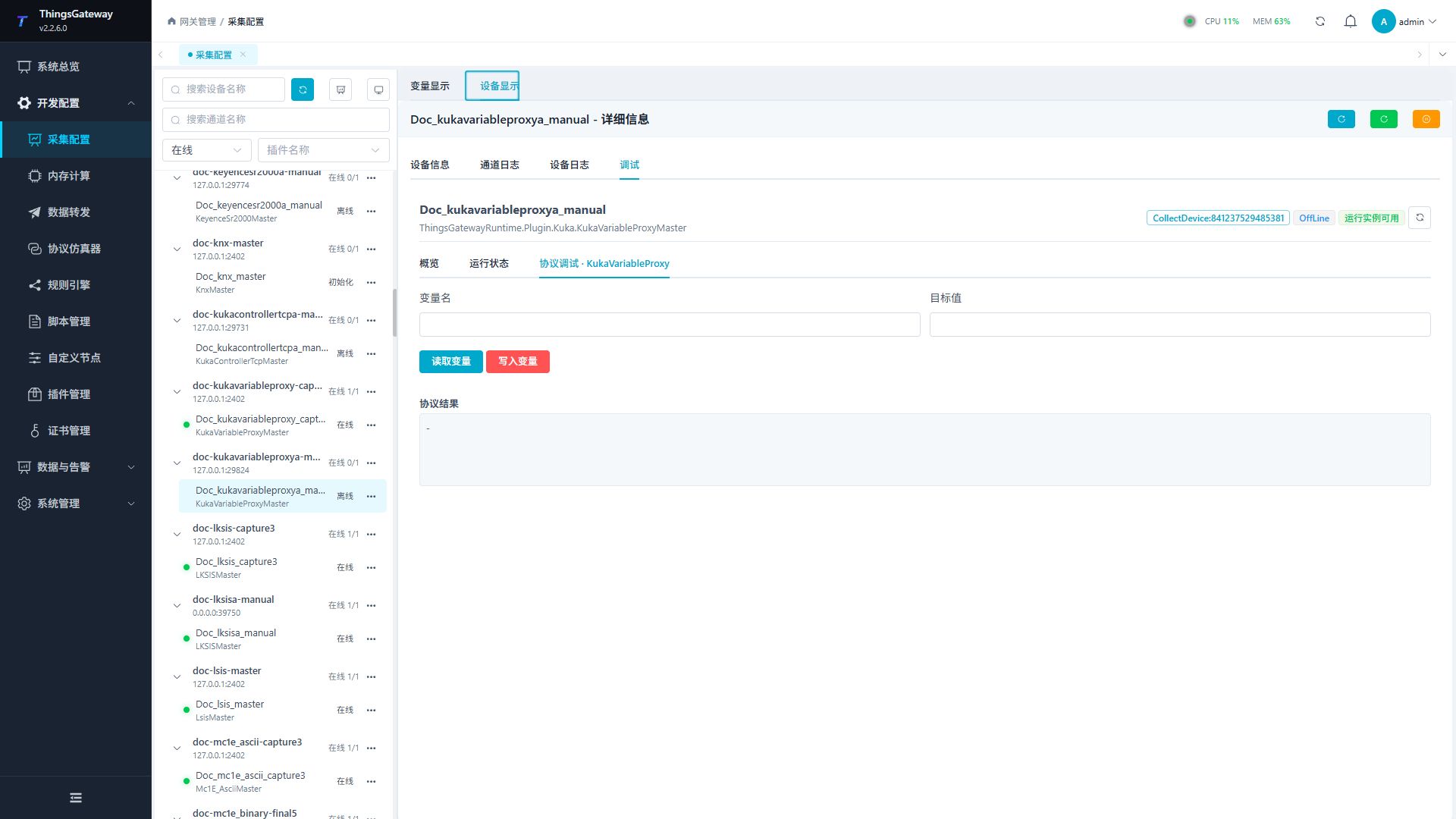
Read one variable first. A write requires a second confirmation because it changes controller memory.
Functions
| Function | Purpose |
|---|---|
| Read variable | Read one KUKA variable without changing controller state. |
| Write variable | Write a text value to a named variable; this changes controller memory. |
| Debug result | Show the returned value or the result and error of the write operation. |
Verify the configuration
- Read a read-only variable such as
$POS_ACTand compare the returned value with the teach pendant. - For periodic string reads, set
lenandencoding=UTF-8in the address and confirm that the complete text is returned. - Create several variables only after one variable works; check response time and controller load one by one.
- Verify writes only on an approved test variable. Read the same variable again after writing.
Troubleshooting
| Symptom | Check |
|---|---|
| Variable read has no response | Check TCP address, port, KRC4 variable-proxy service, and variable name casing. |
| String is truncated | Increase len to hold the complete value and keep encoding=UTF-8. |
| Write fails | Confirm that the variable is externally writable, the value format matches the controller type, and inspect the proxy error. |
| Program control is not available | This plugin provides only single-variable read and write. Use a KUKA plugin that supports program operations. |
Related links
- Collection Configuration: Configure channels, devices, and common variables.
- Plugin Manual Index: Find other collection and data-forwarding plugins.