EfortRobotMaster
Efort robot running status and pose snapshot collection driver
Open the plugin
Enter "Development Configuration → Collection Configuration", create a device and select "EfortRobotMaster" in "Collection Plugin".
Supported channels and data types
| Channel type | Pre-configuration check |
|---|---|
| TCP Client | Confirm network reachability of the device IP, port, and gateway to the device. |
Optional data types: Select by page options
Address rules
- The Efort robot status protocol does not support register variable addresses, please use the read robot status dynamic method to obtain a complete status snapshot.
Special methods
| Method | Purpose | Parameters |
|---|---|---|
| ReadRobotSnapshotAsync | Read robot status | No parameters |
Device debug
Enter "Development Configuration → Collection Configuration", select the current device and click "More Functions", then open "Debug".
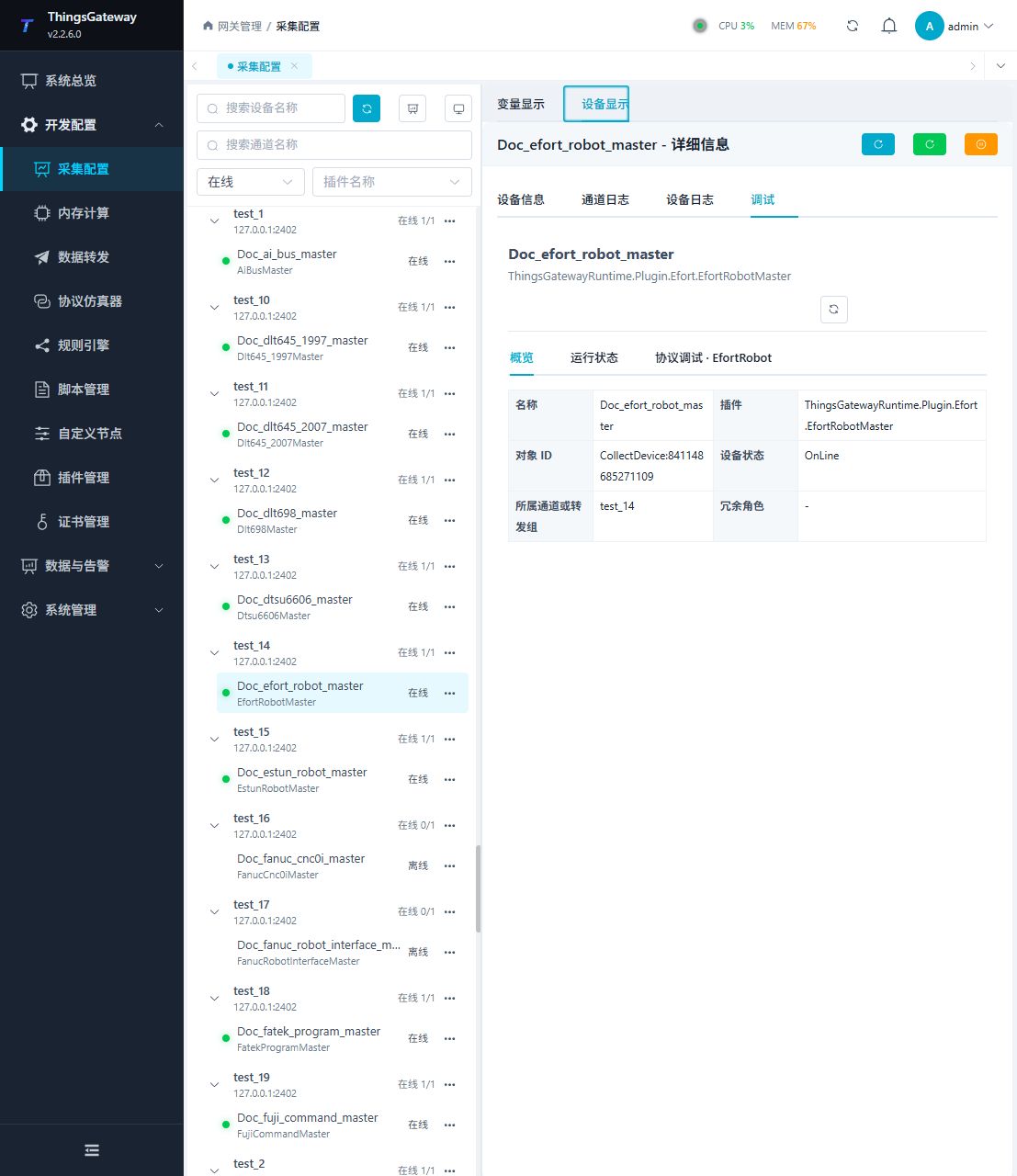
Debugging notes
Refreshing the status snapshot confirms the connection and current location. There are no write operations on this page.
Functions
| Function | Purpose |
|---|---|
| Refresh status snapshot | Use Refresh status snapshot to inspect mapped values, status, counters, recent messages, or the latest result. |
Verify the configuration
- Use the plugin-specific debug panel with one confirmed test point or test message.
- Confirm that the returned value or received message matches the device point list.
- Perform writes or control operations only with an approved test point and the site safety procedure.
Troubleshooting
- The debug panel shows no result: Check the required inputs and plugin parameters, then inspect the device or target log for a response or error.
- Special method execution fails: Check method parameters and permissions; control, write or reset methods also need to confirm that the device is in a state that allows operation.
Related links
- Collection configuration: View channel, device and common variable configuration.
- Plugin Index: Find other collection or data-forward plugins.