KukaControllerTcpMaster
KUKA controller TCP variable reading and writing and program control driver
Open the plugin
Enter "Development Configuration → Collection Configuration", create a device and select "KukaControllerTcpMaster" in "Collection Plugin".
Supported channels and data types
| Channel type | Pre-configuration check |
|---|---|
| TCP Client | Confirm network reachability of the device IP, port, and gateway to the device. |
Optional data types: Byte, String
Address rules
- The TCP address of the KUKA controller is the variable name, such as $POS_ACT; the variable name and value are fixed in UTF-8.
- Periodic collection supports Byte and String; String must specify len, for example $PRO_NAME[];len=32;encoding=UTF-8.
- The device interface has no length or terminator. Each time the underlying TCP receives a block, it is a response. The upper limit of a single block is 2048 bytes.
Special methods
| Method | Purpose | Parameters |
|---|---|---|
| ReadVariablesTextAsync | Read KUKA controller variables | addresses=array of variable names |
| WriteVariablesAsync | Write KUKA controller variables | addresses=array of variable names, values=array of variable values |
| StartProgramAsync | Start the KUKA program | program=program name |
| ResetProgramAsync | Reset KUKA program | No parameters |
| StopProgramAsync | Stop the KUKA program | No parameters |
Write, start/stop, reset, load, delete or control methods will change the status of field devices. Before execution, confirm that the equipment is in an operable state and prepare for stop or rollback measures.
Device debug
Enter "Development Configuration → Collection Configuration", select the current device and click "More Functions", then open "Debug".
Dedicated debugging page
Controller variables are used to read and write controller variables; program controls are used to view and perform program operations.
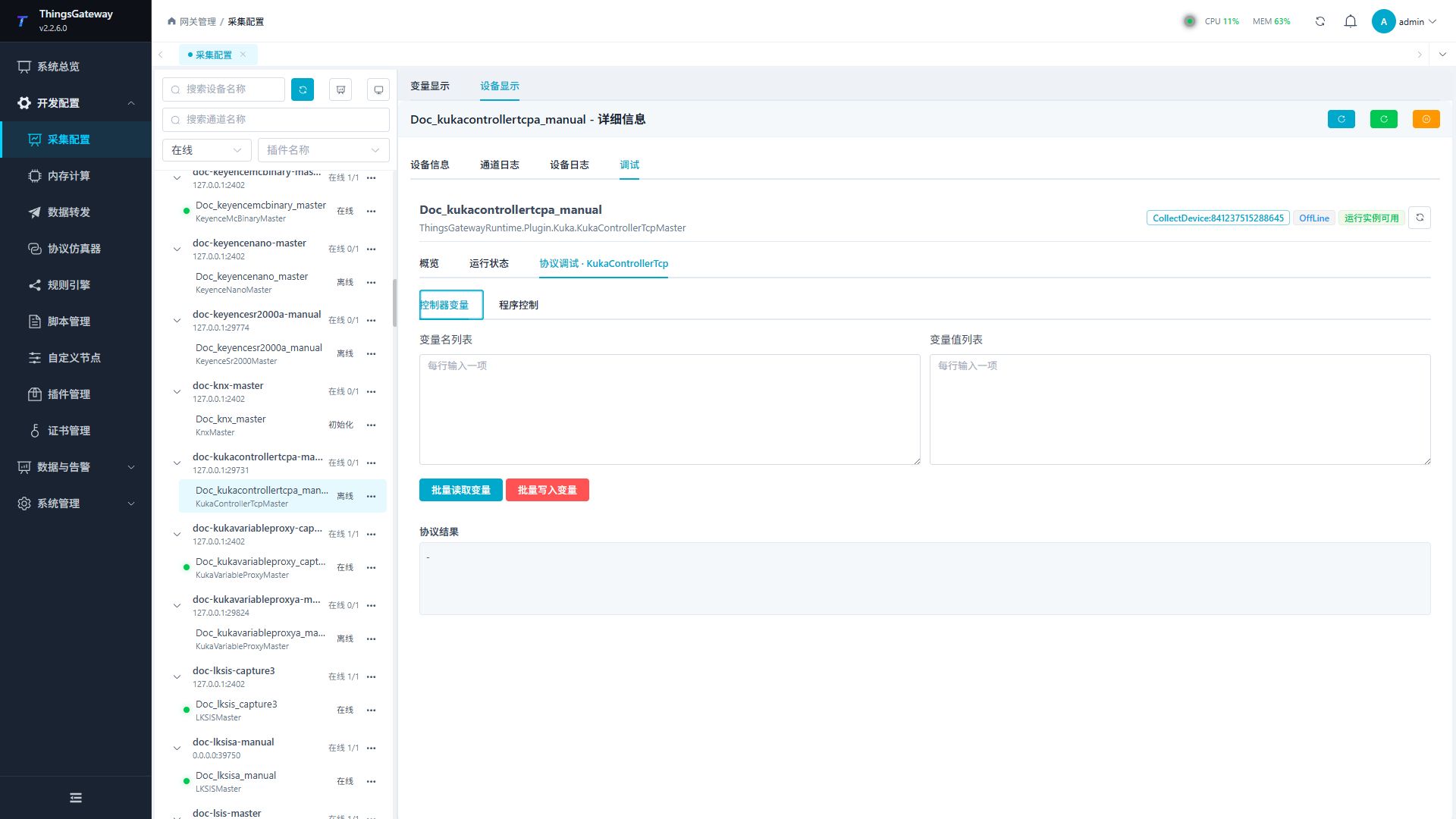
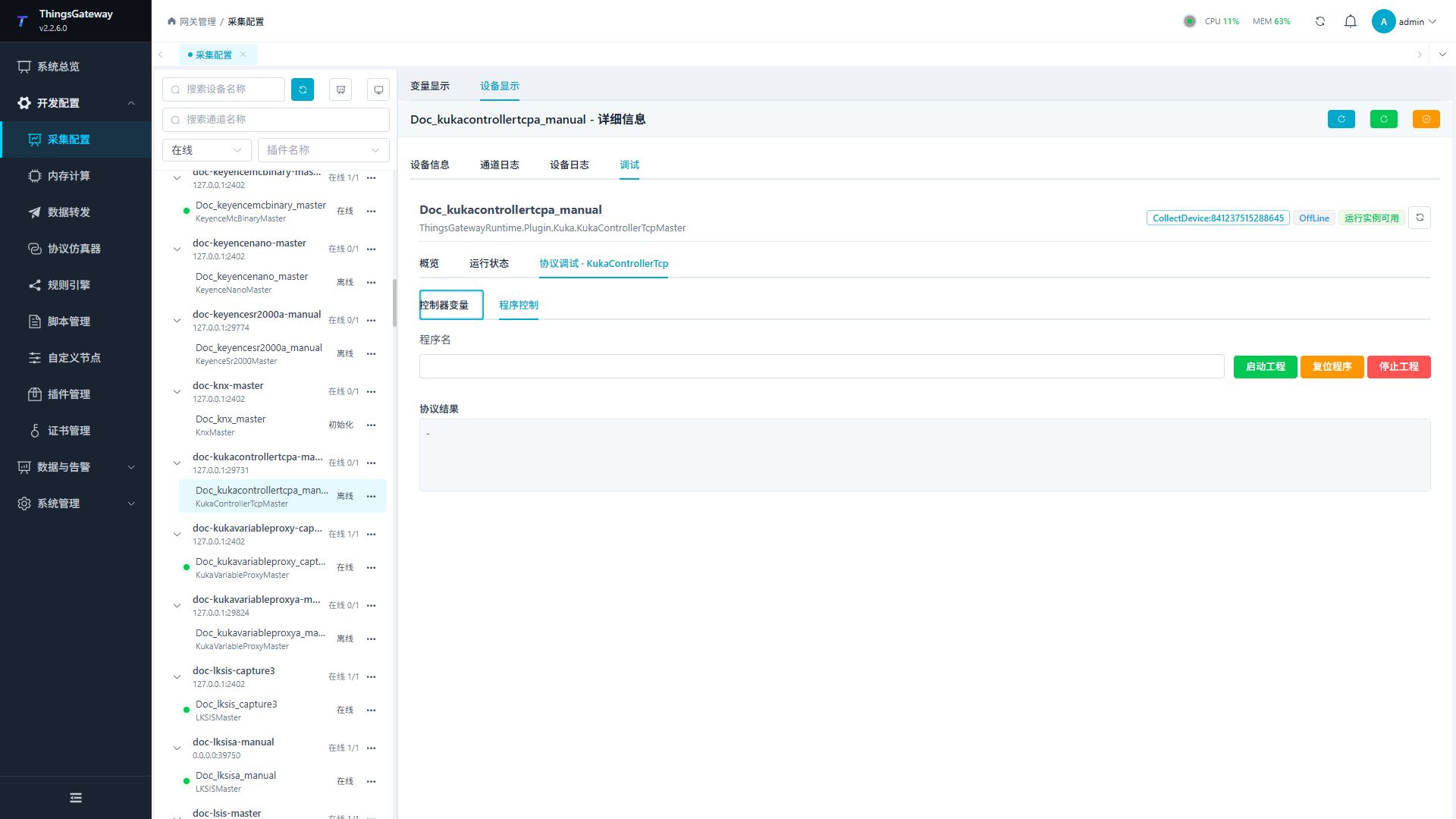
Debugging notes
Read the variables and program information first; confirm twice before writing batch variables, starting, resetting and stopping the program.
Functions
| Function | Purpose |
|---|---|
| Batch read variables | Use Batch read variables to inspect mapped values, status, counters, recent messages, or the latest result. |
| Batch write variables | Use Batch write variables with an approved test point and confirm site safety before execution. |
| Start program | Use Start program with an approved test point and confirm site safety before execution. |
| Reset or stop program | Use Reset or stop program with an approved test point and confirm site safety before execution. |
Verify the configuration
- Use the plugin-specific debug panel with one confirmed test point or test message.
- Confirm that the returned value or received message matches the device point list.
- Perform writes or control operations only with an approved test point and the site safety procedure.
Troubleshooting
- The debug panel shows no result: Check the required inputs and plugin parameters, then inspect the device or target log for a response or error.
- Special method execution fails: Check method parameters and permissions; control, write or reset methods also need to confirm that the device is in a state that allows operation.
Related links
- Collection configuration: View channel, device and common variable configuration.
- Plugin Index: Find other collection or data-forward plugins.