CoAP Master
CoAP Master reads and writes UDP resources and supports CoRE discovery, GET, PUT, POST, controlled DELETE, conditions, Block1/Block2, and Observe. See Collection Configuration for shared operations. It uses plain coap://; DTLS, coaps://, TCP/TLS, and OSCORE are outside its scope.
Create a channel and variables
Open Development Configuration → Collection Configuration. Create a UDP channel with a local binding and remote server, normally on port 5683. Add and enable a CoAP Master device. A variable uses an absolute resource URI, for example coap://192.0.2.10:5683/sensors/room?unit=celsius. The resolved host and port must match the channel's remote endpoint.
| Parameter | Description |
|---|---|
| Exchange timeout | 100–120000 ms; default 30000. The whole exchange, including blocks, shares this deadline. |
| Initial ACK timeout | 100–30000 ms; default 2000. Retransmissions follow the protocol timing. |
| Maximum CON retransmissions | 0–8; default 4. Retransmissions preserve Message ID and Token. |
| Maximum payload bytes | 16–65507; default 65507. Limits complete requests and reassembled responses. |
| Maximum datagram bytes | 64–65507; default 65507. Limits the full header, Token, URI options, and payload independently of the complete resource limit. |
| Preferred block size | Powers of two from 16 to 1024; default 1024. The server can negotiate a smaller size. |
| Enable Observe | Observes resources while retaining polling. |
| Maximum Observe resources | 1–256; default 64, counted by unique resource. |
| Write method | Default PUT; select the method required by the resource. |
Choose the corresponding numeric or Boolean variable type for scalar JSON, Object for complete JSON, and String for text. Collection and manual operations should use the same resource and format.
Periodic reads, automatic Observe, and batch debug reads decode JSON or text according to the response Content-Format. A zero-byte representation explicitly marked text/plain 0 updates the value to an empty string. An empty JSON 50 body or an empty body without a declared format is not a valid variable value. To clear a text resource, select Text and Content-Format 0 in the dedicated write panel and leave the body empty. Ordinary variable writes use JSON representations; use the text operation for text resources.
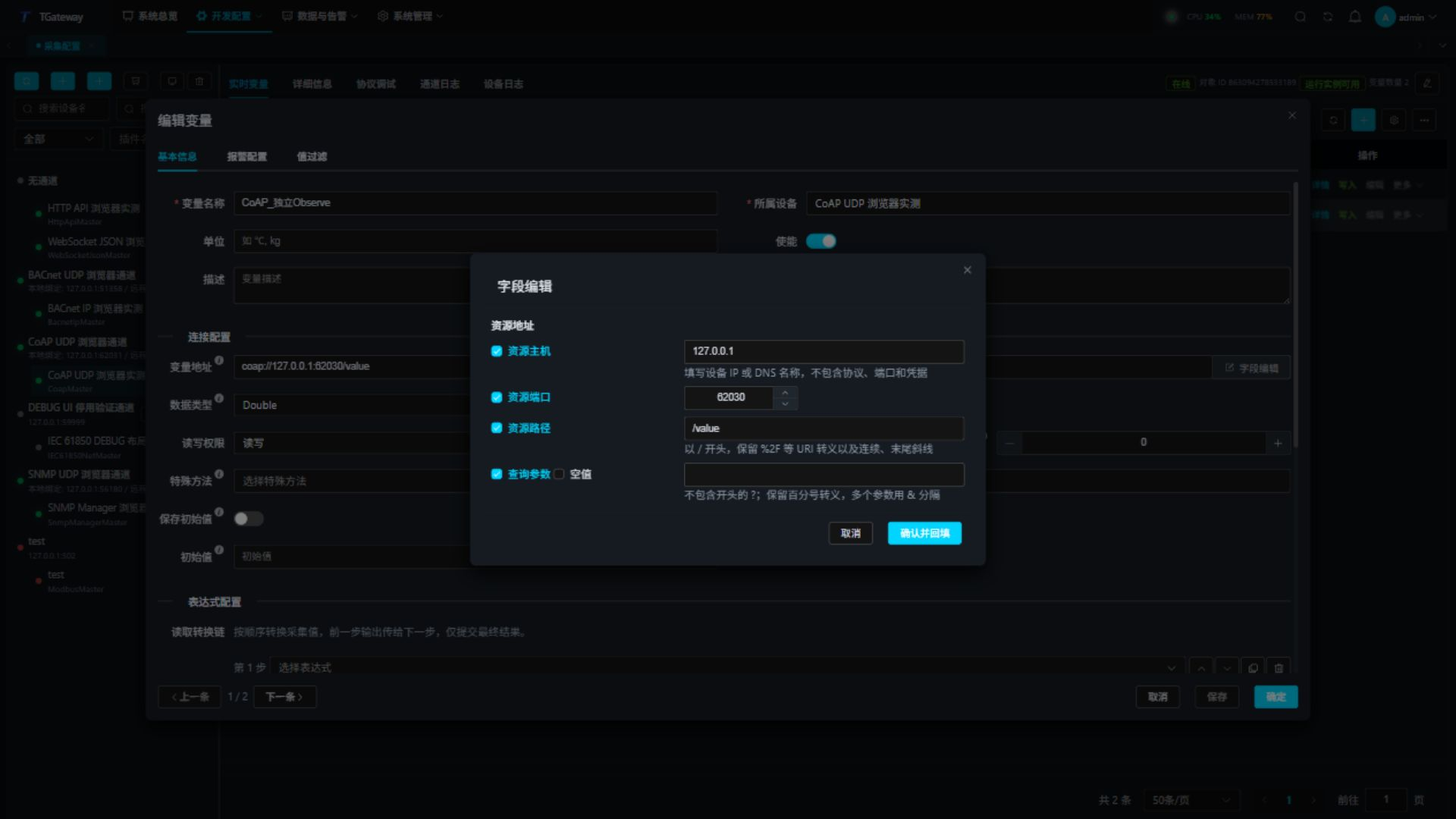
Use the address editor
- Add or edit a variable in Real-time Variables, then open Field editor beside its address.
- Enter host, port, path, and optional query. Omit the initial
?from the query field. Preserve empty query segments and percent escapes required by the device. - Confirm and fill back, verify the complete URI against the channel, then save the variable.
- Reopen the editor to verify the saved fields. Cancel discards changes in that editor.
Check real-time values
Open Real-time Variables and inspect each address, value, online state, and error. Collection time advances with successful reads. Observe updates also reach the associated variables. Change the source value and check its value and change time; an acknowledged relationship alone does not prove continued delivery.
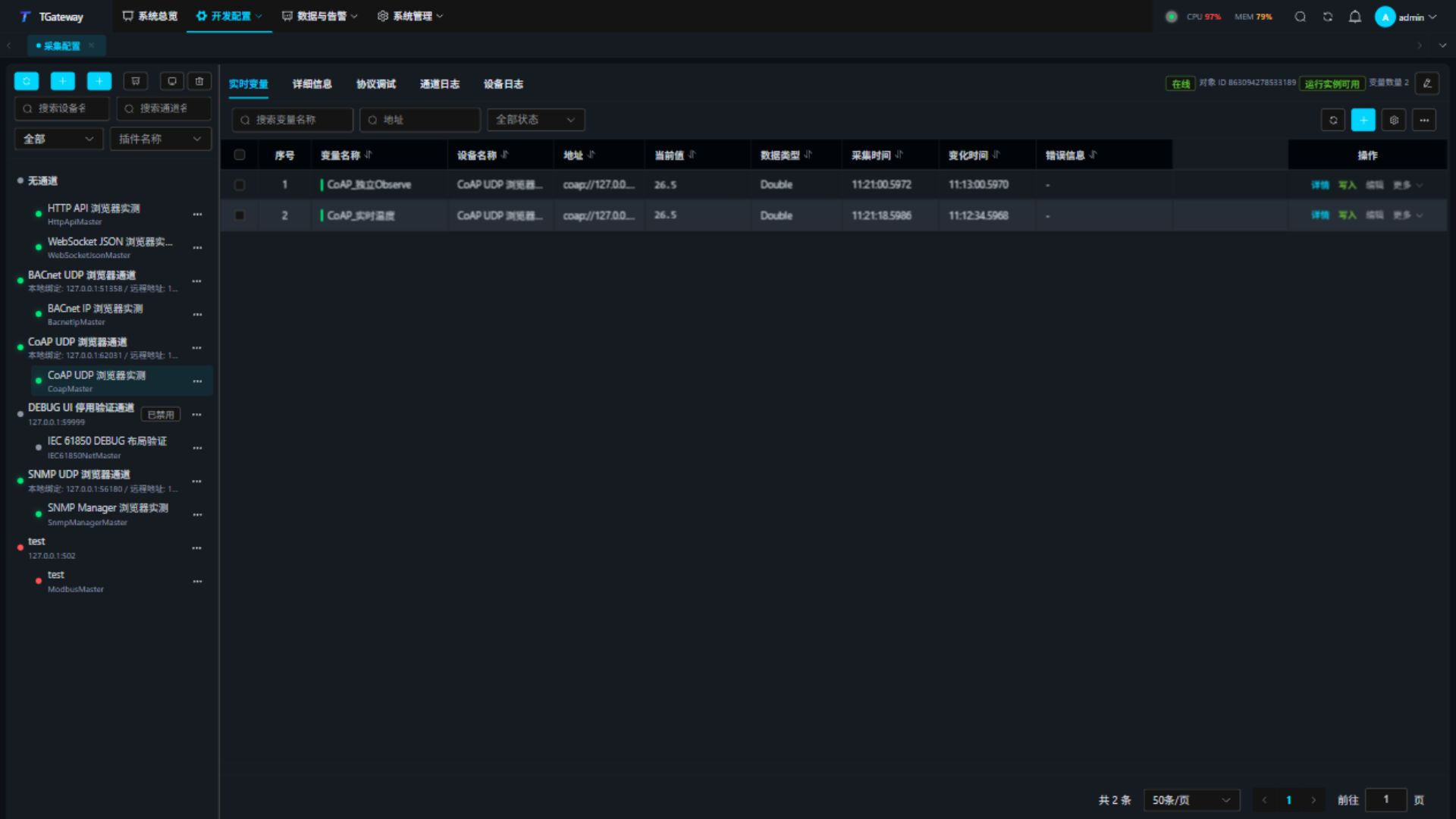
Failed resources retain their own errors while other resources continue collecting. A block representation updates a variable only after complete validation. Missing blocks, oversized bodies, and inconsistent formats never replace it with partial data.
Protocol debugging
Select the device and open Protocol Debug. Core Status shows the connection, deadlines, and message/block budgets, followed by Special Methods and the protocol tabs. Use the workspace Refresh action to update status. Resource, relationship, notification, and error lists have separate pagination, with 20 rows by default. Auto-refresh preserves the page. Page size does not change CoAP blocks or datagram limits.
- Discover
/.well-known/coreon the configured host and inspect URIs, resource types, and formats. - Enter an absolute URI and Accept for reads. Common formats are 0 (text/plain), 42 (application/octet-stream), and 50 (application/json).
- Conditional requests use Base64 ETags for If-Match. If-None-Match expresses a resource-nonexistence condition. An unmet condition returns 4.12.
- For batch reads, enter one URI per line, up to 32, and inspect every result.
- For writes, select PUT/POST/DELETE, JSON/Text/Base64 encoding, Content-Format, Accept, and conditions. Confirm the target, send, then GET it back. Use DELETE only on resources authorized for deletion.
- Create an Observe relationship, inspect the latest value, sequence, Max-Age, and state, then change the source to verify a notification. Cancel the test relationship afterwards.
Blocks and small devices
Polling reads resources individually; debug batch reads also preserve individual results. Both request bodies and complete response representations must fit maximum payload bytes. Block1 uploads and Block2 downloads follow the preferred or negotiated smaller block size. Blocked Observe notifications update variables only after complete reassembly.
Each Block1 upload automatically carries its own Request-Tag, which stays unchanged across its blocks. When the peer has sufficient concurrency capacity, uploads to the same URI on one channel can each assemble a complete body. The final resource value follows completion order. Request-Tags count toward the full datagram budget and require no manual configuration.
The full datagram budget can further reduce blocks. Upload sizing includes URI, Token, conditions, block number, and body; download sizing reserves space for response metadata. With a short URI and a 64-byte datagram budget, downloads use 16-byte blocks. If a Block1 request cannot fit even its smallest block, shorten the URI or increase the datagram budget within the peer's capability. Increasing only the complete payload limit cannot resolve that problem.
GET and Observe registration/cancellation include an optional Block2 option when it fits. A long URI that fills the budget can instead use a request without Block2. A complete response finishes immediately; a server-initiated first block is followed using its actual size and number. Every subsequent request remains subject to the same complete datagram budget.
If a server explicitly rejects the first Block2 request with 4.02 Bad Option, the operation retries once without Block2, preserving the Observe Token. Other errors, invalid block order, or changing ETag/Content-Format fail directly. A device without block support must fit both request and response into one datagram.
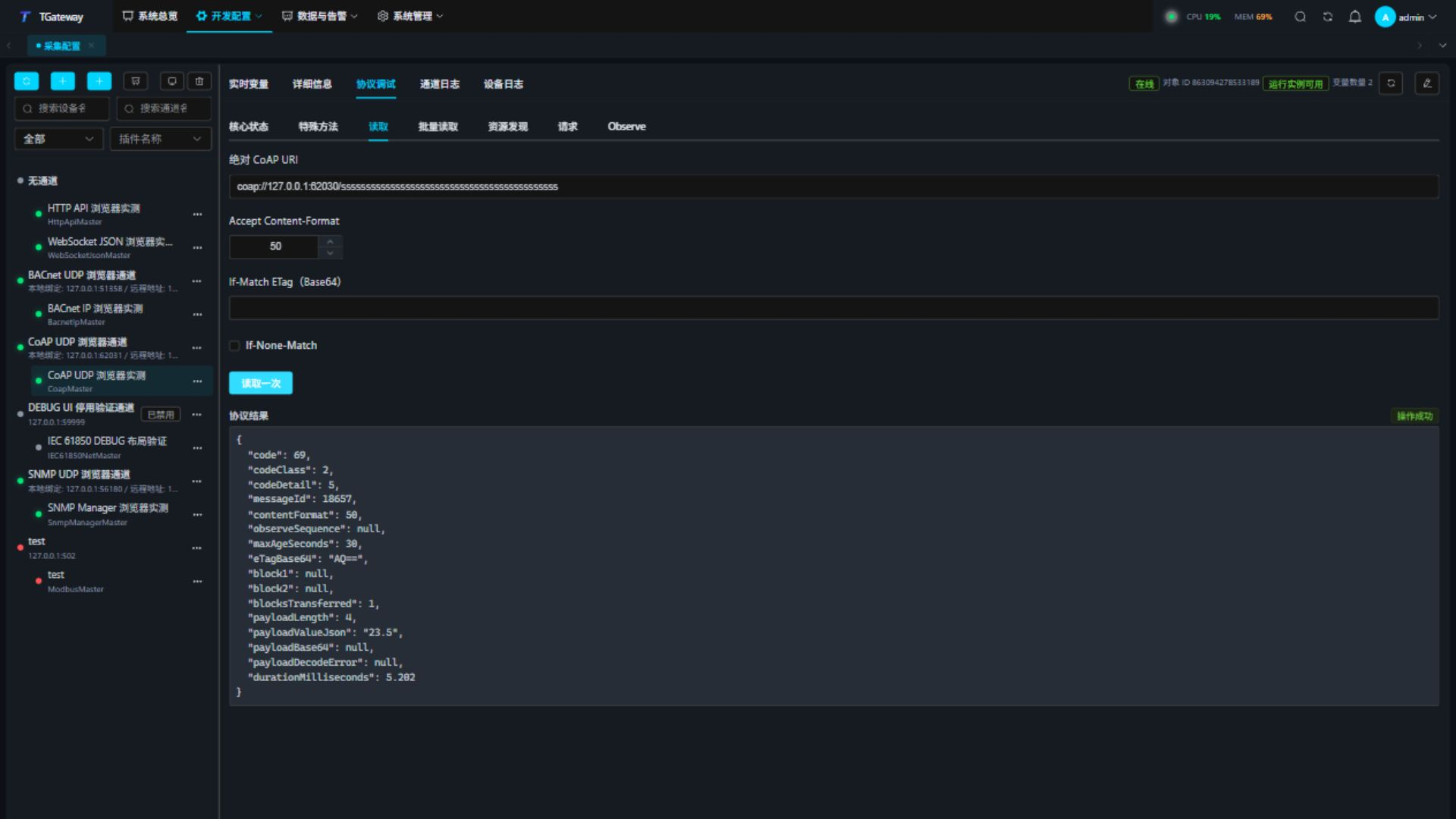
For a long-URI single-packet read, inspect blocksTransferred=1 and block2=null. This example returns 23.5 within a 64-byte full datagram budget:
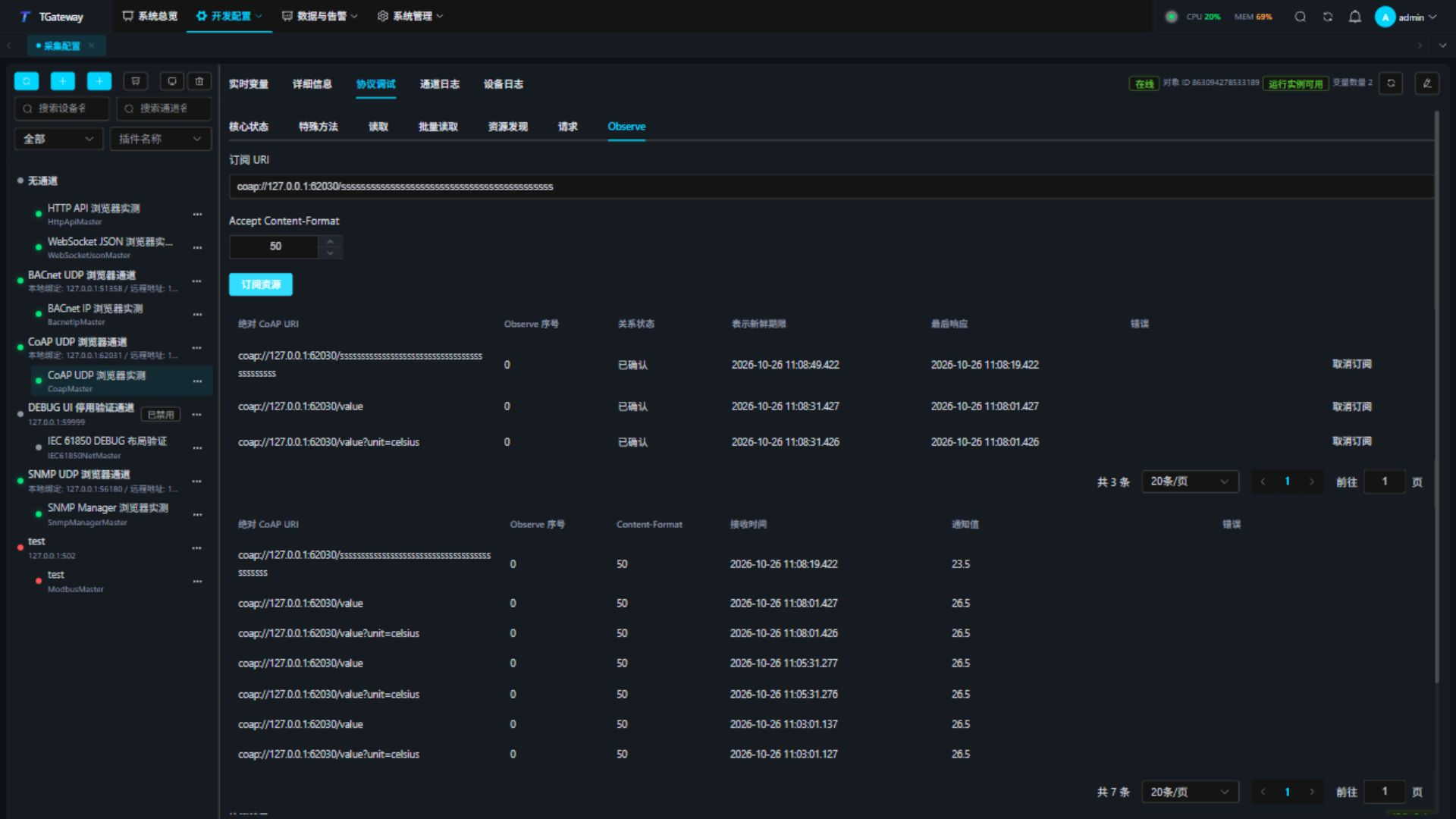
Observe can register and cancel within the same budget. Check the initial value and acknowledged relationship, then cancel and verify removal:
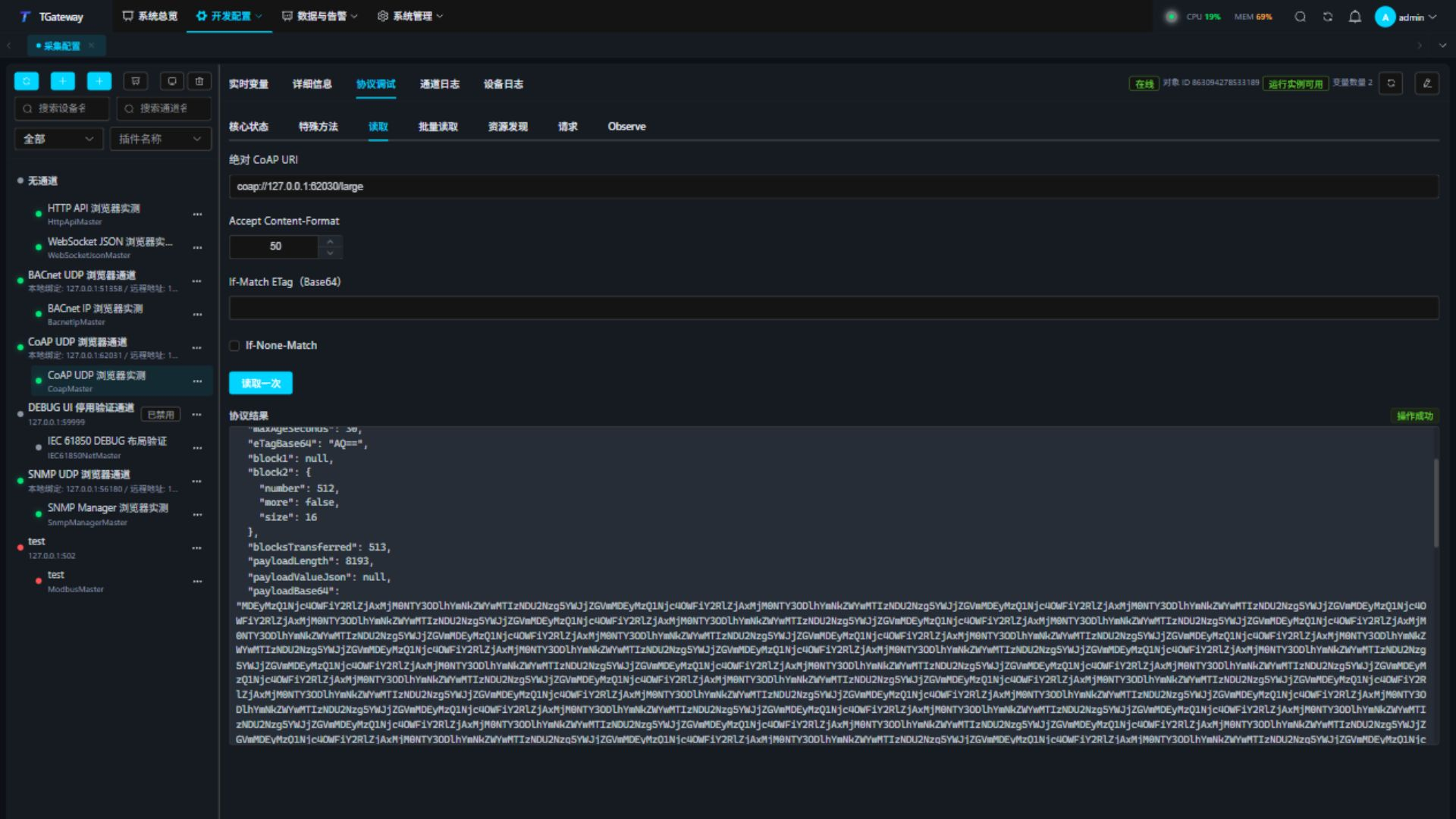
For a blocked read, inspect payloadLength, blocksTransferred, and the complete body. A 64-byte datagram budget still selects 16-byte download blocks even when the preferred size is 1024. An 8193-byte resource takes 513 blocks, with one byte in the last block. The complete payload limit must accommodate the whole resource.
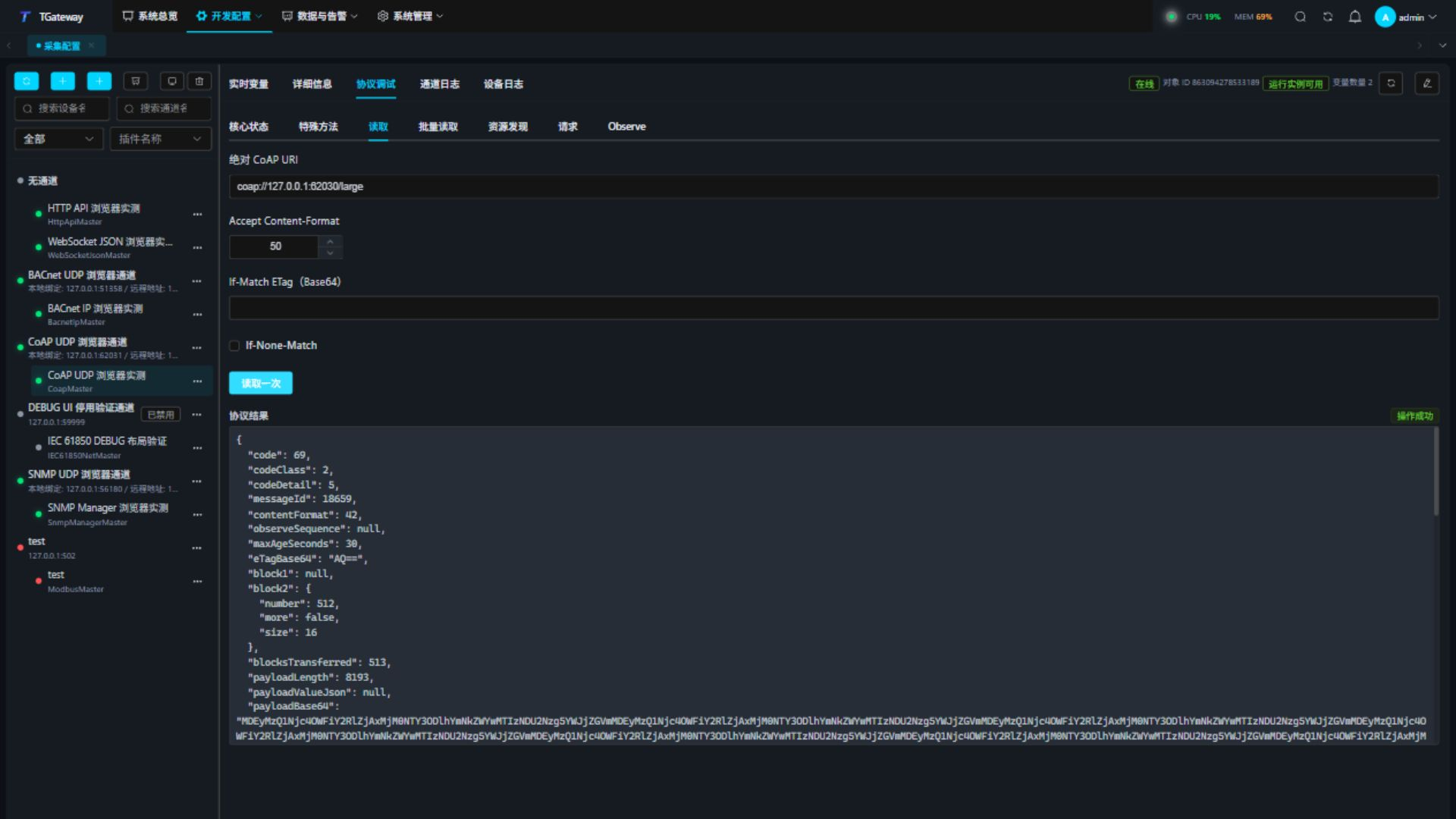
Scroll through the result and verify more=false, block size 16, 513 blocks, and body length 8193:
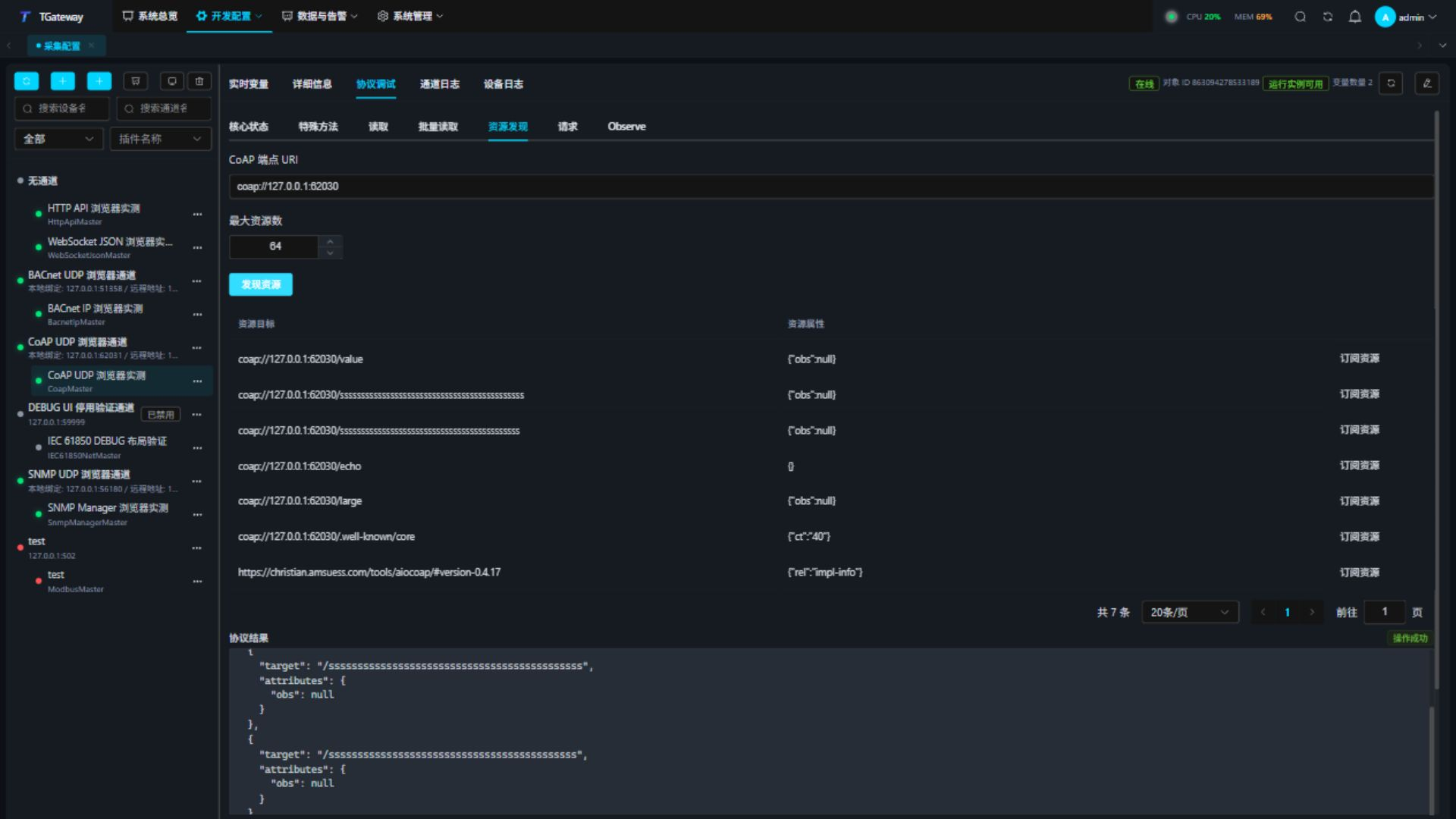
Change the source value and check both the notification sequence and value:
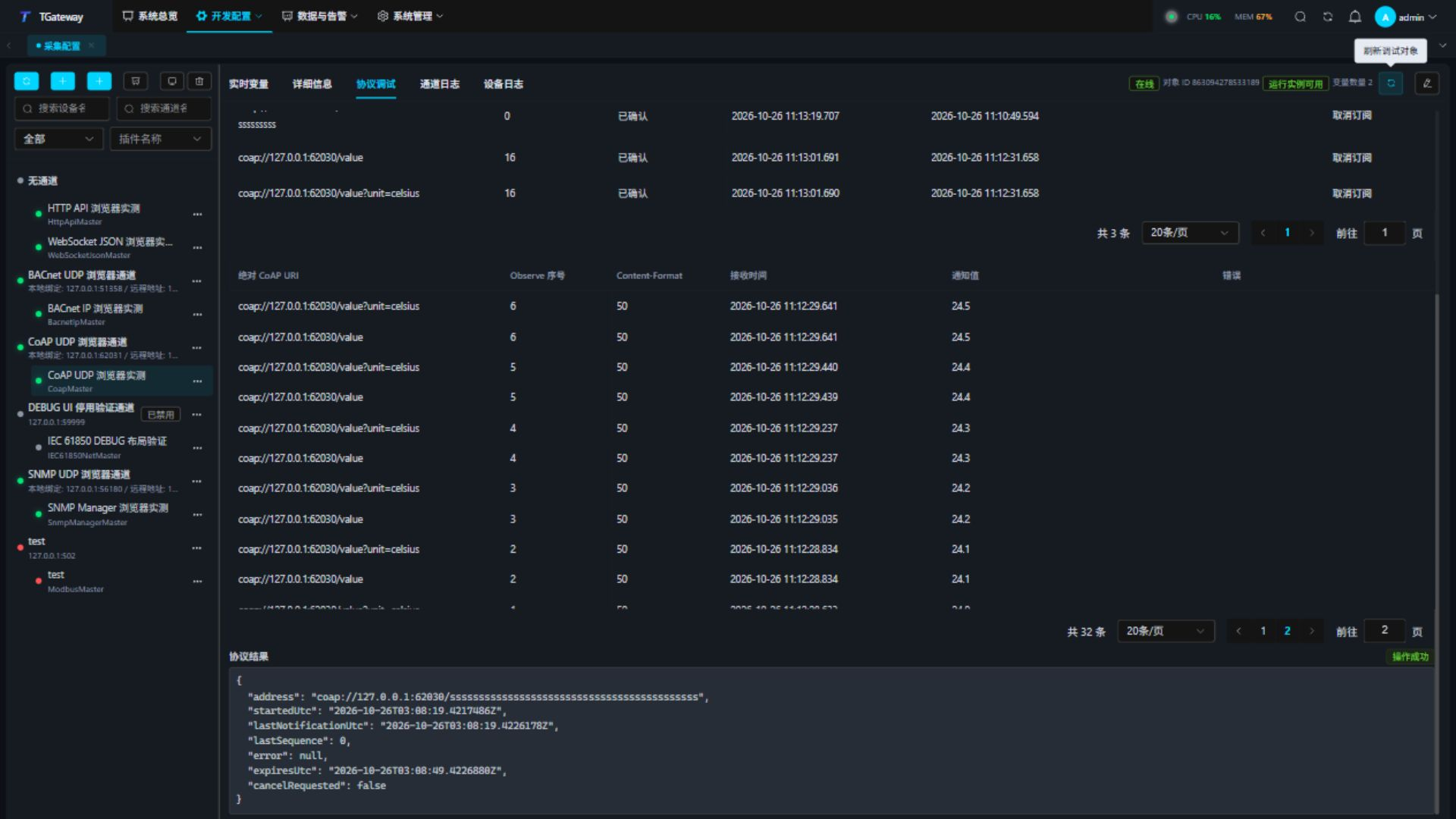
An empty ACK confirms receipt only. Reads and writes still require a valid response. Cancellation cannot undo a remote write already sent; read it back to check the final state. Value mapping supports text/plain and application/json; retain other binary formats as Base64 and interpret them according to the resource contract.
Special methods
Open Protocol Debug → Special Methods.
| Method | Purpose |
|---|---|
| DiscoverResourcesAsync | Reads a bounded CoRE directory using endpointAddress and maximumLinks. |
| ReadResourceRequestAsync | Conditional GET with address, accept, ifMatchBase64, and ifNoneMatch. |
| ReadResourcesAsync | Reads a URI string array supplied as addressesJson. |
| RequestResourceAsync | Uses the selected method, payload, encoding, Content-Format, Accept, and conditions. |
| ObserveResourceAsync / CancelObserveResourceAsync | Creates or cancels a relationship using the device's configuration and channel. |
Enter a JSON array in method order, or use the field editor. Trailing optional parameters can be omitted. For ReadResourceRequestAsync:
["coap://192.0.2.10:5683/value",50]
Omit an unused trailing If-Match parameter or use an empty string. Do not pass null for a required string parameter.
Troubleshooting
| Symptom | Check and action |
|---|---|
| URI does not match channel | Check resolved host and port. A channel targets one server. |
| 4.04 / 4.05 / 4.15 | Check path, allowed method, and Content-Format/Accept respectively. |
| 4.12 | Read the current ETag and re-evaluate the condition before writing. |
| Timeout or exhausted retries | Check port, firewall, CON deadline, and server load. |
| 4.02 or block/ETag failure | Only first-request Block2 4.02 triggers one retry without that option. Check block size, body limit, sequence, ETag, and format. |
| Observe expires or stops updating | Check Max-Age, server support, and relationship state. Runtime reconfirms relationships and retains polling after failures. |