Modbus C20 Master
In addition to common Modbus address reads and writes, this plugin reads C20 waveform files, spectra, frequency amplitudes, and spectrum settings. It is named ModbusC20Master in the device selector.
See Collection Configuration for common channels, variables, data format, and imports.
Open the plugin and supported scope
Create a TCP client, TCP server, serial, or UDP channel, then create a device using ModbusC20Master. Supported types include Boolean, Byte, common integers, Float, Double, String, and Decimal.
Plugin properties
| Setting | Default | Range | Description |
|---|---|---|---|
| Modbus type | ModbusTcp | ModbusTcp or ModbusRtu | C20 currently provides TCP and RTU adapters; do not select ModbusAscii. |
| Default station | 1 | 1 to 255 | Used when no station is present in the address. |
| FC1 / FC2 read limits | 1600 / 1600 | 1 to 2000 | Maximum bits per read. |
| FC3 / FC4 read limits | 100 / 100 | 1 to 125 | Maximum registers per read. |
| FC15 / FC16 write limits | 1968 / 123 | Protocol limits | Maximum values per batch write. |
| DTU ID | - | - | Used for a DTU service connection. |
Addresses and special methods
Common addresses use 00001, 10001, 30001, and 40001. 40001;s=2; selects station 2 and 40001;w=16; selects FC16 for writes.
| Method | Purpose | Parameters |
|---|---|---|
ReadFileAsync | Read a waveform file | station, fileAddress, startAddress, length |
ReadAtlasDatasAsync | Read spectrum data | address |
ReadFrequencyDataAsync | Read frequency, amplitude, and total energy | address |
ReadAtlasSettingAsync | Read spectrum settings | address |
Device debug
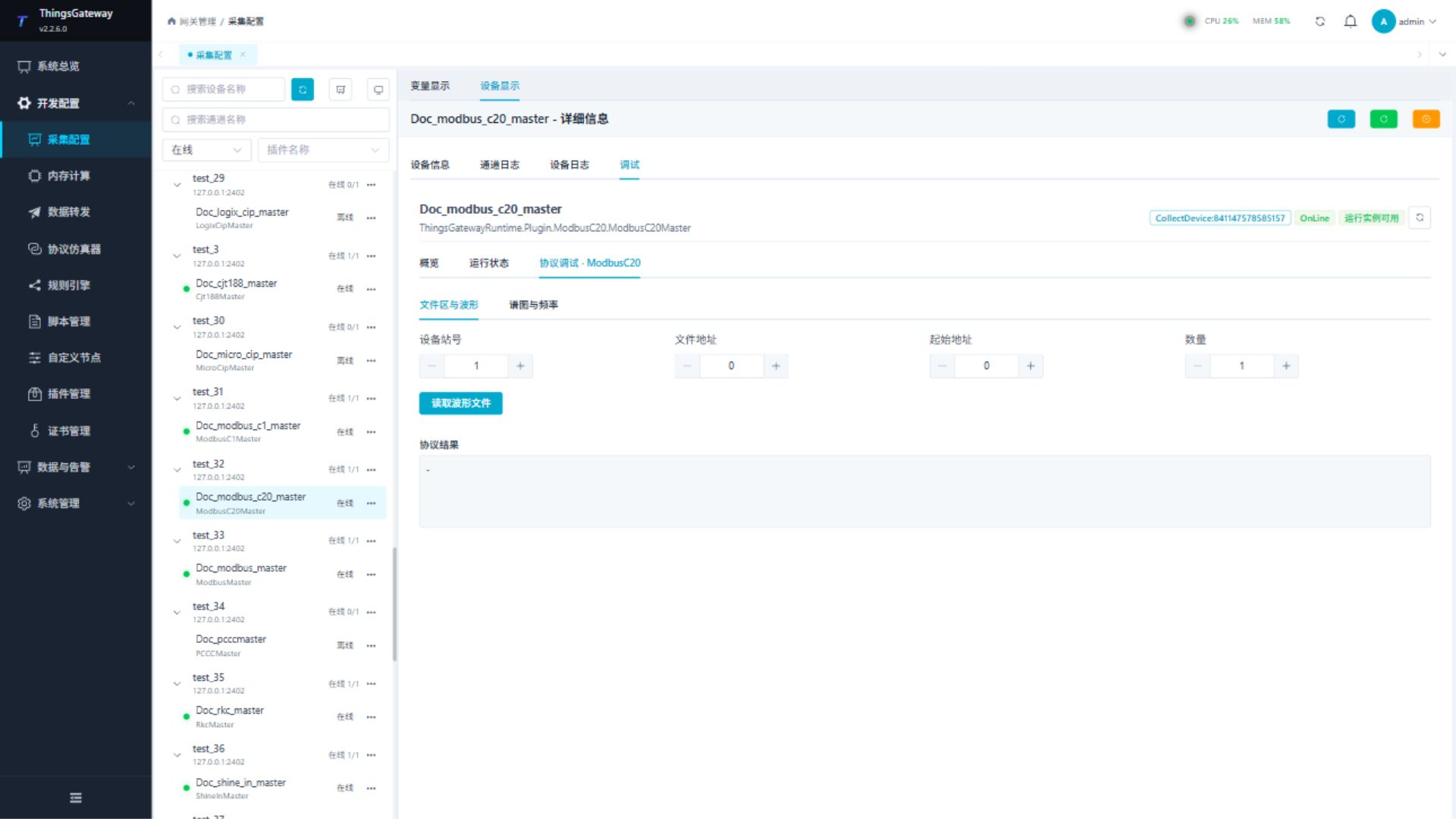
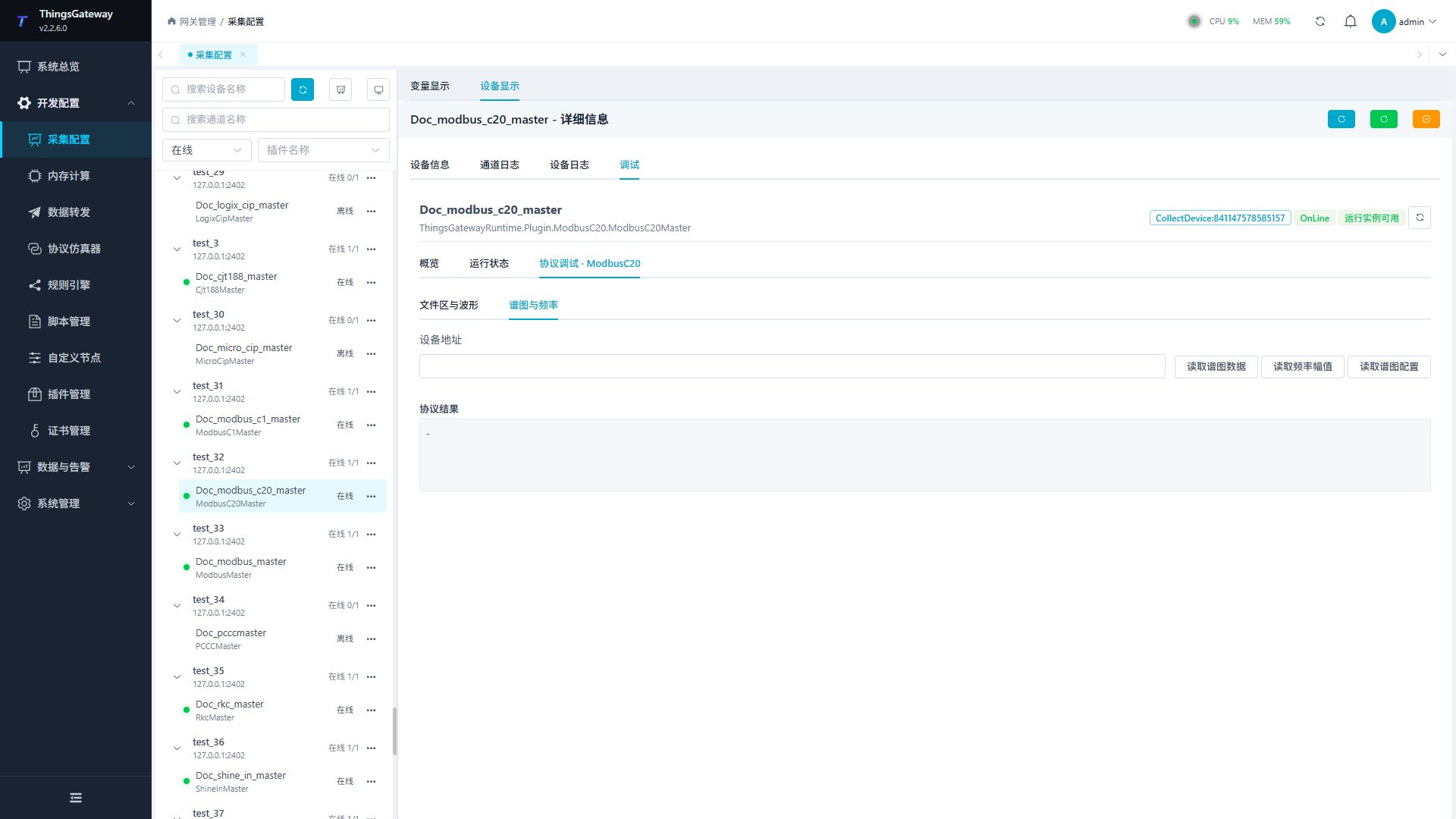
Open Development Configuration → Collection Configuration, select the Modbus C20 device and click More Functions, then open Debug → Protocol Debug · ModbusC20. The dedicated panel contains read-only operations.
| Feature | Purpose |
|---|---|
| File Area and Waveform | Reads a waveform by station, file address, start address, and quantity. |
| Spectrum and Frequency | Reads spectrum data, frequency amplitude, or spectrum settings by device address. |
Functions
| Function | Purpose |
|---|---|
| File and spectrum operations | Use the protocol-specific operations and review the returned result. |
Verify the configuration
- Verify the station and channel with one common register read.
- Read a known file segment under File Area and Waveform.
- Read a device-defined address under Spectrum and Frequency and compare it with the vendor tool.
Troubleshooting
| Symptom | Check |
|---|---|
| Common address fails | Channel, framing, station, address, and data type. |
| Waveform is empty | File address, start address, quantity, and device file state. |
| Spectrum read fails | Device address, current collection state, and C20 function support. |
| Serial device does not respond | Port ownership, baud rate, parity, stop bits, and framing. |
Related links
- Collection Configuration: Common channel, device, and variable operations.
- Plugin Manual Index: Other plugins.