HJ212Master
HJ212Master receives HJ 212 pollutant-monitoring reports and maps the CP data area to gateway variables. It is a passive receiver: the field device sends reports to the gateway.
Open the plugin
Open Development Configuration → Collection Configuration, create a device, and select HJ212Master under Collection Plugin.
Supported channels and data types
| Channel type | Check before configuration |
|---|---|
| UDP | Confirm the local bind address, port, firewall rules, and packet source. |
| TCP client | Confirm the device IP, port, and network reachability from the gateway. |
| Serial port | Confirm that the port is not in use and that baud rate, data bits, stop bits, and parity match the device. |
Optional data types: Boolean, Byte, Int16, UInt16, Int32, UInt32, Int64, UInt64, Float, Double, String, and Decimal.
Address rules
The variable address matches the HJ 212 message header:
ST=<system-code>;MN=<device-id>;CN=<command-code>
STis the system code,MNis the device identifier, andCNis the command code from the incoming report.- Fill in the values from an actual field message. Do not leave example placeholders in a production variable.
- When the header matches, the variable receives the message's
CPdata area. Use a read expression when a single pollutant field must be extracted fromCP. - Field names are case-insensitive; use uppercase
ST,MN, andCNwith English semicolons for consistency. - The plugin receives active reports only. It does not support active reads or variable writes.
Device debug
Open Development Configuration → Collection Configuration, select the HJ212Master device, and open More Functions → Debug. The protocol panel uses reception monitoring to show incoming reports and variable mapping.
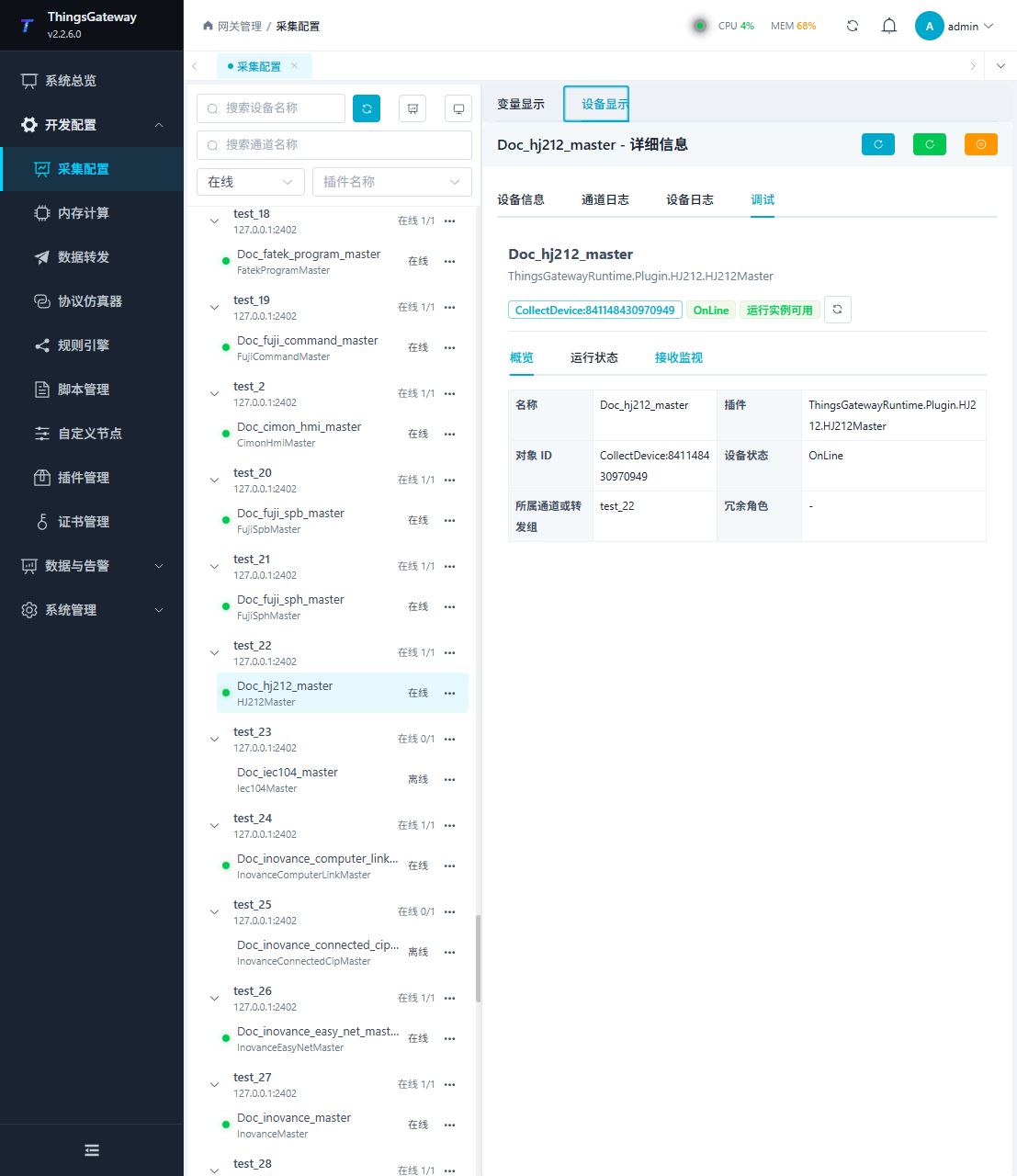
Functions
| Function | Purpose |
|---|---|
| Last activity | Show the receive time of the latest valid HJ 212 message. |
| Variable table | Check the matched address, current CP value, online state, collection time, and last error. |
| Message statistics | Review queued, dropped, and truncated message counts. |
| Message log | Review HJ 212 reports received by the current session. |
Verify the configuration
- Copy
ST,MN, andCNfrom a real test report and create a variable with the address format above. - Make the same device send the command report again and confirm that a new record appears in reception monitoring.
- Confirm that the variable value is the report's
CPdata area, the collection time updates, and the last error is empty. - Send a test report with a different
MNorCNand confirm that it does not update the current variable. - When a single pollutant value is required, configure a read expression and verify the extracted value and data type.
Troubleshooting
| Symptom | Check |
|---|---|
| No new report in reception monitoring | Confirm that the device is actively reporting. Check the channel, frame boundaries, and HJ 212 message validation. |
| Report arrives but the variable is unchanged | Compare ST, MN, and CN with the received message character by character. Remove example placeholders. |
The variable shows the full CP area | This is the default mapping. Add a read expression to extract one pollutant field. |
| Data from multiple devices updates one variable | Include a distinguishing MN in the variable address and add CN when commands differ. |
| Serial device does not respond | Check port ownership, baud rate, data bits, stop bits, parity, and channel type. |
Related links
- Collection Configuration: Configure channels, devices, and common variables.
- Plugin Manual Index: Find other collection and data-forwarding plugins.