Dlt698Master
Dlt698Master collects DL/T 698 power information, receives active reports, and manages the protocol link.
Open the plugin
Enter "Development Configuration → Collection Configuration", create a device and select "Dlt698Master" in "Collection Plugin".
Supported channels and data types
| Channel type | Pre-configuration check |
|---|---|
| Serial Port | Confirm that the serial port is not occupied by other programs and maintains the same baud rate, data bits, stop bits and parity bits as the device. |
| TCP Client | Confirm network reachability of the device IP, port, and gateway to the device. |
| TCP server | Confirm that the local listening address and port are available, and allow on-site devices to actively connect to the gateway. |
Optional data types: Boolean, Byte, Int16, UInt16, Int32, UInt32, Int64, UInt64, Float, Double, String
Plugin properties
DL/T 698 uses the common collection properties for read/write timeout, retry, write priority, serial/TCP fields, and DTU routing; see Collection Configuration. The table below lists 698-specific fields.
Protocol parameters
| Setting | Description |
|---|---|
| Server address | Required; Default: 000000000001; Fill in: text input. Set the server address used for protocol communication. |
| Client address | Default: 0; fill in: text input. Sets the client address used for protocol communication. |
| Enable FE preamble | Default: Yes; fill in: switch. Controls whether the "Enable FE Preamble" feature is enabled. |
Connection configuration
| Setting | Description |
|---|---|
| Native TCP life cycle | Default: No; fill in: switch. Controls whether the "native TCP lifecycle" feature is enabled. |
| DTU ID | Fill in: text input. Sets the identifier used to identify the current device connection through the DTU service. |
Server address is required and accepts 1 to 16 bytes of hexadecimal text, using an even number of characters, for example 000000000001. A variable address can override it with s=. Client address is one byte and defaults to 0. When Native TCP lifecycle is enabled, the TCP client performs login and application-connect steps after opening the socket; leave it disabled for serial passthrough or ordinary TCP requests.
Address rules
- DL/T 698 addresses use a four-byte OAD, for example 20-00-02-00.
- Available s=149100007290 overrides the server address, ca=0 overrides the client address, sat=single/wildcard/group/broadcast and logic=0..3 overrides the address descriptor.
- The value is converted to the current variable type according to the common OAD multiplication rate; the array or structure is expanded in response order, and the variable ArrayLength must be consistent with the number of scalars.
- The current version only supports clear text application requests; secure requests are explicitly rejected due to lack of real keys and authentication lifecycle configuration.
- The TCP client can choose serial port transparent transmission or native TCP life cycle; native TCP will complete login and application connection after connection.
Special methods
| Method | Purpose | Parameters |
|---|---|---|
| ReadOadsAsync | Read multiple OADs | addresses=20-00-02-00,20-01-02-00 |
| ExchangeClearApduAsync | Exchange clear text APDU | address=20-00-02-00; apduHex=05 01 00 20 00 02 00 00 |
Device debug
Enter "Development Configuration → Collection Configuration", select the current device and click "More Functions", then open "Debug".
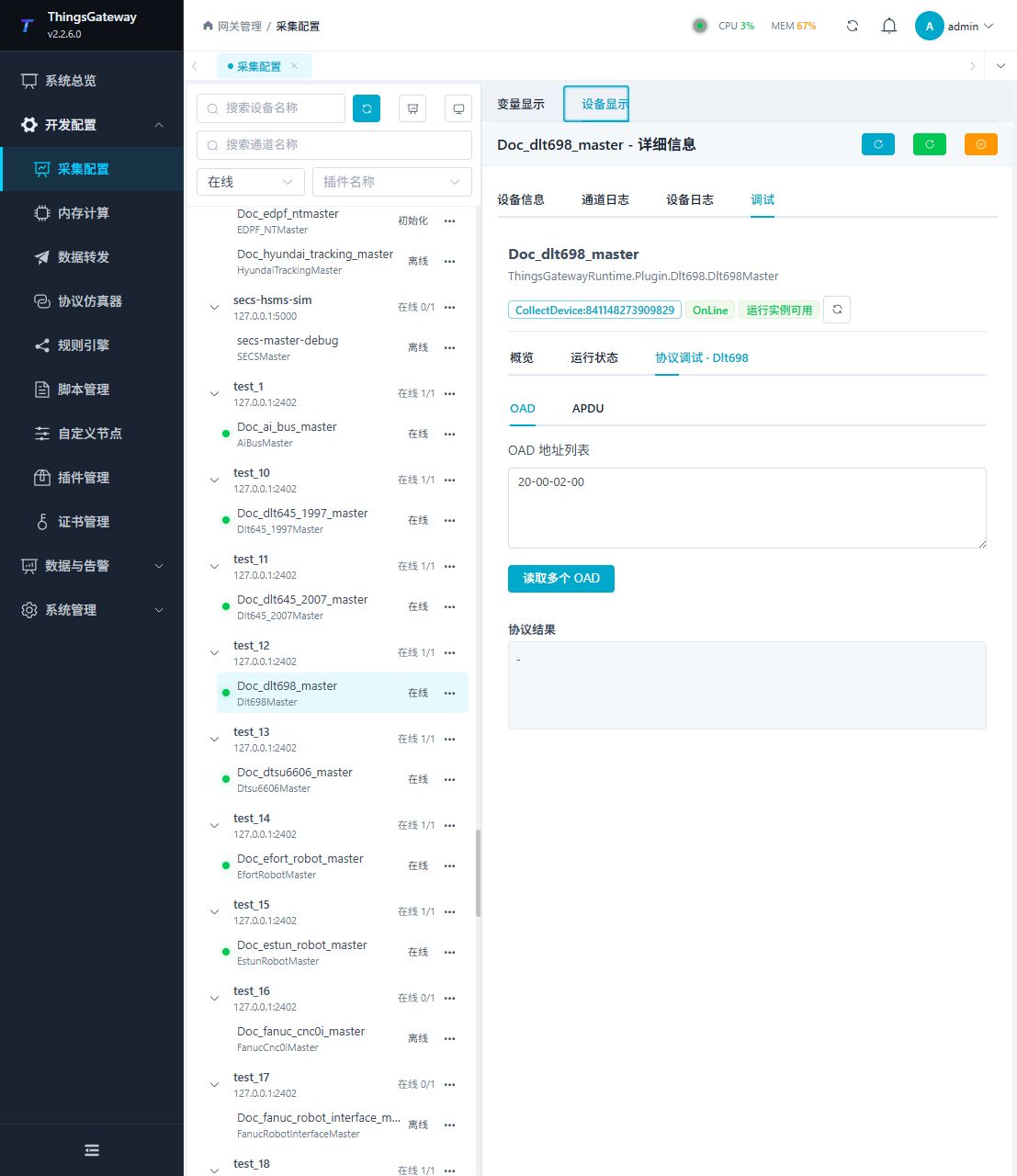
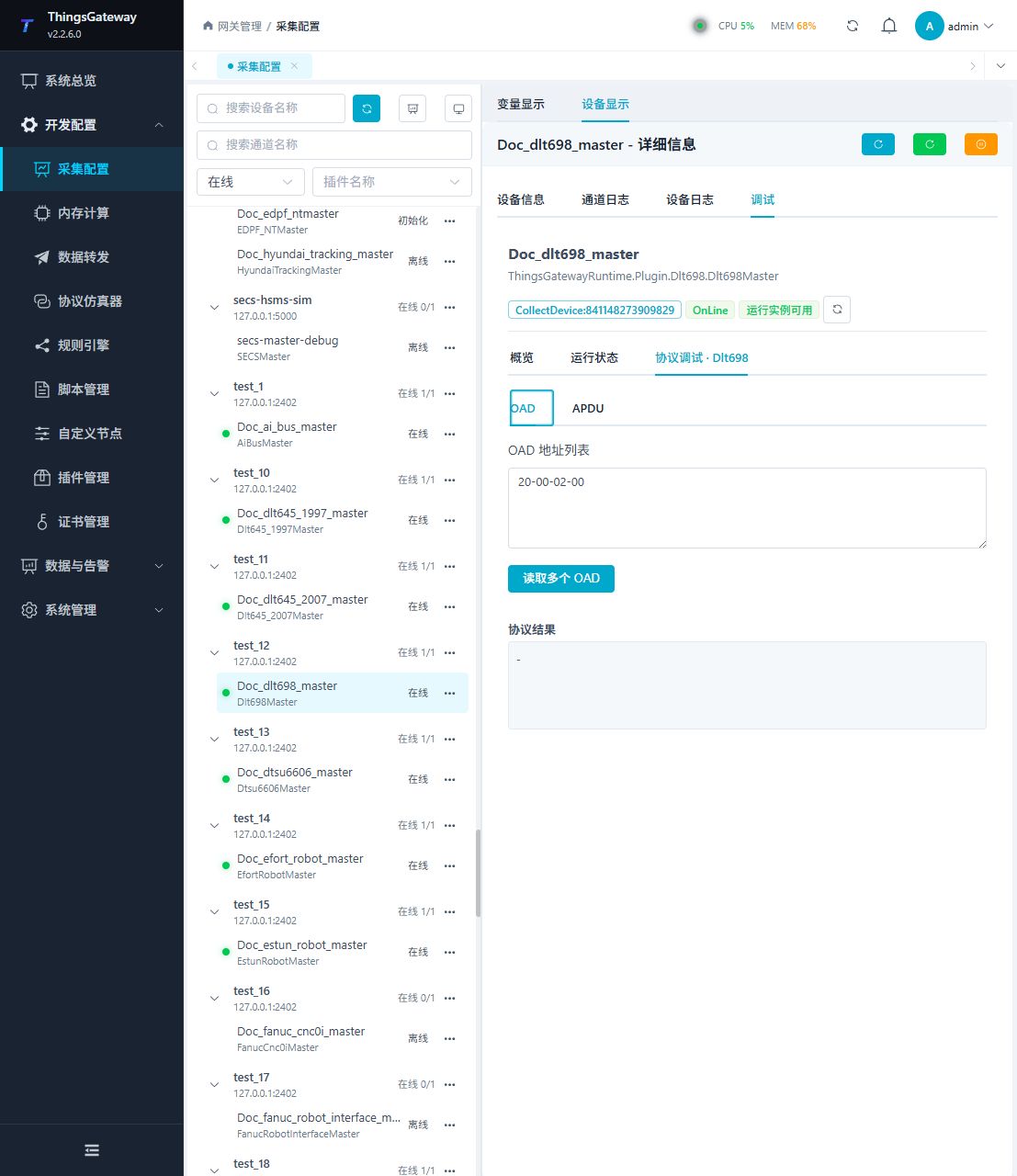
Dedicated debugging page
The protocol debug page has OAD and APDU tabs. Use OAD for normal read checks and APDU only for a confirmed clear-text message.
Debugging notes
Read the object attributes first according to the OAD list; plaintext APDU hexadecimal exchange is a high-risk original message and must be confirmed twice before execution.
Functions
| Function | Purpose |
|---|---|
| OAD read | Read one or more four-byte OADs and verify the server/client address and object values. |
| APDU exchange | Exchange a complete clear-text APDU for a confirmed test case. This may carry control semantics. |
| Result | Show the response content or a clear protocol error. |
Verify the configuration
- On the OAD tab, read an OAD confirmed by the meter documentation, such as
20-00-02-00. - Compare the returned object with the meter's current value, then add a second OAD to check batch order.
- If a variable overrides addresses, verify
s=,ca=,sat=, andlogic=against the meter's address descriptor. - For an array or structure OAD, confirm that the variable array length equals the number of scalar values returned.
- Use the APDU tab only for a confirmed clear-text frame. Do not send an unknown APDU to a production meter.
Troubleshooting
- OAD read has no response: Check server address, client address, FE preamble, channel parameters, and OAD byte order.
- TCP connects but the application request fails: Confirm whether the meter requires the native TCP lifecycle and whether login and application connection completed.
- Multiplier or array values are wrong: Check the OAD object type, variable data type, and array length. Do not treat a structure as one scalar.
- The meter requires secure authentication: The current plugin supports clear-text application requests only; the APDU tab cannot bypass secure authentication.
- The serial port device does not respond: Confirm port ownership and match baud rate, data bits, stop bits, and parity.
Related links
- Collection configuration: View channel, device and common variable configuration.
- Plugin Index: Find other collection or data-forward plugins.