OpcAeMaster
Windows OPC AE event subscription, conditional reception and variable mapping driver
Prerequisites
Before using this plugin, you must install OPC Core Components (OPC Core) on the Windows hosts running the gateway and the OPC AE server. Match the component architecture to the corresponding process.
Open the plugin
Enter "Development Configuration → Collection Configuration", create a device and select "OpcAeMaster" in "Collection Plugin".
Supported channels and data types
| Channel type | Pre-configuration check |
|---|---|
| Plugin built-in connection | Connection parameters are configured in the device dynamic properties and do not use public TCP, UDP or serial channel parameters. |
Optional data type: Object (determined by protocol node or payload)
Plugin properties
Connection configuration
| Setting | Description |
|---|---|
| OpcAeUrl | Default: opcae://localhost/Kepware.KEPServerEX_AE.V6; fill in: text input. Set the OpcAeUrl used when establishing a connection. |
Running parameters
| Setting | Description |
|---|---|
| CheckRate | Default: 10; Fill in: Numeric input. Sets the CheckRate used when the plugin is run. |
Address rules
- Variable address description
<SourceID>OPC AE event source ID- For example: Channel1.Device1.AlarmHigh
Device debug
Enter "Development Configuration → Collection Configuration", select the current device and click "More Functions", then open "Debug".
Protocol debug · EventMonitor
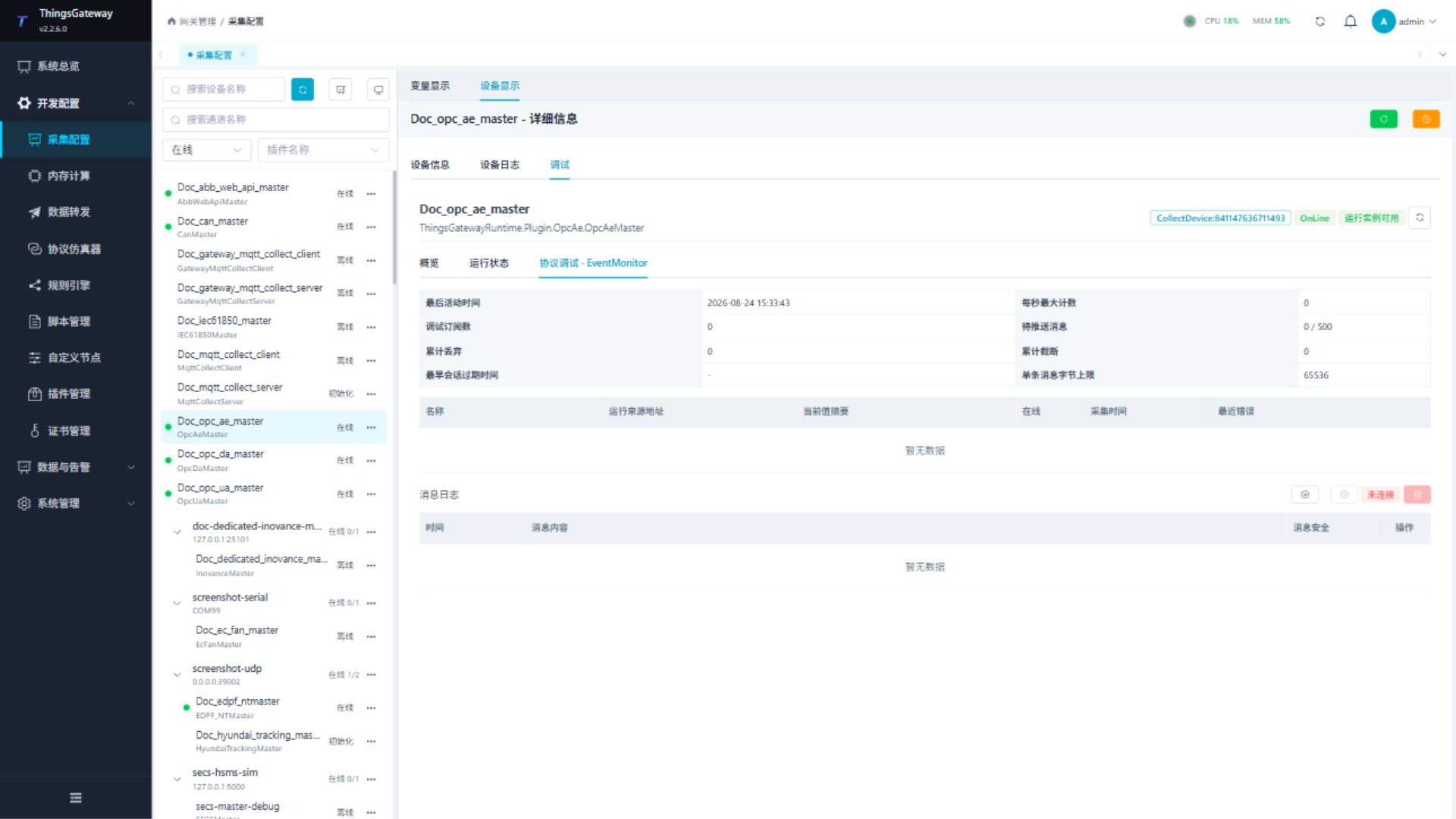
Execute parameter, connection or protocol operations specific to the current plugin and view the returned results.
Debugging notes
First confirm the event subscription and condition status, and then check the event monitoring results; it is normal for the list to be empty when there are no events.
Functions
| Function | Purpose |
|---|---|
| Last activity | Use Last activity and review the returned result. |
| Variable table | Use Variable table to inspect mapped values, status, counters, recent messages, or the latest result. |
| Message statistics | View received, queued, dropped, and malformed message counts. |
| Message log | View the latest messages received by the current debug session. |
Verify the configuration
- Use the plugin-specific debug panel with one confirmed test point or test message.
- Confirm that the returned value or received message matches the device point list.
- Perform writes or control operations only with an approved test point and the site safety procedure.
Troubleshooting
- The debug panel shows no result: Check the required inputs and plugin parameters, then inspect the device or target log for a response or error.
Related links
- Collection configuration: View channel, device and common variable configuration.
- Plugin Index: Find other collection or data-forward plugins.