CanMaster
CAN and CAN FD frame transceiver, filtering and variable mapping driver
Open the plugin
Enter "Development Configuration → Collection Configuration", create a device and select "CanMaster" in "Collection Plugin".
Supported channels and data types
| Channel type | Pre-configuration check |
|---|---|
| Plugin built-in connection | Connection parameters are configured in the device dynamic properties and do not use public TCP, UDP or serial channel parameters. |
Optional data types: Boolean, Byte, Int16, UInt16, Int32, UInt32, Int64, UInt64, Float, Double, String, Decimal
Plugin properties
CAN Master opens the bus directly through CanKit; the channel is only used for the common device lifecycle and does not use ordinary TCP, UDP, or serial fields. Configure common timeout, data format, and string-reversal settings through the collection configuration; this page lists CAN-specific fields.
Connection configuration
| Setting | Description |
|---|---|
| Endpoint address | Default: virtual://alpha/0; fill in: text input. Sets the endpoint address used when establishing connections. |
Protocol parameters
| Setting | Description |
|---|---|
| Baud rate | Default: 500000; fill in: digital input. Set the baud rate used for protocol communication. |
| Data phase baud rate | Default: 2000000; fill in: digital input. Set the data phase baud rate used for protocol communication. |
| Protocol mode | Default: 1; fill in: drop-down selection. Set the protocol mode used for protocol communication. |
| Enable BRS | Default: No; fill in: switch. Controls whether the "Enable BRS" function is enabled. |
| Internal termination resistor | Default: Yes; fill in: switch. Controls whether the "internal termination resistor" function is enabled. |
| Hardware filter CANID list | Fill in: Integer list dialog box. Set the hardware filter CANID list used for protocol communication. |
Protocol mode options are Can20 (classic CAN) and CanFd (CAN FD). Classic CAN carries at most 8 data bytes; CAN FD carries at most 64. Data-phase bitrate and BRS apply only to CanFd. Enable the internal termination resistor only when the adapter hardware provides it and no external resistor already terminates the bus.
Address rules
- CAN address format: 0xCANID[.start byte][;R=0x response ID][;L=data length][;E=1(extended frame)]
- Example: 0x123, 0x123.2, 0x123;R=0x456;L=4;E=1
- Standard-frame CAN IDs are
0x000–0x7FF; setE=1for an extended frame, whose ID may be up to0x1FFFFFFF. - The
.start byteoffset is zero-based.Lis the read/write length:1–8in classic CAN and1–64in CAN FD; bytes beyond the frame are truncated. R=selects the response ID for request/response mode; without it the request ID is matched. An emptyFilterCanIdslist disables hardware filtering; a non-empty list accepts only those IDs.
Standard and extended frames are matched by both CAN ID and frame format. 0x123 and 0x123;E=1 have the same numeric ID but separate received data and read results. Check the request and response frame formats at both ends. Remote-request and error frames are not variable data.
Device debug
Enter "Development Configuration → Collection Configuration", select the current device and click "More Functions", then open "Debug".
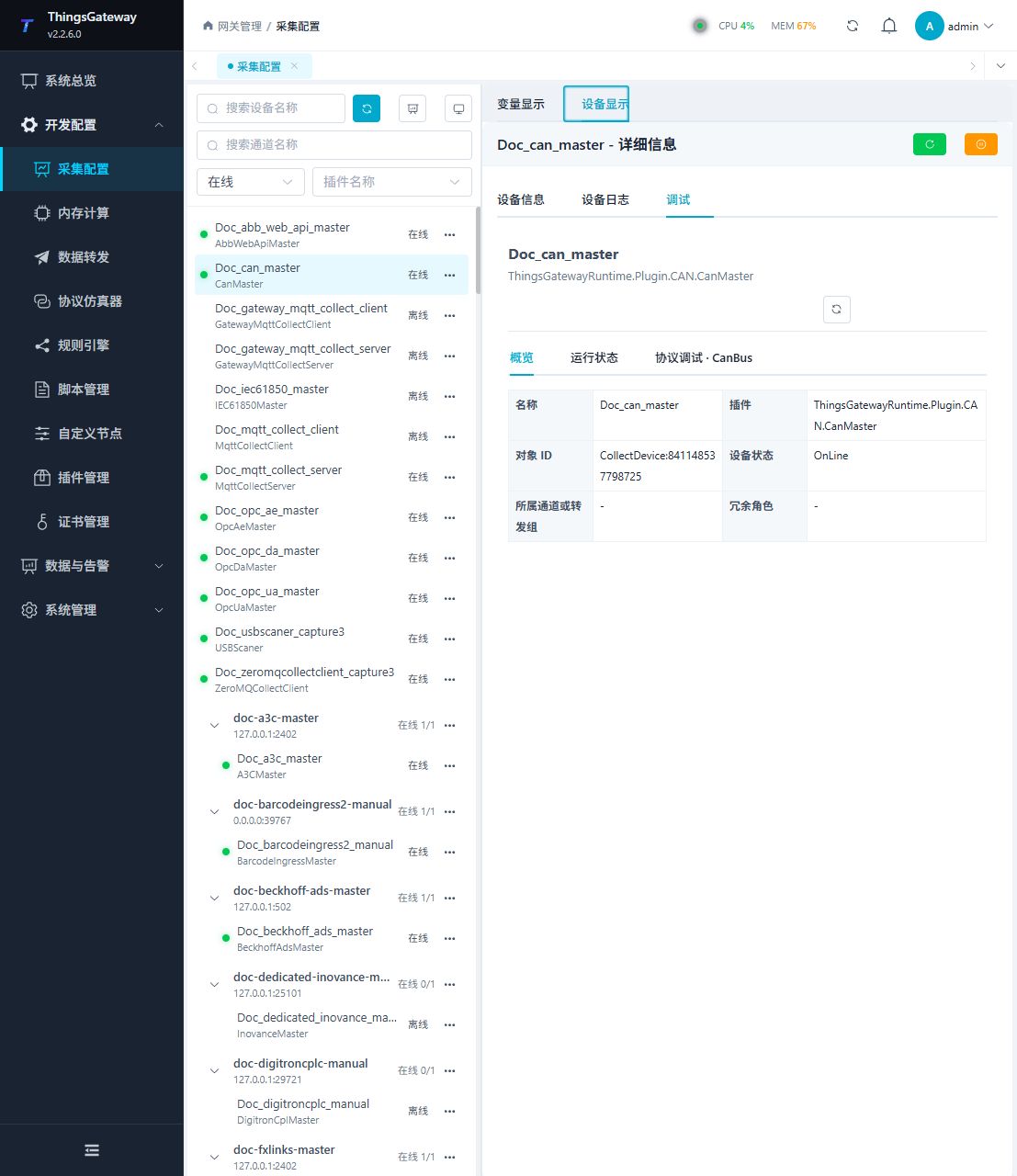
Debugging notes
Send a test frame by CAN ID, Hexadecimal Data and Extended Frame options on the dedicated page; first verify the filter and response with a frame that does not affect the device.
The Extended Frame selection applies to both reading the latest received frame and sending. If the same numeric ID carries both formats, read each selection separately and compare its payload and format with the bus traffic.
Functions
| Function | Purpose |
|---|---|
| Read frame | Reads the latest received data for the CAN ID and Extended Frame selection. This does not send a control frame. |
| Send frame | Use Send frame with an approved test point and confirm site safety before execution. |
| Debug result | View the returned value, success state, or error message. |
Verify the configuration
- Use the plugin-specific debug panel with one confirmed test point or test message.
- Confirm that the returned value or received message matches the device point list.
- Perform writes or control operations only with an approved test point and the site safety procedure.
Troubleshooting
- The debug panel shows no result: Check the required inputs and plugin parameters, then inspect the device or target log for a response or error.
Related links
- Collection configuration: View channel, device and common variable configuration.
- Plugin Index: Find other collection or data-forward plugins.