OpenProtocolMaster
OpenProtocolMaster exchanges Atlas Copco Open Protocol messages for tightening results, commands, and active notifications.
Open the plugin
Enter "Development Configuration → Collection Configuration", create a device and select "OpenProtocolMaster" in "Collection Plugin".
Supported channels and data types
| Channel type | Pre-configuration check |
|---|---|
| TCP Client | Confirm network reachability of the device IP, port, and gateway to the device. |
Optional data type: String
Plugin properties
Protocol parameters
| Setting | Description |
|---|---|
| Login revision number | Default: 1; Range: 0~999; Fill in: digital input. Set the login revision number used for protocol communication. |
| Confirm all active messages | Default: No; fill in: switch. Controls whether the "Acknowledge All Unsolicited Messages" feature is enabled. |
| Customized active confirmation | Fill in: text input. Sets a custom proactive acknowledgment used by protocol communications. |
Running parameters
| Setting | Description |
|---|---|
| Fragment reception timeout | Default: 5000; Range: 1~2147483647; Fill in: digital input. Sets the shard receive timeout used by the plugin when running. |
| Enable heartbeat | Default: Yes; fill in: switch. Controls whether the "Enable Heartbeat" feature is enabled. |
| Heartbeat interval | Default: 10000; Range: 1~2147483647; Fill in: digital input. Set the heartbeat interval used when the plugin is running. |
Address rules
- Address Description
- mid=10;response=11;revision=1 Poll parameter set ID list
- mid=18;response=accept;data=001 sends command and waits for MID 0005
- mid=80;response=81;station=1;spindle=2 Q&A with workstation and spindle
- subscribe=61 subscribe controller active MID 0061
Special methods
| Method | Purpose | Parameters |
|---|---|---|
| ExchangeMessageAsync | Exchange Open Protocol messages | mid,revision,responseMid,stationId,spindleId,data |
| ReadParameterSetIdsAsync | Read parameter set ID | No parameters |
| ReadParameterSetAsync | Read parameter set | Parameter set ID |
| SelectParameterSetAsync | Select parameter set | Parameter set ID |
| ReadJobIdsAsync | Read Job ID | Revision number |
| ReadJobAsync | Read Job | Job ID |
| SelectJobAsync | Select Job | Job ID, revision number |
| ReadToolAsync | Read tool data | Revision number |
| SetToolEnabledAsync | Set tool enabled status | Enabled status |
| ReadControllerTimeAsync | Read controller time | No parameters |
| SetControllerTimeAsync | Set controller time | Time |
| SetTighteningResultSubscriptionAsync | Set tightening result subscription | Enable status, revision number |
| SetAlarmSubscriptionAsync | Set alarm subscription | Enabled status |
| AcknowledgeAlarmAsync | Remote acknowledge alarm | No parameters |
Write, start/stop, reset, load, delete or control methods will change the status of field devices. Before execution, confirm that the equipment is in an operable state and prepare for stop or rollback measures.
Device debug
Enter "Development Configuration → Collection Configuration", select the current device and click "More Functions", then open "Debug".
Dedicated debugging page
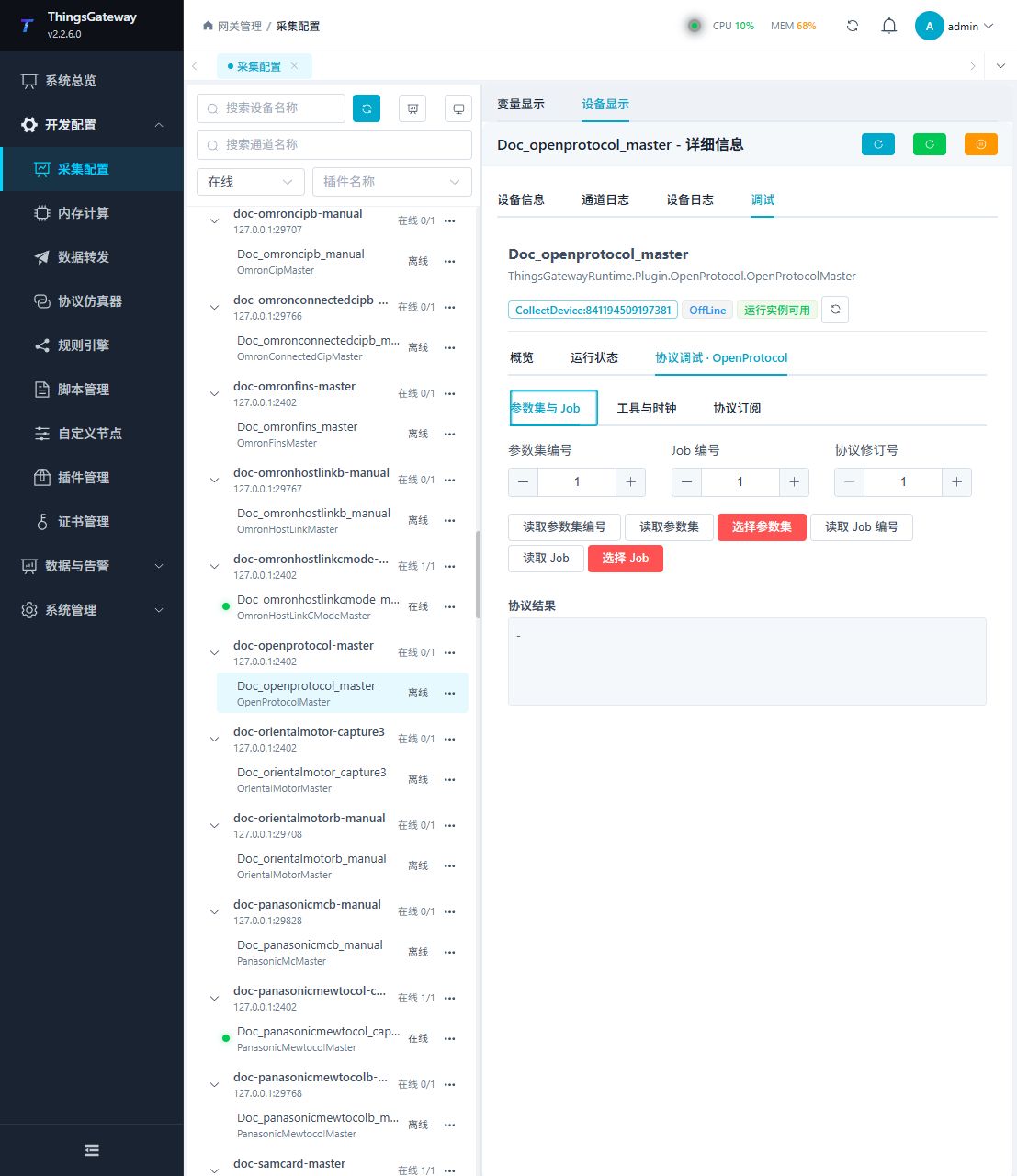
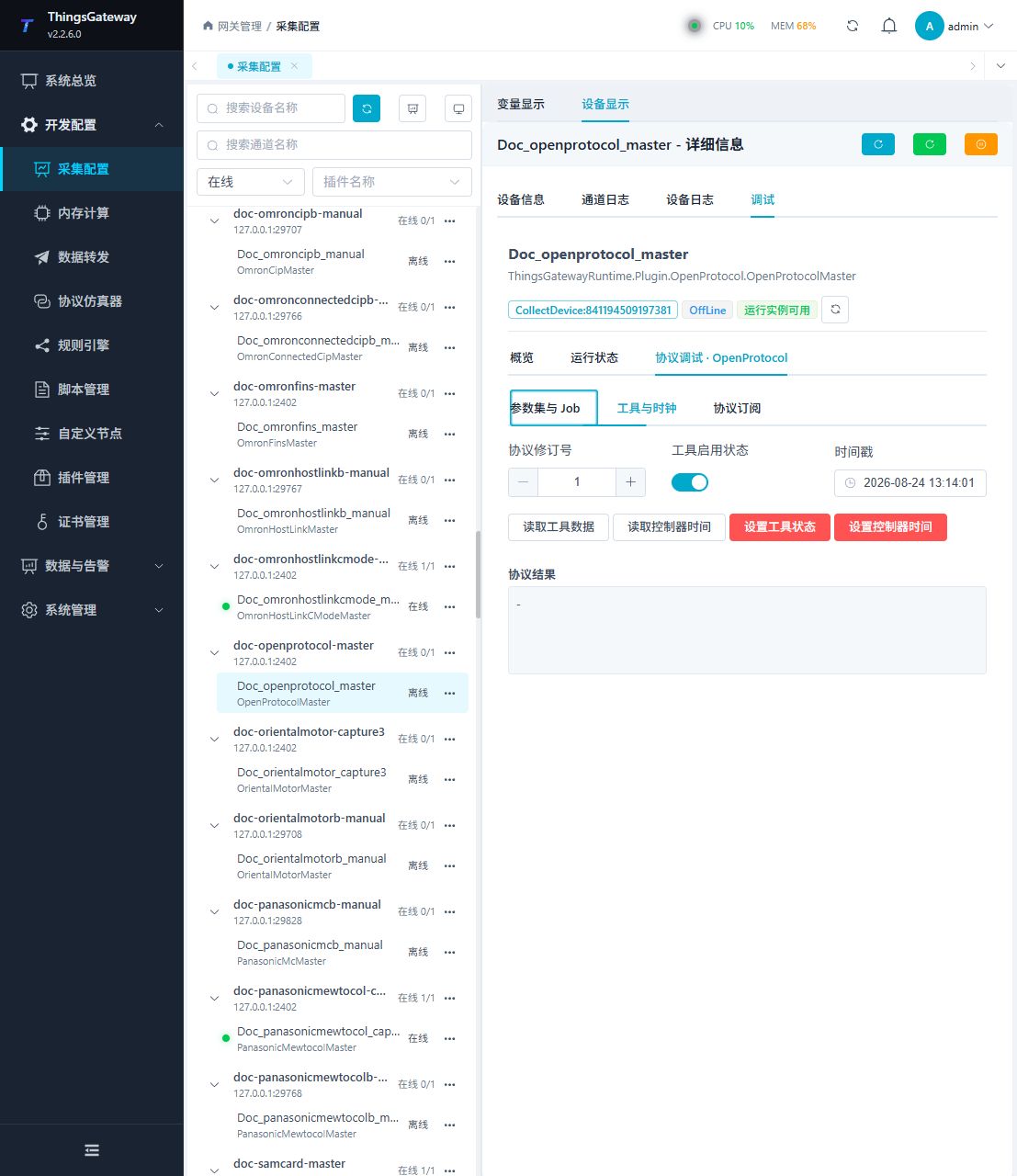
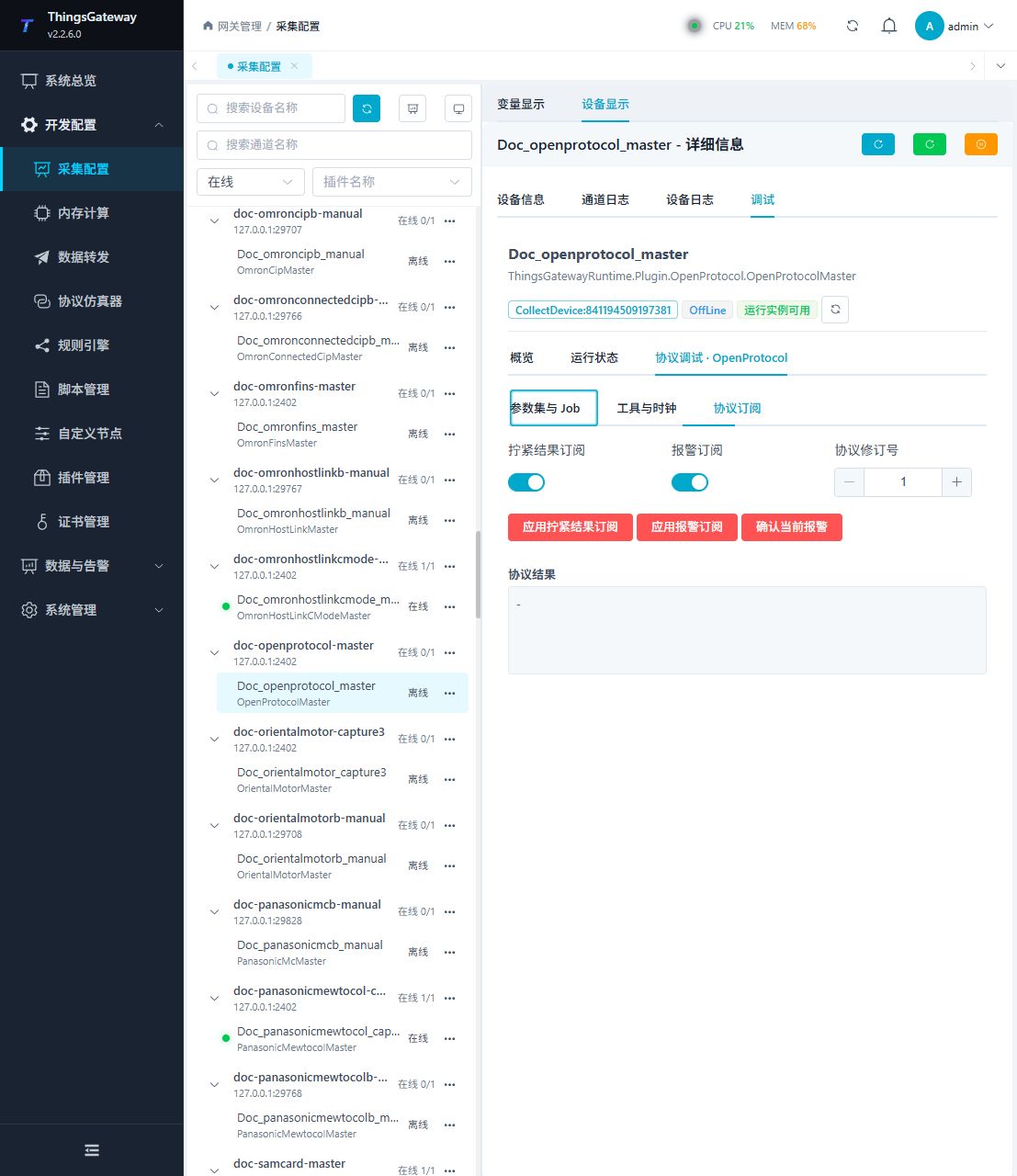
The protocol debug page contains parameter-set and Job operations, tool and clock operations, and subscription controls.
Debugging notes
First read the parameter set, job, tool and controller time; you must confirm twice before selecting parameter set/job, setting tool, subscription, time change and alarm confirmation.
Functions
| Function | Purpose |
|---|---|
| Read parameter sets and jobs | Query IDs and details without changing controller configuration. |
| Select parameter set or job | Change the active controller selection. Treat as a production control operation. |
| Read tool and controller time | View tool data and the controller clock. |
| Set tool or controller time | Change tool state or controller time. Confirm the impact before execution. |
| Tightening and alarm subscriptions | Enable or disable active messages from the controller. |
| Acknowledge alarm | Remotely acknowledge the current alarm. |
Verify the configuration
- Read the parameter-set and Job ID lists and compare them with the controller configuration.
- Read one known parameter set, Job, tool record, and controller time. Check the revision and returned values.
- Enable a test tightening-result subscription, run one approved test piece, and confirm the active MID 0061 message is received.
- Run selection, tool-state, time, and alarm-confirmation methods only when the site procedure allows them.
- For a custom exchange, check the request MID, expected response MID, revision, station, spindle, and data fields together.
Troubleshooting
- All queries fail: Check TCP address, port, login revision, and whether the controller accepts the Open Protocol login.
- The controller rejects a command: Check request MID, expected response MID, revision, and data fields; read the rejection reason.
- Active results do not update a variable: Confirm the corresponding subscription and the all-message or custom acknowledgement setting.
- The connection drops repeatedly: Check heartbeat, heartbeat interval, fragment timeout, and session errors in the device log.
- A special method fails: Check method parameters and permissions, and confirm that the device state allows the operation.
Related links
- Collection configuration: View channel, device and common variable configuration.
- Plugin Index: Find other collection or data-forward plugins.