CoAP Server
CoAP Server publishes forwarding-group variables at fixed resource URIs. Clients can discover resources, read JSON or text, perform controlled PUT / POST, use conditional requests and Block1 / Block2, and subscribe to changes through Observe.
See Data Forwarding for common settings. Use the CoAP Master to read resources from another CoAP device.
Create a resource server
- Open Development Configuration → Data Forwarding, configure the group's variable scope, and ensure sources are initialized and online.
- Add a CoAP Server target, select the UDP channel, and set a local binding such as
0.0.0.0:5683. - Set the complete-body limit, datagram limit, and Observe capacity. Leave writes disabled during initial verification.
- Under Target Variable Properties, set a unique absolute path such as
/sensors/temperatureand choose JSON or text. - Save and enable the target. Under Debug → Operation → Mapped points, check paths, current values, and access permissions.
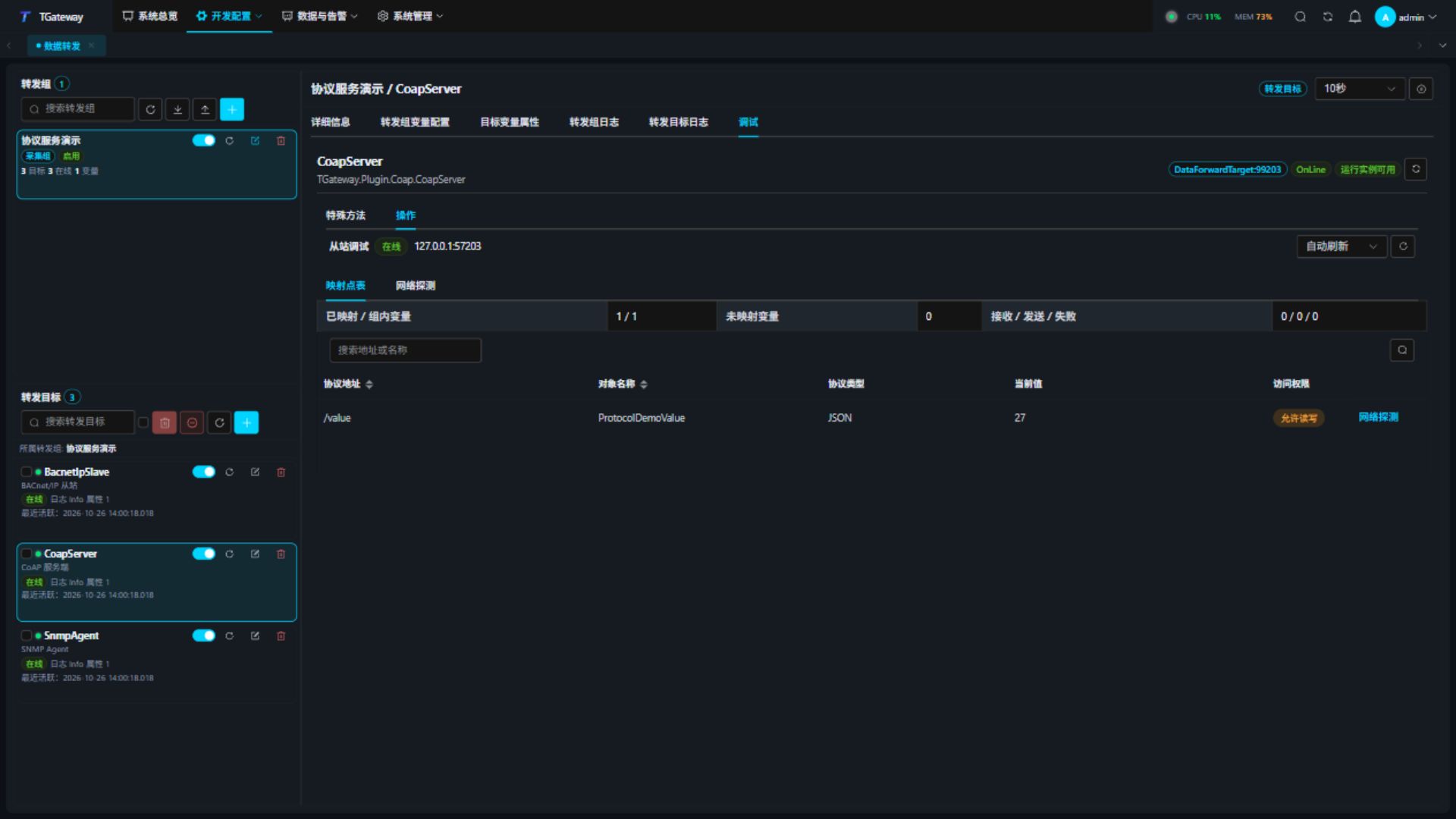
Only group members with configured paths are published. Unmapped members appear in statistics. Duplicate or invalid paths fail model creation. Offline or uninitialized sources do not return fabricated defaults.
Target settings
| Setting | Description |
|---|---|
| Local binding | Default 0.0.0.0:5683, UDP only. Reserve the port for one target. |
| Allow writes | Disabled by default; variable permission and source RPC write capability are also required. |
| Maximum body size | Default 65507 bytes, range 16–65507. Limits the complete representation and cumulative Block1 uploads. |
| Maximum datagram bytes | Default 65507, range 64–65507, including headers, token, options, and payload. Lower it to suit the network MTU and use blocks. |
| Request timeout, ms | Default 5000, range 100–120000, including source write execution. |
| Maximum observers | Default 128, range 1–1024. |
| Observe lease, seconds | Default 300, range 30–86400. Clients must register again before expiry to renew. |
This target provides clear-text coap:// over UDP. DTLS, OSCORE, CoAP over TCP, and HTTP proxying are not provided. Keep channel SSL disabled, deploy on a controlled network, and restrict clients able to send writes through network access controls.
Saving validates the transport, payload limit, and datagram budget. Imported settings undergo the same checks before startup. Correct invalid settings first; they do not occupy a listening port.
Variable settings
| Setting | Description |
|---|---|
| Resource path | Absolute path beginning with /, such as /sensors/temperature, maximum 1024 characters, case-sensitive. Queries, fragments, percent escapes, empty segments, . and .. are rejected. |
| Use JSON | Enabled by default, Content-Format 50, preserving JSON numbers, Booleans, strings, arrays, and objects. Text mode uses UTF-8 and Content-Format 0, requiring a string source. |
| Allow variable writes | Disabled by default; target permission must also allow writes. |
/.well-known/core is reserved for discovery and cannot map a variable. Do not attach queries to fixed resources. Discovery supports href filtering.
Transmit each path segment separately: /sensors/value uses two Uri-Path options, sensors and value. A slash escaped within one segment, as in /sensors%2Fvalue, returns 4.00 and cannot read or modify /sensors/value.
The discovery directory also supports conditional reads: an If-Match mismatch returns 4.12, and a matching ETag returns 2.03 Valid without a payload. During a Block2 download, keep the first block's href query so subsequent blocks use the same directory representation and ETag. After changing the filter, restart from block zero; continuing directly returns 4.08. GET requests must not include a payload, If-None-Match, or Block1.
Read, write, and observe
- GET
coap://gateway-IP:5683/.well-known/coreto obtain the link-format resource directory. - GET a resource and check Content-Format. Clients may specify Accept; a mismatch returns
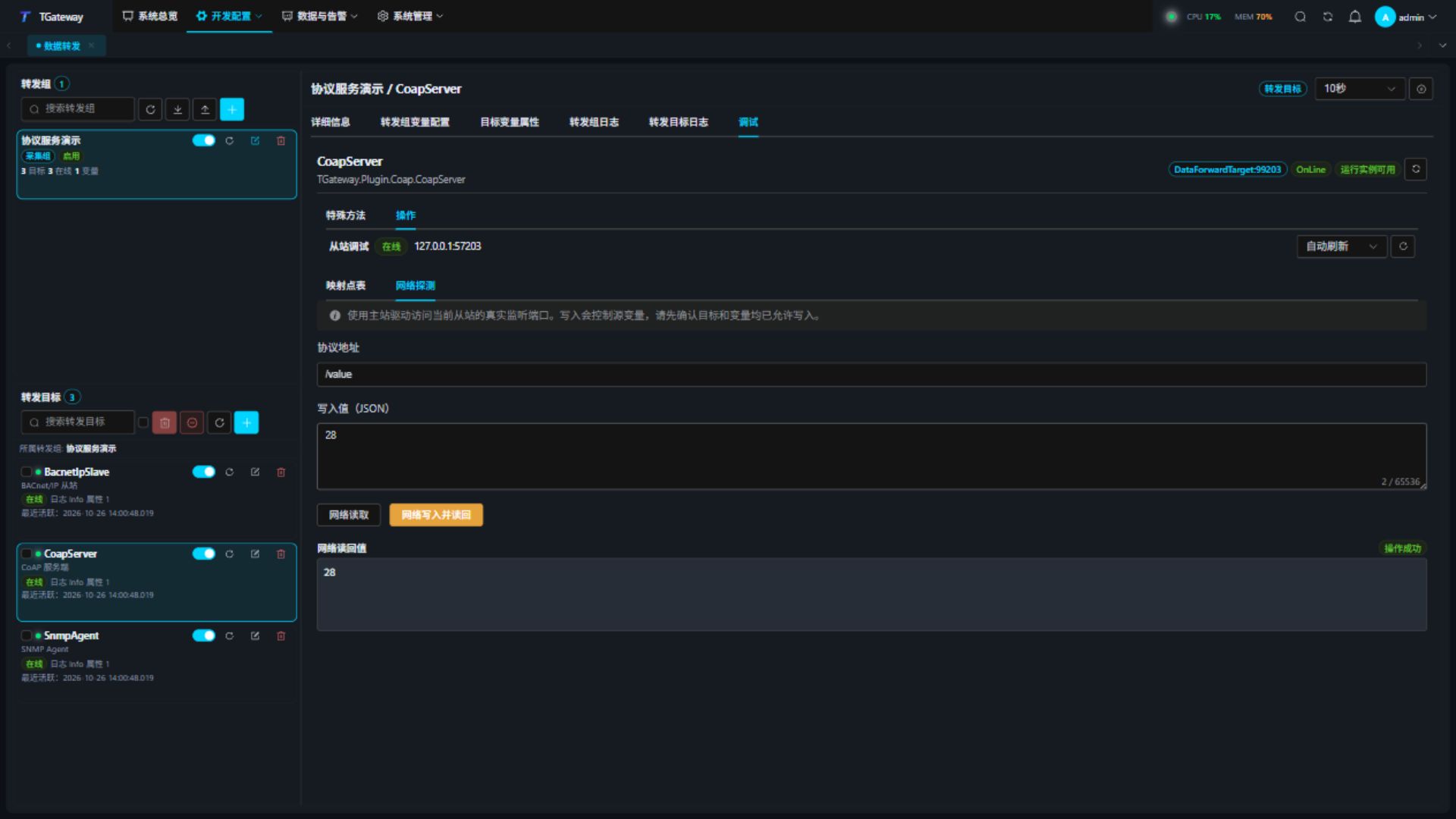
4.06. - Click Network probe on a row, then Read over network to verify an actual UDP request.
- On a safe point, enable both write permissions and source RPC, enter a JSON value, then click Write and read back. Confirm and inspect the result. Text resources still use a JSON string in this panel, for example
"running". - External PUT / POST requests must use the resource's Content-Format. Fixed resources reject DELETE, and POST does not create new paths.
- To avoid overwriting concurrent changes, read ETag and use If-Match for a write. Failed conditions return
4.12. If-None-Match also returns4.12because the fixed resource already exists. - GET with Observe
0registers a relationship. ACK confirmed notifications; Observe1or RST cancels. Register again before the configured lease expires.
Text resources accept empty strings. Enter "" in the target debug panel, or send an external PUT / POST with Content-Format 0 and a zero-byte body. After success, GET returns an empty representation with the same format. An empty body for a JSON resource returns 4.00; a JSON empty string must be sent as "", including both quote bytes.
Large bodies use Block1 uploads and Block2 downloads while remaining within the cumulative limit. An unfinished download retains a stable representation so blocks from different versions cannot be combined. Transfer state expires after 30 seconds; at most 32 uploads and 32 downloads are retained simultaneously. Complete transfers promptly. Observe supports blockwise notifications; unacknowledged notifications retry with backoff and are removed after repeated timeouts.
Concurrent Block1 uploads from one client to the same resource need different Request-Tags. Keep the tag list unchanged across all blocks of an upload. An empty tag and an absent tag identify different uploads; a Token does not replace an upload tag. Clients without Request-Tag support should complete uploads sequentially. A source write occurs only after the complete body passes validation, and the final value of multiple successful writes follows completion order.
A body exceeding the payload limit within a valid datagram returns 4.13 without invoking a source write. Once a Block2 download starts, subsequent blocks use the first block's representation and ETag while transfer state remains valid, even if the source changes or temporarily goes offline. If-Match is checked against that representation. Start a new GET after completion to read the current source value.
Mapping changes or target restart clear unfinished transfers and observations. Clients should discover, read, and register again instead of continuing old block numbers.
Troubleshooting
| Symptom | Action |
|---|---|
| Timeout or offline target | Check bind IP, UDP port ownership, firewall, and group/target enable state. |
4.02 Bad Option | Check unknown critical options, duplicate single-value options, and queries on fixed resources. |
4.04 Not Found | Check path case, group scope, and target variable path settings. |
4.05 Method Not Allowed | Check method and both write permissions. Fixed resources reject DELETE. |
4.08 Request Entity Incomplete | Blocks are missing, out of order, or expired; restart from the first block. |
4.13 Request Entity Too Large | Reduce the complete body; blocks do not bypass the cumulative limit. |
4.15 Unsupported Content-Format | Check JSON 50 or text 0. Text-resource input in the debug panel must be a JSON string. |
5.00 Internal Server Error | Check source quality, initialization, and RPC result. |
Observe stops or returns 5.03 | Check renewal, ACKs, observation capacity, and transfer state. Complete old downloads and register again. |