SNMP Agent
SNMP Agent maps forwarding-group variables to numeric OIDs for GET, GETNEXT, GETBULK, and controlled SET. It supports v1, v2c, and v3 USM. Each target selects one version explicitly and does not downgrade automatically.
See Data Forwarding for common configuration. Use SNMP Manager to collect external agents or receive their Trap / Inform messages. This target does not send Trap / Inform.
Create an agent
- Open Development Configuration → Data Forwarding, configure group scope, and verify source variables are initialized and online.
- Add an SNMP Agent target, select the UDP channel, and set a local binding such as
0.0.0.0:161. - Select
V1,V2c, orV3and configure its authentication settings. Leave writes disabled during initial verification. - Under Target Variable Properties, enter a full numeric OID and SNMP syntax. Scalars usually end in
.0; table objects need their actual indices. - Save and enable the target. Open Debug → Operation → Mapped points to check OIDs, types, values, and access permissions.
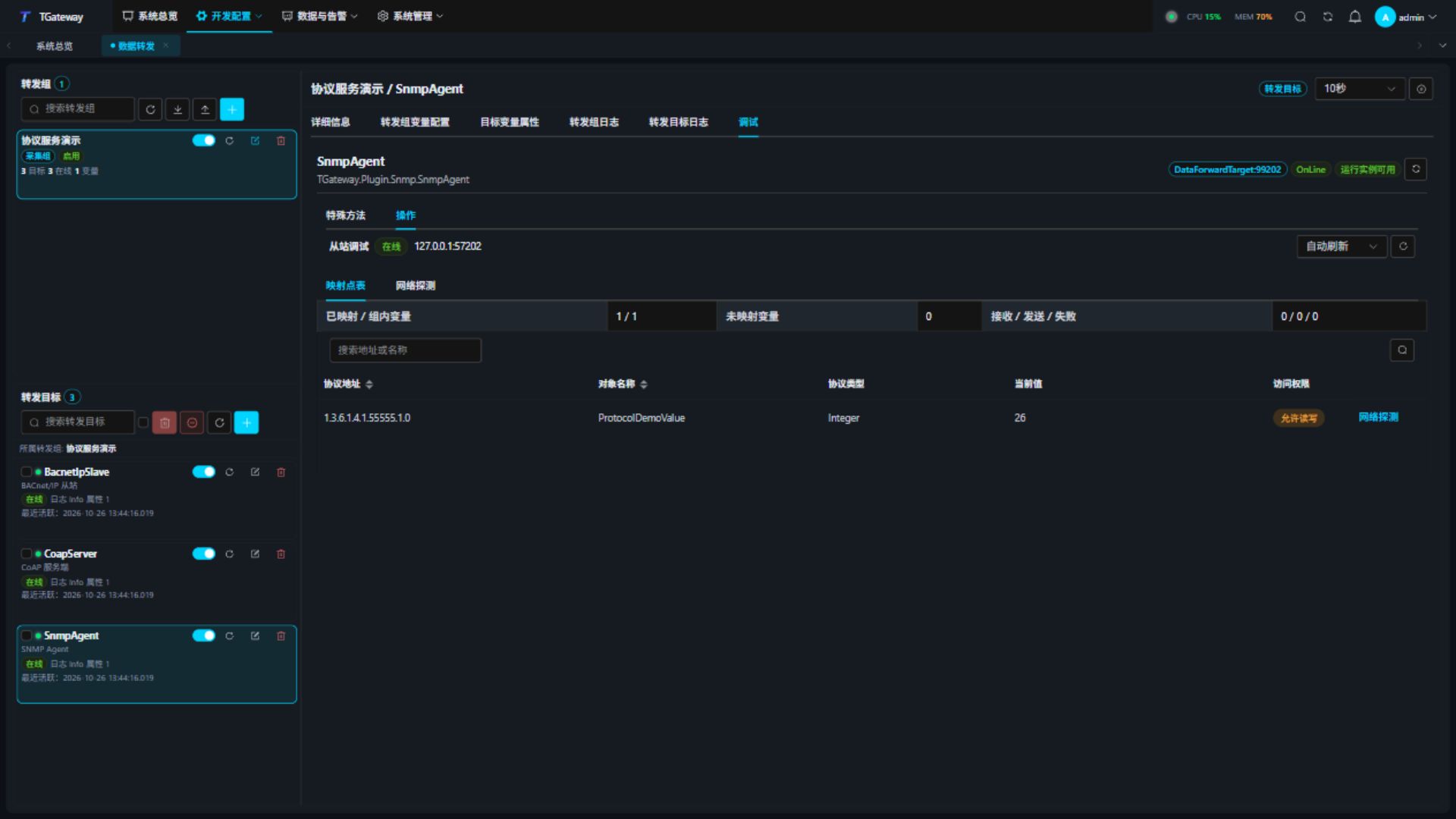
Only group members are published. Duplicate OIDs fail model creation; members without OIDs count as unmapped. The agent serves the configured OID table without generating system MIBs or loading MIB files.
Target settings
| Setting | Description |
|---|---|
| Local binding | Default 0.0.0.0:161, UDP only. Use an alternative such as 1161 for tests without privileged ports. Reserve the listener for one target. |
| SNMP version | Default V2c. v1 does not support GETBULK or Counter64. |
| Read-only community | Default public; required for v1/v2c, at most 255 printable ASCII characters. |
| Read-write community | Blank by default, disabling community SET. A nonempty identity also permits reads. |
| Allow writes | Disabled by default; variable permission and source RPC capability are also required. |
| Maximum varbinds | Default 256, range 1–512, limiting queries and Bulk results. SET accepts at most 32 distinct OIDs. |
| Maximum datagram bytes | Default 65507, range 64–65507; v3 requires at least 484. Responses also honor the manager's advertised capacity. |
| Request timeout, ms | Default 5000, range 100–120000, including source write execution. |
v1/v2c communities travel in clear text and should be used on controlled networks. Keep the shared SSL field disabled. Select v3 AuthPriv when authentication and encryption are required.
SNMPv3 security
| Setting | Description |
|---|---|
| Authoritative engine ID | Required, 5–32 bytes in hexadecimal: 10–64 hex characters. Must uniquely identify this agent. |
| USM username | Default gateway; must match the manager. |
| USM security level | NoAuthNoPriv, AuthNoPriv, or AuthPriv. Ordinary requests below the configured level are rejected. |
| Authentication algorithm | Md5 or Sha1 with a passphrase of at least 8 characters for authenticated modes. Select None without authentication. |
| Privacy algorithm | AuthPriv uses Aes128 with a privacy passphrase of at least 8 characters; other levels use None. |
| USM contextName | Blank by default, maximum 32 characters; must match the manager. |
The authoritative engine boot counter is persisted for restart synchronization and replay checks. Preserve its backend state file and write access. Never delete or roll back the counter while retaining the same engine ID. To replace an identity, stop the target, back up and archive the old identity's state file, configure a new unique engine ID to create new state, and update managers. Changing only the ID while keeping the old identity's file is rejected.
Saving validates the version, security profile, and datagram budget. Imported settings undergo the same checks before startup. Correct a v3 budget below 484 bytes or inconsistent security settings before starting.
Variable settings and value types
| Setting | Description |
|---|---|
| Object identifier | Full numeric OID, for example 1.3.6.1.4.1.55555.1.0, maximum 1024 characters. The example private subtree is for tests; use your allocated MIB subtree in production. |
| SNMP syntax | Integer, OctetString, ObjectIdentifier, IpAddress, Counter32, Gauge32, TimeTicks, Opaque, or Counter64. Source values must satisfy the selected syntax and range. |
| Octets as text | Enabled by default, for OctetString only. Encodes source strings as UTF-8; when disabled, source strings must contain Base64. |
| Allow variable writes | Disabled by default; target permission must also allow writes. |
Integer is signed 32-bit. Counter32, Gauge32, and TimeTicks are unsigned 32-bit; Counter64 is unsigned 64-bit. IpAddress uses IPv4 text, ObjectIdentifier uses a numeric OID string, and Opaque uses Base64. Do not enter UTF-8 text in fields requiring Base64.
v1 does not expose Counter64 objects: GET returns noSuchName, and traversal skips them. A write to such an OID using valid v1 syntax also returns noSuchName without committing any binding in the batch. A v1 packet containing Counter64 encoding is invalid and discarded; the TGateway master rejects such writes before sending. Select v2c or v3 when Counter64 is required.
Query and perform controlled SET
- Click Network probe on a mapped row.
- Click Read over network to query the OID through real UDP using the target's authentication configuration.
- For a safe test point, enable target and variable writes and verify the source permits RPC.
- Enter a JSON value matching the syntax, click Write and read back, and confirm. Check both readback and source value.
- In the debug panel, OctetString / Opaque use Base64 wire values. OctetString text mode converts UTF-8 at the variable boundary.
- Use an external manager to verify GETNEXT / GETBULK. OIDs sort numerically by component; v2c/v3 return EndOfMibView after the last OID.
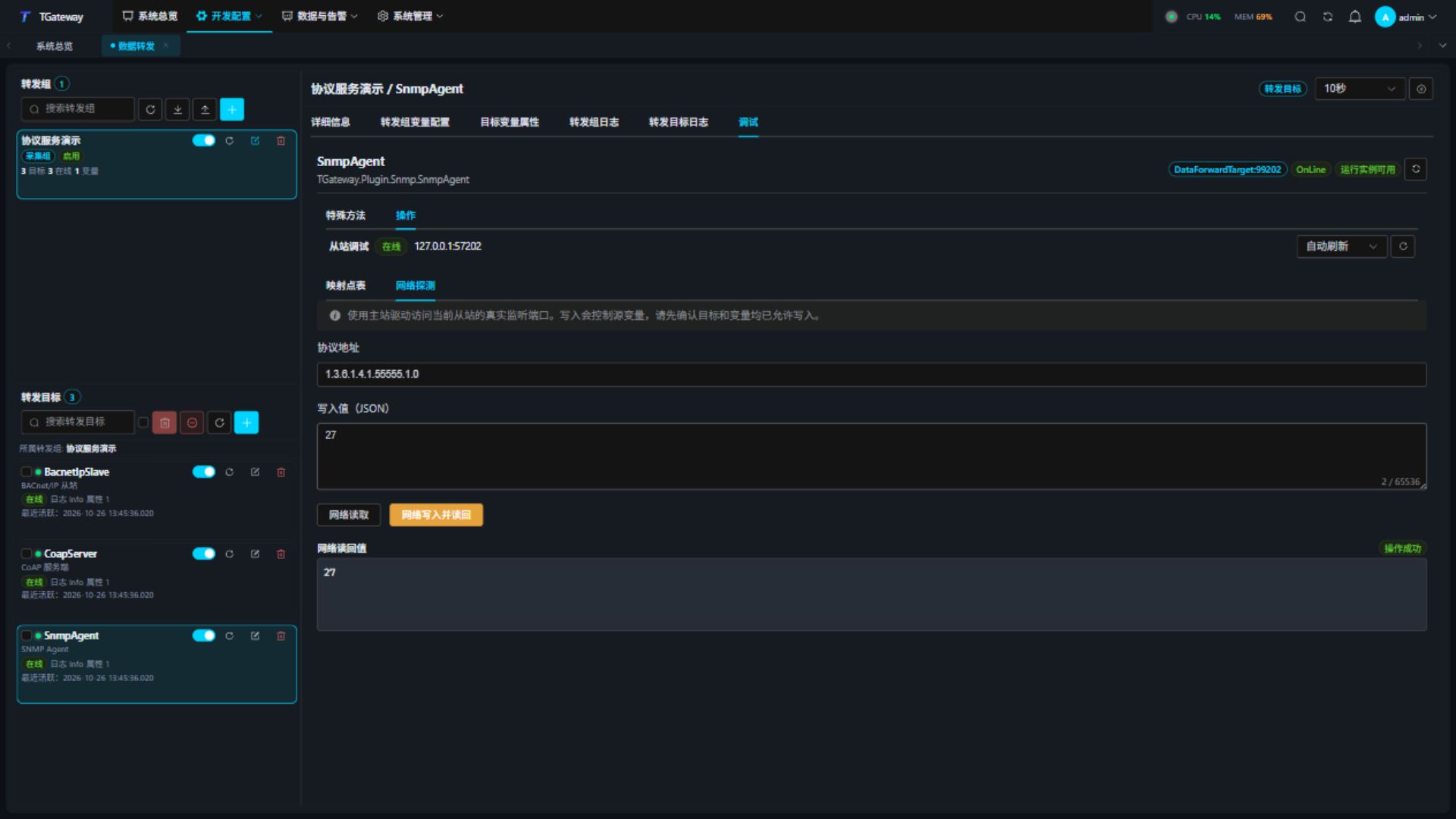
Batch SET validates all OIDs, permissions, and types before calling source RPCs in order. A commit failure attempts rollback in reverse order. Separate physical devices cannot provide database-level atomicity; use points suitable for rollback. Rollback failure returns undoFailed and requires checking actual device state.
Before committing SET, the agent checks that the complete success response fits both datagram budgets. If it cannot fit, the agent returns tooBig without calling any source RPC. Sending a request successfully does not mean the manager advertises enough receive capacity. Oversized query responses also return tooBig: v1 preserves the request bindings, while v2c/v3 return empty bindings; the error index is 0. A v2c/v3 GETBULK with both non-repeaters and repetitions set to 0 returns an empty successful result.
Community, USM user name, and contextName use the configured printable ASCII and match byte for byte. ? is a literal character, not a wildcard. Requests with a different identity or invalid encoding are discarded without reading business values or calling source writes. Valid queries and SET operations continue after correcting the sender's identity.
Troubleshooting
| Symptom | Action |
|---|---|
| Timeout | Check version, UDP endpoint, community, and USM settings. Invalid authentication does not read business values. |
| v3 fails after restart | Check engine ID, writable state, and counter rollback; rediscover and synchronize from the manager. |
| noSuchObject or missing traversal entries | Check full OID, scalar .0, indices, and group scope. |
| wrongType / wrongValue | Check syntax, JSON type, integer range, and octet encoding. |
| notWritable or source write failure | Check read-write community, both permissions, source RPC, and device state. |
| tooBig | Reduce OID count or Bulk repetitions and check both datagram budgets. For an oversized single value, reduce its octet length or increase both capacities. SET rejected for this reason leaves source values unchanged. |
| Damaged state or identity mismatch | Stop the target and plan a new engine identity with manager updates. Do not repeatedly delete counters while reusing an identity. |