Siemens S7
The Siemens S7 plugin connects to Siemens S7 PLCs over TCP and reads or writes S7 areas.
Open the plugin
Open Development Configuration → Collection Configuration, create a device, and select Siemens S7.
Create the channel and device through Collection Configuration. This page covers S7-specific properties, address formats, special methods, and debug actions.
Read one DB point first
- Confirm a readable DB and known
Int16value with the PLC engineer. - Create a TCP client channel at the PLC's actual
IP:102. - Create a Siemens S7 device, select the actual CPU family, and enter its rack and slot. Keep Local TSAP at its default unless the connection resource requires another value.
- Start with a
1000ms execution interval and add an enabledInt16variable at the confirmed address, for exampleDB1.0for byte offset 0 of DB1. - Compare its value, quality, and advancing collection time with the PLC engineering tool before importing more points.
The DB must already exist. For S7-1200/1500, have the PLC engineer confirm the required remote-access permission and non-optimized DB access for absolute addressing. Check the actual CPU and TIA project settings before changing protection.
Supported channel and data types
| Channel type | Check before configuration |
|---|---|
| TCP client | Confirm the PLC IP address, port, and network reachability from the gateway. |
Supported data types: Boolean, Byte, Int16, UInt16, Int32, UInt32, Int64, UInt64, Float, Double, String, and Decimal.
Plugin properties
Siemens S7 supports only the TcpClient channel. Set the remote address and connection timeout in the associated channel; retry count, protocol timeout, duty cycle, write priority, and data format are device plugin properties. The string byte/word reversal switch is currently not applied by the S7 collection connection. See Collection Configuration for common fields.
| Setting | Default / description |
|---|---|
| PLC type | Default S200. Select the PLC family that matches the CPU. |
| Rack | Default 0. Rack number of the PLC CPU. |
| Slot | Default 0. Slot number of the PLC CPU module. |
| Local TSAP | Default 0. Local TSAP connection identifier. Set it to match the PLC connection resource when required. |
| Maximum pack size | Default 200. The current S7 read planner does not use this value directly as each request's span cap. Inspect actual requests and the negotiated PDU after changing it. |
| Read/write timeout | Default 3000 ms. Response budget, independent of the collection interval. |
| Pre-frame delay | Default 0 ms before sending; adds to complete scan time. |
| Data format | Match the PLC byte layout. Compare a known multibyte source before choosing the order. |
| String byte reversal | Not applied by the current S7 collection connection. Check the PLC string layout instead. |
| Failure retries | Default 3; do not use retries to repair an invalid DB address or permission. |
| Read/write duty cycle and write priority | Shared scheduling settings; see Collection strategy. |
PLC type options are S200, S200Smart, S300, S400, S1200, and S1500. Rack, Slot, and Local TSAP are used when establishing the S7 session; restart or re-enable the device after changing them.
Address rules
Use the S7 area prefix followed by the byte address. Add .bit for a bit address.
| Format | Area / example |
|---|---|
Txxxxx | Timer, for example T100 or T100.1. |
Cxxxxx | Counter, for example C100 or C100.1. |
AIxxxxx | Analog input, for example AI100 or AI100.1. |
AQxxxxx | Analog output, for example AQ100 or AQ100.1. |
Ixxxxx | Input area, for example I100 or I100.1. |
Qxxxxx | Output area, for example Q100 or Q100.1. |
Mxxxxx | Marker area, for example M100 or M100.1. |
DB... | Data block, for example DB100.1 or DB100.1.1. |
Prefix a wide-string address with W=true;, for example W=true;DB1.0; without the prefix the normal string decoder is used. In a DB address, the first number is the DB block and the next number is the byte offset; a final .0–.7 is a bit index. Thus DB100.1 is byte 1 of DB100, while DB100.1.1 is bit 1 of that byte. V addresses are equivalent to DB1.
Confirm the area, byte offset, bit offset, data type, and array length with the PLC point list before importing variables.
Arrays, strings, and connection verification
Collection array length 0 means scalar; debug read count 1 means one element. Three Int16 elements starting at DB1.600 occupy six bytes. Float, Double, and Decimal occupy 4, 8, and 16 bytes respectively. Decimal uses the gateway converter layout, not PLC REAL/LREAL; use Float/Double for those PLC types.
For fixed ASCII, use DB1.600;len=4;encoding=ascii to read bytes 41 42 31 32 as AB12. len is bytes: UTF-8 text may require several bytes per character. For S7 STRING use the matching capacity/current-length header and vsl=true;encoding=ascii; check S200Smart separately. For a big-endian UTF-16 WSTRING, use an address such as W=true;DB1.600;encoding=bigendianunicode and verify the four-byte header plus content range. W=true selects the wide-string structure; it does not correct the character encoding. Debug and collection header validation differ, so a small-capacity WSTRING can fail direct debug while collection succeeds.
PLC types are S200, S200Smart, S300, S400, S1200, and S1500. Rack, slot, and TSAP affect the new session. LocalTSAP=0 selects defaults; a nonzero decimal value such as 258 does not establish that Calling TSAP bytes are 01 02. Inspect the handshake. The form has no independent PduLength or ConnectionType setting. Negotiated PDU and configured pack length are separate; the current read planner does not directly use the latter as each request's span cap. The string byte/word reversal switch is not applied by the current S7 collection connection.
Date methods use an outer address argument array such as ["DB1.700"]. DATE is days since 1990-01-01; big-endian 00 01 means 1990-01-02. DATE_AND_TIME is an eight-byte BCD layout. Clear the special method and restore ordinary address/type/length when returning to a regular point.
Special methods
| Method | Use | Parameters |
|---|---|---|
ReadWriteDateAsync | Reads or writes an S7 date value. | address, optional value |
ReadWriteDateTimeAsync | Reads or writes an S7 date-time value. | address, optional value |
For a read, leave the value empty. For a write, use a safe address and a value approved by the site procedure.
Device debug
Open Development Configuration → Collection Configuration, select the Siemens S7 device, and click More Functions, then open Debug.
Read and write
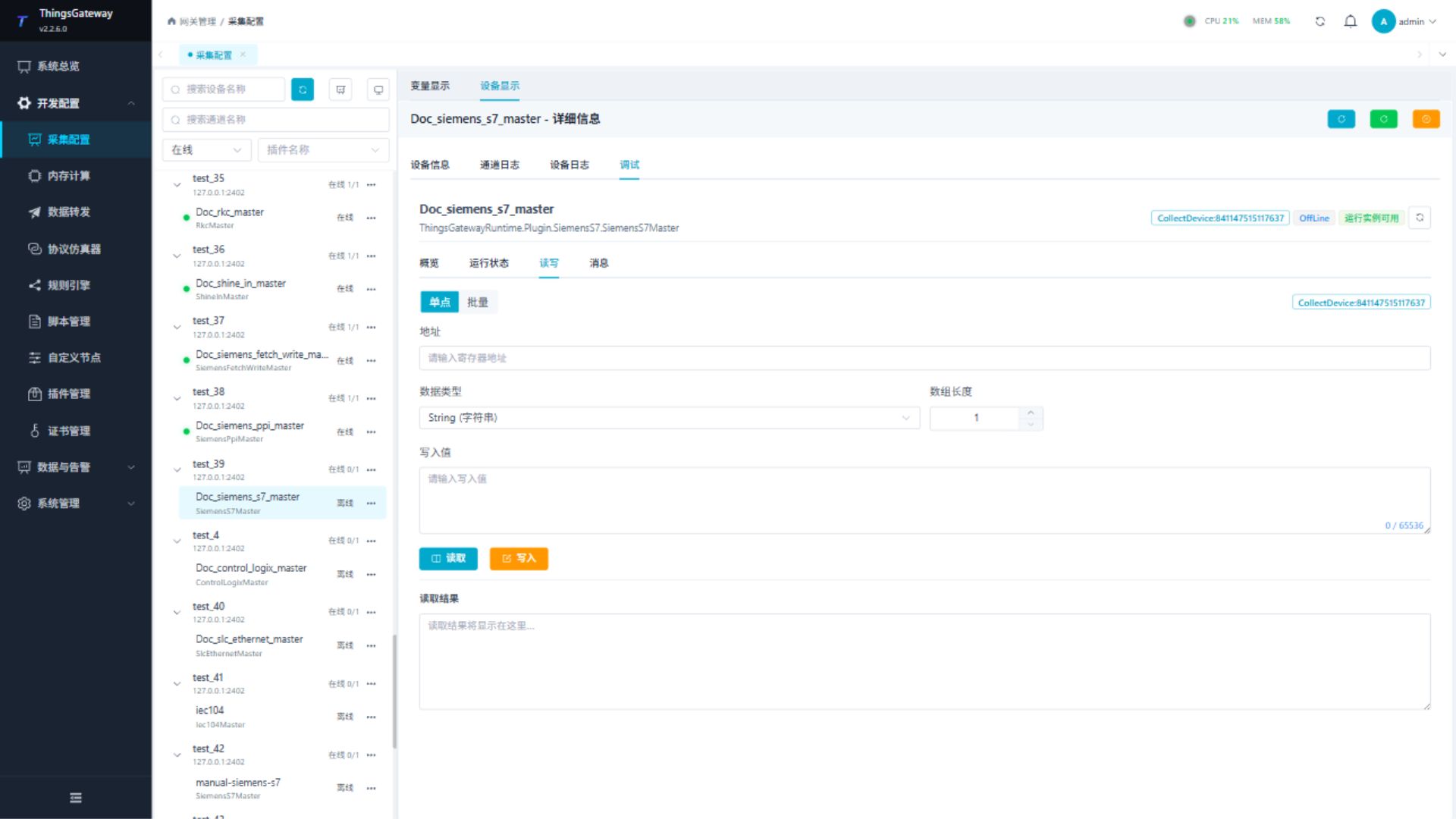
Read one confirmed address first. Before writing, check PLC state, address, data type, and field safety conditions.
Messages
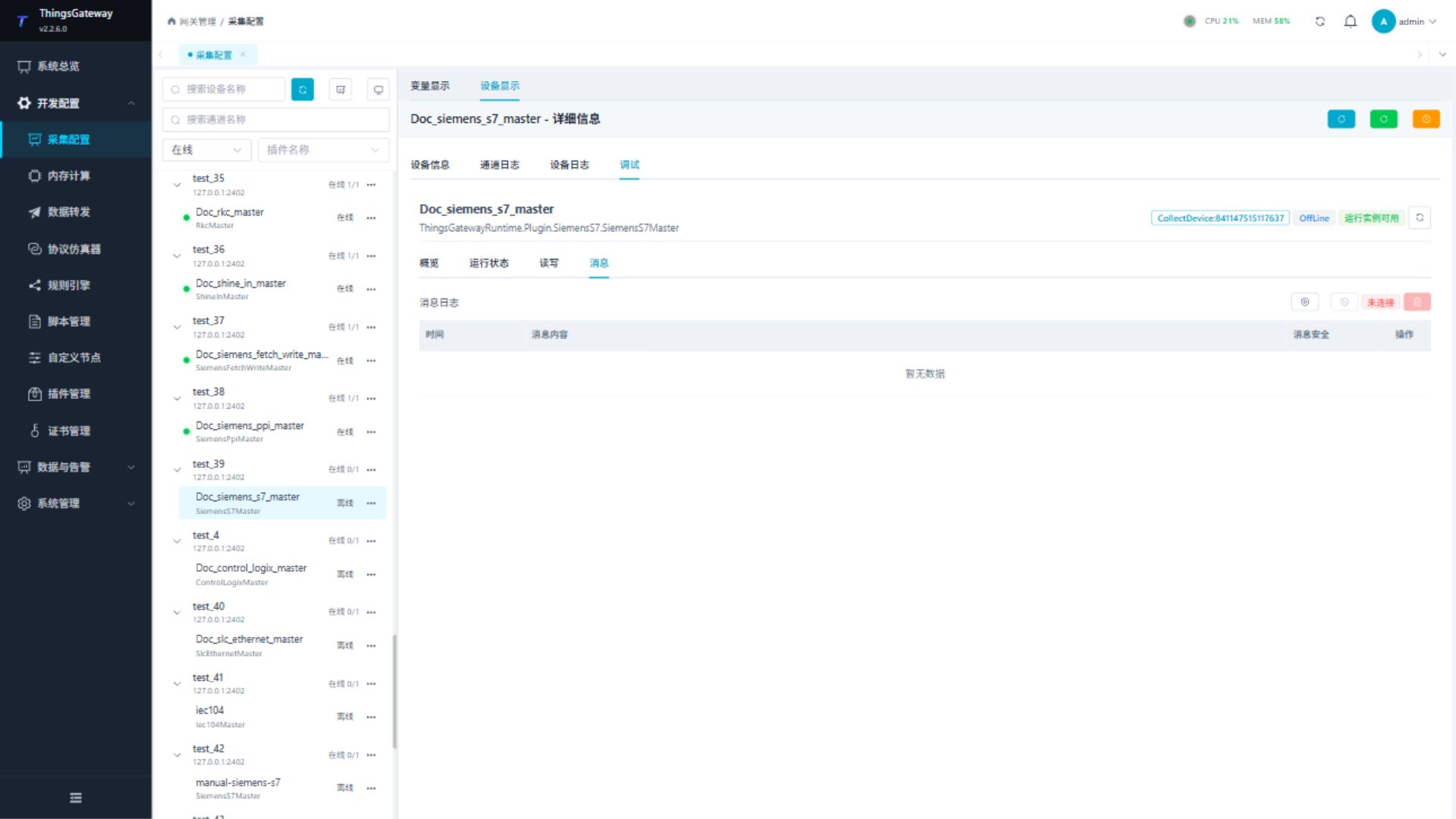
Use the message view to inspect connection, handshake, request, response, and parsing errors.
Functions
| Function | Purpose |
|---|---|
| Read and write | Read a confirmed point and write only to an approved test point. |
| Messages | View sent and received frames, protocol fields, and error details. |
Verify the configuration
- Confirm the PLC type, rack, slot, and Local TSAP.
- Read one known input, marker, output, timer, counter, or DB address.
- Compare the value and data type with the PLC engineering tool.
- Test a special date method only on a safe point.
- Import the remaining point list after the single-point check passes.
Troubleshooting
| Symptom | Check |
|---|---|
| Cannot connect | PLC IP, port, firewall, PLC type, rack, slot, and Local TSAP. |
| Handshake fails | PLC family, rack/slot, Local TSAP, and the PLC connection resource configuration. |
| Address read fails | Area prefix, byte/bit offset, DB number, data type, and array length. |
| Value is incorrect | Data type, byte order, address offset, and the PLC engineering tool's display format. |
| Special method fails | Method name, address format, parameter value, write permission, and PLC operating state. |
| Wide string is garbled or truncated | Confirm W=true;, the variable data type, array length, and the PLC string layout. |
Related links
- Collection Configuration: Channels, devices, variables, import, and common debug entry.
- Plugin Manual Index: Other collection and data-forwarding plugins.