Allen-Bradley DF1 Master
This plugin reads and writes Allen-Bradley PLC file-table addresses through DF1. It is named Df1Master in the device selector.
See Collection Configuration for common channel, device, variable, and data-format settings. This page covers only DF1 nodes, checksum, addresses, and debug.
Open the plugin
Open Development Configuration → Collection Configuration, create a serial, TCP client, or TCP server channel matching the field link, then create a device using Df1Master.
Supported scope
| Item | Description |
|---|---|
| Channels | Serial, TCP client, and TCP server. |
| Data types | Boolean, Byte, common signed/unsigned integers, Float, Double, String, and Decimal. |
| Data length | 1 to 236 bytes per operation. |
Plugin properties
| Setting | Default | Description |
|---|---|---|
| Link station | 0 | Station used on the DF1 link. |
| Destination node | 0 | PLC destination node address. |
| Source node | 0 | Source node used by gateway requests. |
| Trailing checksum | CRC16 | Select CRC16 or BCC to match the PLC. |
| Maximum batch length | 236 | Maximum bytes combined in one operation; lower it when required by the device. |
Address rules
| Example | Area | Description |
|---|---|---|
N7:0 | Integer file | Element 0 in file 7. |
B3:0 | Bit file | Read as a word or selected bit. |
F8:0 | Float file | Floating-point element. |
ST9:0 | String file | String element. |
N7:0/3 or N7:0.3 | One bit | Reads or writes bit 3 with Boolean selected. |
Configure the link station, destination node, and source node in the device properties, not in the variable address.
Special methods
This plugin has no additional special methods. Variables use DF1 file-table addresses directly.
Device debug
Open Development Configuration → Collection Configuration, select the DF1 device, and click More Functions, then open Debug.
| Feature | Purpose |
|---|---|
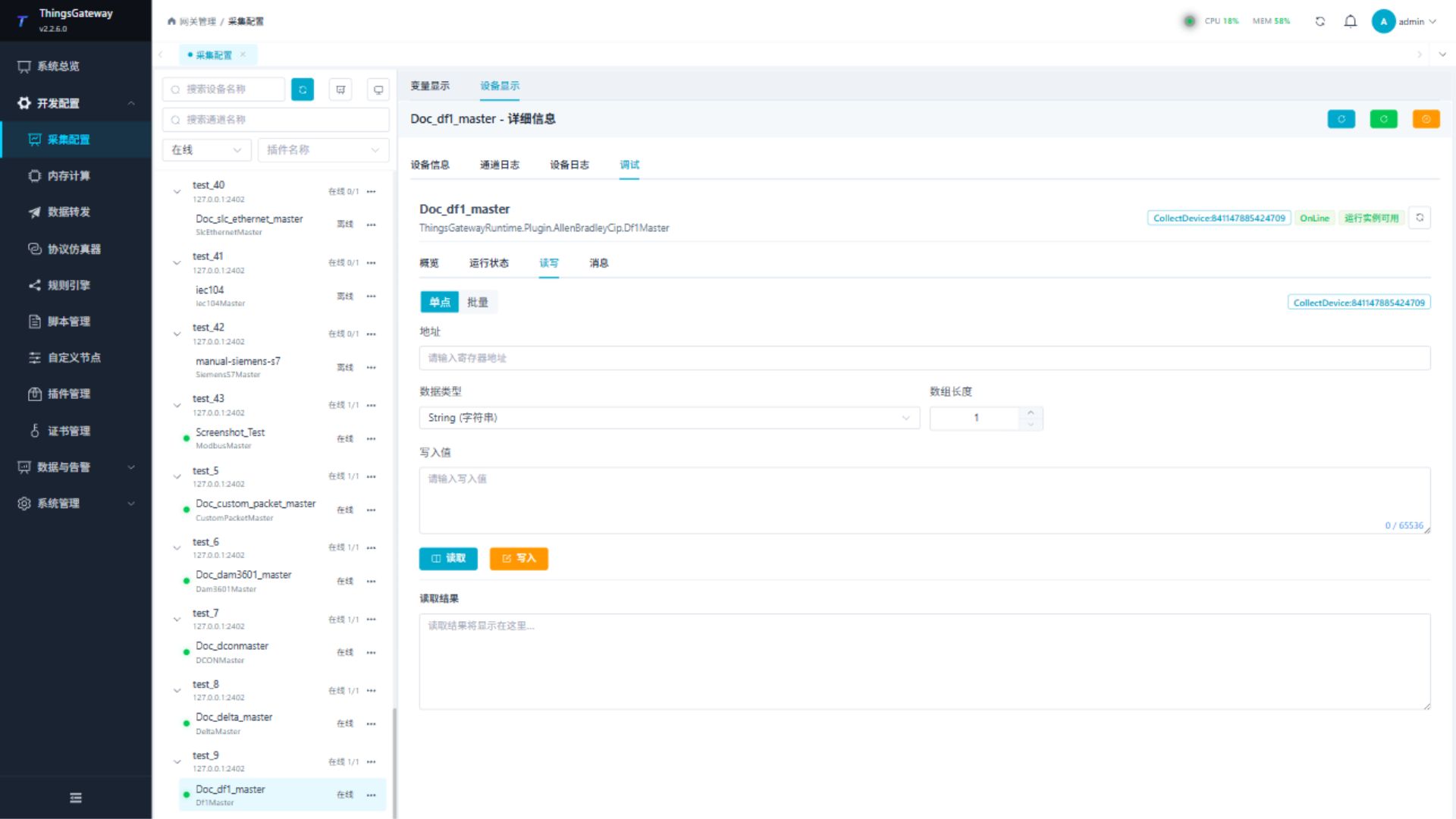
| Read/Write | Reads one DF1 file-table address or performs an approved write. |
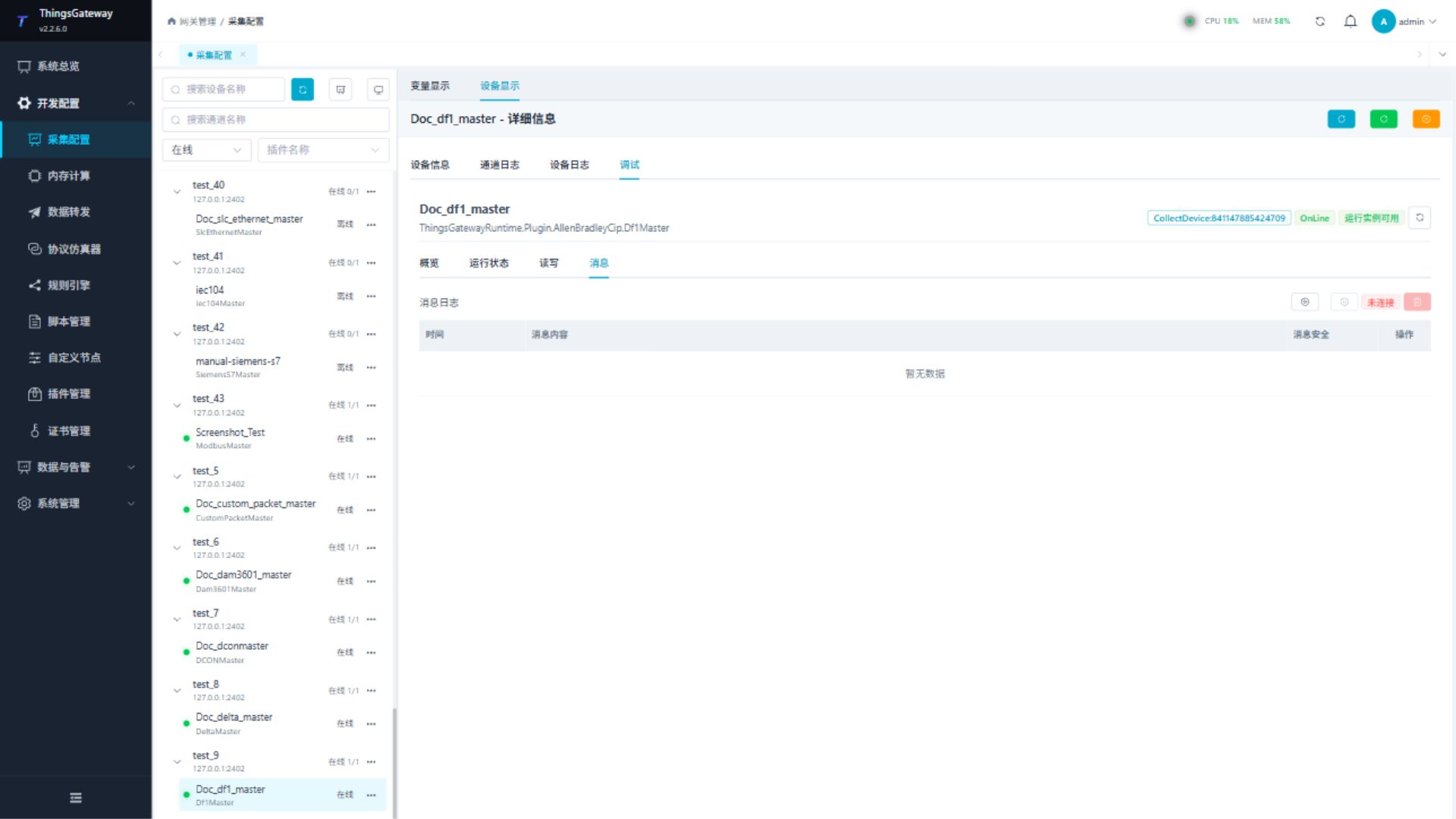
| Messages | Shows DF1 requests, responses, and checksum results. |
Read/Write
Enter a file-table address, data type, and array length. Read a known point first and write only after site approval.
Messages
Start message capture to verify the station, source/destination nodes, requests, responses, and checksum.
Functions
| Function | Purpose |
|---|---|
| Read and write | Read a confirmed point and write only to an approved test point. |
| Messages | View sent and received frames, protocol fields, and error details. |
Verify the configuration
- Read one known file-table element and verify the address, nodes, and value.
- Confirm the request, response, and checksum under Messages.
- Write only an approved test element and read it back as required by the site.
Troubleshooting
| Symptom | Check |
|---|---|
| Device does not respond | Channel, serial settings, link station, source node, and destination node. |
| Checksum fails | CRC16/BCC selection and PLC DF1 settings. |
| Address read fails | File type, file number, element number, and bit suffix. |
| Write fails | Data length no greater than 236 bytes, variable permission, and PLC write protection. |
Related links
- Collection Configuration: Common channels, devices, variables, and data format.
- Plugin Manual Index: Other collection and data-forwarding plugins.