KeyenceNanoMaster
KEYENCE KV Nano Upper Link address reading and writing and status diagnostic driver
Open the plugin
Enter "Development Configuration → Collection Configuration", create a device and select "KeyenceNanoMaster" in "Collection Plugin".
Supported channels and data types
| Channel type | Pre-configuration check |
|---|---|
| Serial Port | Confirm that the serial port is not occupied by other programs and maintains the same baud rate, data bits, stop bits and parity bits as the device. |
| TCP Client | Confirm network reachability of the device IP, port, and gateway to the device. |
| TCP server | Confirm that the local listening address and port are available, and allow on-site devices to actively connect to the gateway. |
Optional data types: Boolean, Int16, UInt16, Int32, UInt32, Float, String
Plugin properties
Protocol parameters
| Setting | Description |
|---|---|
| PLC station number | Default: 0; fill in: text input. PLC station number; the multi-branch link connection command uses a two-digit station number from 0 to 99 |
| Use station number when connecting | Default: No; fill in: switch. Use the station number when connecting; after enabling, the CR connection command carries the two-digit station number |
Address rules
- Keyence KV upper link Boolean address: R, CR, MR, LR must use word number. Bit number, such as R10.3; B, VB use hexadecimal number; T, C, CTH, CTC can read contacts.
- WORD address: DM, CM, TM, VM, EM, FM, ZF, W, Z; R, CR, MR, LR, B, VB packaged view must add .U explicitly, for example, R10.0.U, B10.U.
- DWORD address: AT, TS, TC, CC, CS; access to the thirty-two-bit current value of T, C, CTH, CTC must explicitly add .D, for example, T1.D.
- The request ends with CR, and the response must end with CRLF; CR is executed for each connection or reconnection, and CQ is executed before normal disconnection; the common TCP port is 8501.
Special methods
| Method | Purpose | Parameters |
|---|---|---|
| ClearErrorAsync | Clear CPU errors | No parameters |
| ReadPlcTypeAsync | Read PLC model | No parameters |
| ReadPlcModeAsync | Read PLC mode | No parameters |
| SetDateTimeAsync | Set PLC time | Date time |
| ReadAnnotationAsync | Read device annotation | Device address |
| ReadExpansionAsync | Read expansion unit | Unit number, starting address, WORD quantity |
| WriteExpansionAsync | Write expansion unit | Unit number, starting address, hexadecimal bytes |
Write, start/stop, reset, load, delete or control methods will change the status of field devices. Before execution, confirm that the equipment is in an operable state and prepare for stop or rollback measures.
Device debug
Enter "Development Configuration → Collection Configuration", select the current device and click "More Functions", then open "Debug".
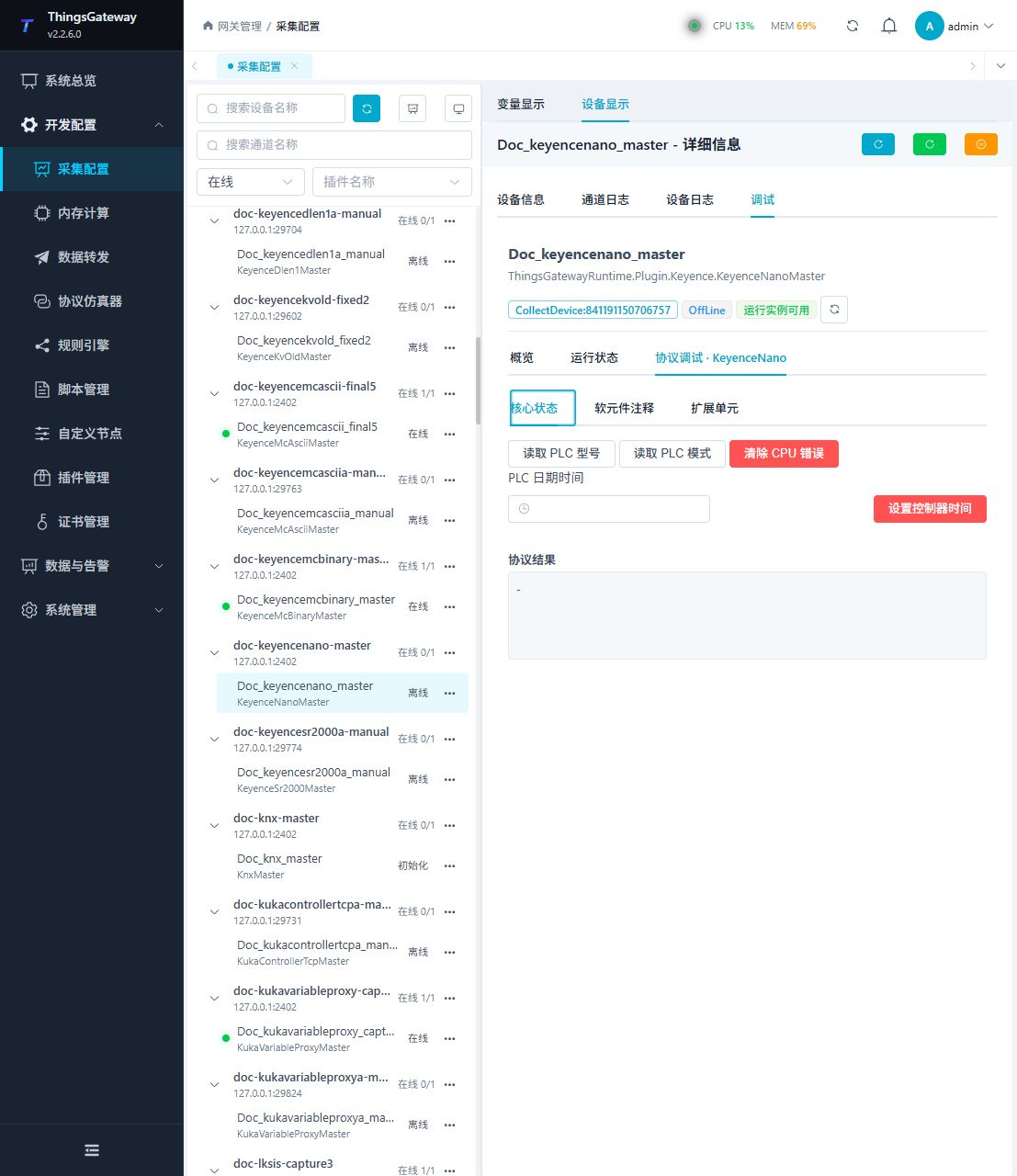
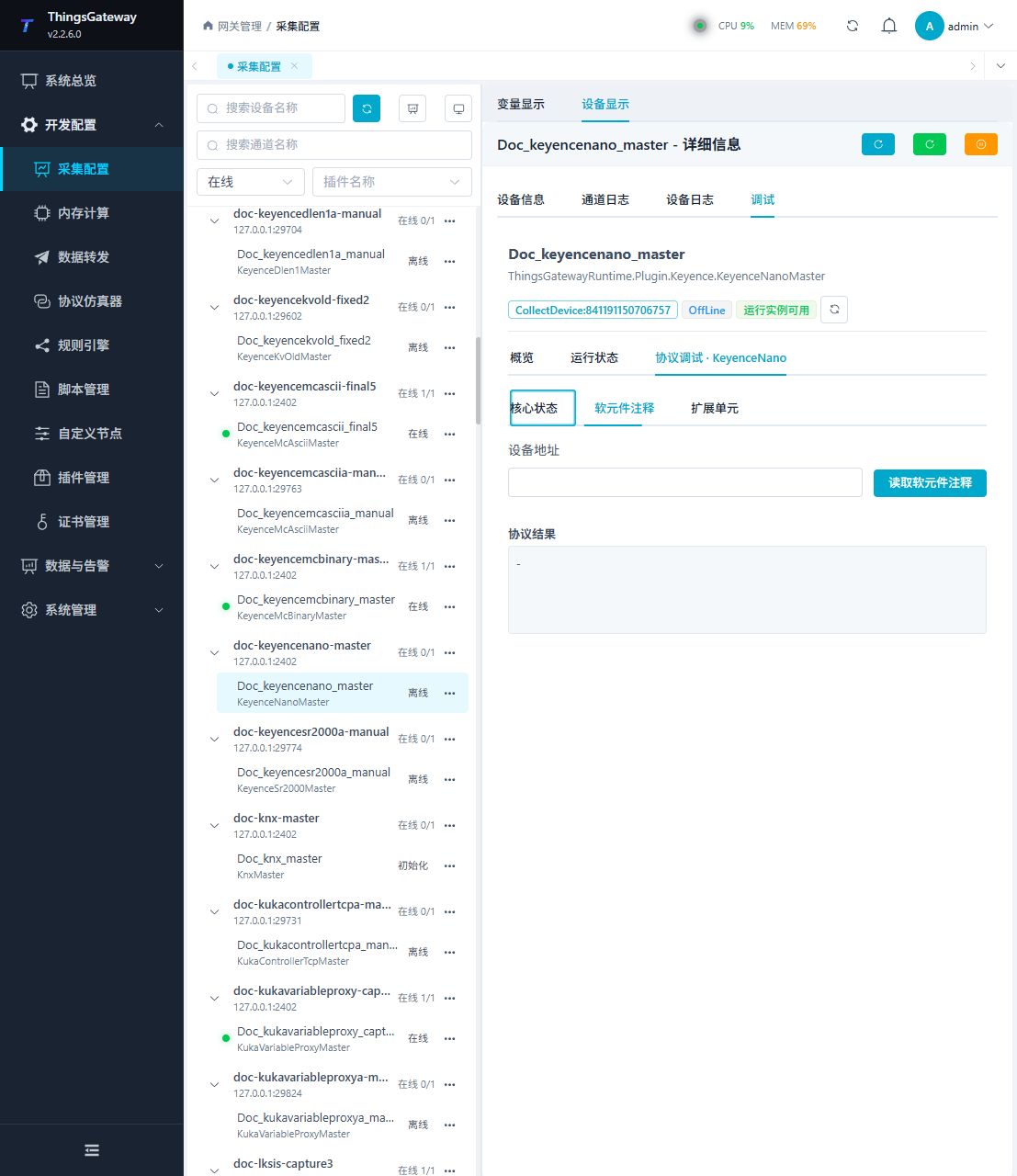
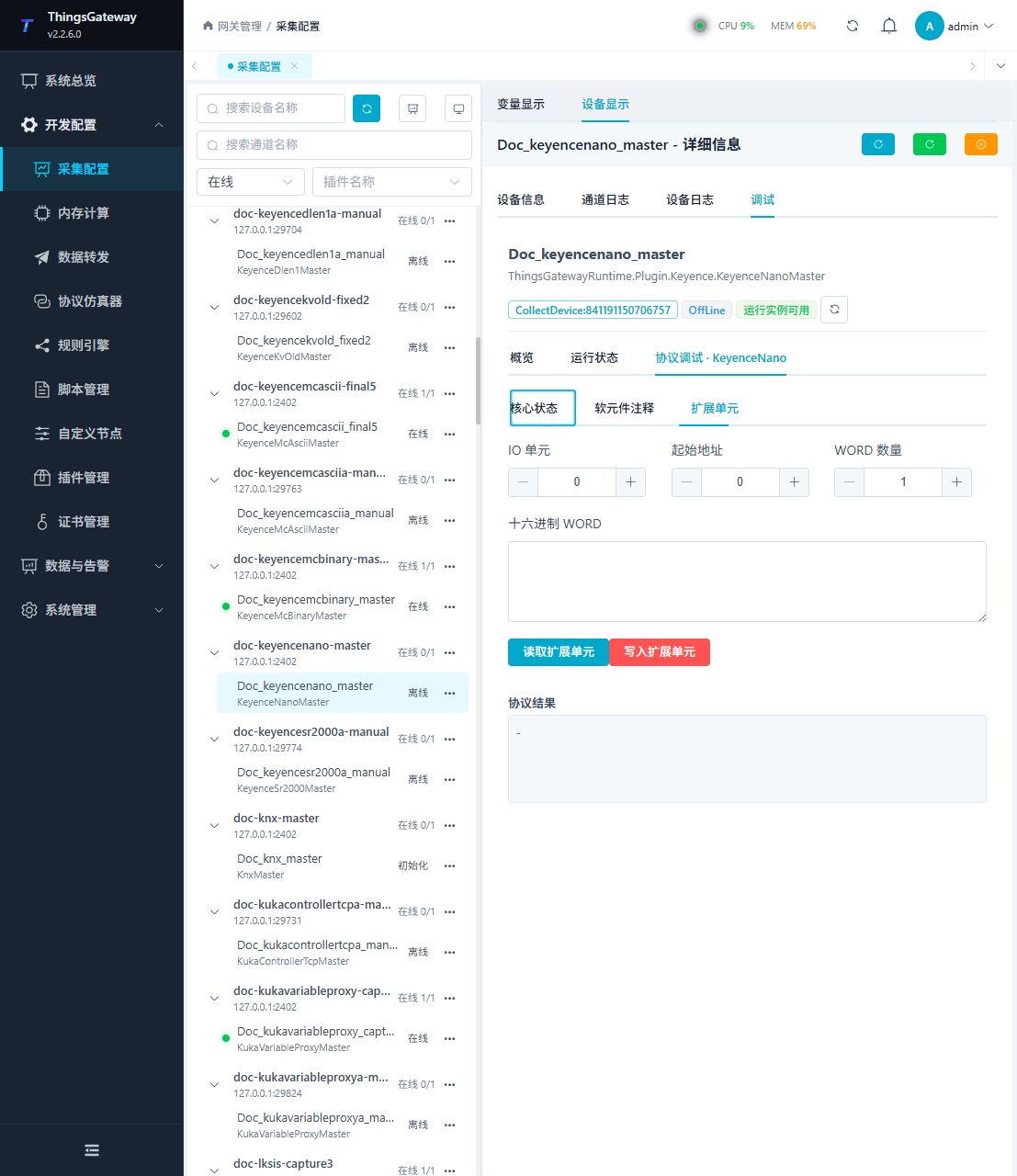
Functions
| Function | Purpose |
|---|---|
| Read PLC model and mode | Use Read PLC model and mode to inspect mapped values, status, counters, recent messages, or the latest result. |
| Clear CPU errors | Use Clear CPU errors with an approved test point and confirm site safety before execution. |
| Set controller time | Use Set controller time with an approved test point and confirm site safety before execution. |
| Read or monitor | Read current values or monitor the latest device update. |
| Read or monitor | Read current values or monitor the latest device update. |
| Control operation | Use Control operation with an approved test point and confirm site safety before execution. |
Verify the configuration
- Use the plugin-specific debug panel with one confirmed test point or test message.
- Confirm that the returned value or received message matches the device point list.
- Perform writes or control operations only with an approved test point and the site safety procedure.
Troubleshooting
- The debug panel shows no result: Check the required inputs and plugin parameters, then inspect the device or target log for a response or error.
- Special method execution fails: Check method parameters and permissions; control, write or reset methods also need to confirm that the device is in a state that allows operation.
- The serial port device does not respond: Confirm that the serial port is not occupied, and check the baud rate, data bits, stop bits and parity bits.
Related links
- Collection configuration: View channel, device and common variable configuration.
- Plugin Index: Find other collection or data-forward plugins.