Delta DVP/AS Modbus Master
This plugin reads and writes DVP and AS300 devices using Delta PLC address rules. It is named DeltaMaster in the device selector.
See Collection Configuration for common channel, device, variable, data-format, and batch settings. This page covers only Delta series selection, address differences, and debug.
Open the plugin
Open Development Configuration → Collection Configuration, create a TCP client, TCP server, or serial channel matching the field link, then create a device using DeltaMaster.
Supported scope
| Item | Description |
|---|---|
| Channels | TCP client, TCP server, and serial. |
| PLC series | DVP and AS300. |
| Data types | Boolean, Byte, common signed/unsigned integers, Float, Double, and String. |
Plugin properties
| Setting | Default | Description |
|---|---|---|
| PLC series | DVP | Select DVP or AS300; the series controls logical address mapping. |
| Modbus framing | ModbusTcp | Select TCP, RTU, or ASCII framing to match the field link. |
| Default station | 1 | Used when the variable address has no s= option. |
Multi-byte values use CDAB by default. Check the common data-format settings when a numeric value is incorrect.
Address rules
| Series | Bit addresses | WORD addresses |
|---|---|---|
| DVP | S0, X0, Y0, T0, C0, M0, D0.0 | D0, T0, C0 |
| AS300 | SM0, HC0, S0, X0.0, Y0.0, T0, C0, M0, D0.0 | SR0, HC0, D0, X0, Y0, C0, T0, E0 |
- Enter DVP
XandYoffsets in octal. s=2;D0overrides the device default and uses station2.- The
Xinput area is read-only.
Special methods
This plugin has no additional special methods. Variables use the address rules above directly.
Device debug
Open Development Configuration → Collection Configuration, select the Delta device, and click More Functions, then open Debug.
| Feature | Purpose |
|---|---|
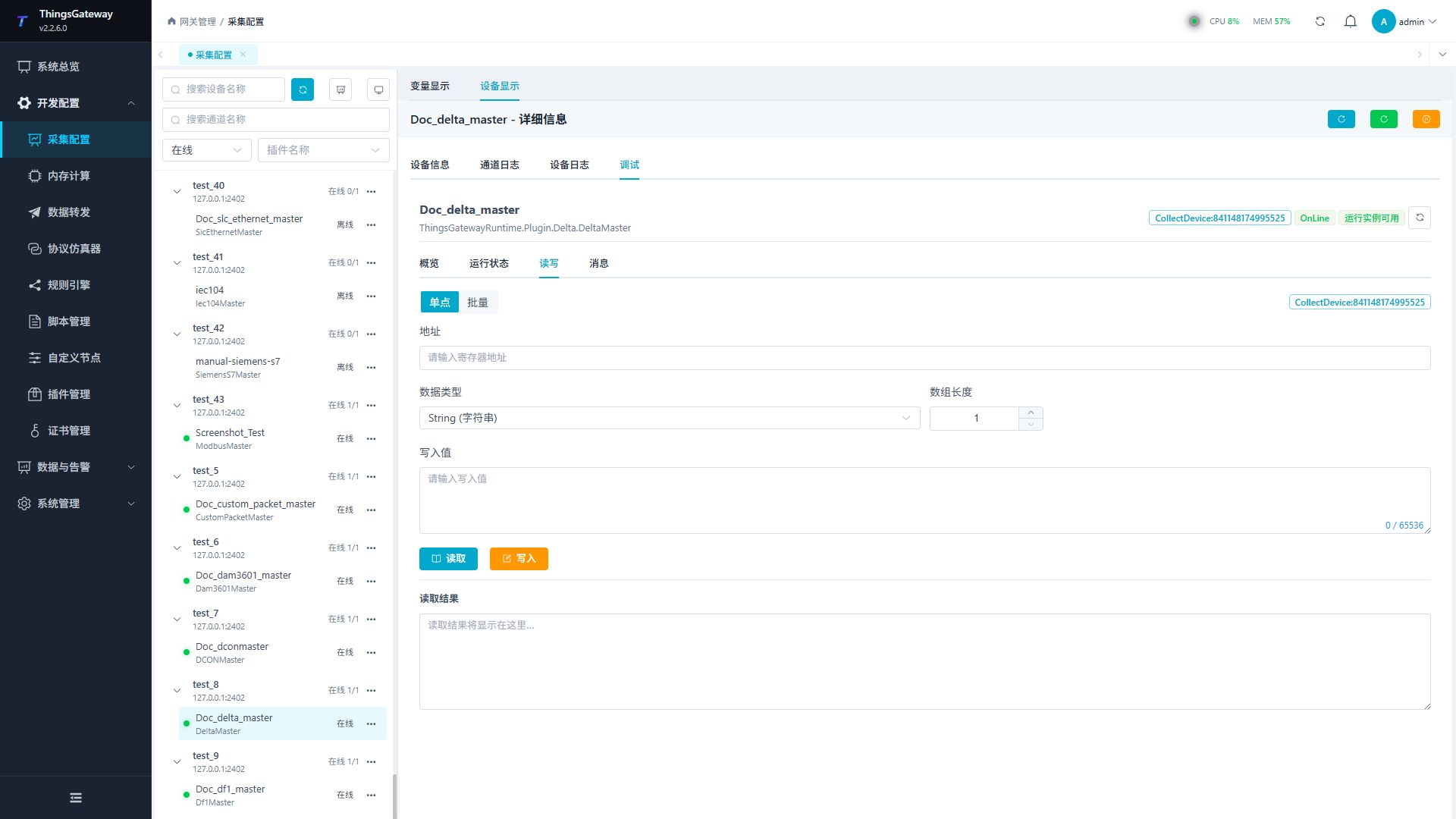
| Read/Write | Reads one Delta address or performs an approved write. |
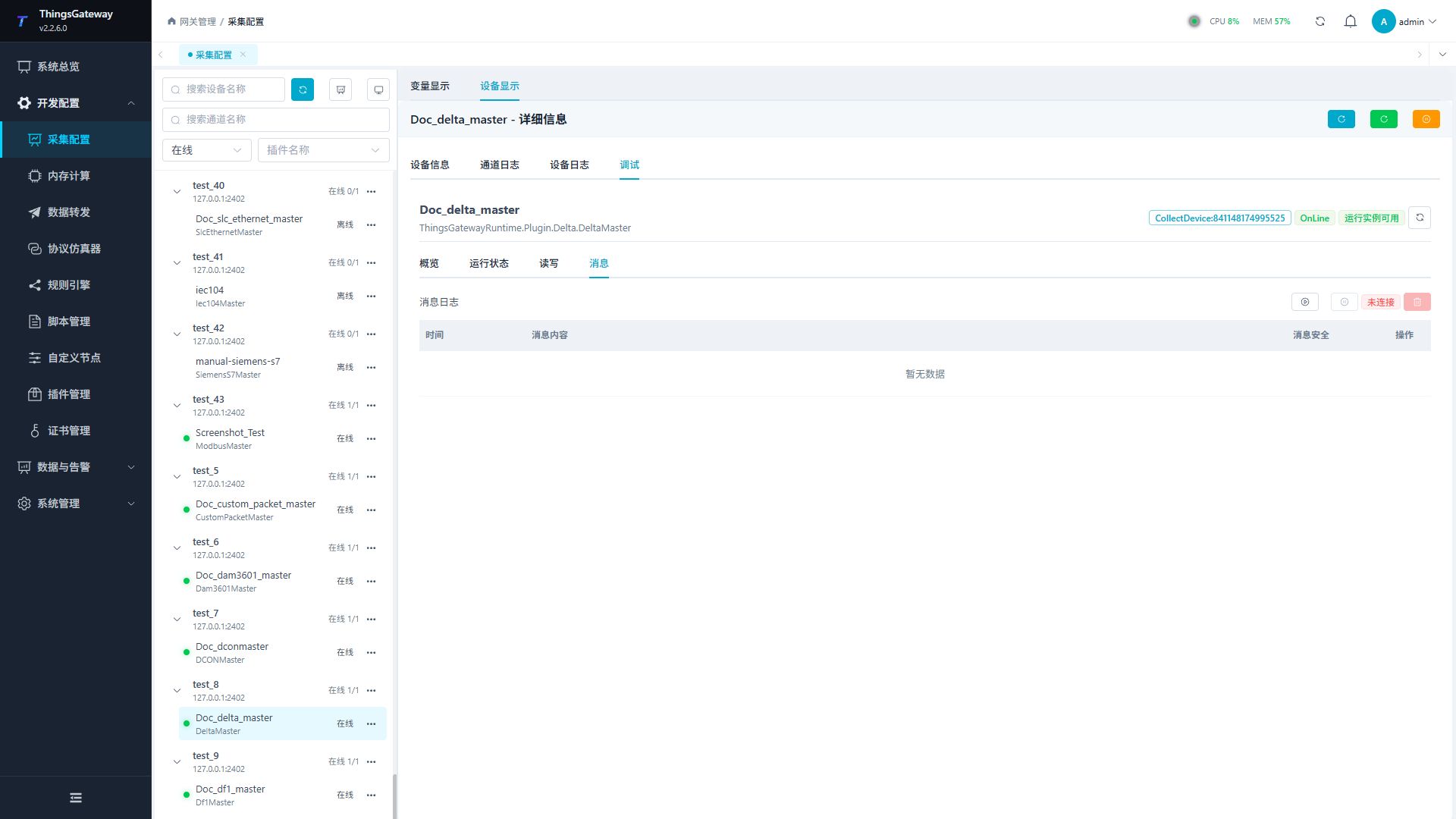
| Messages | Shows protocol requests, responses, and connection logs. |
Read/Write
Enter a Delta address, data type, and array length. Read a known point first and write only after site approval.
Messages
Start message capture to inspect the station, address mapping, requests, responses, and Modbus exception codes.
Functions
| Function | Purpose |
|---|---|
| Read and write | Read a confirmed point and write only to an approved test point. |
| Messages | View sent and received frames, protocol fields, and error details. |
Verify the configuration
- Read one known address and verify the PLC series, station, value, and data type.
- Confirm a valid request and response under Messages.
- Write only an approved test point and read it back as required by the site.
Troubleshooting
| Symptom | Check |
|---|---|
| Address read fails | PLC series, area, DVP octal X/Y offset, and station. |
| Modbus exception is returned | Framing, function code, address range, and quantity. |
| Value is incorrect | Data type, array length, and default CDAB byte order. |
| Write fails | Read-only X area, variable permission, function code, and PLC write protection. |
Related links
- Collection Configuration: Common channels, devices, variables, and data format.
- Plugin Manual Index: Other collection and data-forwarding plugins.