Beckhoff ADS Master
This plugin reads and writes TwinCAT variables by symbol, memory area, or explicit ADS index-group address. It is named BeckhoffAdsMaster in the device selector.
See Collection Configuration for common channel, device, variable, and data-format settings. This page covers only AMS/ADS routing, addresses, and debug.
Open the plugin
Open Development Configuration → Collection Configuration, create a TCP client channel, then create a device using BeckhoffAdsMaster. Before starting, add an ADS route in TwinCAT that permits the gateway to connect.
Supported scope
| Item | Description |
|---|---|
| Channel | TCP client. |
| Addresses | Symbol, M/I/Q memory, and explicit index-group addresses. |
| Data types | Boolean, Byte, common signed/unsigned integers, Float, Double, String, and Decimal. |
Plugin properties
This plugin supports only the TcpClient channel. The ADS route fields define the remote endpoint; they are not inferred from the TCP address. Configure common timeout, retry, write-priority, string-reversal, serial, and TLS fields through Collection Configuration.
| Setting | Required | Description |
|---|---|---|
| Source AMS Net ID | Yes | Gateway-side AMS Net ID in six-part dotted decimal format, for example 192.168.1.10.1.1. TwinCAT routing must permit it. |
| Source ADS port | Yes | Gateway-side logical ADS port greater than 0. |
| Target AMS Net ID | Yes | PLC AMS Net ID matching the TwinCAT route. |
| Target ADS port | Yes | ADS port of the TwinCAT Runtime; TwinCAT 3 Runtime 1 commonly uses 851. |
The default Data format is DCBA (ADS little-endian order) and the default Maximum pack size is 1024 bytes. Keep symbol variables separate when the PLC type is a structure or a large array instead of merging unrelated symbols into a larger pack.
Address rules
| Example | Description |
|---|---|
M100, I100, Q100 | Byte address in the M, I, or Q area. |
M100.0, I100.0, Q100.0 | Boolean bit address; without a bit suffix, access begins at bit 0. |
ig=0x4020;io=100 | Explicit index group and index offset. |
s=MAIN.Variable | TwinCAT symbol address. |
Prefer symbol mode for stable project variables. Use explicit addresses when the point list already provides ADS index groups and offsets.
Special methods
This plugin has no additional special methods. Variables use ADS addresses directly.
Device debug
Open Development Configuration → Collection Configuration, select the Beckhoff ADS device, and click More Functions, then open Debug.
| Feature | Purpose |
|---|---|
| Read/Write | Reads one symbol/ADS address or performs an approved write. |
| Messages | Shows ADS requests, responses, and connection logs. |
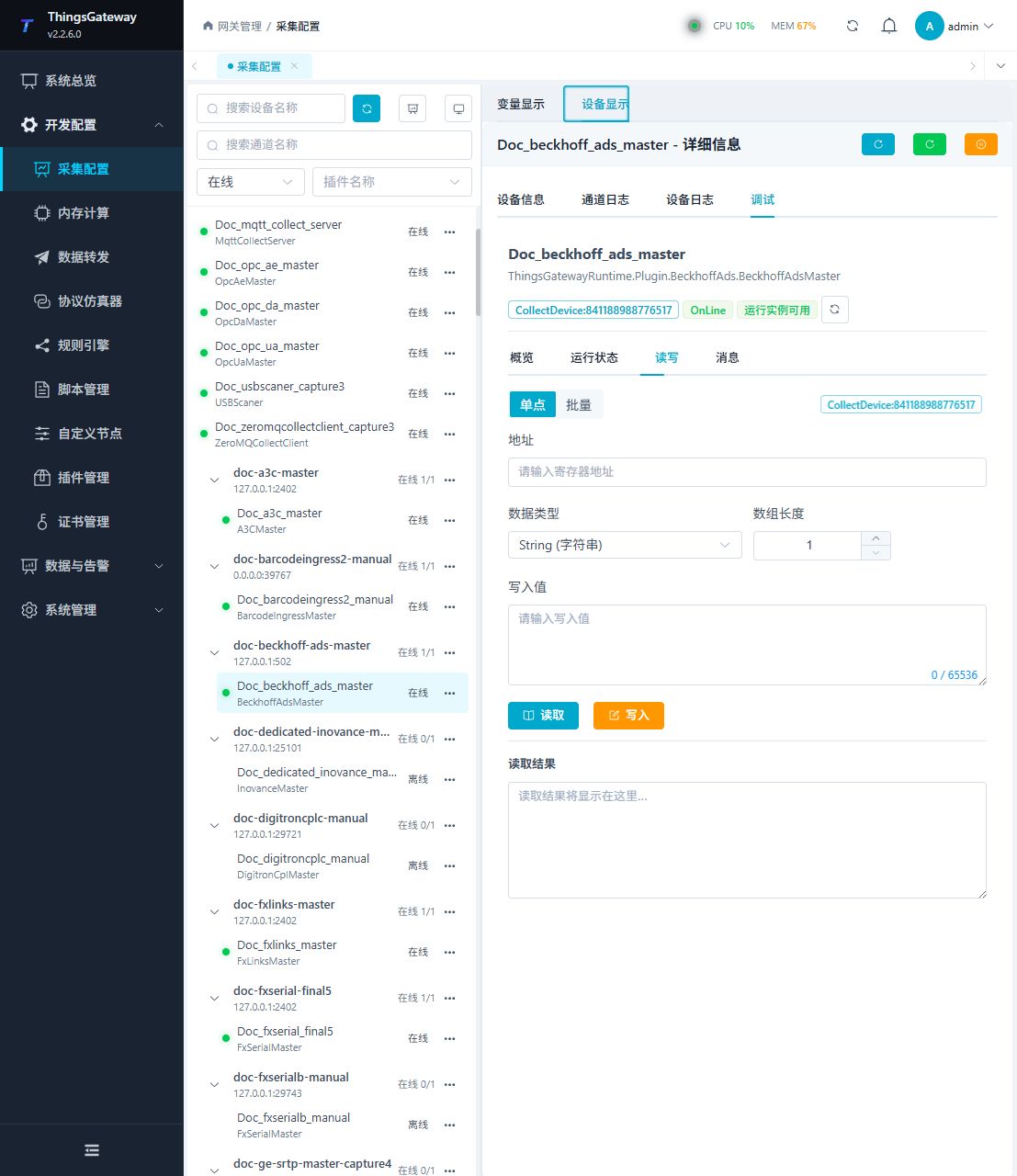
Read/Write
Enter the ADS address, data type, and array length. Read a known variable first and write only after verifying the TwinCAT mode and site approval.
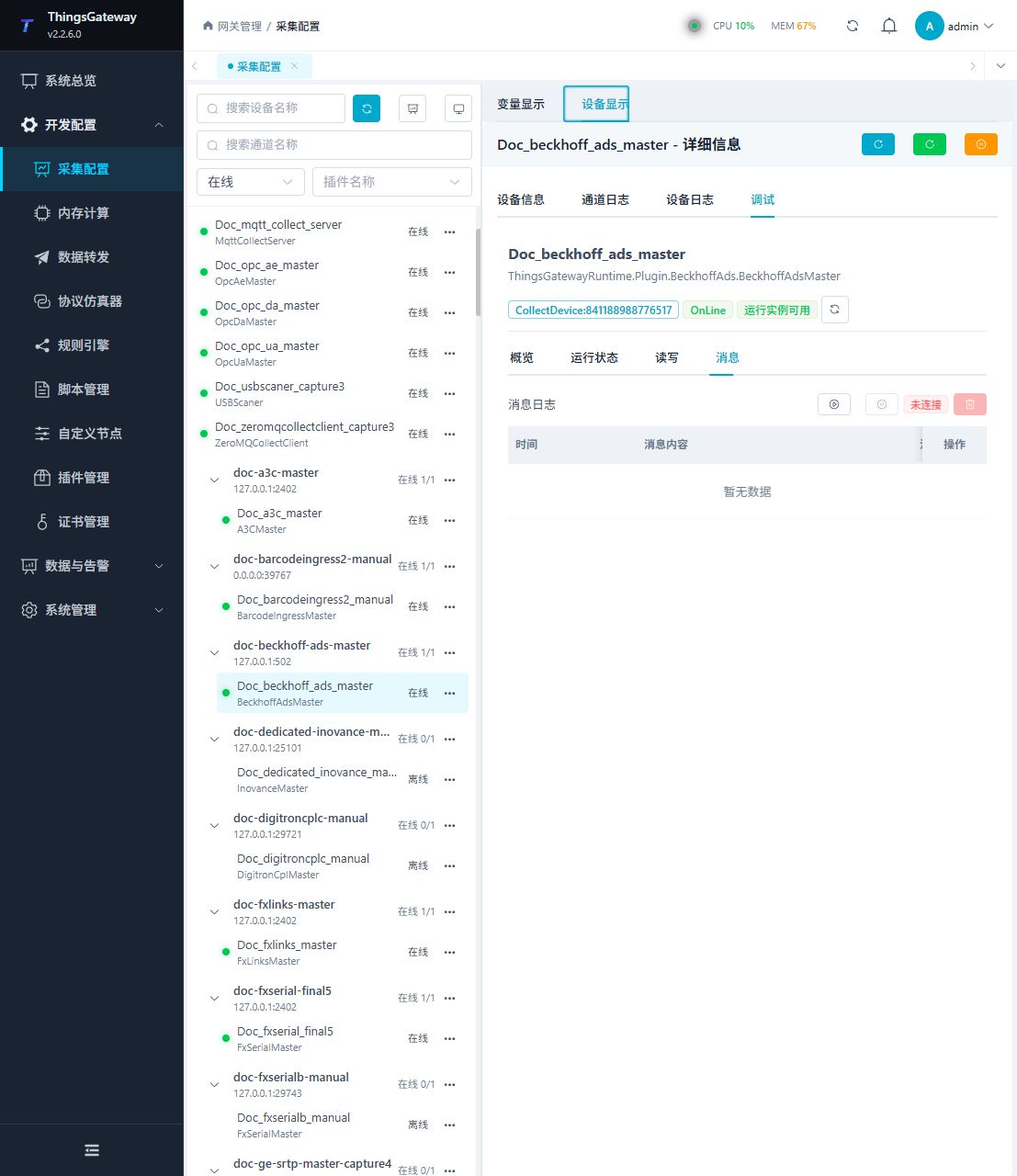
Messages
Start message capture to verify the AMS route, ADS ports, symbol, request, response, and return code.
Functions
| Function | Purpose |
|---|---|
| Read and write | Read a confirmed point and write only to an approved test point. |
| Messages | View sent and received frames, protocol fields, and error details. |
Verify the configuration
- Read one known
s=symbol and verify its value and data type. - Confirm a valid ADS request and response under Messages.
- Then verify an M/I/Q or explicit index-group address. Write only to an approved test variable.
Troubleshooting
| Symptom | Check |
|---|---|
| ADS connection cannot be established | TCP channel, source/target AMS Net IDs, source/target ADS ports, and TwinCAT route. |
| Symbol is not found | s= prefix, full symbol name, case, and downloaded TwinCAT project. |
| Explicit address fails | ig= index group, io= offset, and hexadecimal syntax. |
| Value is incorrect | Data type, array length, byte order, and actual PLC variable type. |
| Write fails | TwinCAT run mode, variable permission, and field interlock. |
Related links
- Collection Configuration: Common channels, devices, variables, and data format.
- Plugin Manual Index: Other collection and data-forwarding plugins.