ToyoPucMaster
Toyo PUC computer link address read and write, status and command driver
Open the plugin
Enter "Development Configuration → Collection Configuration", create a device and select "ToyoPucMaster" in "Collection Plugin".
Supported channels and data types
| Channel type | Pre-configuration check |
|---|---|
| TCP Client | Confirm network reachability of the device IP, port, and gateway to the device. |
Optional data types: Boolean, Int16, UInt16, Int32, UInt32, Int64, UInt64, Float, Double, String
Address rules
- Toyo PUC address values use hexadecimal. The current program area WORD supports K, V, T, C, L, X, Y, M, S, N, R, D, and B.
- Program area WORD supports EK, EV, ET, EC, EL, EX, EY, EM, ES, EN, EB, H, U, GX, GY, GM; prg=0..255 can be configured explicitly in the basic area.
- Boolean only supports K, V, T, C, L, X, Y, M and the corresponding extended relay area, and must use WORD. bits, such as M10.A.
- The current program area K/V/T/C/L/X/Y/M supports native single-point writing; multi-point or program area writing does not perform read, modify, and write, and is directly rejected.
- The current version only supports establishing TCP client sessions via the 2PORT-EFR module.
Special methods
| Method | Purpose | Parameters |
|---|---|---|
| ReadRandomWordsAsync | Randomly read WORD | addresses=D0,D10,M20 |
Device debug
Enter "Development Configuration → Collection Configuration", select the current device and click "More Functions", then open "Debug".
Dedicated debugging page
The protocol debug page is used to read Toyo PUC random word data.
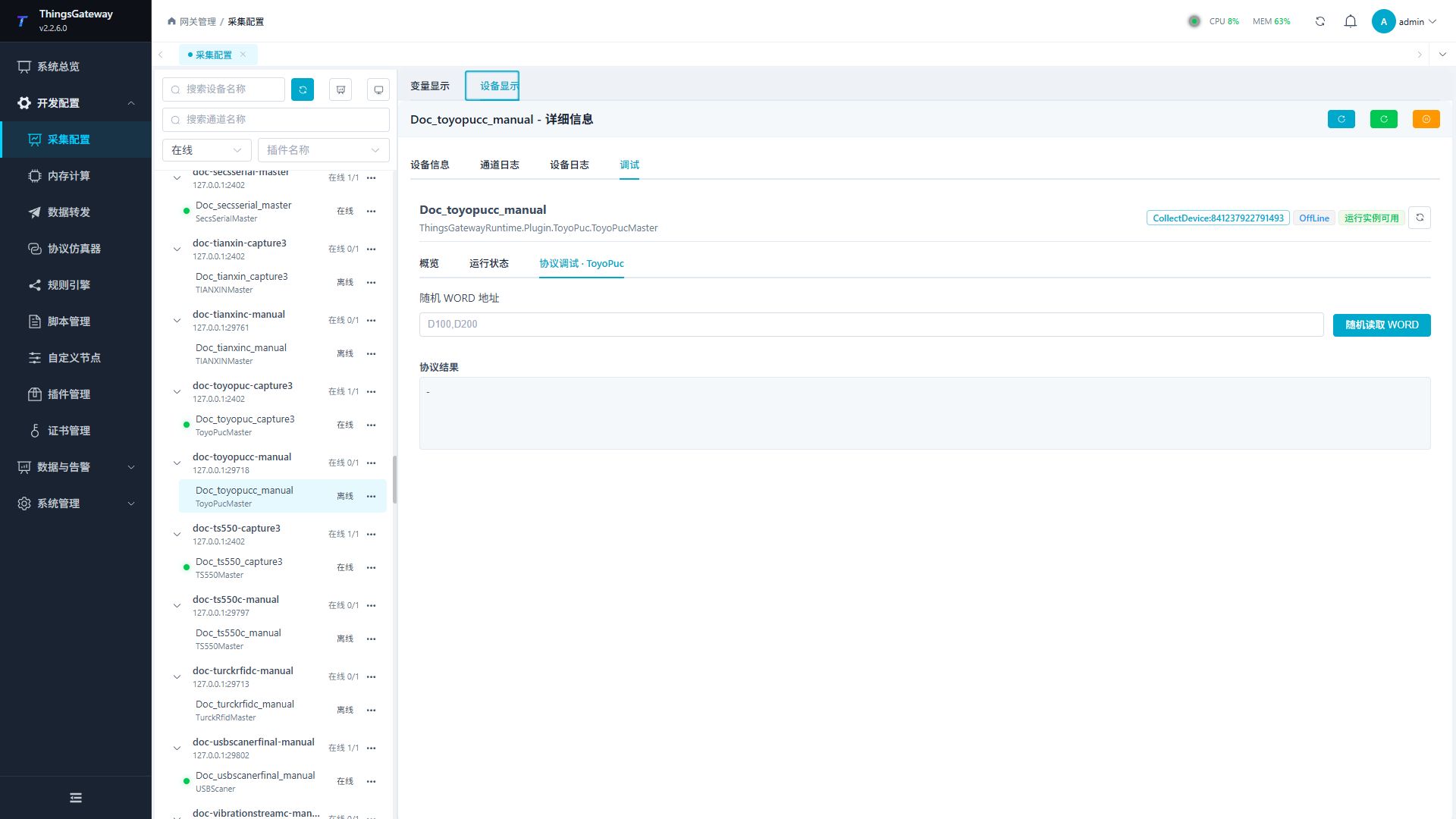
Debugging notes
Enter a random word address list to read WORD. The current dedicated page only provides query operations.
Functions
| Function | Purpose |
|---|---|
| Random WORD read | Use Random WORD read to inspect mapped values, status, counters, recent messages, or the latest result. |
| Debug result | View the returned value, success state, or error message. |
Verify the configuration
- Use the plugin-specific debug panel with one confirmed test point or test message.
- Confirm that the returned value or received message matches the device point list.
- Perform writes or control operations only with an approved test point and the site safety procedure.
Troubleshooting
- The debug panel shows no result: Check the required inputs and plugin parameters, then inspect the device or target log for a response or error.
- Special method execution fails: Check method parameters and permissions; control, write or reset methods also need to confirm that the device is in a state that allows operation.
Related links
- Collection configuration: View channel, device and common variable configuration.
- Plugin Index: Find other collection or data-forward plugins.