On this page
TCP barcode ingress
Receives active TCP connections from the scanner and maps consecutive barcodes into variables
Open the plugin
Enter “Development Configuration → Collection Configuration”, create a device and select “BarcodeIngressMaster” in “Collection Plugin”.
Supported channels and data types
| Channel type | Pre-configuration check |
|---|---|
| TCP server | Confirm that the local listening address and port are available, and allow on-site devices to actively connect to the gateway. |
Optional data type: String
Plugin properties
Connection configuration
| Setting | Description |
|---|---|
| Source IP | Fill in: text input. Set the source IP used when establishing connections. |
Address rules
- barcode, source
Device debug
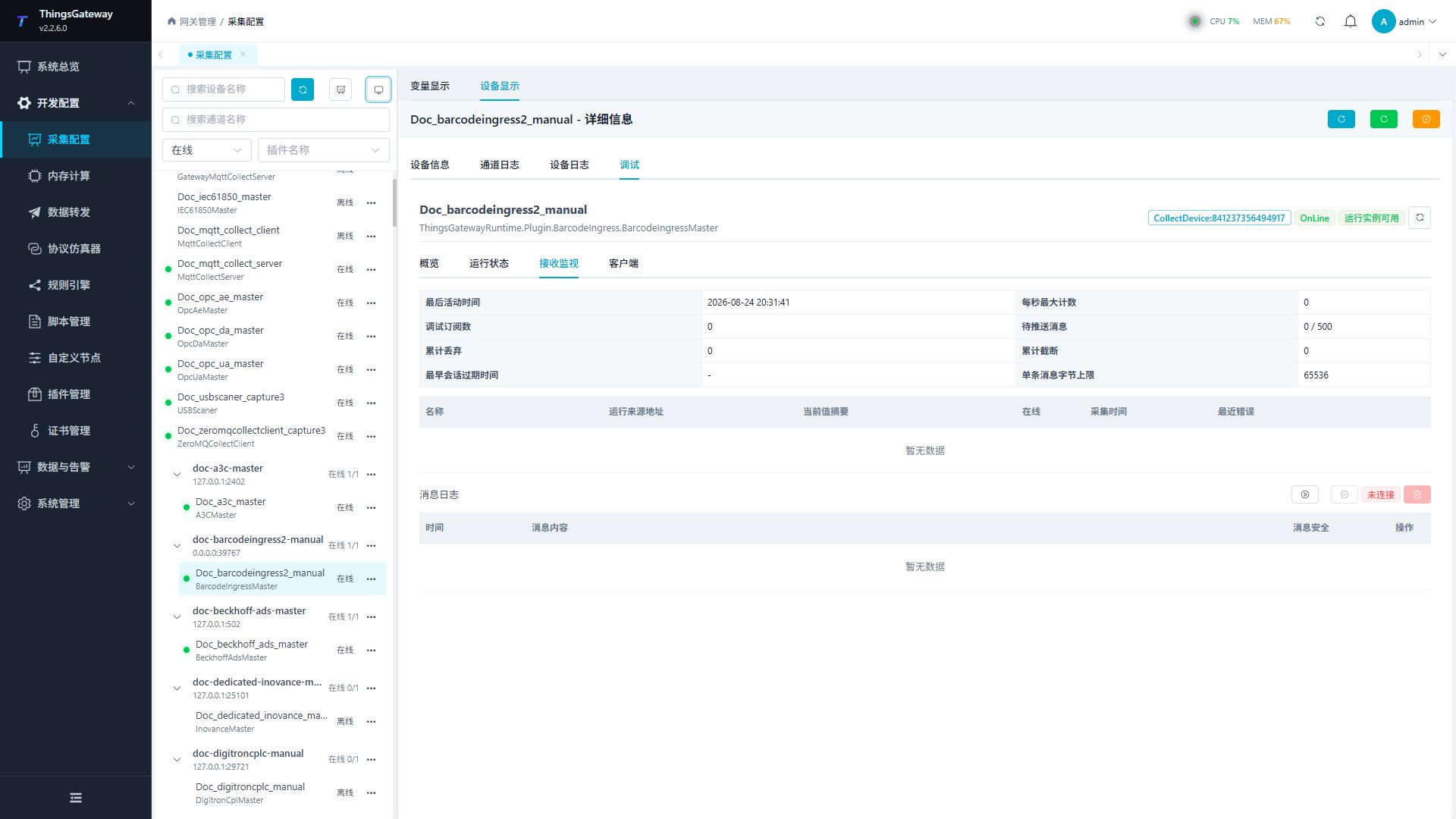
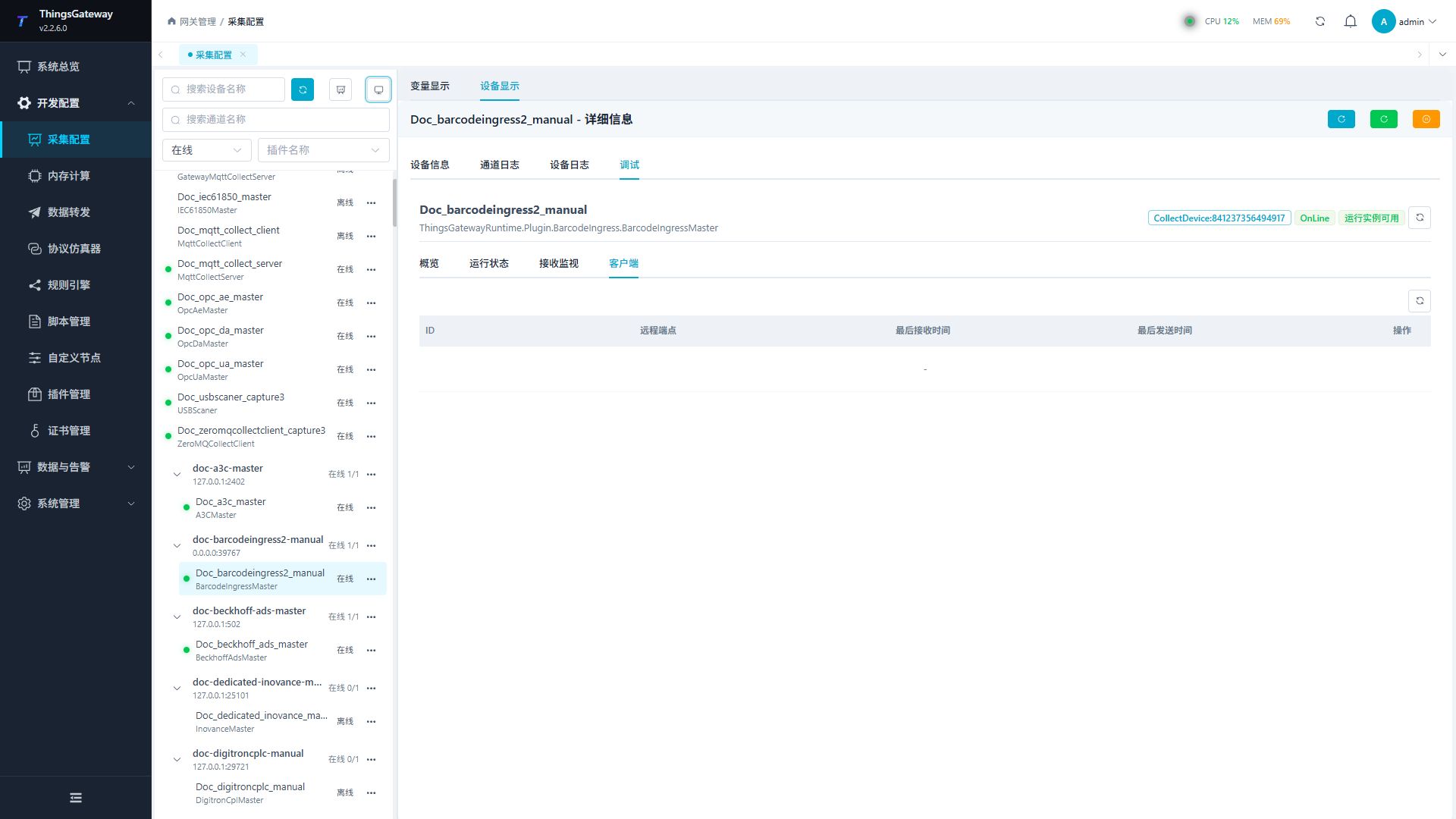
Enter “Development Configuration → Collection Configuration”, select the current device then open “Protocol Debug” at the top of the workspace.
Dedicated debugging page
“Receive Monitor” to view scanner reception statistics, variable mapping and message logs; “Client” to view connected scanners.
Functions
| Function | Purpose |
|---|---|
| Reception monitoring | Use Reception monitoring to inspect mapped values, status, counters, recent messages, or the latest result. |
| Client | Check the connection state and the latest connection result. |
| Message log | View the latest messages received by the current debug session. |
Verify the configuration
Let the field device send a test message; a new reception record should appear in “reception monitoring”, and the corresponding variable value and collection time should be updated synchronously.
Troubleshooting
- There are no new messages in receiving monitoring: Confirm that the field device is actively reporting, and check the monitoring channel, message format, and variable field mapping.
- The device is not connected: Confirm that the device has actively connected to the gateway listening address and port, and check the firewall permission rules.
Related links
- Collection configuration: View channel, device and common variable configuration.
- Plugin Index: Find other collection or data-forward plugins.