On this page
Continuous weighing stream
ScaleStreamMaster receives continuous output from an electronic scale through a serial port or reverse TCP and maps the fields to variables.
Open the plugin
Enter “Development Configuration → Collection Configuration”, create a device and select “ScaleStreamMaster” in “Collection Plugin”.
Supported channels and data types
| Channel type | Pre-configuration check |
|---|---|
| Serial Port | Confirm that the serial port is not occupied by other programs and maintains the same baud rate, data bits, stop bits and parity bits as the device. |
| TCP server | Confirm that the local listening address and port are available, and allow on-site devices to actively connect to the gateway. |
Optional data types: Boolean, Int32, Double, String
This list describes types allowed by the plugin editor. Address width, arrays, string length and read/write restrictions still follow this page; it does not mean that every address supports every type.
Plugin properties
Data format
| Setting | Description |
|---|---|
| Enable check byte | Default: No; fill in: switch. Controls whether the “Enable parity byte” function is enabled. |
Connection configuration
| Setting | Description |
|---|---|
| Source IP | Fill in: text input. Set the source IP used when establishing connections. |
Address rules
- weight, tare, unit, net, positive, outofrange, stable, print, tenfold, valid, extended, taretype, source
Device debug
Enter “Development Configuration → Collection Configuration”, select the current device then open “Protocol Debug” at the top of the workspace.
Dedicated debugging page
Use reception monitoring to check the latest scale frame and the mapped variables.
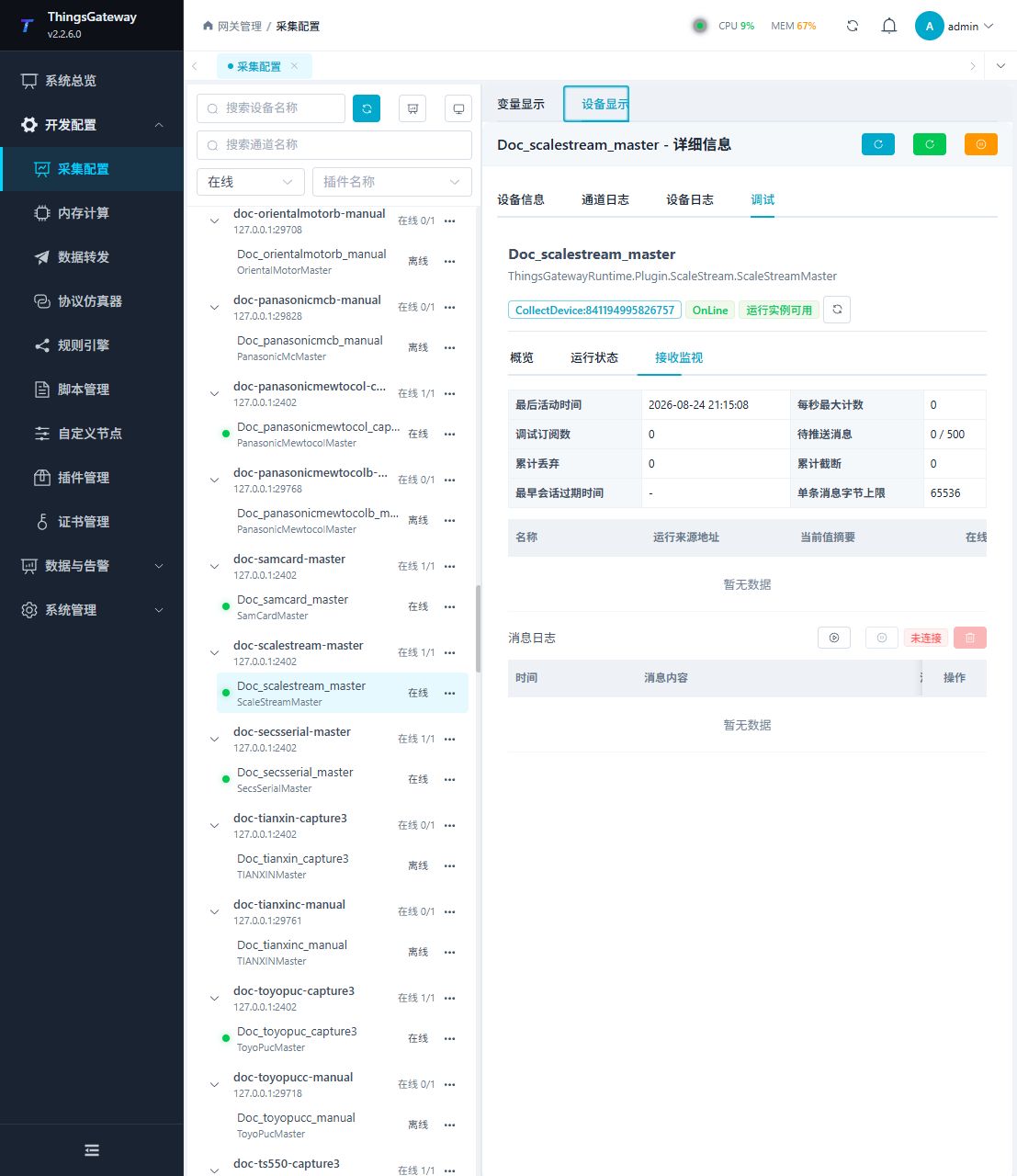
Functions
| Function | Purpose |
|---|---|
| Reception monitoring | Confirm that a complete scale frame is received. |
| Variable table | Check weight, tare, unit, stability, validity, and collection time. |
| Message statistics | Review received, dropped, and malformed frame counts. |
| Message log | Inspect recent scale frames for delimiter or mapping problems. |
Verify the configuration
- Send one stable test weight from the scale.
- Confirm that reception monitoring shows a new frame.
- Check that the weight, unit, stability, validity, and collection time update together.
- Change the test weight and confirm that the new value replaces the old value without frame fragments.
Troubleshooting
- No new frame appears: Confirm that the scale is sending continuously and check the channel, source IP, frame format, and field mapping.
- Values are shifted or empty: Check the scale output format, delimiter, check byte setting, and address field names.
- The serial port scale does not respond: Confirm port ownership and match baud rate, data bits, stop bits, and parity.
Related links
- Collection configuration: View channel, device and common variable configuration.
- Plugin Index: Find other collection or data-forward plugins.