On this page
Vibration sensor live stream
VibrationStreamMaster receives real-time and peak reports from a vibration sensor and maps the fields to variables.
Open the plugin
Enter “Development Configuration → Collection Configuration”, create a device and select “VibrationStreamMaster” in “Collection Plugin”.
Supported channels and data types
| Channel type | Pre-configuration check |
|---|---|
| TCP Client | Confirm network reachability of the device IP, port, and gateway to the device. |
Optional data types: Int32, Double, String
Plugin properties
Protocol parameters
| Setting | Description |
|---|---|
| Station number | Default: 1; Range: 1~65535; Fill in: text input. Set the station number used for protocol communication. |
Address rules
- actual.x, actual.y, actual.z, peak.accelerationx, peak.accelerationy, peak.accelerationz, peak.speedx, peak.speedy, peak.speedz, peak.offsetx, peak.offsety, peak.offsetz, peak.temperature, peak.voltage, peak.interval, address
Device debug
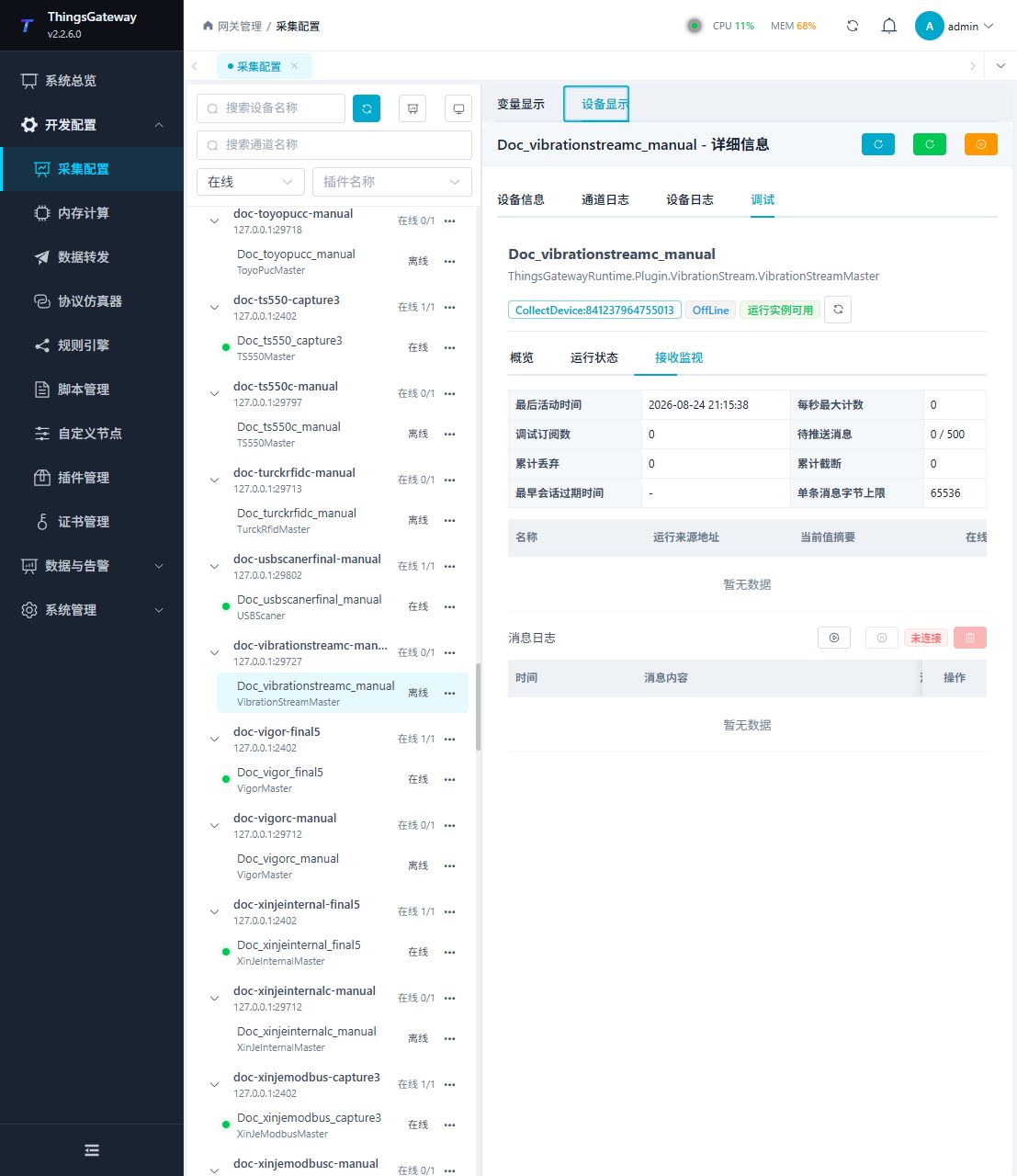
Enter “Development Configuration → Collection Configuration”, select the current device then open “Protocol Debug” at the top of the workspace.
Dedicated debugging page
Use reception monitoring to check the latest vibration report and mapped variables.
Functions
| Function | Purpose |
|---|---|
| Reception monitoring | Confirm that vibration reports reach the gateway. |
| Variable table | Check real-time axes, peak acceleration, speed, offset, temperature, voltage, and update time. |
| Message statistics | Review received and discarded report counts. |
| Message log | Inspect the latest sensor frames when mapping does not update. |
Verify the configuration
- Make the sensor send one known test report.
- Confirm that reception monitoring shows a new frame.
- Check that the expected axis or peak variables and collection time update together.
- Compare a second report with the sensor display to confirm station number and field mapping.
Troubleshooting
- No new frame appears: Confirm sensor reporting, station number, TCP address, port, and firewall.
- Frames arrive but values do not update: Check the address field names, report format, data type, and variable mapping.
- Values are implausible: Confirm units, axis order, station number, and the sensor’s scaling settings.
Related links
- Collection configuration: View channel, device and common variable configuration.
- Plugin Index: Find other collection or data-forward plugins.