On this page
Hyundai robot UDP tracking
Hyundai robot UDP tracking status and position incremental control driver
Open the plugin
Enter “Development Configuration → Collection Configuration”, create a device and select “HyundaiTrackingMaster” in “Collection Plugin”.
Supported channels and data types
| Channel type | Pre-configuration check |
|---|---|
| UDP | Confirm the local binding address, port and firewall rules, and check the source of the packet. |
Optional data types: Boolean, String, Int32, Double
This list describes types allowed by the plugin editor. Address width, arrays, string length and read/write restrictions still follow this page; it does not mean that every address supports every type.
Plugin properties
Connection configuration
| Setting | Description |
|---|---|
| Robot source IP | Fill in: text input. Robot source IP; leave blank to accept any source |
Address rules
- tracking, source, command, state, count, x, y, z, rx, ry, rz
Special methods
| Method | Purpose | Parameters |
|---|---|---|
| ReadLatestFrameAsync | Read the latest tracking frame of modern robots | No parameters |
| WriteIncrementAsync | Send six-axis increments to modern robots | x,y,z=mm; rx,ry,rz=angle |
| WriteIncrementArrayAsync | Send modern robot increment array | values = six position and angle increments |
| SendFrameAsync | Send raw tracking frames to modern robots | data=strongly typed tracking data |
| MoveXAsync | Modern robot X-axis increment | value=mm |
| MoveYAsync | Modern robot Y-axis increment | value=mm |
| MoveZAsync | Modern robot Z-axis increment | value=mm |
| RotateXAsync | Modern robot X-axis rotation increment | value=angle |
| RotateYAsync | Modern robot Y-axis rotation increment | value=angle |
| RotateZAsync | Modern robot Z-axis rotation increment | value=angle |
Write, start/stop, reset, load, delete or control methods will change the status of field devices. Before execution, confirm that the equipment is in an operable state and prepare for stop or rollback measures.
Device debug
Enter “Development Configuration → Collection Configuration”, select the current device then open “Protocol Debug” at the top of the workspace.
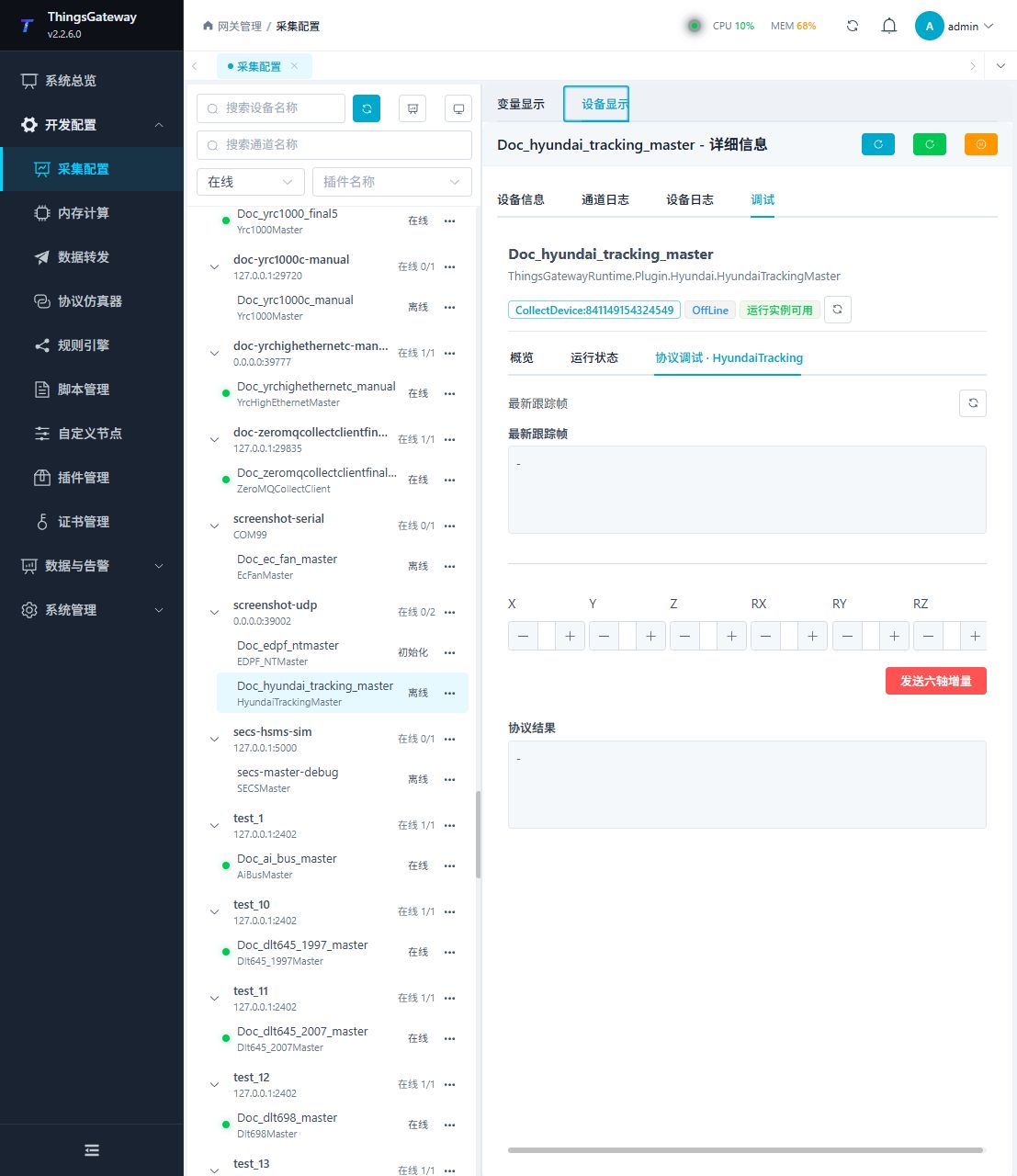
Debugging notes
Refresh the tracking frame first; writing X/Y/Z and Rx/Ry/Rz increments will affect the robot posture and must be confirmed twice before execution.
Functions
| Function | Purpose |
|---|---|
| Refresh trace frame | Use Refresh trace frame to send or inspect protocol frames and view the device or target response. |
| Send position delta | Use Send position delta with an approved test point and confirm site safety before execution. |
| Debug result | View the returned value, success state, or error message. |
Verify the configuration
With the robot safely stationary, compare the sender’s X coordinate and confirm new reports update the sample.
Writes and control operations require an approved test point and the site safety procedure.
Troubleshooting
- Tracking frames differ from register I/O. Send methods such as MoveX create motion input and are unsuitable for read-only connectivity checks.
- Special method execution fails: Check method parameters and permissions; control, write or reset methods also need to confirm that the device is in a state that allows operation.
Related links
- Collection configuration: View channel, device and common variable configuration.
- Plugin Index: Find other collection or data-forward plugins.