On this page
Megmeet PLC master
Megmeet MC series PLC address read and write driver
Open the plugin
Enter “Development Configuration → Collection Configuration”, create a device and select “MegMeetMaster” in “Collection Plugin”.
Supported channels and data types
| Channel type | Pre-configuration check |
|---|---|
| TCP Client | Confirm network reachability of the device IP, port, and gateway to the device. |
| TCP server | Confirm that the local listening address and port are available, and allow on-site devices to actively connect to the gateway. |
| Serial Port | Confirm that the serial port is not occupied by other programs and maintains the same baud rate, data bits, stop bits and parity bits as the device. |
Optional data types: Boolean, Byte, Int16, UInt16, Int32, UInt32, Int64, UInt64, Float, Double, String
This list describes types allowed by the plugin editor. Address width, arrays, string length and read/write restrictions still follow this page; it does not mean that every address supports every type.
Plugin properties
Protocol parameters
| Setting | Description |
|---|---|
| Modbus frame format | Default: ModbusTcp; fill in: drop-down selection. Modbus frame format; only supports Modbus TCP, RTU and RTU-over-TCP |
| Default station number | Default: 1; fill in: text input. Set the default station number used when the station number is not specified separately in the variable address. |
Request packing
| Setting | Description |
|---|---|
| FC1 Maximum number of read coil bits | Default: 1600; Range: 1~2000; Fill in: text input. Set the maximum number of FC1 read coil bits used for a single read or write or group packet. |
| FC2 Maximum number of read discrete input bits | Default: 1600; Range: 1~2000; Fill in: text input. Set the maximum number of read discrete input bits used by FC2 for a single read or write or group packet. |
| FC3 Maximum number of read holding registers | Default: 100; Range: 1~125; Fill in: text input. Set the maximum number of FC3 read holding registers used for a single read or write or group package. |
| FC4 Maximum number of read input registers | Default: 100; Range: 1~125; Fill in: text input. Set the maximum number of FC4 read input registers used for a single read and write or group package. |
| FC15 Maximum number of coil bits written in batches | Default: 1968; Range: 1~1968; Fill in: text input. Set the maximum number of FC15 batch write coil bits used for a single read or write or group packet. |
| FC16 Maximum number of batch write registers | Default: 123; Range: 1~123; Fill in: text input. Set the maximum number of FC16 batch write registers used for a single read or write or group package. |
Connection configuration
| Setting | Description |
|---|---|
| DTU ID | Fill in: text input. Sets the identifier used to identify the current device connection through the DTU service. |
Address rules
- Megmeet MC80/MC100/MC200/MC280/MC200E:
- Bit area: X0 (octal, read-only), Y0 (octal), M0, SM0, S0, T0, C0, D0.0, R0.0
- WORD area: D0, SD0, Z0, R0, T0, C0
- The address can use s=2;D0 to override the default station number. The X input area only allows reading.
Device debug
Enter “Development Configuration → Collection Configuration”, select the current device then open “Protocol Debug” at the top of the workspace.
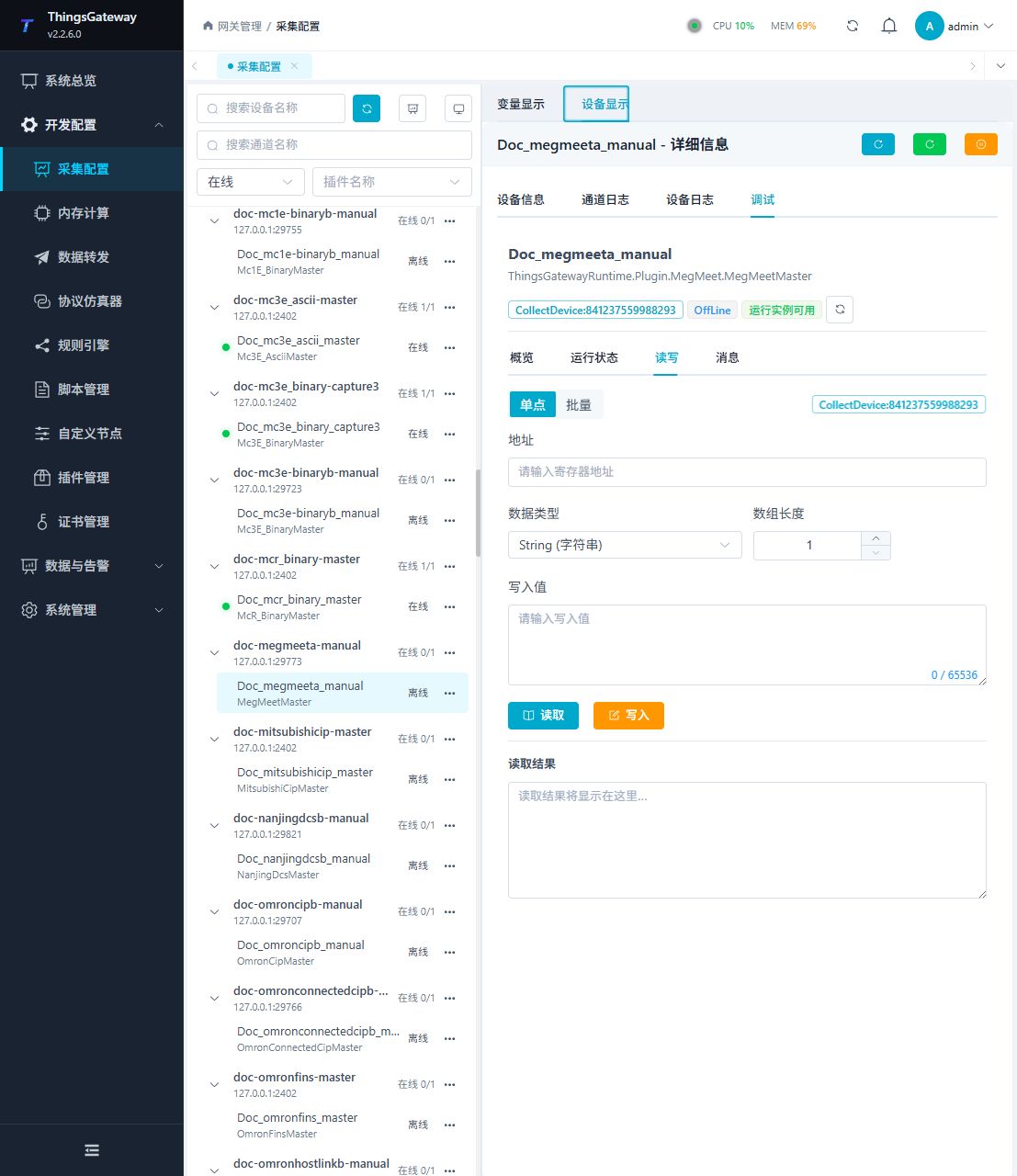
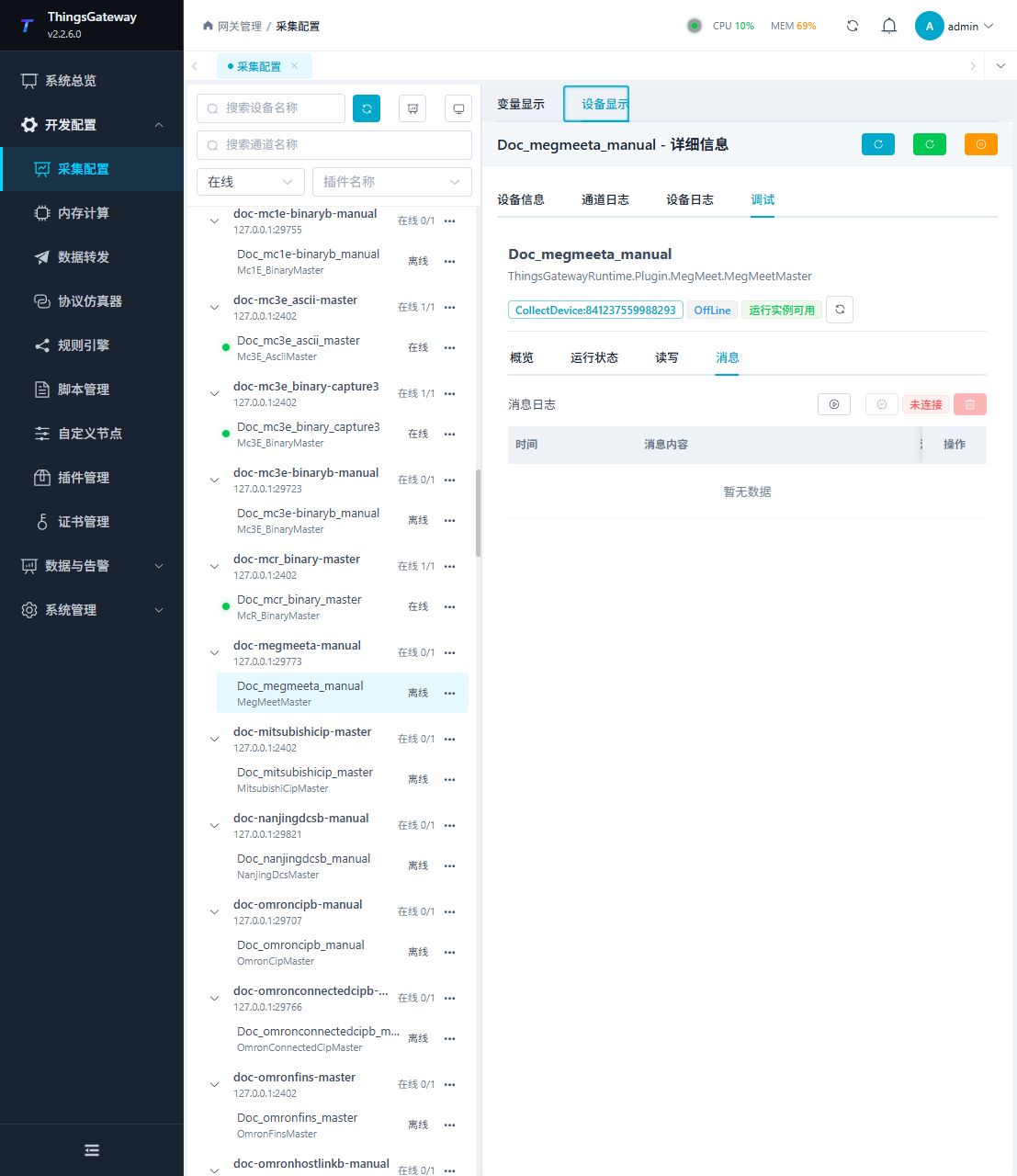
Functions
| Function | Purpose |
|---|---|
| Read and write | Read a confirmed point and write only to an approved test point. |
| Messages | View sent and received frames, protocol fields, and error details. |
Verify the configuration
Monitor D0 online in the PLC engineering tool, compare its value with the gateway variable and confirm advancing sample times.
Troubleshooting
- Match TCP, RTU or RTU-over-TCP to the endpoint. X/Y are octal; X is read-only.
- The serial port device does not respond: Confirm that the serial port is not occupied, and check the baud rate, data bits, stop bits and parity bits.
Related links
- Collection configuration: View channel, device and common variable configuration.
- Plugin Index: Find other collection or data-forward plugins.