On this page
TGateway
An edge gateway platform for industrial sites
Connect PLCs, instruments, sensors, robots and acquisition modules. Collect, process, evaluate alarms and forward data close to the equipment.
Prepare data at the site, then deliver what the application needs to MES, SCADA, databases and cloud platforms.
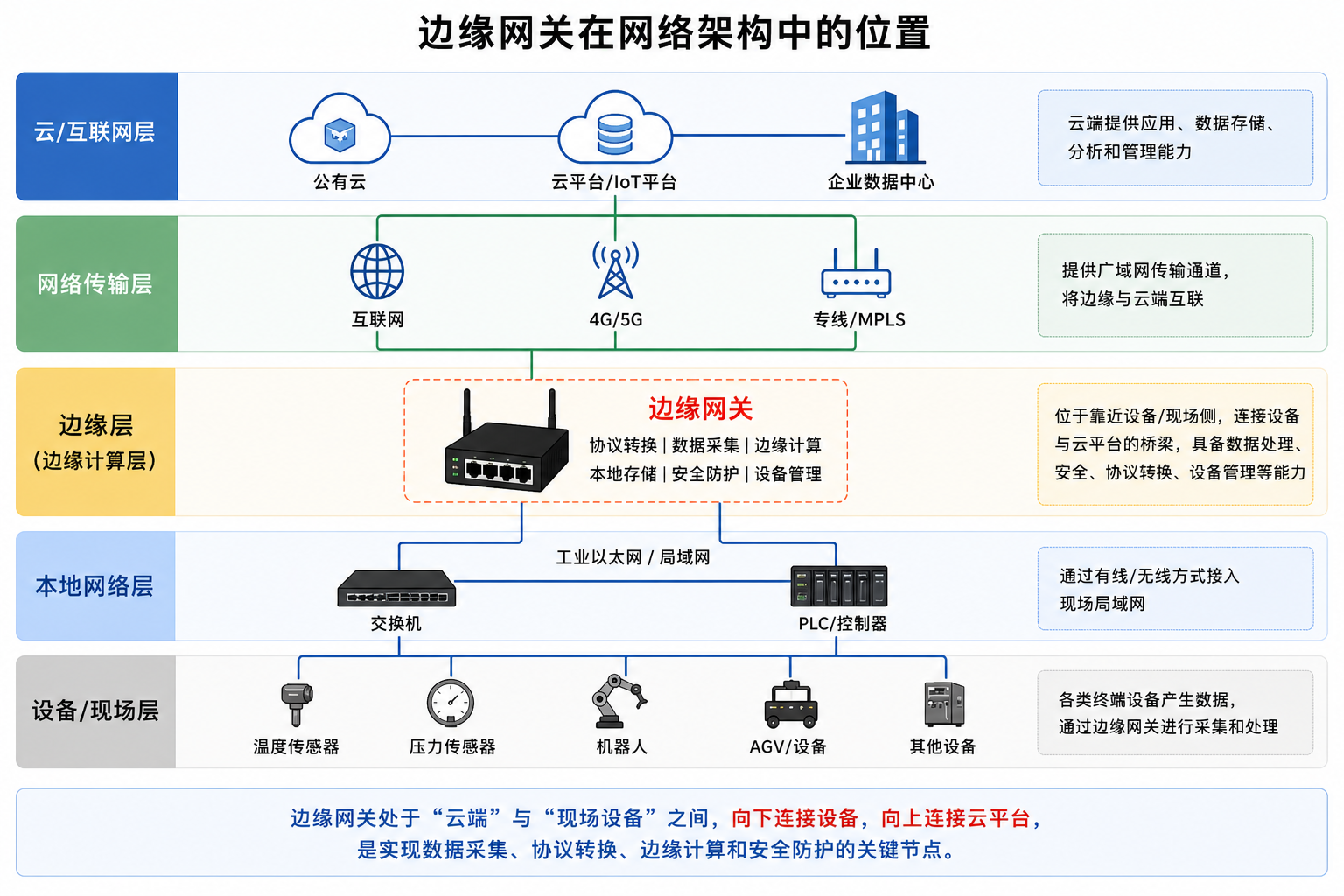
Product positioning: why use an edge gateway?
Industrial sites combine varied device protocols, unreliable networks, large data volumes and short response times. An edge gateway keeps essential processing on site.
Reduce network traffic
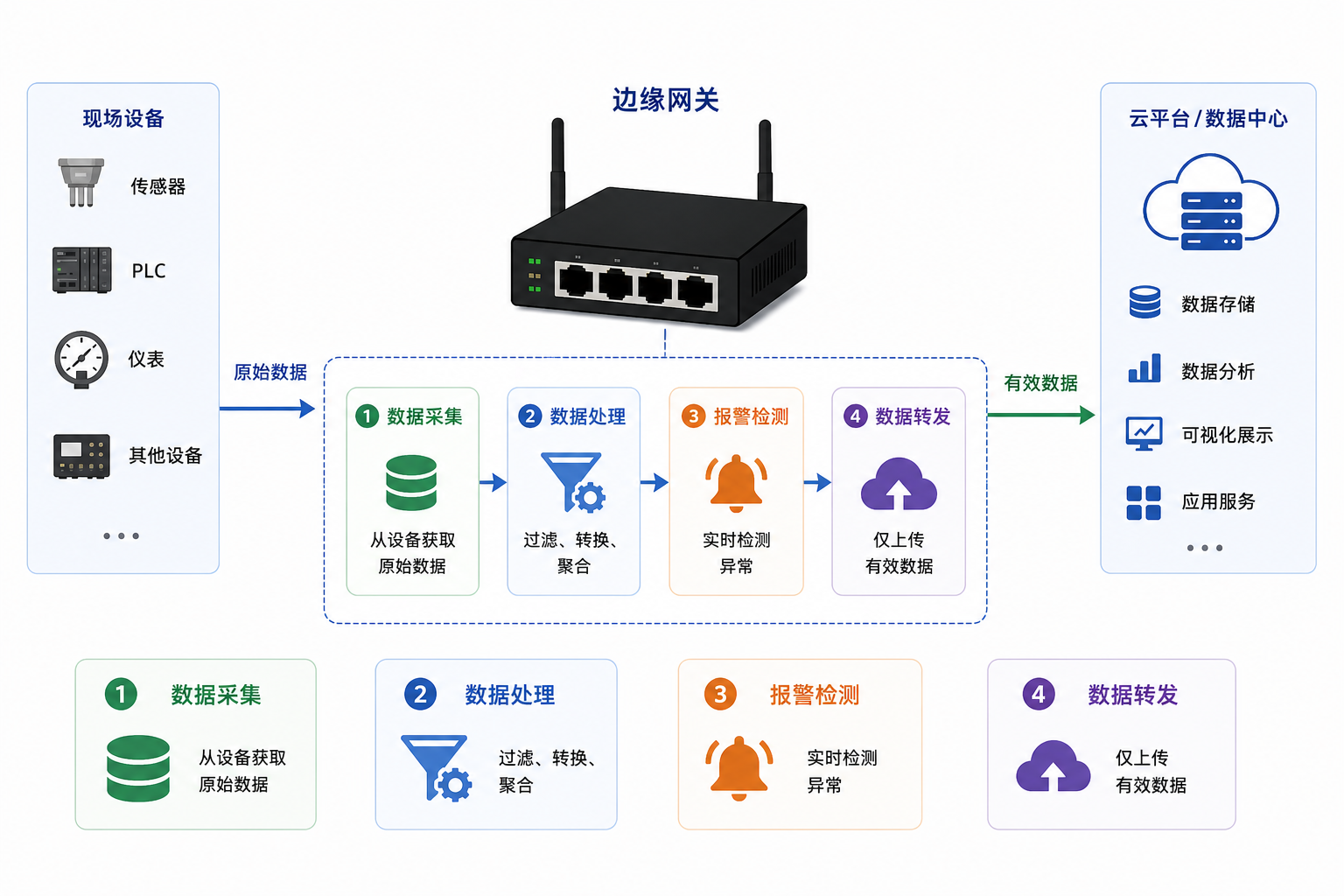
Filter, transform and aggregate data locally, then upload the information the application needs.
Respond locally
Evaluate alarms, execute rules and control devices without a cloud round trip.
Keep the site running
Continue collecting, caching and processing data during temporary network outages.
Connect different devices
Use protocol plugins to connect devices from different vendors and communication systems.
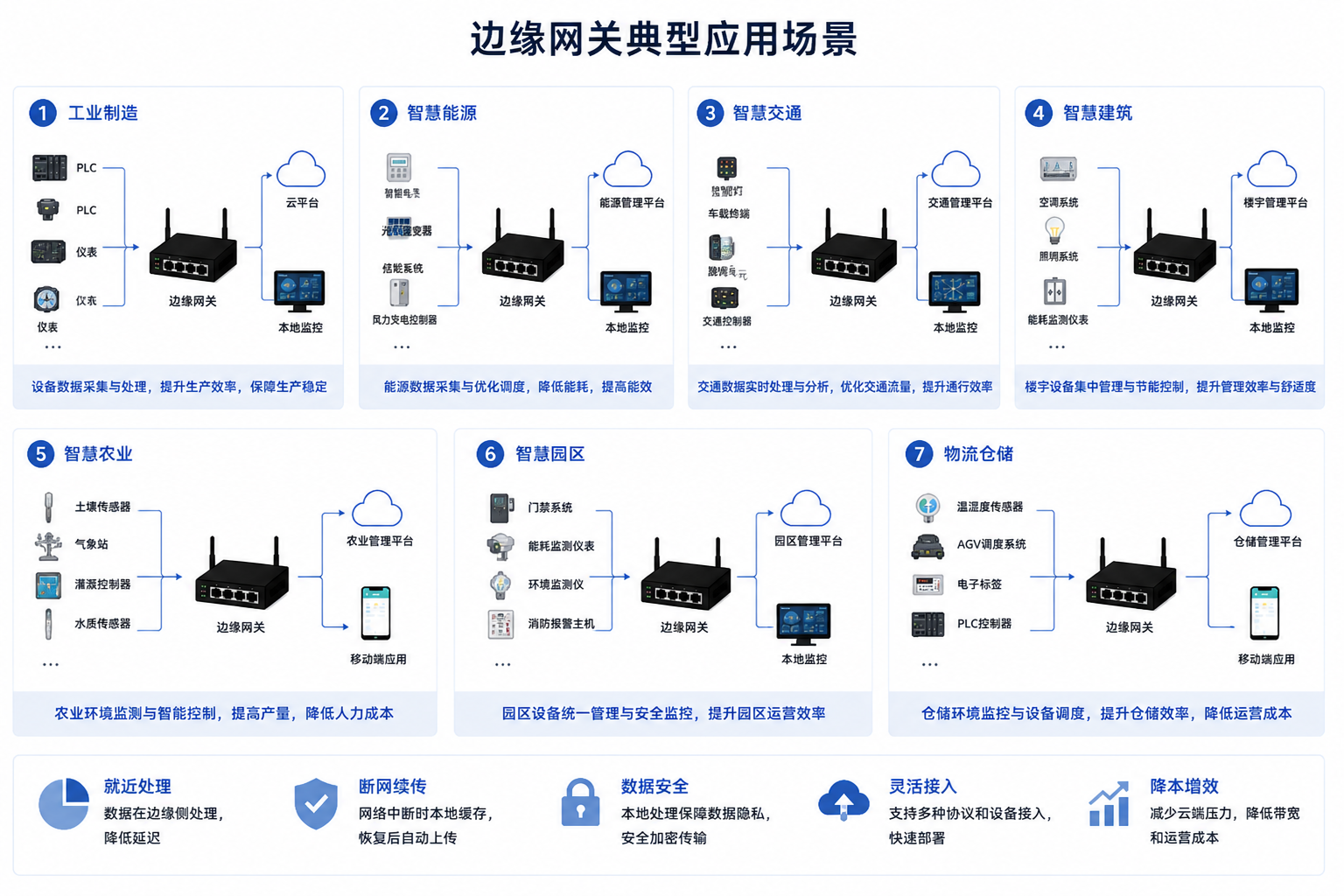
Applications
Device data collection
Connect factory PLCs, instruments, sensors and robots, with shared point-list and device-status management.
Production monitoring
Inspect live production status, quality data and alarms to support site decisions.
Data aggregation and synchronization
Forward to MES, SCADA, databases, MQTT brokers or cloud platforms, and aggregate multiple edge gateways.
Product components
Studio centrally manages multiple sites and projects, coordinates remote updates, and provides script analysis and code completion services. At each site, Watchdog and TGateway share one machine and runtime environment, handling process supervision and business execution respectively.
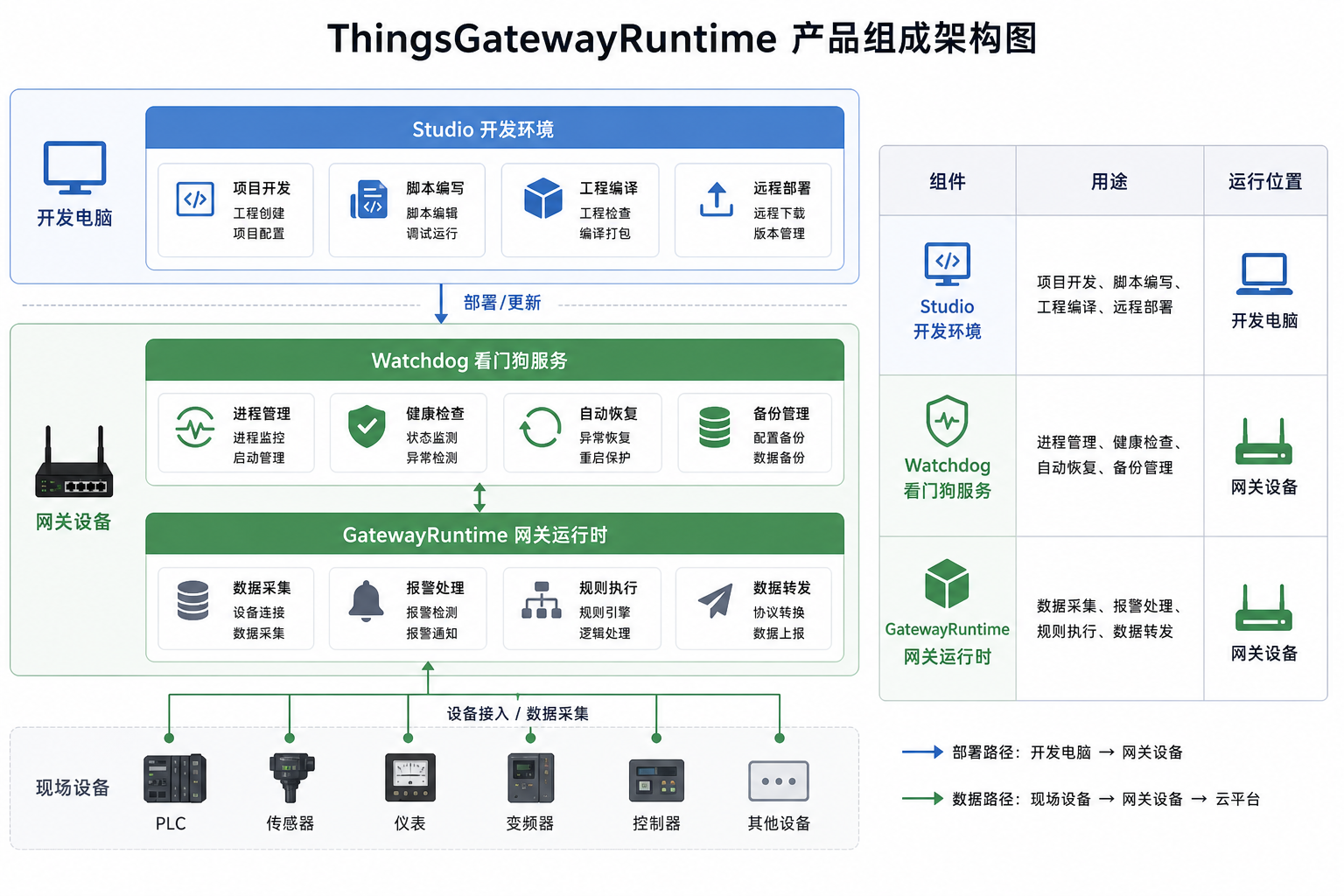
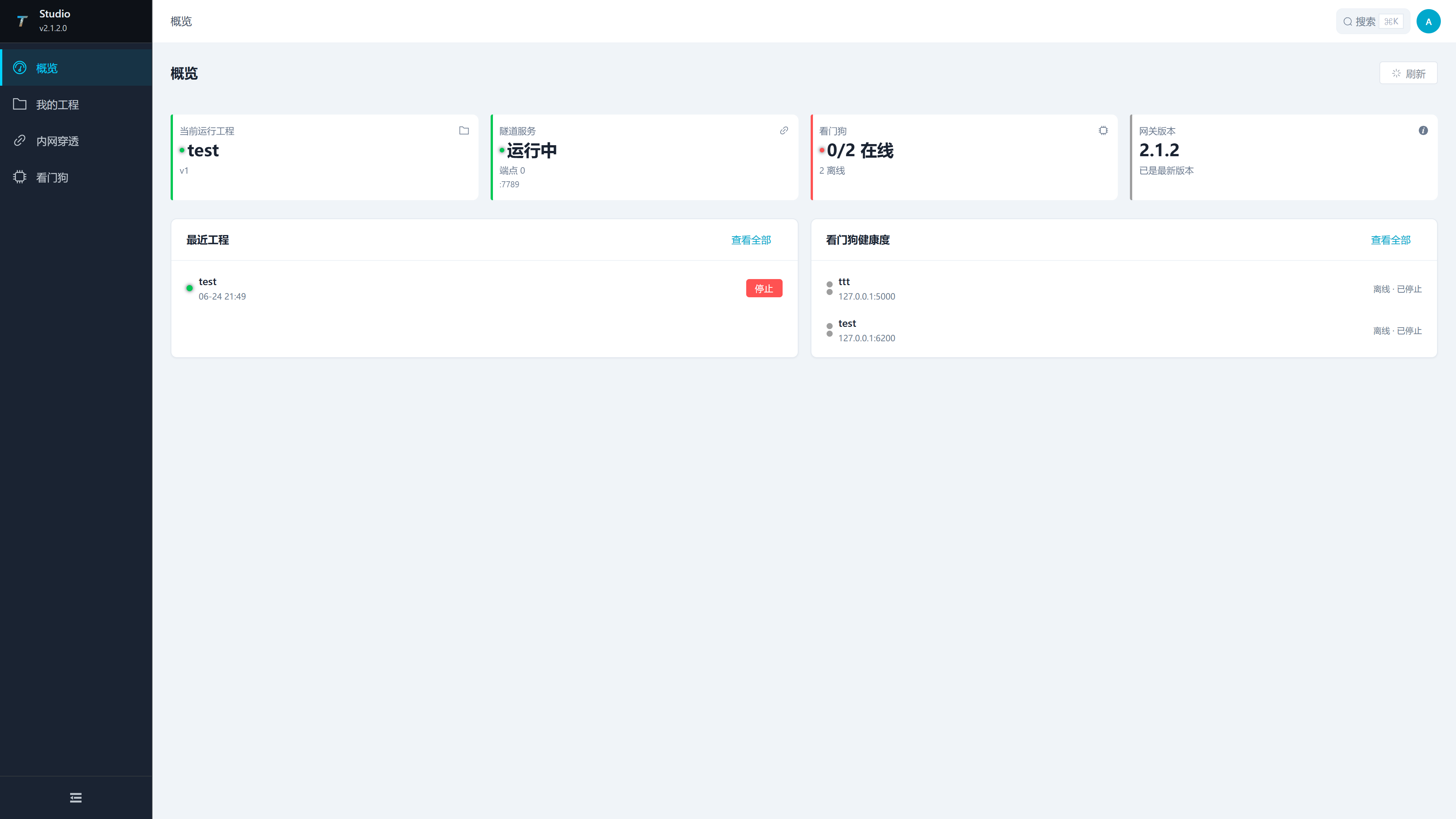
Studio
Manage multiple sites and projects, deploy and retrieve projects, remotely update gateway programs, and provide script analysis, code completion and diagnostics for TGateway editors.
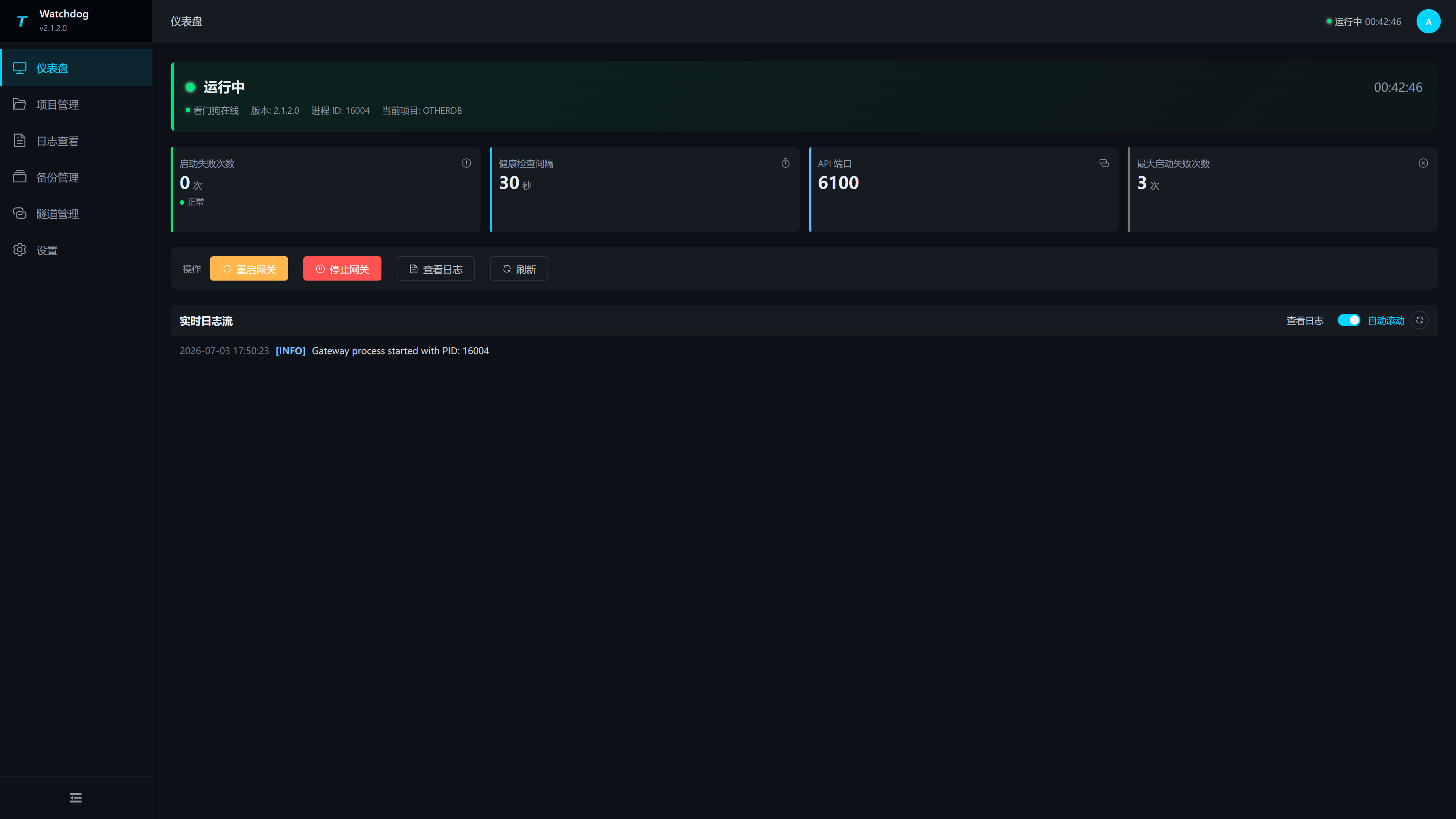
Watchdog
Supervise runtime processes, check their health, recover from abnormal exits, and manage projects and backups.
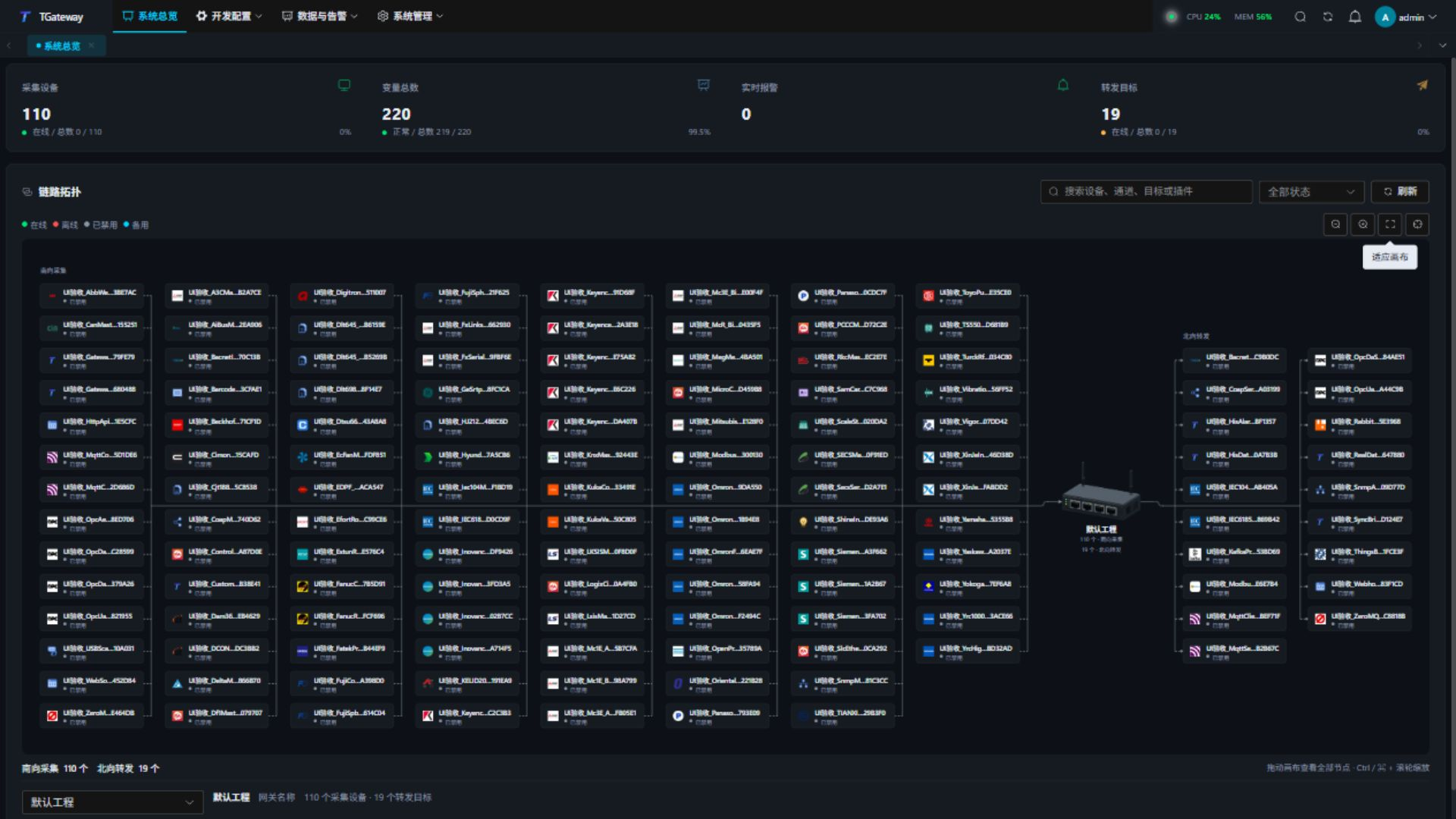
TGateway
Configure collection, variables, rules, alarms, forwarding, logs and permissions. Edit scripts in its Web editor; formal compilation and execution take place in this gateway.
Core capabilities
Before deployment
Watchdog starts and supervises the gateway. Deploy Studio separately when needed. See Quick Start for installation links and first sign-in.
See Environment requirements for hardware, runtime, default ports and network preparation. The site requires at least 512 MB of memory, with 1 GB or more recommended, and at least 8 GB of storage. Verify the actual protocols, point list and intervals using capacity planning.
Without a commercial license, use up to 50 channels, 50 devices and 1000 variables. Exceeding any limit requires a source license or CNY 1,998 activation code license, which has no Gateway instance-count limit. See commercial licensing.
Get started
Choose the next guide for your task, from first startup to protocol configuration.