On this page
Inovance Computer Link master
Inovance Computer Link PLC address reading and writing, status and start-stop control driver
Open the plugin
Enter “Development Configuration → Collection Configuration”, create a device and select “InovanceComputerLinkMaster” in “Collection Plugin”.
Supported channels and data types
| Channel type | Pre-configuration check |
|---|---|
| Serial Port | Confirm that the serial port is not occupied by other programs and maintains the same baud rate, data bits, stop bits and parity bits as the device. |
| TCP Client | Confirm network reachability of the device IP, port, and gateway to the device. |
| TCP server | Confirm that the local listening address and port are available, and allow on-site devices to actively connect to the gateway. |
Optional data types: Boolean, Byte, Int16, UInt16, Int32, UInt32, Int64, UInt64, Float, Double, String, Decimal
This list describes types allowed by the plugin editor. Address width, arrays, string length and read/write restrictions still follow this page; it does not mean that every address supports every type.
Plugin properties
Protocol parameters
| Setting | Description |
|---|---|
| Default station number | Default: 0; fill in: text input. Set the default station number used when the station number is not specified separately in the variable address. |
| Enable and verify | Default: Yes; fill in: switch. Controls whether the “Enable and Verify” feature is enabled. |
Running parameters
| Setting | Description |
|---|---|
| Waiting time (10 milliseconds) | Default: 0; fill in: text input. Set the wait time (10 milliseconds) used when the plugin is run. |
Data format
| Setting | Description |
|---|---|
| Frame format (1 or 4) | Default: 4; fill in: digital input. Set the frame format (1 or 4) used for data parsing or serialization. |
Address rules
- FX Links bit device area: M, X, Y, S, TS, CS.
- FX Links WORD device area: D, R, TN, CN.
- X and Y addresses are parsed in octal, and other addresses are parsed in decimal; you can use s=2;D100 to overwrite the default station number.
- A maximum of 64 words or 256 bits can be read or written in a single frame.
- Inovance computer link uses format 4, supporting serial port, TCP client and TCP server.
Special methods
| Method | Purpose | Parameters |
|---|---|---|
| RemoteRunAsync | Run PLC | No parameters |
| RemoteStopAsync | Stop PLC | No parameters |
| ReadPlcTypeAsync | Read PLC model | No parameters |
Device debug
Enter “Development Configuration → Collection Configuration”, select the current device then open “Protocol Debug” at the top of the workspace.
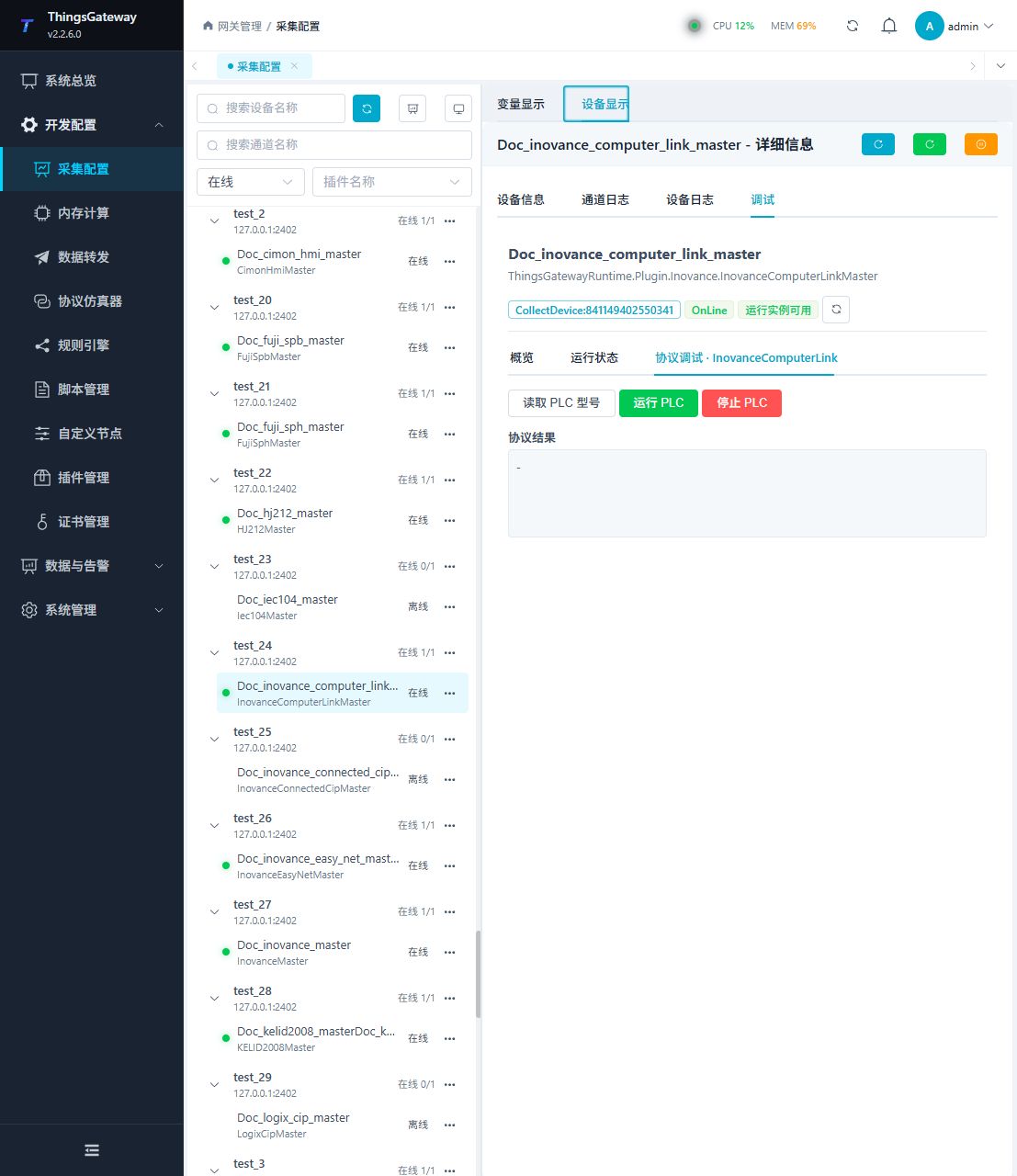
Debugging notes
Read the PLC type first; running and stopping are high-risk controls and must be confirmed twice before execution.
Functions
| Function | Purpose |
|---|---|
| Read PLC model | Use Read PLC model to inspect mapped values, status, counters, recent messages, or the latest result. |
| Remote run | Use Remote run with an approved test point and confirm site safety before execution. |
| Remote stop | Use Remote stop with an approved test point and confirm site safety before execution. |
Verify the configuration
Monitor D100 online in the PLC engineering tool, compare its value with the gateway variable and confirm advancing sample times.
Writes and control operations require an approved test point and the site safety procedure.
Troubleshooting
- This driver uses format 4. X/Y are octal rather than Modbus register numbers.
- Special method execution fails: Check method parameters and permissions; control, write or reset methods also need to confirm that the device is in a state that allows operation.
- The serial port device does not respond: Confirm that the serial port is not occupied, and check the baud rate, data bits, stop bits and parity bits.
Related links
- Collection configuration: View channel, device and common variable configuration.
- Plugin Index: Find other collection or data-forward plugins.